
- Clasificación por edad4+
- CategoríaFinanzas
- DesarrolladorApisak Musikapan
- IdiomasInglés+ 9 más
- Tamaño65,9 MB
Es posible que Expense Minion no esté disponible en App Store en este momento
No se pudo acceder a la ficha de la tienda en nuestra última comprobación. El enlace sigue llevando a la página oficial de App Store.
Capturas de pantalla

Acerca de
El desarrollador no ha proporcionado este texto en tu idioma.
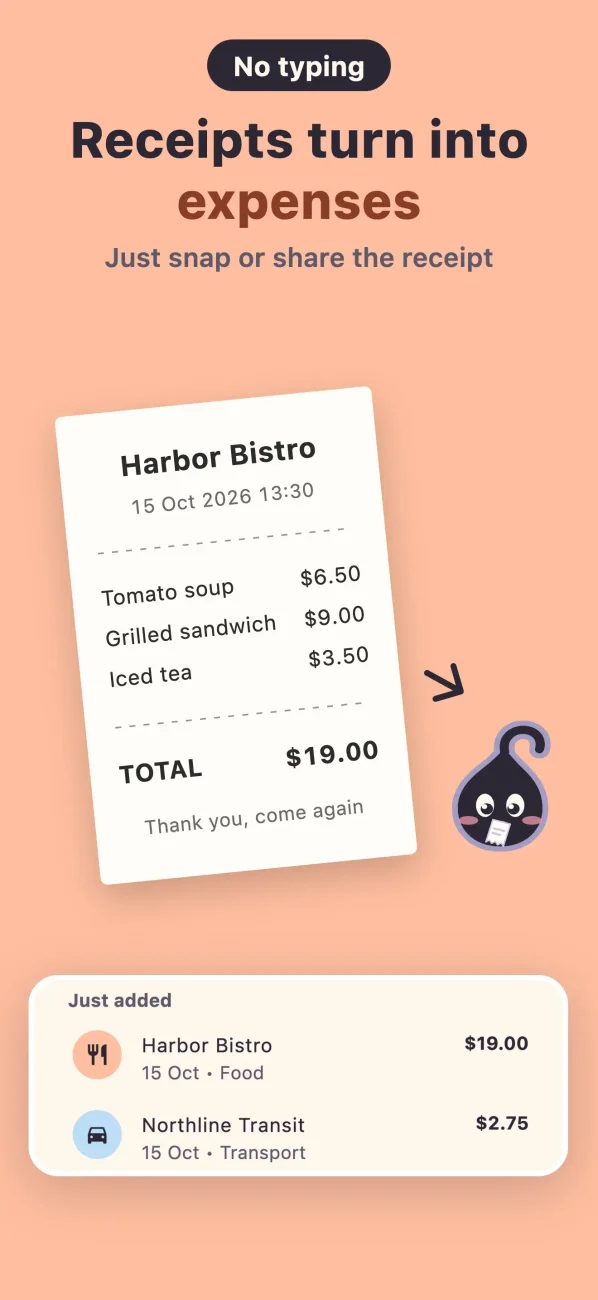
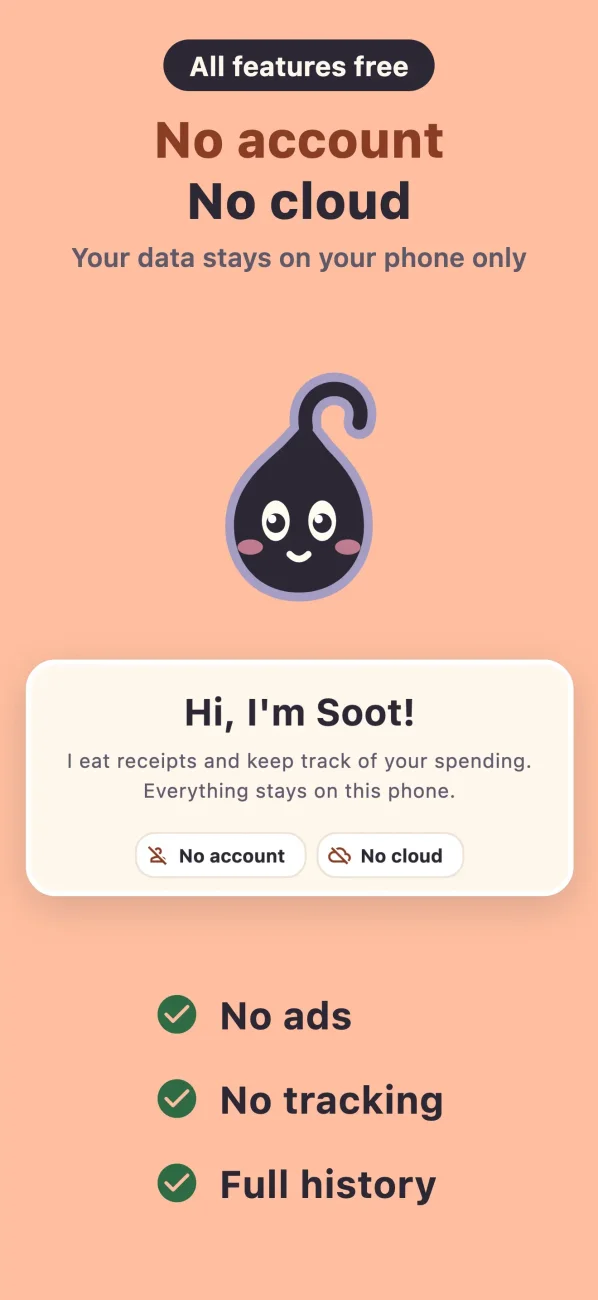
Snap a receipt, get an expense, with no sign-up and nothing you record leaving your iPhone. Everything is free: no purchases, no ads. Expense Minion reads your receipts right on the phone, and Soot, a little puff of soot, cheers you on every time you log.
QUICK TO USE
• Scan: take a photo or pick receipts from your photos, and each one is read straight away
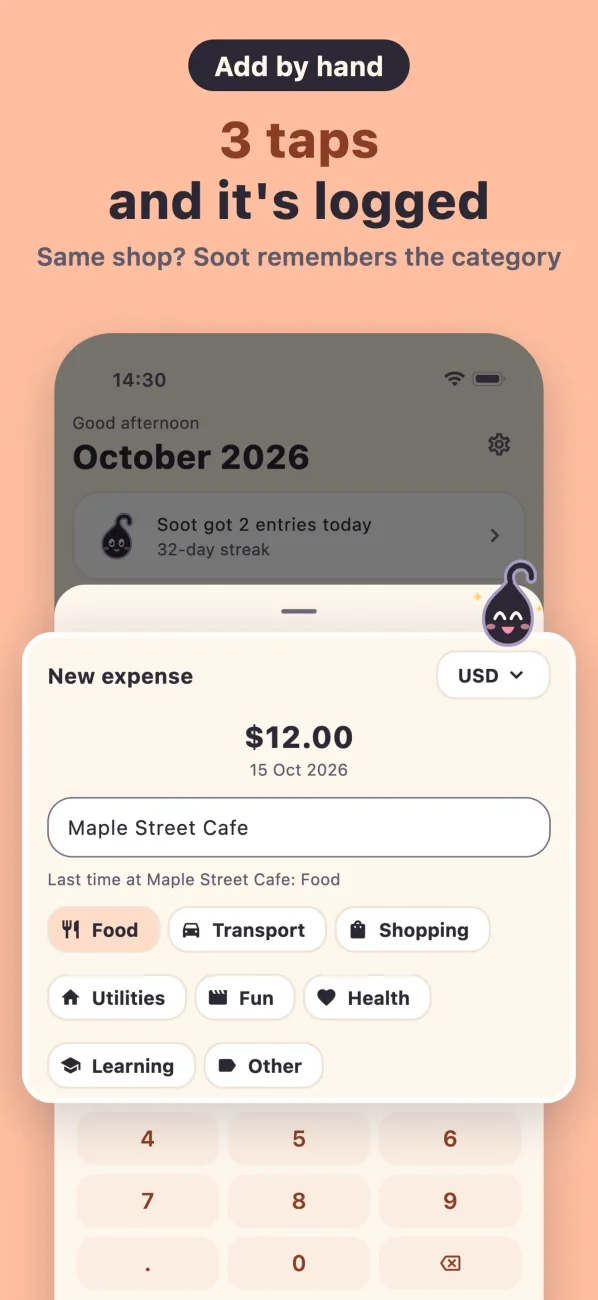
• Add: type an amount, pick a category, save. Three taps.
• Several at once: type "coffee 60 lunch 80" in Add and save both, or say it with the keyboard's dictation
• Every photo gets a result, so nothing quietly disappears: saved, needs review, not a receipt, or couldn't read
• Undo: delete, move or edit, then change your mind with one tap
• Share a receipt from another app into Expense Minion
• Learns as you go: the category is remembered for each shop, and a receipt format you correct once is read better next time
PRIVATE BY DESIGN
• No account, no ads, no tracking
• Nothing you record is uploaded: your expenses, photos and chats stay on this iPhone
• When you're online, the app updates exchange rates once a day without sending any of your data, and downloads the AI model only if you ask
• Scan uses the iOS photo picker, so it needs no access to your photo library. Photos access is asked for only when you turn on a feature that needs it.
• Lock the app with Face ID
NEW IN 1.7.0
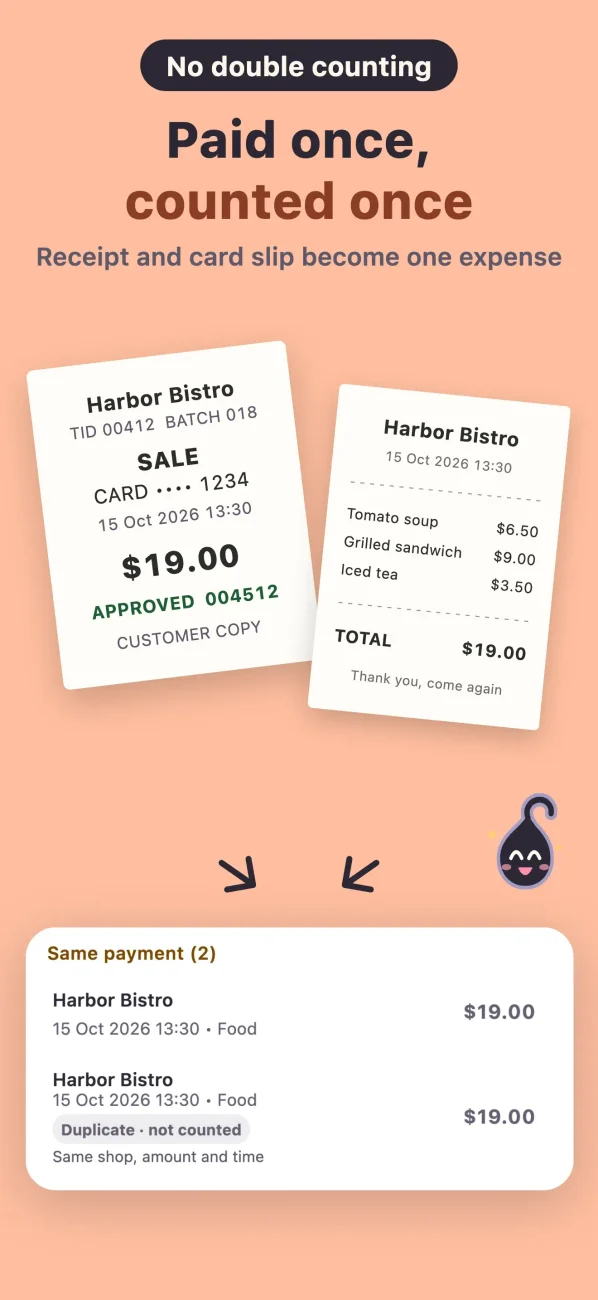
• One payment, many papers: the bank slip, the card-terminal slip and the tax invoice of one payment count once
• A duplicate proven by its payment number (the slip's QR code, a transaction or reference number) is left out of your totals and hidden. Shown, it reads "Duplicate · not counted", and "Not a duplicate" counts it again.
• Two payments at the same shop, even minutes apart, stay two expenses.
• Import from a file: a CSV export from MeowJot, Money Lover or Money Manager, with a preview before anything is saved, and Undo
• Month starts on: begin your month on payday (day 1 to 28, or the last day). Home's month total and budget follow it.
• Better reading of totals, currencies, dates, times and shop names in every app language
• More Thai bank slips read right: SCB, Krungthai, Bangkok Bank, ttb, GSB (MyMo) and MAKE
• Photos are read the right way up, and Look in Photos skips photos already in the app
ON-DEVICE AI (OPTIONAL)
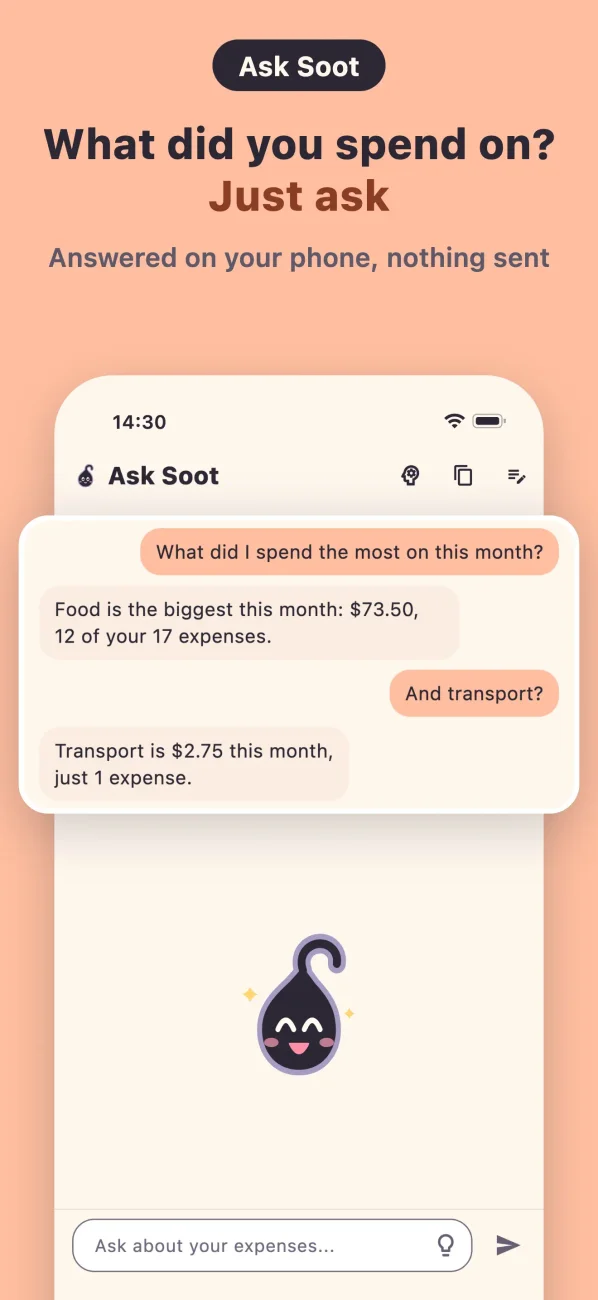
Without a download, Scan reads the text of each receipt to find the amount, date and shop. Download an AI model in Settings > AI models, or from the Soot tab, for smarter reading of the shop, amount, date and category. It also spots photos that aren't receipts and moves statements to Other papers. It's a one-time download of a few GB, then it runs offline. Soot's chat uses it too.
ALSO
• Soot's chat: ask about your spending, with starter questions to begin
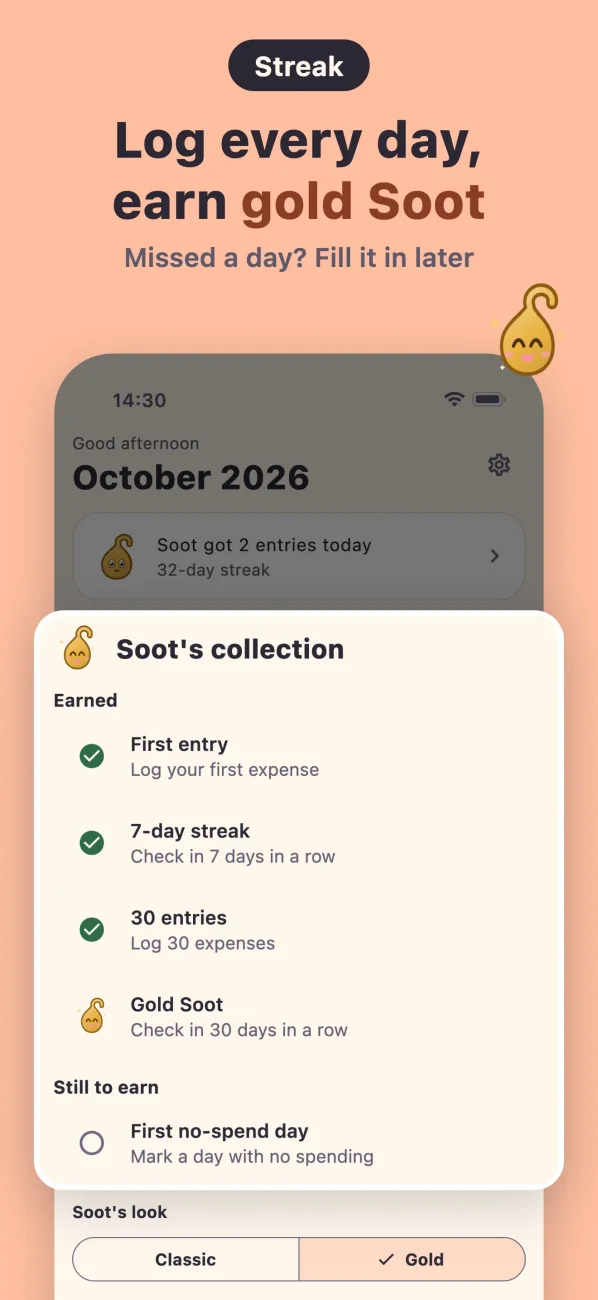
• No-spend days and daily check-ins, with a streak that gives you 3 days to fill in a missed day, and milestones up to gold Soot after a 30-day streak
• Soot's Story: a monthly recap to share, with no amounts on it
• Widgets for the Home Screen, Lock Screen and Control Center, plus Shortcuts and Siri
• Optional Thai bank-slip import: new slips in your bank app's album are read on the phone
• Reads receipts in Thai, English, Japanese, Chinese, Korean, Vietnamese, Malay, French, German and more
• 36 currencies, converted to your home currency
• Calendar with daily totals and no-spend days
• Optional monthly budget. Soot never judges an amount.
• Possible duplicates stay counted, grouped for you to check
• Custom categories with icons or emoji
• Search and filter your expenses
• One optional daily reminder, never with amounts
• Export to CSV
Novedades
Versión 1.7.1 · 9/11/2026
• Shop names: a shop you saved before is used only when its name is printed on the paper, labels such as "VAT Included" never become a shop, and your own name on your bank slips is never saved as the shop
• A currency you fix is remembered for that shop
• Times printed with a label or apart from the date are read, and slips whose month can't be read still get the right date
• Duplicates: invoice numbers on shop receipts are read, a photo already in the app is skipped when shared again, and a screenshot of the app is never saved as an expense
• "Not a duplicate" asks before counting a proven copy again, and reading a receipt again with AI keeps what the paper shows
Privacidad de la aplicación
Lo que Apisak Musikapan declara en App Store sobre cómo esta aplicación gestiona los datos.
-
No se recopilan datos
El desarrollador no recopila ningún dato de esta aplicación.
Las prácticas de privacidad pueden variar, por ejemplo, según las funciones que uses o tu edad.
Información
- Vendedor
- Apisak Musikapan
- Categoría
- Finanzas
- Versión
- 1.7.1
- Actualizado
- 9/11/2026
- Publicado
- 5/5/2026
- Tamaño
- 65,9 MB
- Requiere
- iOS 26.2 o posterior
- Clasificación por edad
- 4+
- Idiomas
- Inglés, Francés, Alemán, Japonés, Coreano, Malayo, Chino simplificado, Tailandés, Chino tradicional, Vietnamita
- Copyright
- © 2026 Apisak Musikapan
Quizá también te guste
-
 WriteOff Snap Receipt ScannerControl de Gastos y OCR
-
 Chaizo MoneyFinanzas
-
 Envelope Budget: Bill TrackerFinanzas
-
 Pocketto: Cash Budget EnvelopeFinanzas
-
 Mibud - Money & Budget TrackerFinanzas
-
 Gestor de Gastos: ScanLedgerEscanea tickets y recibos
-
 BooJot โบ้จด จดรายรับรายจ่ายFinanzas
-
 TradaVNFinanzas
-
 AutoLedger: Expense TrackerFinanzas
-
 Itemize AI: Receipt ScannerControl inteligente de gastos