
- Clasificación por edad4+
- CategoríaProductividad
- DesarrolladorSamuel Shmidman
- IdiomasInglés
- Tamaño40,1 MB
Enlaza a la página oficial de App Store
Download.org no aloja ningún archivo de EZ-TES. El botón abre la página de la aplicación en App Store, donde la publica Samuel Shmidman. Ficha comprobada por última vez el 25/11/2026.
Capturas de pantalla
Acerca de
El desarrollador no ha proporcionado este texto en tu idioma.
EZ-TES - Time Entry System
EZ-TES tracks your work time by project code and exports it as CSV. Start a timer, or enter start and end times by hand, then export a timesheet in the format your client or employer needs.
Your data stays on your device. EZ-TES has no accounts, no analytics, and sends nothing anywhere. You decide when to export or share.
Time entry
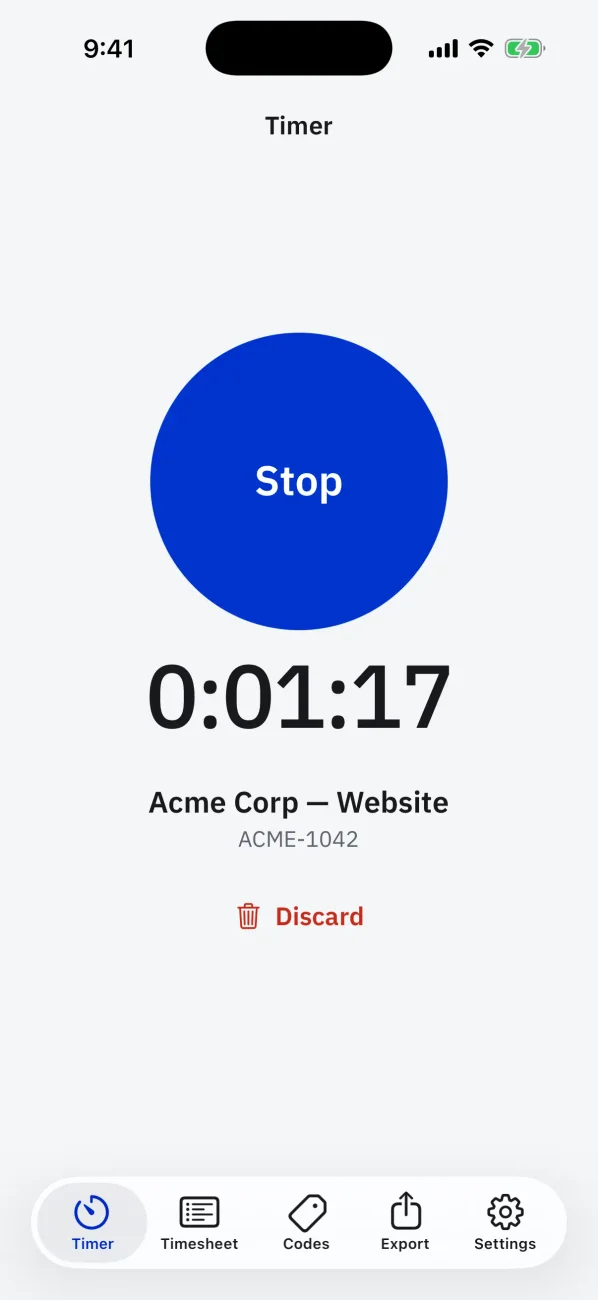
- Start and stop a timer against a project code; see it on the Lock Screen and in the Dynamic Island
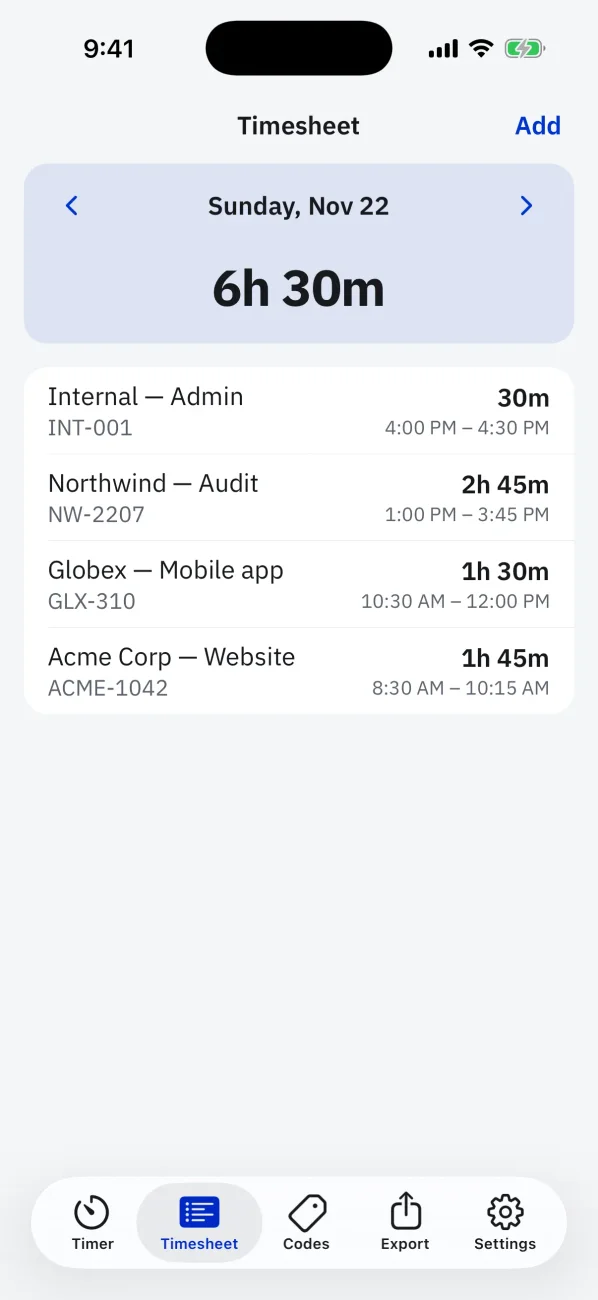
- Add or edit entries with Start and End times, including shifts that cross midnight
- Edit a duration without losing the times you recorded
- Times are shown in the time zone where they were recorded
Project codes
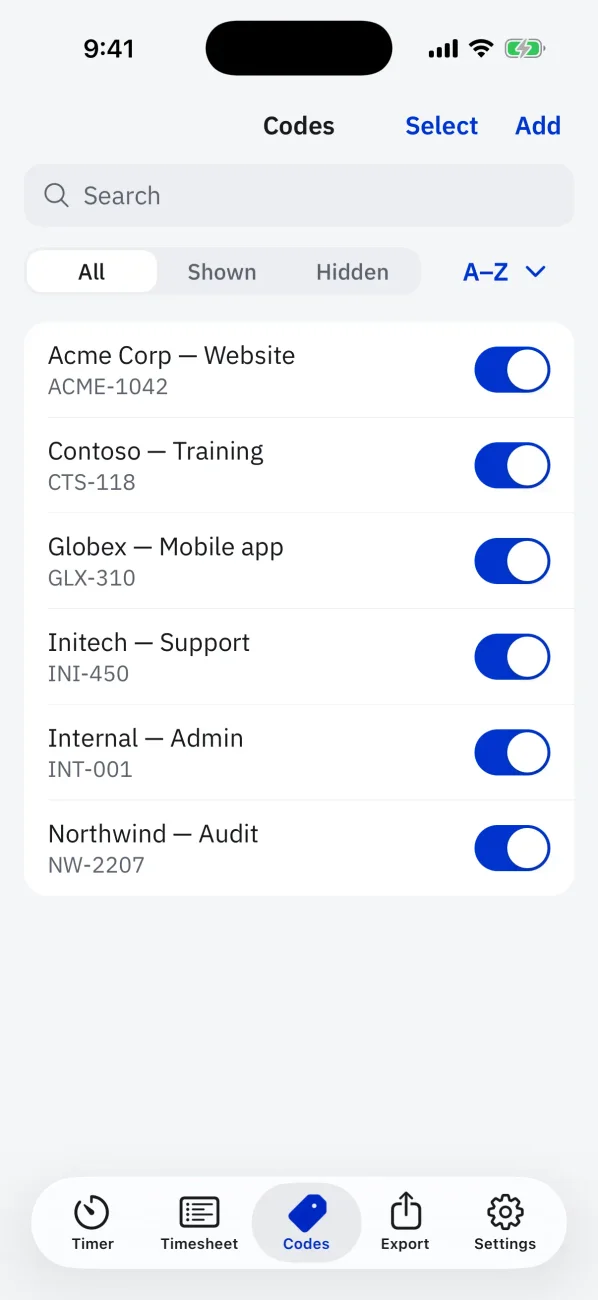
- Codes with nicknames; code matching ignores upper and lower case
- Switch codes on one entry or many at once
- Import codes from a CSV file
Export
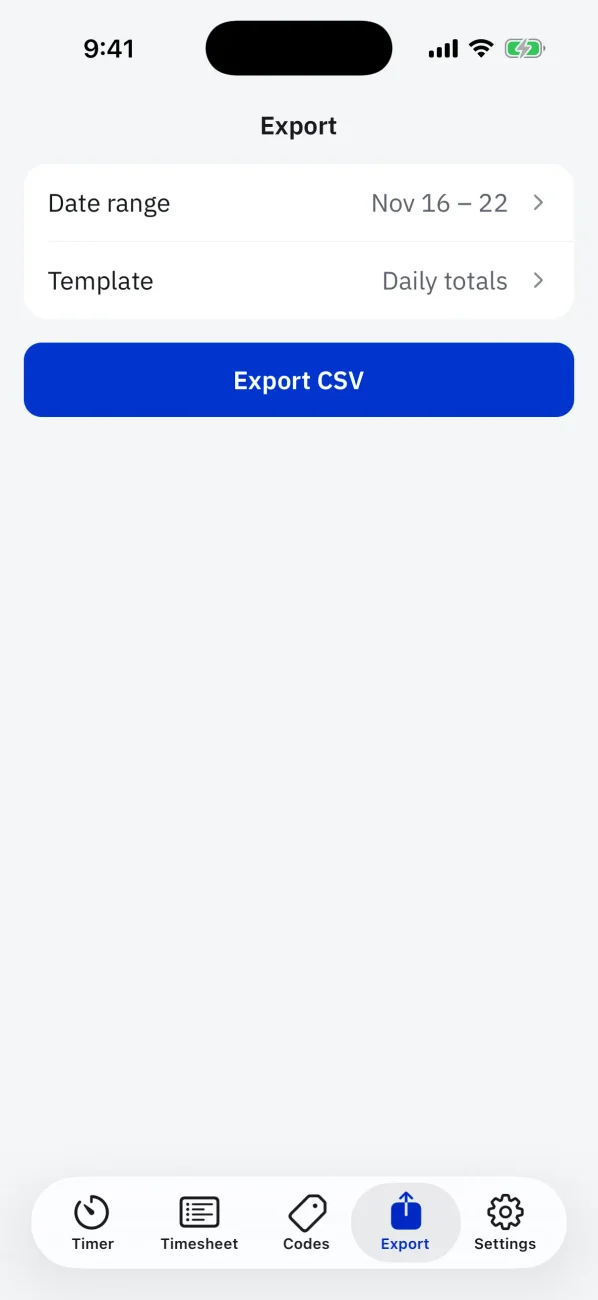
- Three built-in CSV templates: Every entry, Daily totals and Totals by code
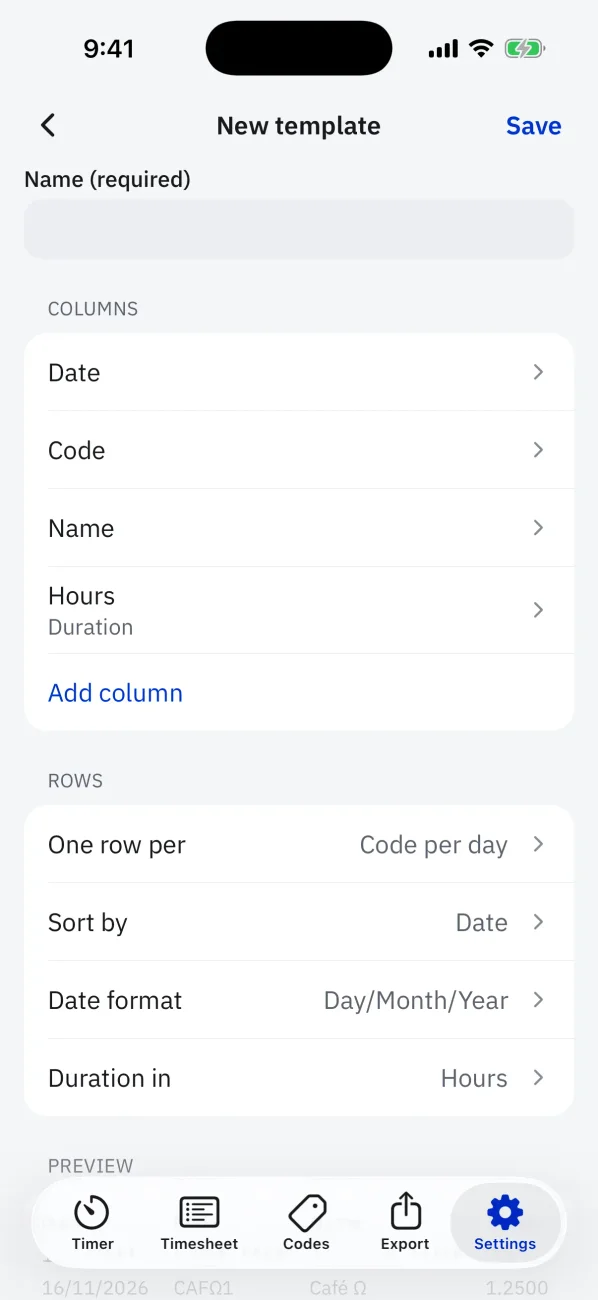
- Build your own template in the app: pick the columns, one row per entry or per code per day, the sort and the date format, with a live preview
- Import template files with grouping, sorting, rounding and more
- Export remembers the template you used last
- CSV files include a UTF-8 BOM so Excel shows special characters correctly, and are never altered
- Windows line endings by default (can be turned off)
Privacy
- Delete All App Data removes your entries, codes, settings, exported files and debug logs
- Optional debug logs for support are shared only when you choose, after a confirmation
Light and dark appearance, a bottom tab bar, and screen reader support throughout.
Works on iPhone and iPad (portrait).
Novedades
Versión 2.0.0 · 23/11/2026
A new look
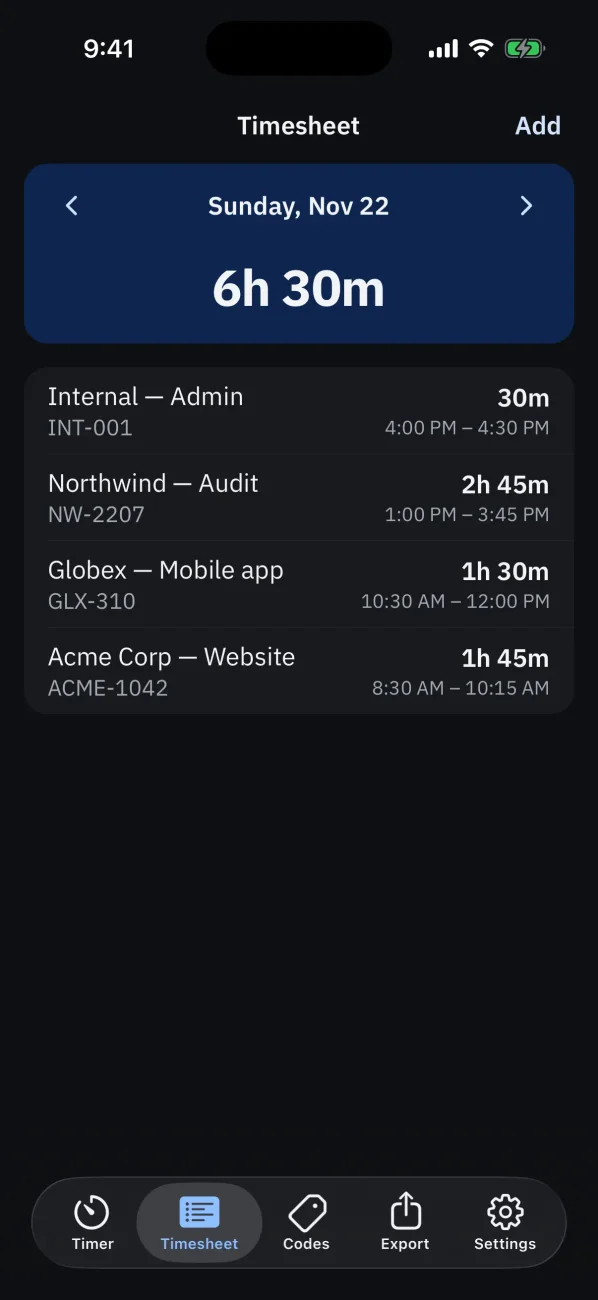
- New design with a bottom tab bar: Timer, Timesheet, Codes, Export, Settings
- Dark mode: follows your phone, or choose System, Light or Dark in Settings
- The Timesheet shows the day's total at the top
- Clearer wording, short confirmation toasts and better screen reader support
Export templates
- Build your own template in the app, with a live preview
- Three clear built-in templates, and Export remembers the last one you used
Your timer, everywhere
- Live Activity: the running timer shows on the Lock Screen and in the Dynamic Island
Still here
- Start and End times, long timers that are never discarded, time zone-aware days
- Imported templates and CSV exports work exactly as before, with a UTF-8 BOM for Excel
- Your data stays on your device and carries over automatically
Privacidad de la aplicación
Lo que Samuel Shmidman declara en App Store sobre cómo esta aplicación gestiona los datos.
-
No se recopilan datos
El desarrollador no recopila ningún dato de esta aplicación.
Las prácticas de privacidad pueden variar, por ejemplo, según las funciones que uses o tu edad.
Información
- Vendedor
- Samuel Shmidman
- Categoría
- Productividad
- Versión
- 2.0.0
- Actualizado
- 23/11/2026
- Publicado
- 23/7/2025
- Tamaño
- 40,1 MB
- Requiere
- iOS 16.4 o posterior
- Clasificación por edad
- 4+
- Precio
- Gratis
- Idiomas
- Inglés
- Copyright
- © 2026 Samuel Shmidman
Quizá también te guste
-
 one hour - screen time budgetProductividad
-
 RXO WorkplaceProductividad
-
 Friend Controls: Screen TimeProductividad
-
 Fext - Group Text MessagingProductividad
-
 Homey - Chores and AllowanceProductividad
-
 Pomodoro — Focus TimerProductividad
-
 KitchenPal Gerente de despensaRecetas. Listas de compras.
-
 PushUp App Blocker - PushBlockProductividad
-
 Remote for Samsung Smart TV*Productividad
-
 FoxNote・Voz a notas de textoTranscribir audio a texto