
- Độ tuổi4+
- Danh mụcHiệu Suất
- Nhà phát triểnSamuel Shmidman
- Ngôn ngữTiếng Anh
- Kích thước40,1 MB
Liên kết đến trang App Store chính thức
Download.org không lưu trữ tệp nào của EZ-TES. Nút này mở trang ứng dụng trên App Store, nơi Samuel Shmidman phát hành ứng dụng. Trang được kiểm tra lần cuối: 25/11/2026.
Ảnh chụp màn hình
Giới thiệu
Nhà phát triển chưa cung cấp nội dung này bằng ngôn ngữ của bạn.
EZ-TES - Time Entry System
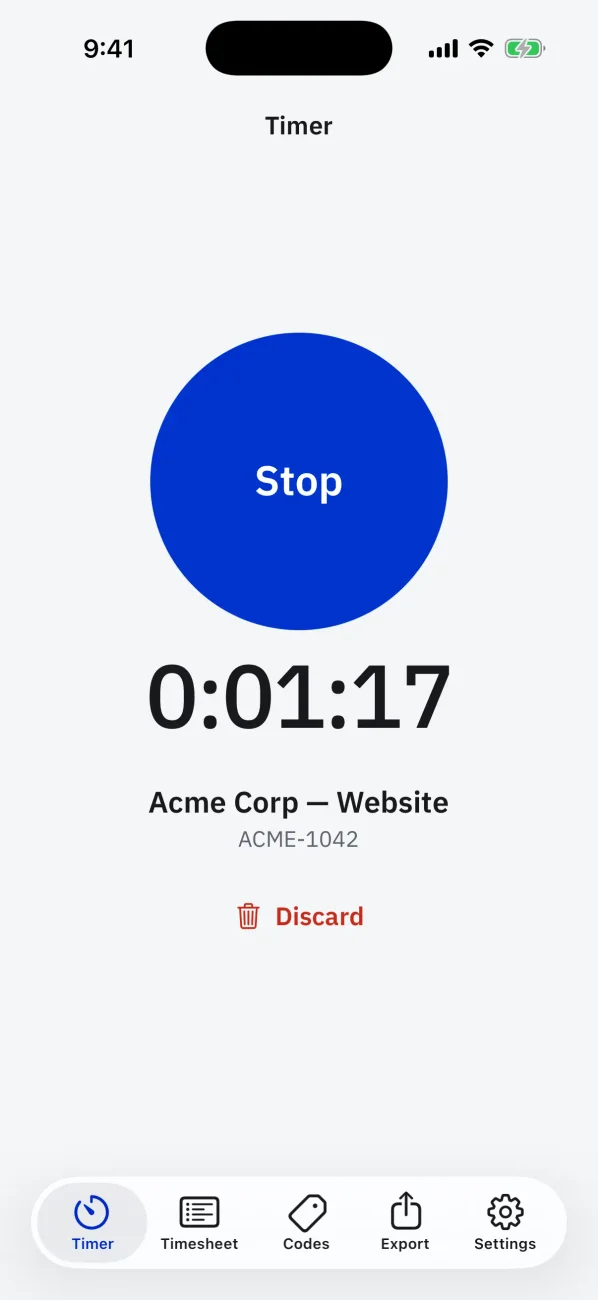
EZ-TES tracks your work time by project code and exports it as CSV. Start a timer, or enter start and end times by hand, then export a timesheet in the format your client or employer needs.
Your data stays on your device. EZ-TES has no accounts, no analytics, and sends nothing anywhere. You decide when to export or share.
Time entry
- Start and stop a timer against a project code; see it on the Lock Screen and in the Dynamic Island
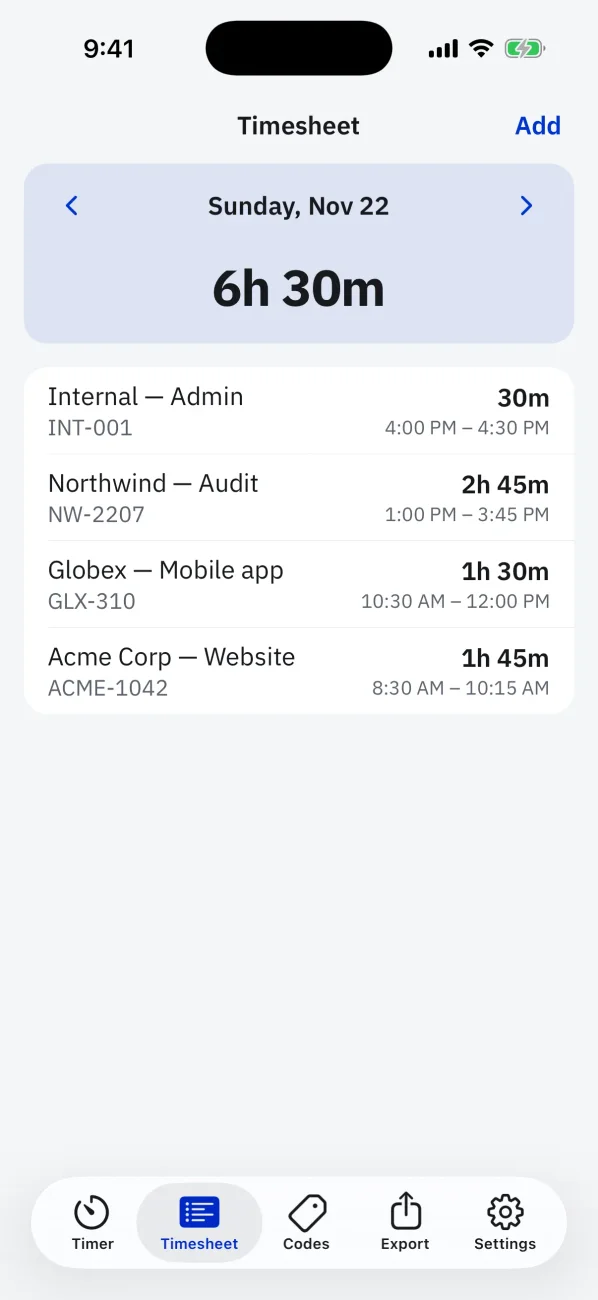
- Add or edit entries with Start and End times, including shifts that cross midnight
- Edit a duration without losing the times you recorded
- Times are shown in the time zone where they were recorded
Project codes
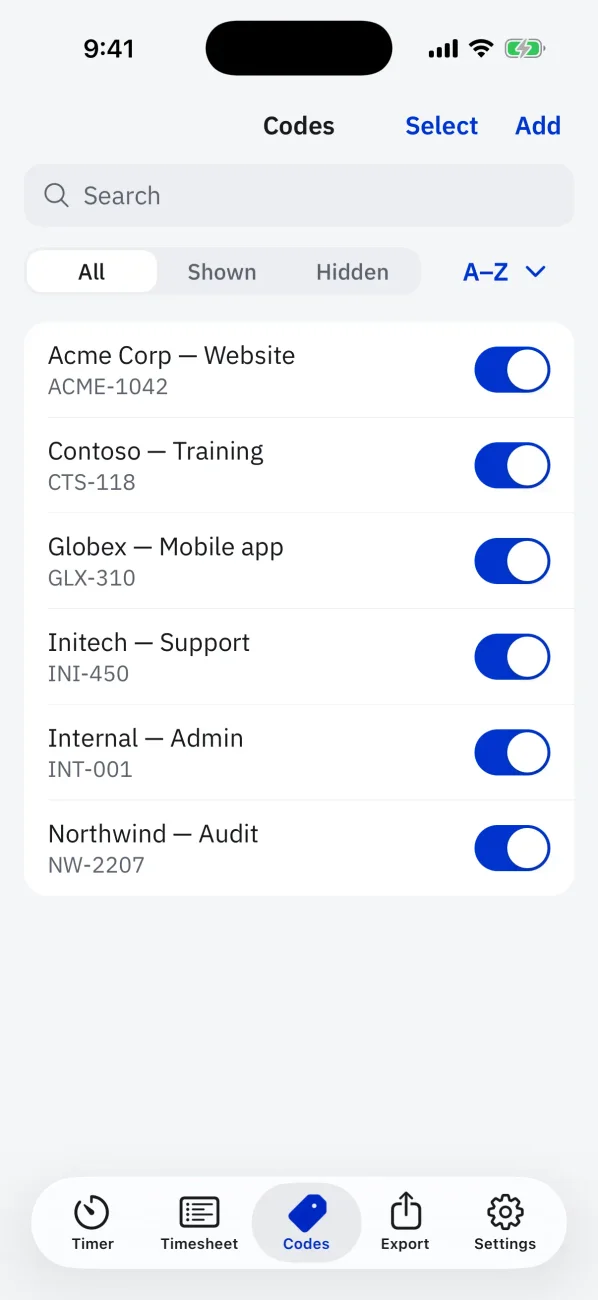
- Codes with nicknames; code matching ignores upper and lower case
- Switch codes on one entry or many at once
- Import codes from a CSV file
Export
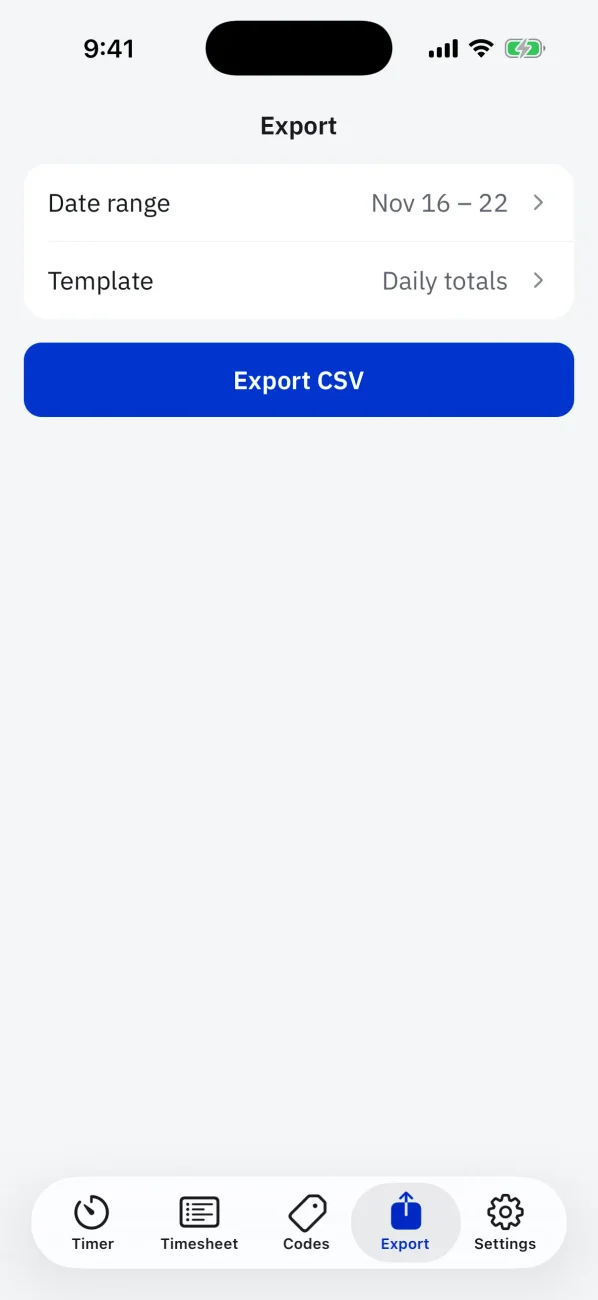
- Three built-in CSV templates: Every entry, Daily totals and Totals by code
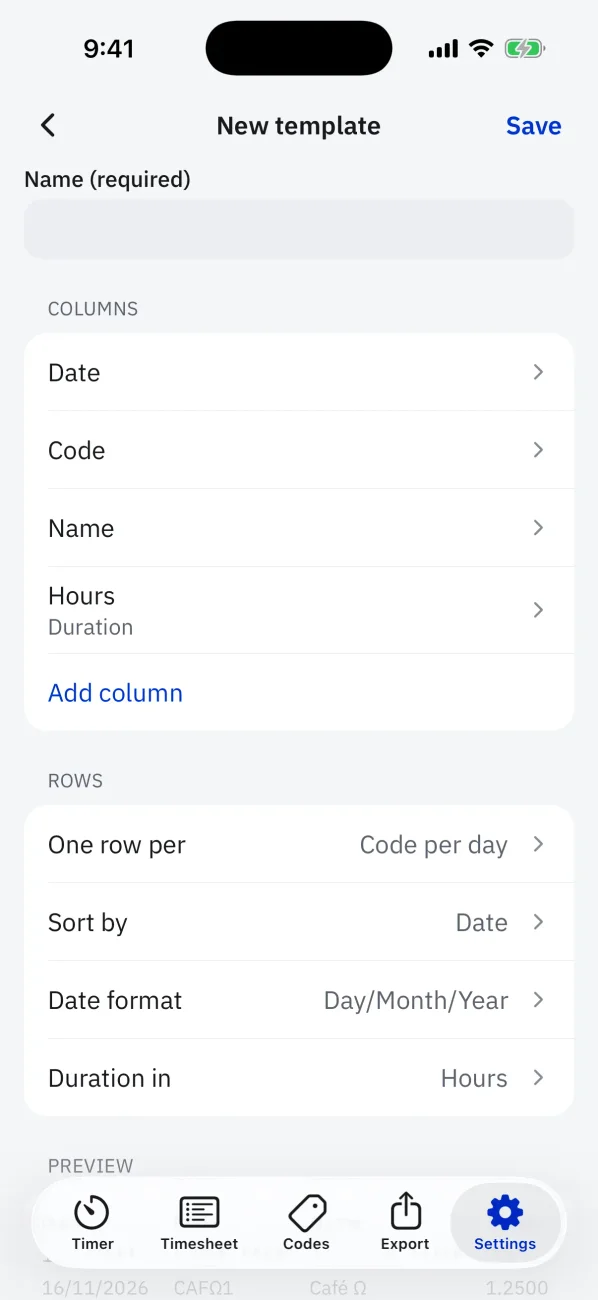
- Build your own template in the app: pick the columns, one row per entry or per code per day, the sort and the date format, with a live preview
- Import template files with grouping, sorting, rounding and more
- Export remembers the template you used last
- CSV files include a UTF-8 BOM so Excel shows special characters correctly, and are never altered
- Windows line endings by default (can be turned off)
Privacy
- Delete All App Data removes your entries, codes, settings, exported files and debug logs
- Optional debug logs for support are shared only when you choose, after a confirmation
Light and dark appearance, a bottom tab bar, and screen reader support throughout.
Works on iPhone and iPad (portrait).
Có gì mới
Phiên bản 2.0.0 · 23/11/2026
A new look
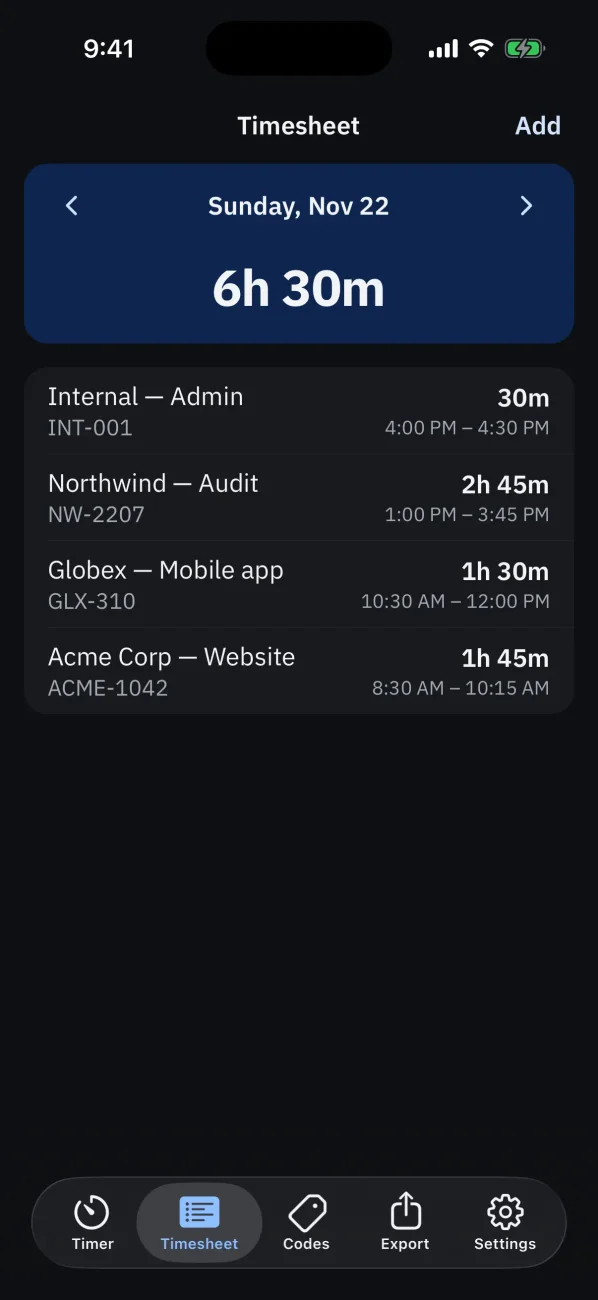
- New design with a bottom tab bar: Timer, Timesheet, Codes, Export, Settings
- Dark mode: follows your phone, or choose System, Light or Dark in Settings
- The Timesheet shows the day's total at the top
- Clearer wording, short confirmation toasts and better screen reader support
Export templates
- Build your own template in the app, with a live preview
- Three clear built-in templates, and Export remembers the last one you used
Your timer, everywhere
- Live Activity: the running timer shows on the Lock Screen and in the Dynamic Island
Still here
- Start and End times, long timers that are never discarded, time zone-aware days
- Imported templates and CSV exports work exactly as before, with a UTF-8 BOM for Excel
- Your data stays on your device and carries over automatically
Quyền riêng tư của ứng dụng
Những gì Samuel Shmidman khai báo trên App Store về cách ứng dụng này xử lý dữ liệu.
-
Dữ liệu không được thu thập
Nhà phát triển không thu thập bất kỳ dữ liệu nào từ ứng dụng này.
Phương thức đảm bảo quyền riêng tư có thể khác nhau, chẳng hạn như tuỳ theo các tính năng bạn sử dụng hoặc độ tuổi của bạn.
Thông tin
- Người bán
- Samuel Shmidman
- Danh mục
- Hiệu Suất
- Phiên bản
- 2.0.0
- Cập nhật
- 23/11/2026
- Phát hành
- 23/07/2025
- Kích thước
- 40,1 MB
- Yêu cầu
- iOS 16.4 trở lên
- Độ tuổi
- 4+
- Giá
- Miễn phí
- Ngôn ngữ
- Tiếng Anh
- Bản quyền
- © 2026 Samuel Shmidman
Có thể bạn cũng thích
-
 one hour - screen time budgetHiệu Suất
-
 RXO WorkplaceHiệu Suất
-
 Friend Controls: Screen TimeHiệu Suất
-
 Fext - Group Text MessagingHiệu Suất
-
 Homey - Chores and AllowanceHiệu Suất
-
 Pomodoro — Focus TimerHiệu Suất
-
 KitchenPal Shared Grocery ListHiệu Suất
-
 PushUp App Blocker - PushBlockHiệu Suất
-
 Remote for Samsung Smart TV*Hiệu Suất
-
 FoxNote - AI Note TakerHiệu Suất