- Clasificación por edad4+
- CategoríaUtilidades
- DesarrolladorHAN WEI WANG
- IdiomasInglés
- Tamaño27,6 MB
Enlaza a la página oficial de App Store
Download.org no aloja ningún archivo de Fallert. El botón abre la página de la aplicación en App Store, donde la publica HAN WEI WANG. Ficha comprobada por última vez el 14/11/2026.
Capturas de pantalla




Acerca de
El desarrollador no ha proporcionado este texto en tu idioma.
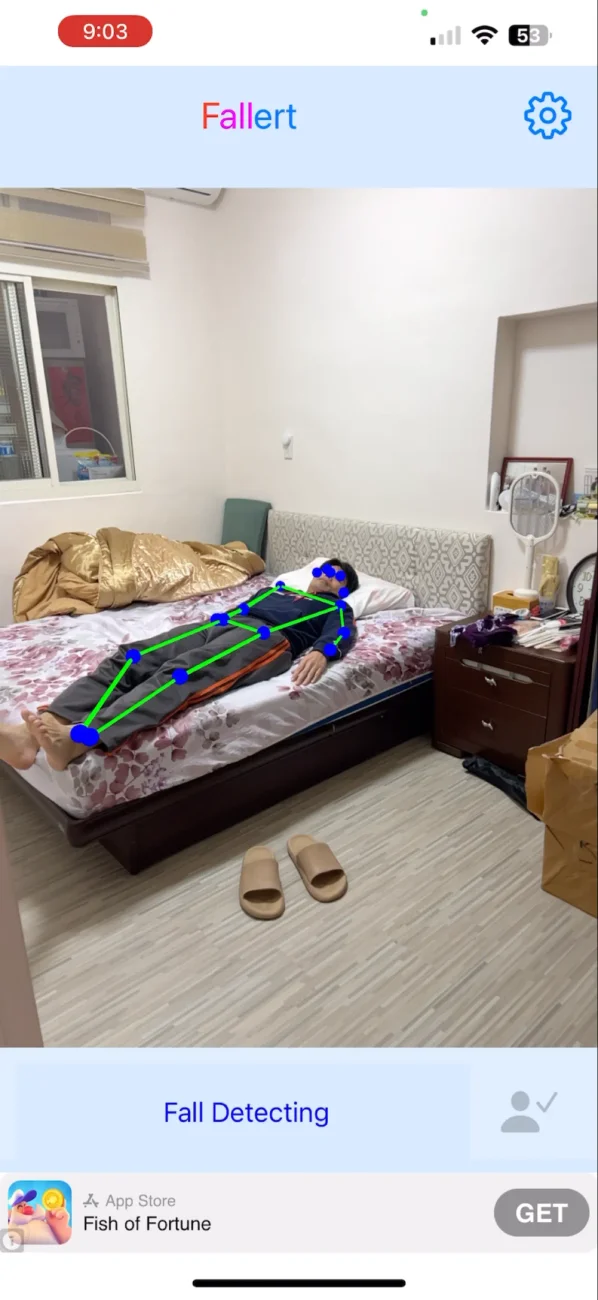
Fallert (short for Fall Alert) is a system that can detect human falls and send alerts via email using an iPhone Pro or iPad Pro with LiDAR sensor (Pro camera system required). Fallert distinguishes between falls occurring on a bed or sofa, where no injury is assumed (resulting in no alarm), and falls on the ground, which indicate potential injury (triggering an alarm). If the fall speed is insufficient to activate the alarm, it will still send an alert if someone remains on the ground for more than the specified time threshold, which is set to 30 seconds by default.
To begin, please fix your device in place and click the detect icon located at the bottom right. Fall detection will start, and you will see a human skeleton appearing in the scene. The skeleton will be red if the person is on the ground and green in all other conditions.
When a fall is detected, Fallert will play an alarm sound and send an alert email to the address specified on the settings page. The alert will display the time the fall occurred.
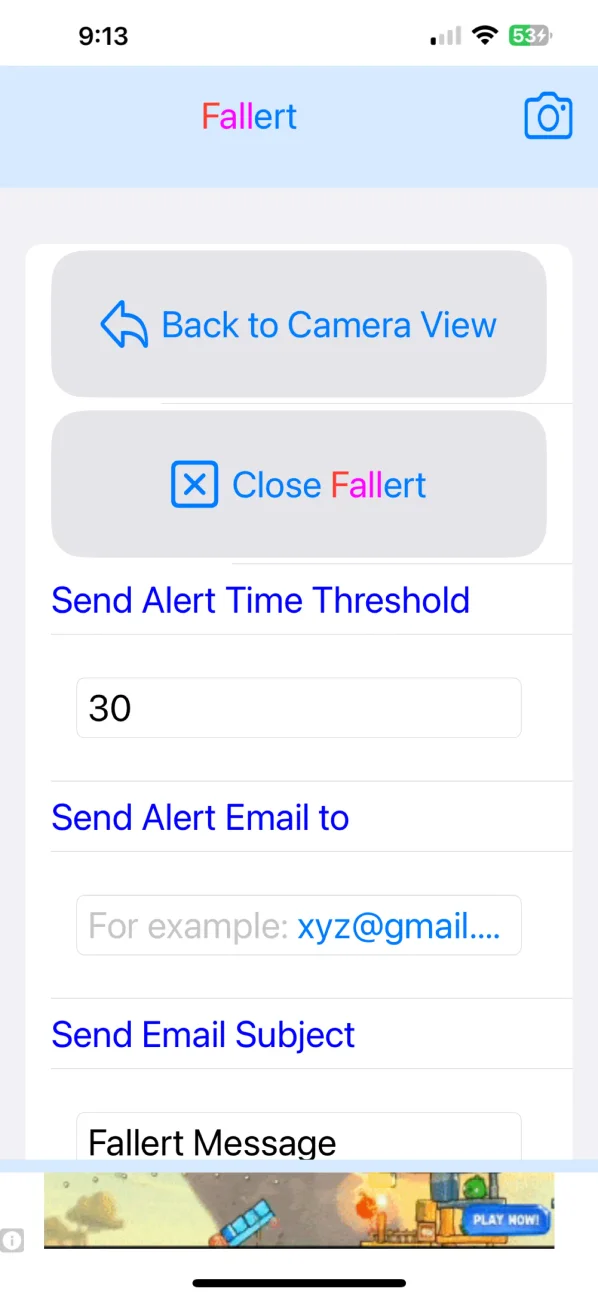
To access the settings, click the settings icon located at the top right. Here, you can specify the "Send Alert Time Threshold." An alert will be sent if a person is detected on the ground for longer than the selected time. To configure email notifications, click the Email settings button to enter your email information. Additionally, you can click the "Send Test Email" button to send a test alert email and ensure your settings are correct. We send alerts using our email; if you wish to change the sender's email, update the "Your Email Address" and "Your Email Password." Also, please ensure that your network connection is stable enough to send emails.
In "Fall Speed Detect" mode, an alert will be triggered if someone falls faster than free-fall speed. You can adjust the fall speed threshold by changing the "Fall Speed Coefficient." A higher coefficient value indicates a higher fall speed threshold to trigger the alarm. You can disable the "Fall Speed Detect" mode, meaning Fallert will alert you if someone remains on the floor longer than the specified Send Alert Time Threshold, regardless of the fall speed.
Note: If you are using Gmail to send emails, please create an app password for the email service on your Gmail settings page for your iPad/iPhone device. This application is a demonstration version and supports detection for only one user at a time.
Novedades
Versión 2.1 · 21/5/2025
Resolve the unsupported device issue on various iPad Pro models. It is now compatible with all iPad Pro models featuring LiDAR.
Privacidad de la aplicación
Lo que HAN WEI WANG declara en App Store sobre cómo esta aplicación gestiona los datos.
-
No se recopilan datos
El desarrollador no recopila ningún dato de esta aplicación.
Las prácticas de privacidad pueden variar, por ejemplo, según las funciones que uses o tu edad.
Información
- Vendedor
- HAN WEI WANG
- Categoría
- Utilidades
- Versión
- 2.1
- Actualizado
- 21/5/2025
- Publicado
- 28/1/2022
- Tamaño
- 27,6 MB
- Requiere
- iOS 14.0 o posterior
- Clasificación por edad
- 4+
- Precio
- Gratis
- Idiomas
- Inglés
- Copyright
- © Here You Are (Wang Han Wei)