- 対象年齢4+
- カテゴリユーティリティ
- 開発元HAN WEI WANG
- 言語英語
- サイズ27.6 MB
App Storeの公式ページにリンクしています
Download.orgはFallertのファイルを一切ホストしていません。ボタンを押すと、HAN WEI WANGが公開しているApp Storeのアプリページが開きます。ページの最終確認:2026/11/14。
スクリーンショット




概要
開発元はこのテキストをお使いの言語で提供していません。
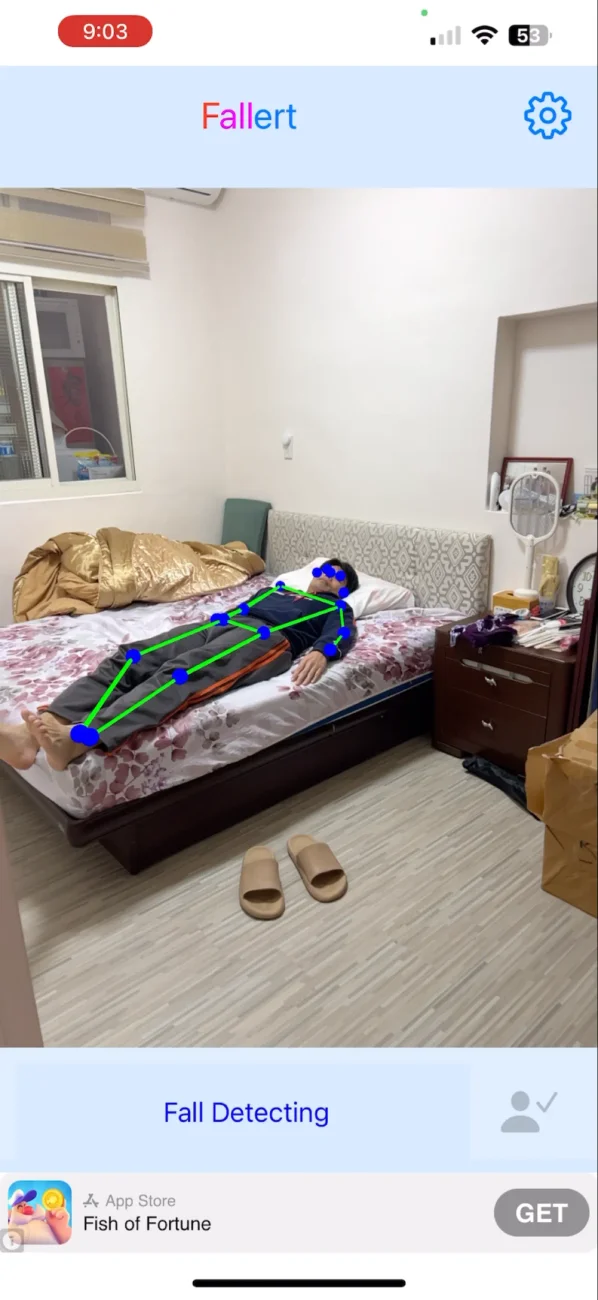
Fallert (short for Fall Alert) is a system that can detect human falls and send alerts via email using an iPhone Pro or iPad Pro with LiDAR sensor (Pro camera system required). Fallert distinguishes between falls occurring on a bed or sofa, where no injury is assumed (resulting in no alarm), and falls on the ground, which indicate potential injury (triggering an alarm). If the fall speed is insufficient to activate the alarm, it will still send an alert if someone remains on the ground for more than the specified time threshold, which is set to 30 seconds by default.
To begin, please fix your device in place and click the detect icon located at the bottom right. Fall detection will start, and you will see a human skeleton appearing in the scene. The skeleton will be red if the person is on the ground and green in all other conditions.
When a fall is detected, Fallert will play an alarm sound and send an alert email to the address specified on the settings page. The alert will display the time the fall occurred.
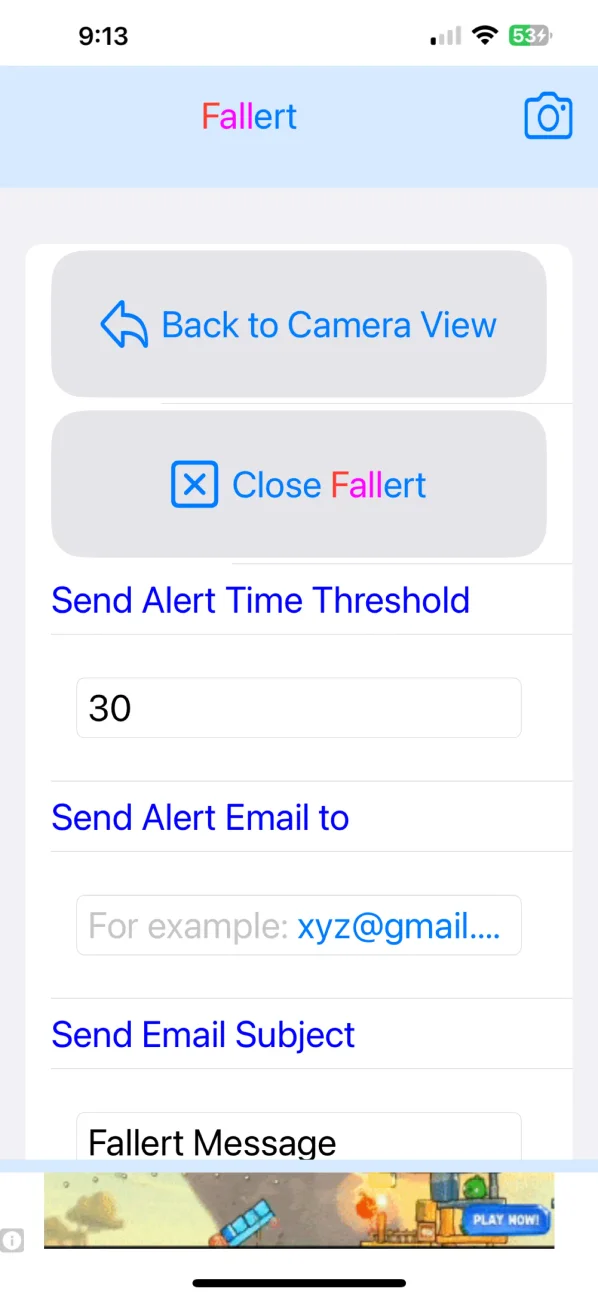
To access the settings, click the settings icon located at the top right. Here, you can specify the "Send Alert Time Threshold." An alert will be sent if a person is detected on the ground for longer than the selected time. To configure email notifications, click the Email settings button to enter your email information. Additionally, you can click the "Send Test Email" button to send a test alert email and ensure your settings are correct. We send alerts using our email; if you wish to change the sender's email, update the "Your Email Address" and "Your Email Password." Also, please ensure that your network connection is stable enough to send emails.
In "Fall Speed Detect" mode, an alert will be triggered if someone falls faster than free-fall speed. You can adjust the fall speed threshold by changing the "Fall Speed Coefficient." A higher coefficient value indicates a higher fall speed threshold to trigger the alarm. You can disable the "Fall Speed Detect" mode, meaning Fallert will alert you if someone remains on the floor longer than the specified Send Alert Time Threshold, regardless of the fall speed.
Note: If you are using Gmail to send emails, please create an app password for the email service on your Gmail settings page for your iPad/iPhone device. This application is a demonstration version and supports detection for only one user at a time.
新機能
バージョン 2.1 · 2025/5/21
Resolve the unsupported device issue on various iPad Pro models. It is now compatible with all iPad Pro models featuring LiDAR.
アプリのプライバシー
このアプリのデータの取り扱いについて、HAN WEI WANGがApp Storeで申告している内容です。
-
データの収集なし
開発元はこのアプリからデータを収集しません。
プライバシーの取り扱いは、ご利用の機能やお客様の年齢などに応じて異なる場合があります。
情報
- 販売元
- HAN WEI WANG
- カテゴリ
- ユーティリティ
- バージョン
- 2.1
- 更新日
- 2025/5/21
- リリース
- 2022/1/28
- サイズ
- 27.6 MB
- 必要条件
- iOS 14.0以降
- 対象年齢
- 4+
- 価格
- 無料
- 言語
- 英語
- 著作権
- © Here You Are (Wang Han Wei)