- Clasificación por edad4+
- CategoríaUtilidades
- DesarrolladorNoctua Productions Corp.
- IdiomasInglés
- Tamaño9,3 MB
Enlaza a la página oficial de App Store
Download.org no aloja ningún archivo de FiberView. El botón abre la página de la aplicación en App Store, donde la publica Noctua Productions Corp. Ficha comprobada por última vez el 12/11/2026.
Capturas de pantalla
Acerca de
El desarrollador no ha proporcionado este texto en tu idioma.
Fiber Color Chart
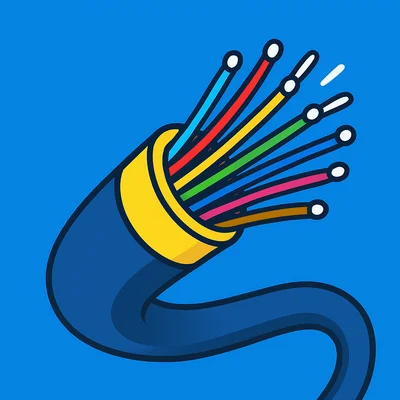
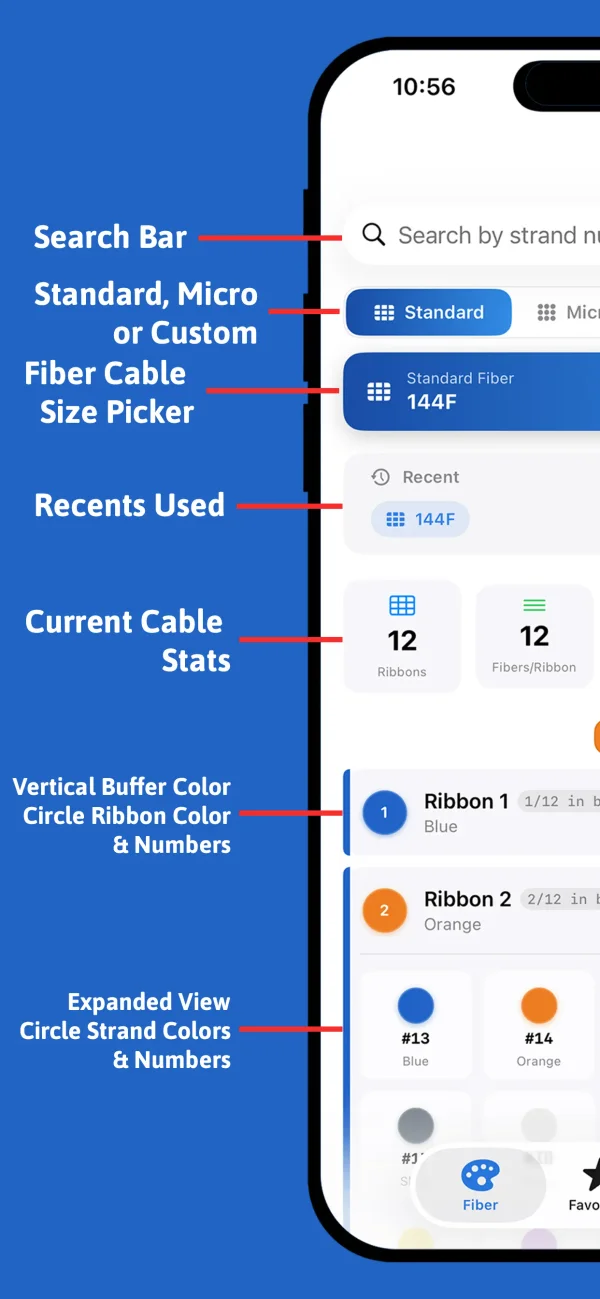
The Fiber Color Chart tab is the fastest way to identify any strand in a ribbon fiber cable — no laminated card, no guessing, no wasted time on the job.
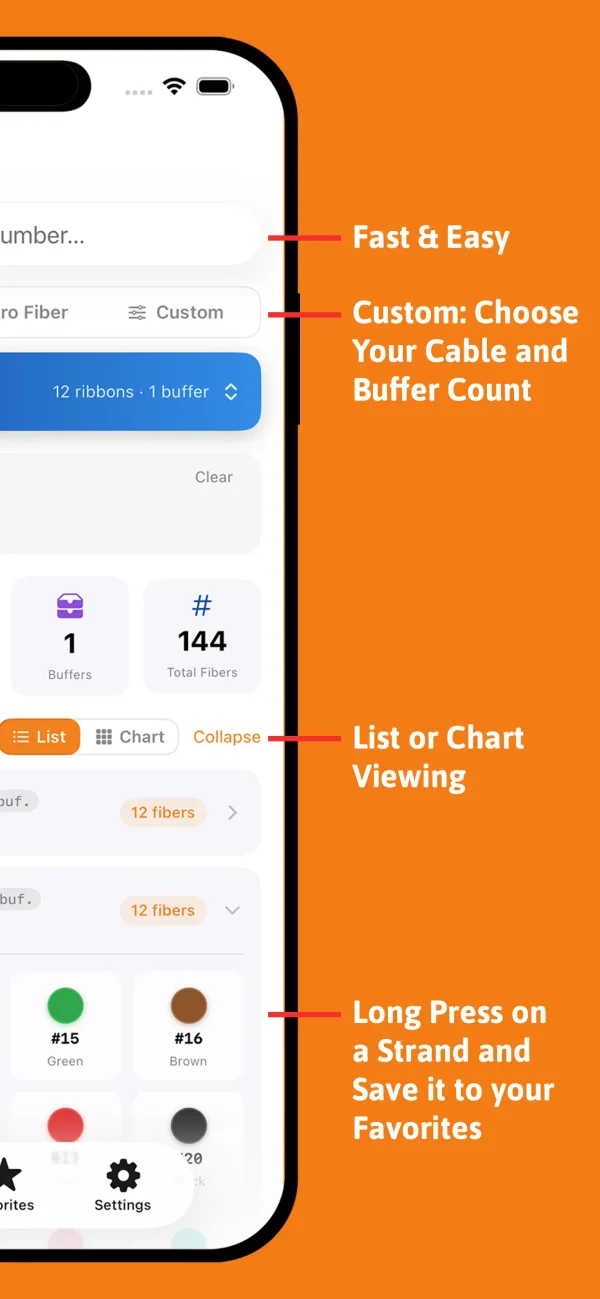
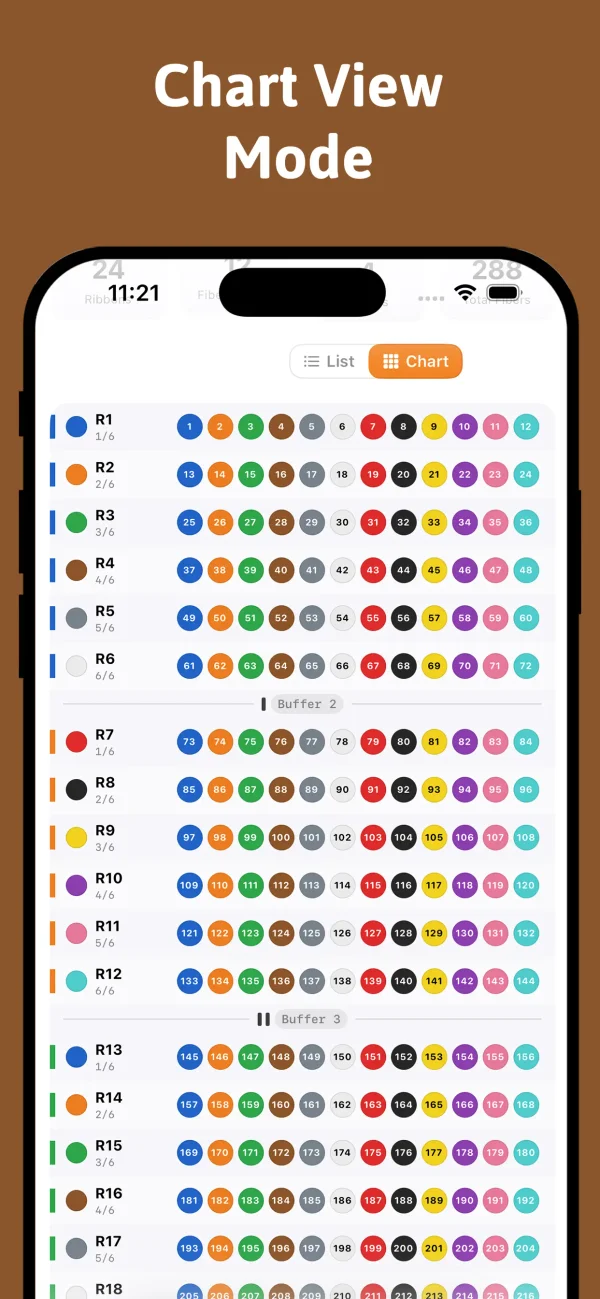
Instant Strand Lookup Select your cable size from the picker at the top and every tube, ribbon, and strand maps out instantly below. Standard ribbon cables from 144F to 1728F are fully supported, as are high-density Micro Fiber cables from 12F to 864F. Need a non-standard count? Build a Custom Cable by entering any total fiber count and buffer configuration — the chart generates on the fly.
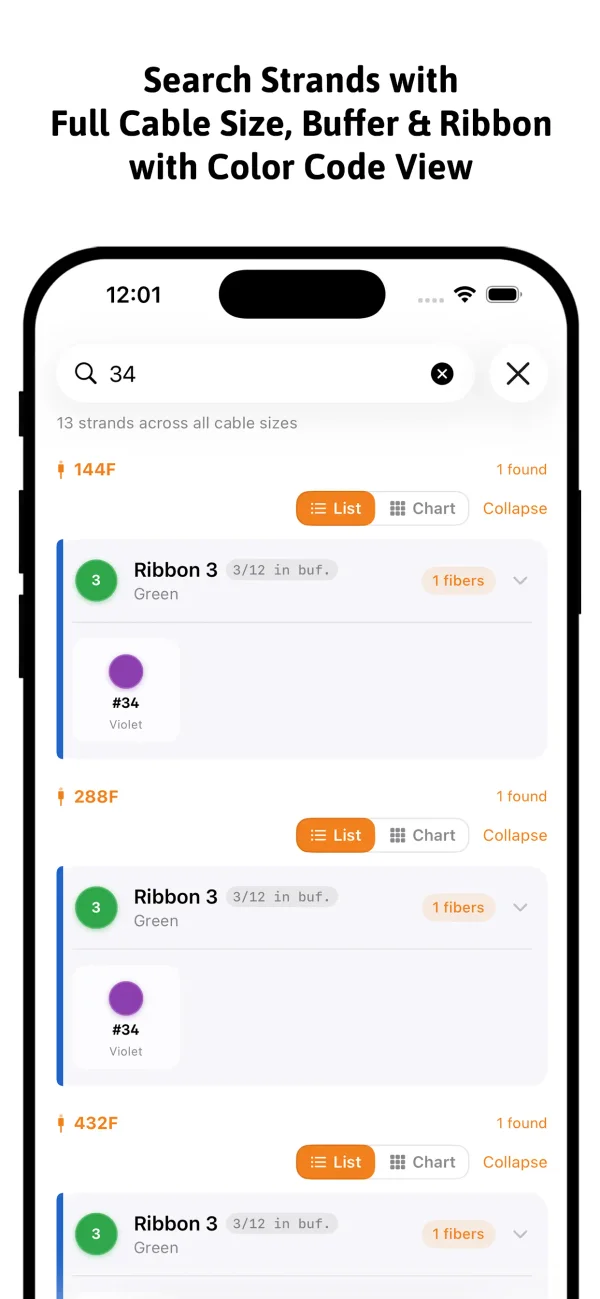
Search by Strand Number Type any strand number into the search bar and the app pinpoints exactly which tube and ribbon it lives in — not just for the current cable, but across every standard and micro cable size simultaneously. Results show the tube color, ribbon position, and strand color following TIA-598 conventions, with the matching cell highlighted and scrolled into view automatically.
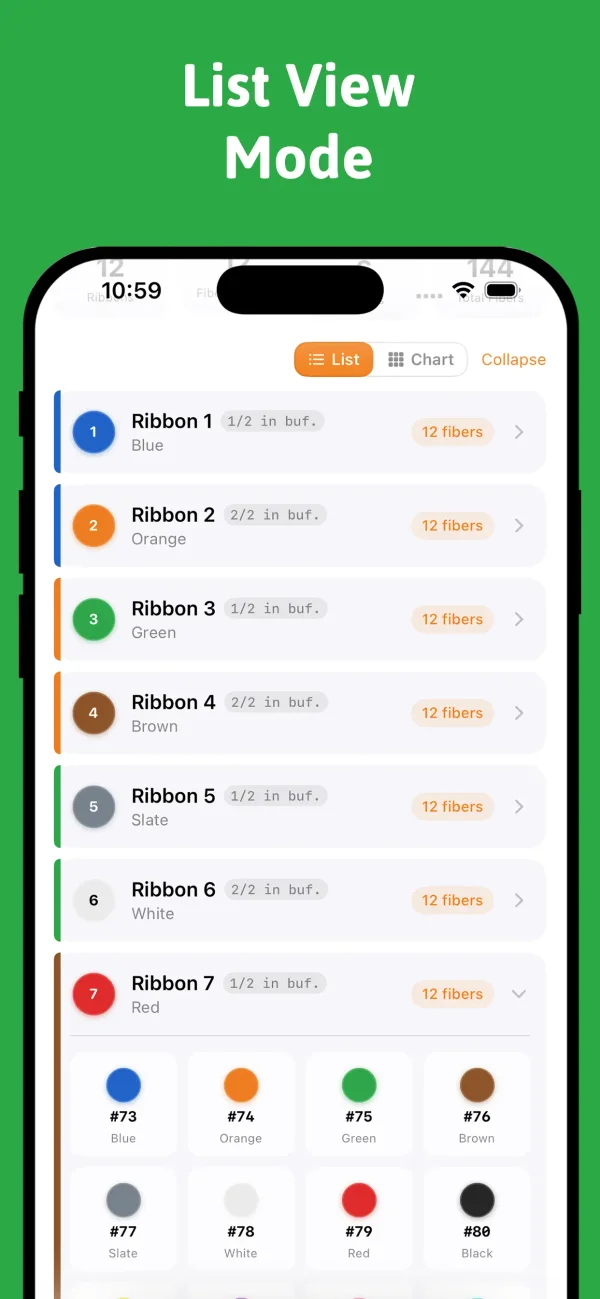
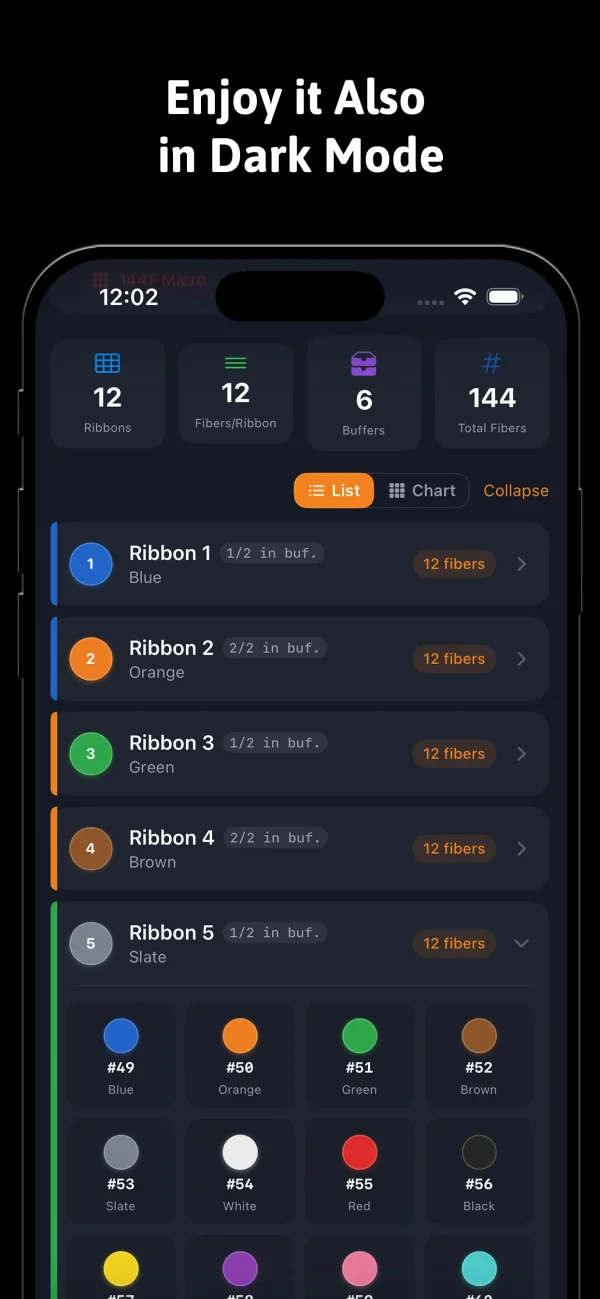
Color-Coded Tube Cards Each buffer tube is displayed as a card showing its TIA-598 color identity, black-stripe count (for tubes beyond the first 12), and a full ribbon breakdown. Tubes collapse and expand individually so you can focus on the buffer you care about. On iPad, the cable picker and stats panel sit side-by-side with the tube list for a true two-column workflow.
At-a-Glance Stats Below the cable picker, a stats row shows the total fiber count, number of ribbons, buffer count, and fibers per ribbon — confirming at a glance that the cable you selected matches what's in front of you.
Recent Lookups A scrollable recents bar remembers the cable sizes you looked at last, so switching between the two cables on a splice tray is a single tap rather than re-navigating the picker every time.
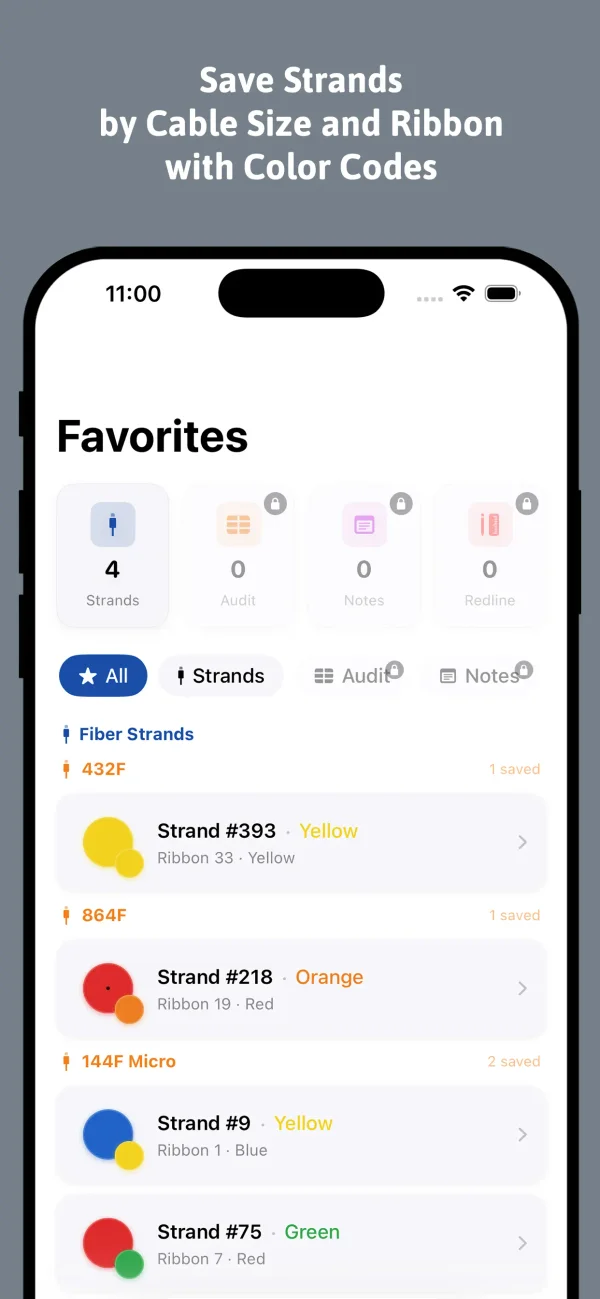
Bookmarked Strands Any strand can be starred and saved to the Favorites tab with a custom label. Bookmarked strands deep-link back into the chart — tapping one scrolls directly to the correct tube, expands it, and highlights the exact strand cell.
TIA-598 Compliant All color assignments follow the TIA-598 fiber color standard: Blue, Orange, Green, Brown, Slate, White, Red, Black, Yellow, Violet, Rose, Aqua — in order, with black-stripe cycling applied correctly for cables with more than 12 ribbons per buffer.
Novedades
Versión 1.7 · 27/4/2026
• Added a toggle switch to the search bar. Originally for the FiberView Pro version.
Now you can do a universal search across all cable types or lock it to the specific cable you are working in.
• Added a rate the app link in the settings menu.
• Bug & Fixes.
Thank you for your support.
Privacidad de la aplicación
Lo que Noctua Productions Corp. declara en App Store sobre cómo esta aplicación gestiona los datos.
-
No se recopilan datos
El desarrollador no recopila ningún dato de esta aplicación.
Las prácticas de privacidad pueden variar, por ejemplo, según las funciones que uses o tu edad.
Información
- Vendedor
- Noctua Productions Corp.
- Categoría
- Utilidades
- Versión
- 1.7
- Actualizado
- 27/4/2026
- Publicado
- 1/4/2026
- Tamaño
- 9,3 MB
- Requiere
- iOS 16.0 o posterior
- Clasificación por edad
- 4+
- Precio
- 1,99 €
- Idiomas
- Inglés
- Copyright
- © 2026 NoctuaCo