- Age rating4+
- CategoryUtilities
- DeveloperNoctua Productions Corp.
- LanguagesEnglish
- Size9.3 MB
Links to the official App Store page
Download.org hosts no file of FiberView. The button opens its official App Store page, published by Noctua Productions Corp. Listing last checked on Nov 12, 2026.
Screenshots
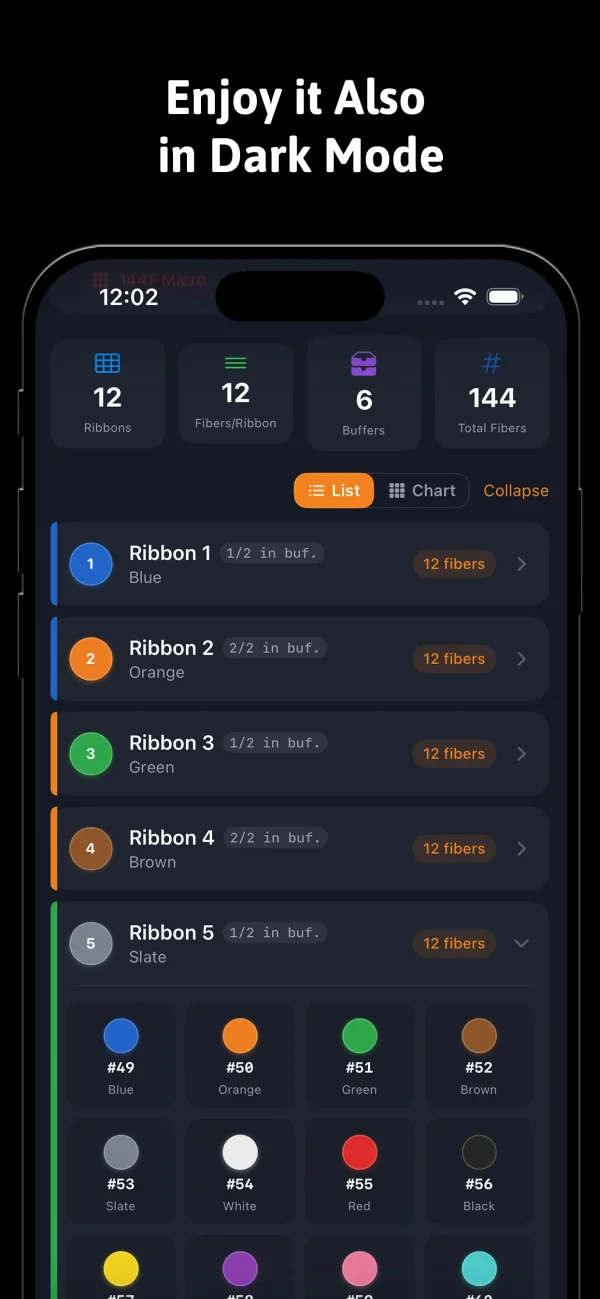
About
Fiber Color Chart
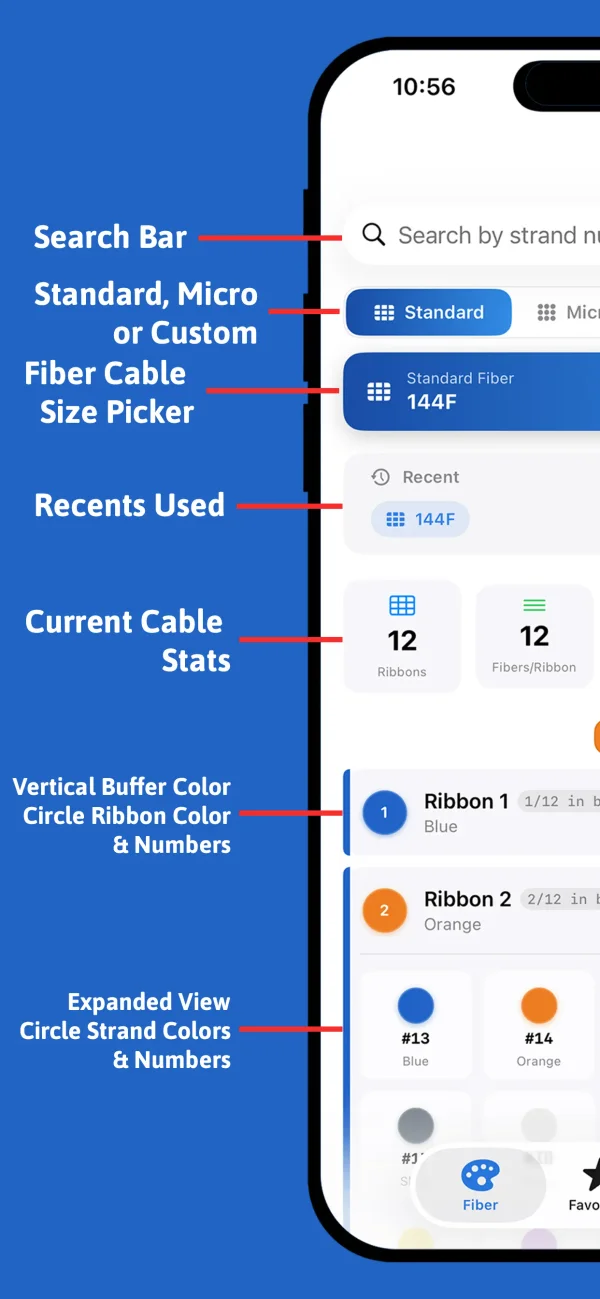
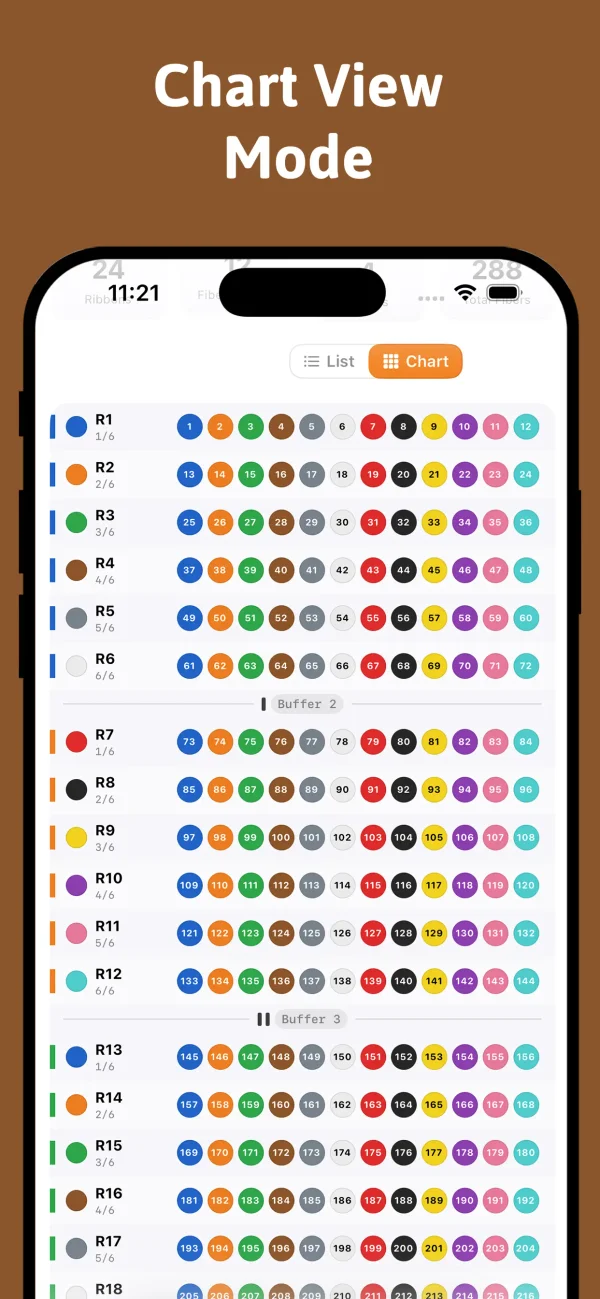
The Fiber Color Chart tab is the fastest way to identify any strand in a ribbon fiber cable — no laminated card, no guessing, no wasted time on the job.
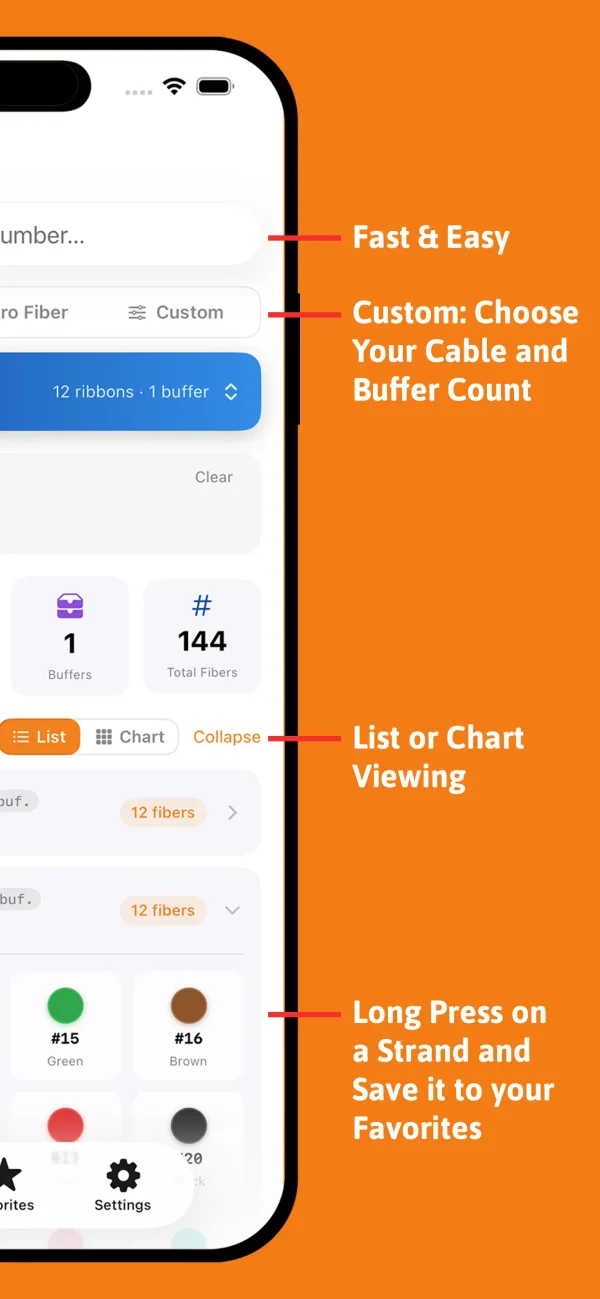
Instant Strand Lookup Select your cable size from the picker at the top and every tube, ribbon, and strand maps out instantly below. Standard ribbon cables from 144F to 1728F are fully supported, as are high-density Micro Fiber cables from 12F to 864F. Need a non-standard count? Build a Custom Cable by entering any total fiber count and buffer configuration — the chart generates on the fly.
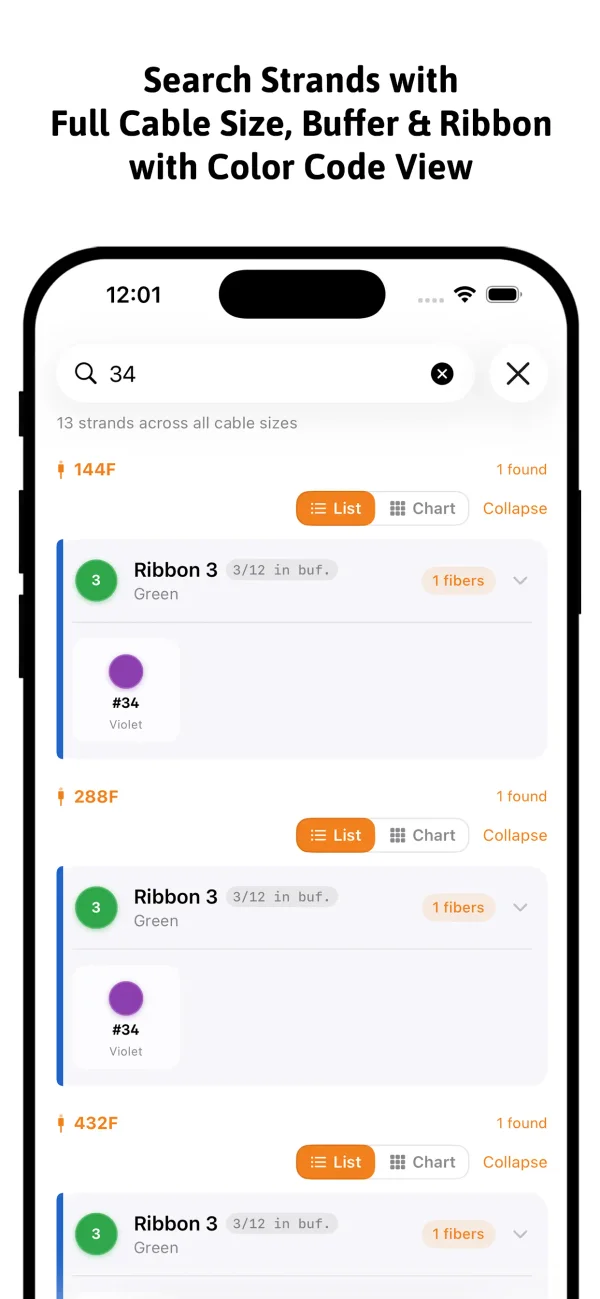
Search by Strand Number Type any strand number into the search bar and the app pinpoints exactly which tube and ribbon it lives in — not just for the current cable, but across every standard and micro cable size simultaneously. Results show the tube color, ribbon position, and strand color following TIA-598 conventions, with the matching cell highlighted and scrolled into view automatically.
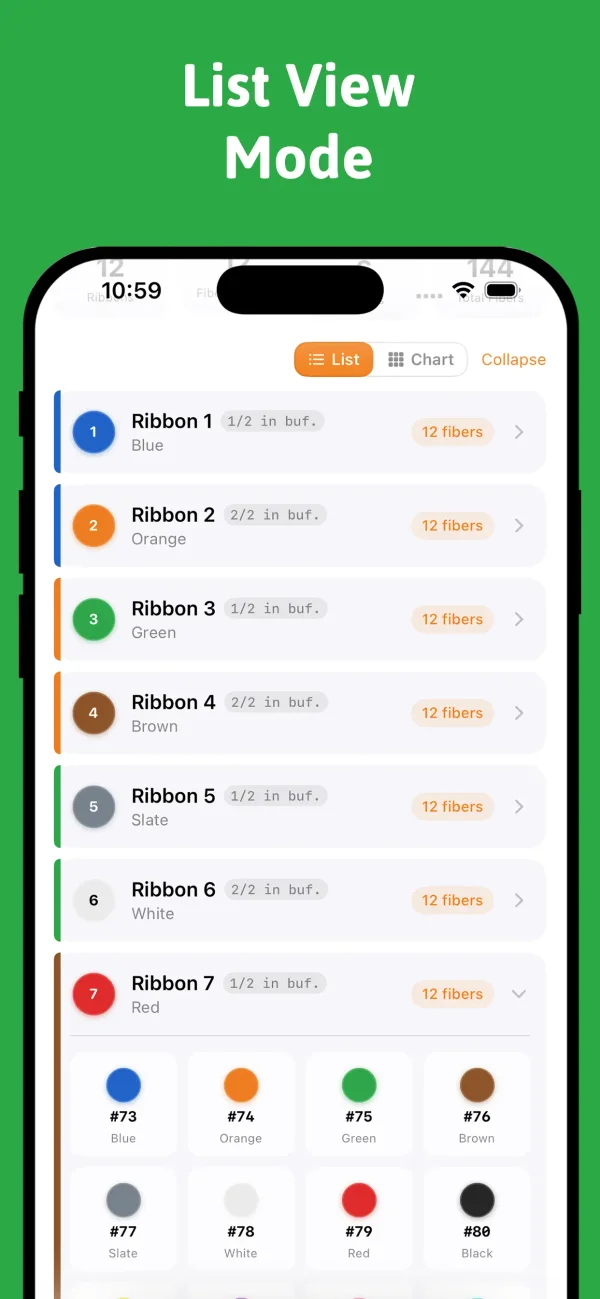
Color-Coded Tube Cards Each buffer tube is displayed as a card showing its TIA-598 color identity, black-stripe count (for tubes beyond the first 12), and a full ribbon breakdown. Tubes collapse and expand individually so you can focus on the buffer you care about. On iPad, the cable picker and stats panel sit side-by-side with the tube list for a true two-column workflow.
At-a-Glance Stats Below the cable picker, a stats row shows the total fiber count, number of ribbons, buffer count, and fibers per ribbon — confirming at a glance that the cable you selected matches what's in front of you.
Recent Lookups A scrollable recents bar remembers the cable sizes you looked at last, so switching between the two cables on a splice tray is a single tap rather than re-navigating the picker every time.
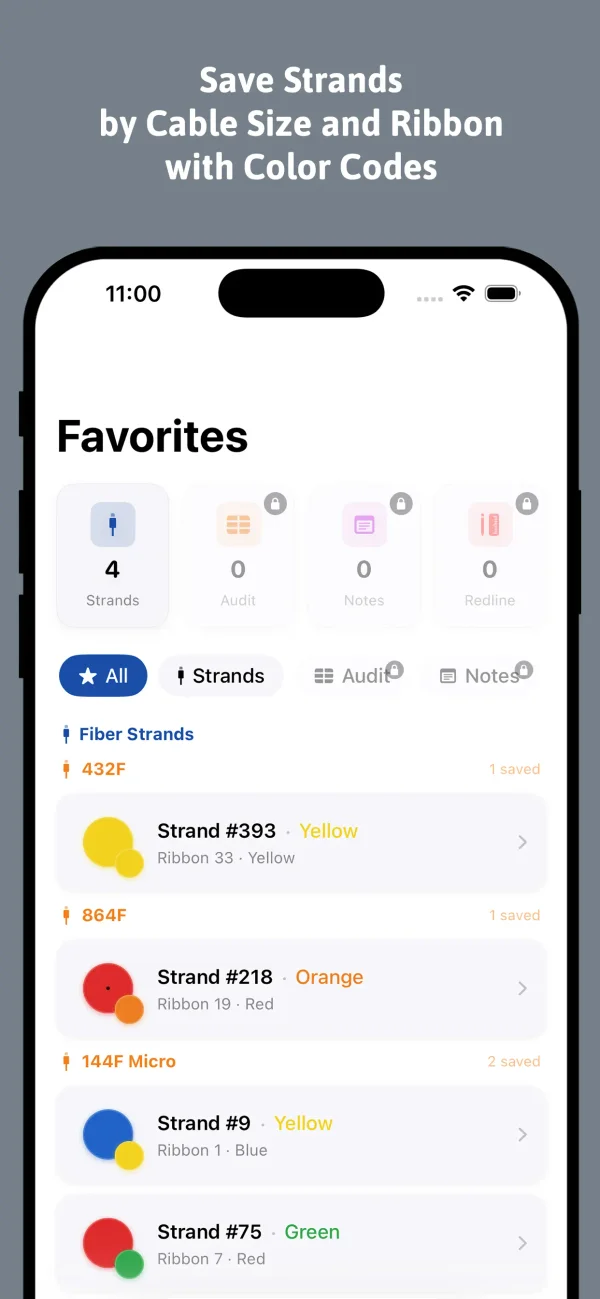
Bookmarked Strands Any strand can be starred and saved to the Favorites tab with a custom label. Bookmarked strands deep-link back into the chart — tapping one scrolls directly to the correct tube, expands it, and highlights the exact strand cell.
TIA-598 Compliant All color assignments follow the TIA-598 fiber color standard: Blue, Orange, Green, Brown, Slate, White, Red, Black, Yellow, Violet, Rose, Aqua — in order, with black-stripe cycling applied correctly for cables with more than 12 ribbons per buffer.
What’s new
Version 1.7 · Apr 27, 2026
• Added a toggle switch to the search bar. Originally for the FiberView Pro version.
Now you can do a universal search across all cable types or lock it to the specific cable you are working in.
• Added a rate the app link in the settings menu.
• Bug & Fixes.
Thank you for your support.
App privacy
What Noctua Productions Corp. declares on the App Store about how this app handles data.
-
Data not collected
The developer does not collect any data from this app.
Privacy practices may vary, for example with the features you use or your age.
Information
- Seller
- Noctua Productions Corp.
- Category
- Utilities
- Version
- 1.7
- Updated
- Apr 27, 2026
- Released
- Apr 1, 2026
- Size
- 9.3 MB
- Requires
- iOS 16.0 or later
- Age rating
- 4+
- Price
- $1.99
- Languages
- English
- Copyright
- © 2026 NoctuaCo
You might also like
-
 Fiber Optic Color Code LookupTIA-598 Color Code Reference
-
 Optical ToolkitDWDM, OTDR & Fiber Calculators
-
 Fiber Color IDOptic color code & tube chart
-
 Sorphase: SOR & OTDRCompare Traces & Save Setups
-
 UVTUtilities
-
 Find My FiberUtilities
-
 Paint Advisor: CalculatorWall & Ceiling Paint Estimator
-
 Photos Measure Pro⁺Master of Photo Markup & Draw
-
 MapYourOTDROTDR trace analyzer & reports
-
 FiberFiber optic color codes