Filament-Tracker
3D Printer Spool Inventory
Diseñada para iPhone, iPad, Mac
Gratis · Compras en la aplicación
- Clasificación por edad4+
- CategoríaProductividad
- DesarrolladorDavid Oreol
- IdiomasInglés
- Tamaño25,7 MB
Enlaza a la página oficial de App Store
Download.org no aloja ningún archivo de Filament-Tracker. El botón abre la página de la aplicación en App Store, donde la publica David Oreol. Ficha comprobada por última vez el 26/11/2026.
Capturas de pantalla
Acerca de
El desarrollador no ha proporcionado este texto en tu idioma.
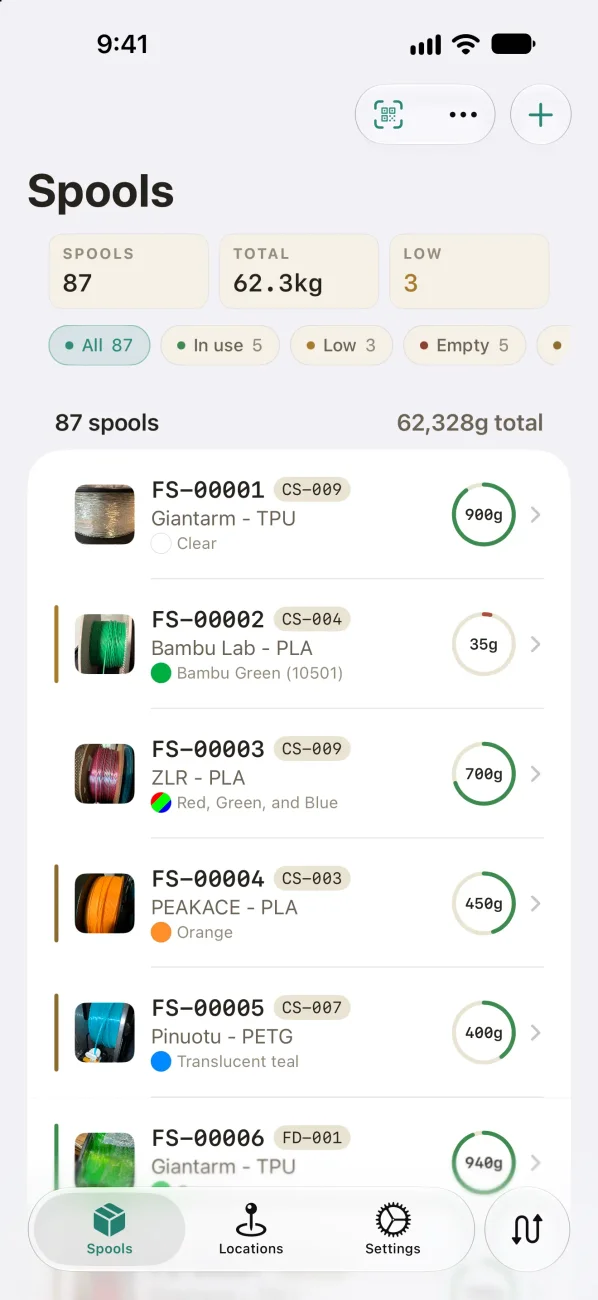
Take control of your 3D printer filament collection. Filament Tracker is a native app for iPhone, iPad, and Mac that gives every spool a unique ID, a home, and a complete history — from purchase to retirement.
— ASK YOUR INVENTORY ANYTHING —
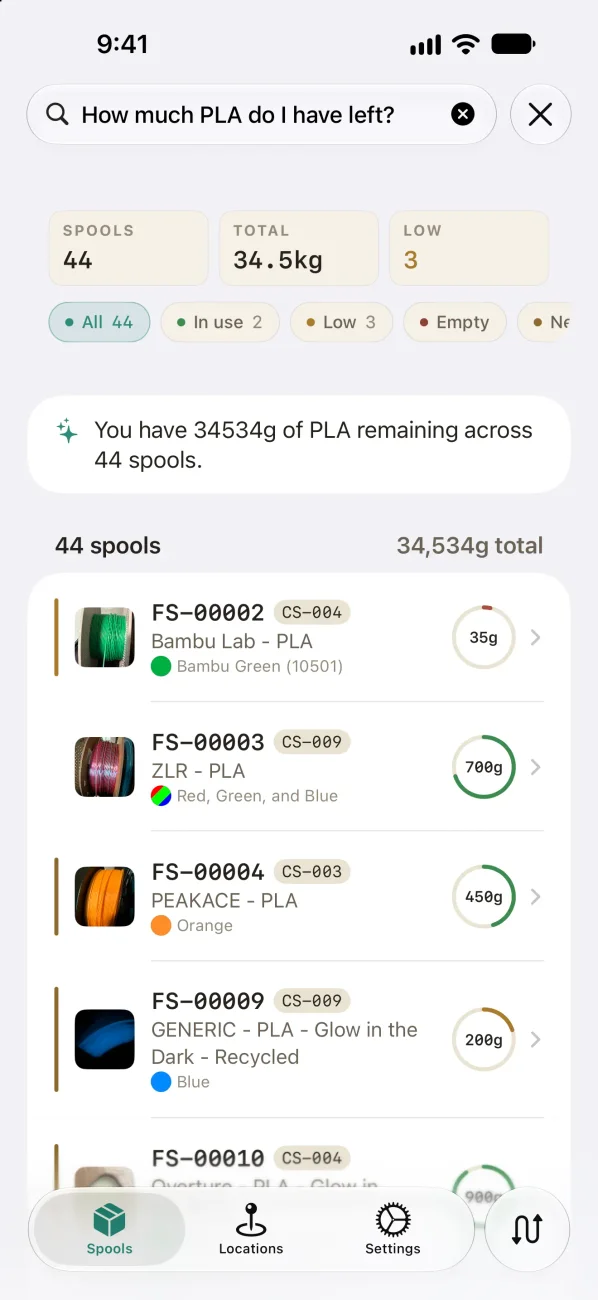
Type a question — like "how many grams of red PLA do I have?" — and get an instant answer. Powered by Apple Intelligence: on device, or on iOS 27 through Apple's Private Cloud Compute, built to keep your data private. No Apple Intelligence? Search still works.
— KNOW WHAT YOU HAVE —
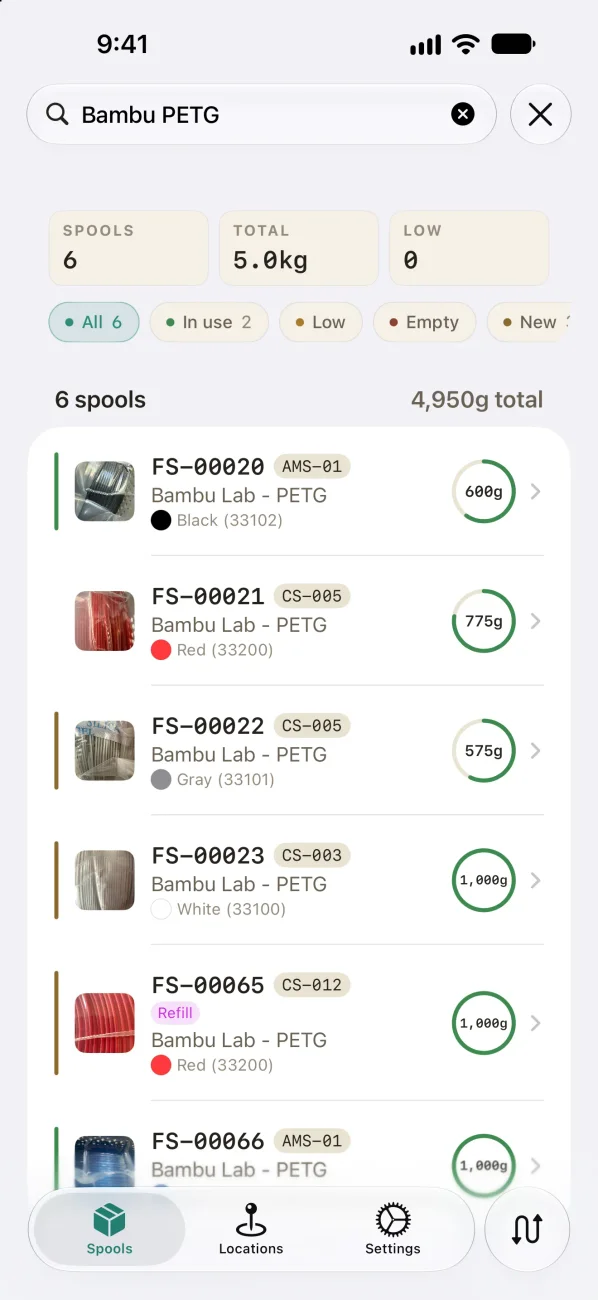
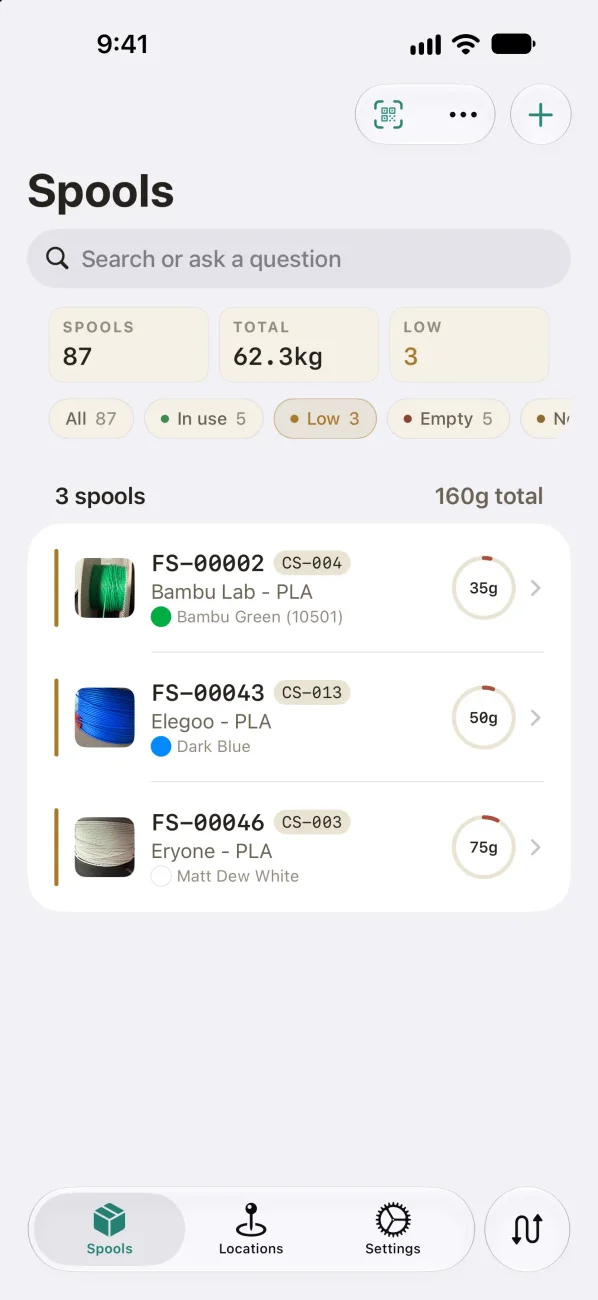
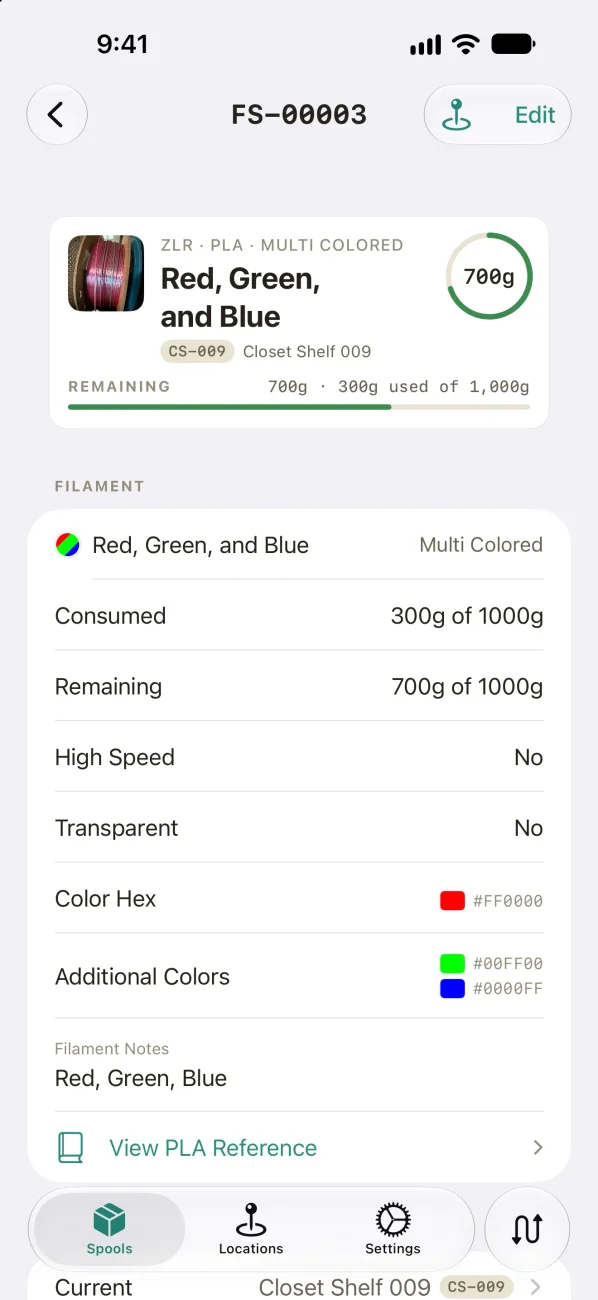
Filter by state, brand, type, color family, or location, with live counts on each filter — or flip a filter to Hide to see everything except what you check. Sort by color for a rainbow view, or by grams remaining to spot low spools — you choose what counts as Low. Each spool shows its true colors and hex codes, weight, state (New → In Use → Low → Empty → Retired), history, and photos.
— PRINT QR LABELS —
Print QR labels with AirPrint — for one spool, a whole shelf, or any spools you select. Add the brand, type, and color under the Spool ID, or print two copies per label, one for each side of the spool. Using a label printer's own app? Share the label as an image.
— FAST INTAKE & AUTO-FILL —
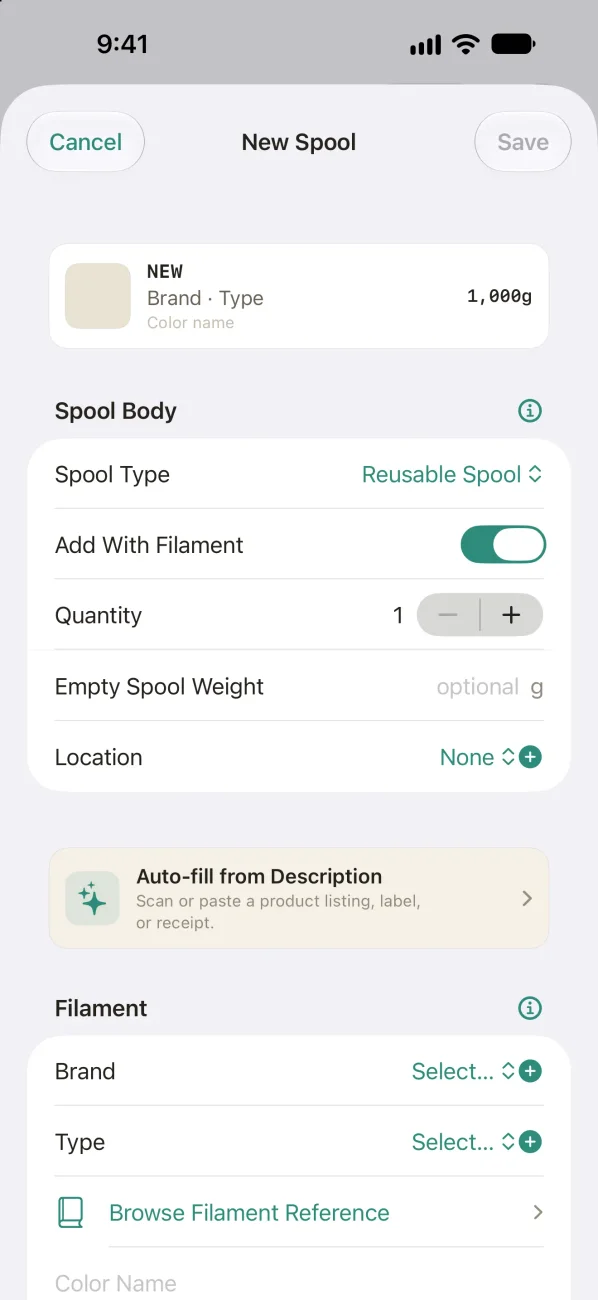
Skip the data entry: paste a product page or receipt, or scan a box or bag label with your camera, and Apple Intelligence fills in the brand, material, color, and net weight. Add a multi-pack at once, each spool with its own ID, or duplicate a spool when you buy another. New Spool remembers what you used last and records multiple colors and inclusions.
— SCAN TO FIND. SCAN TO MOVE. —
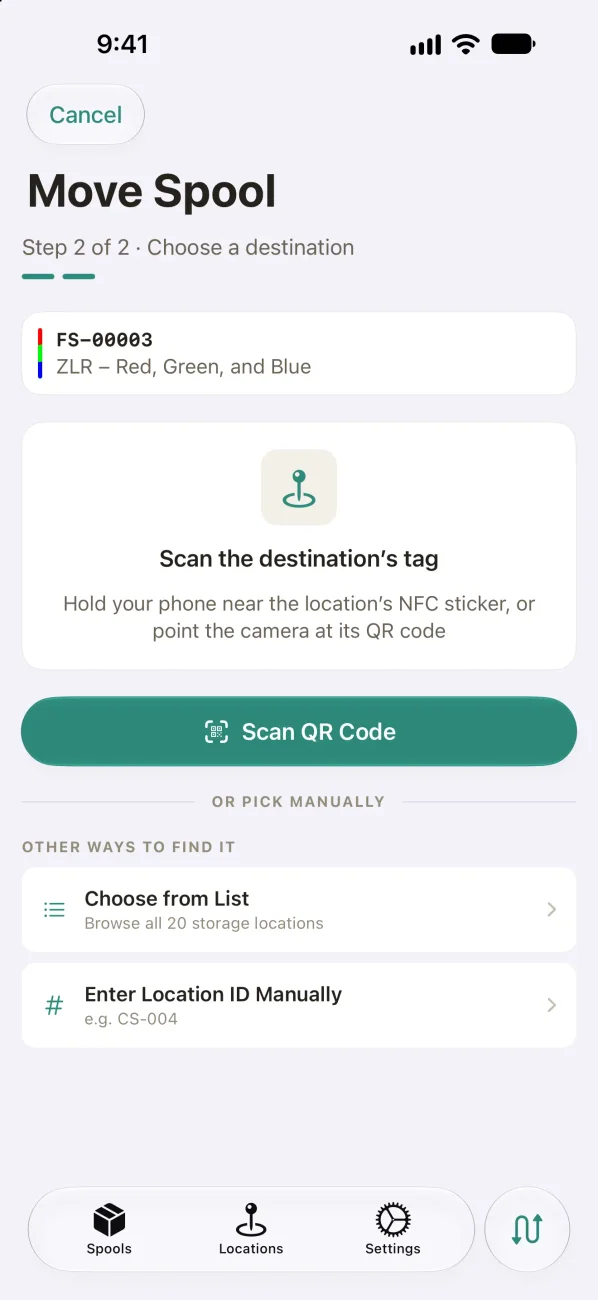
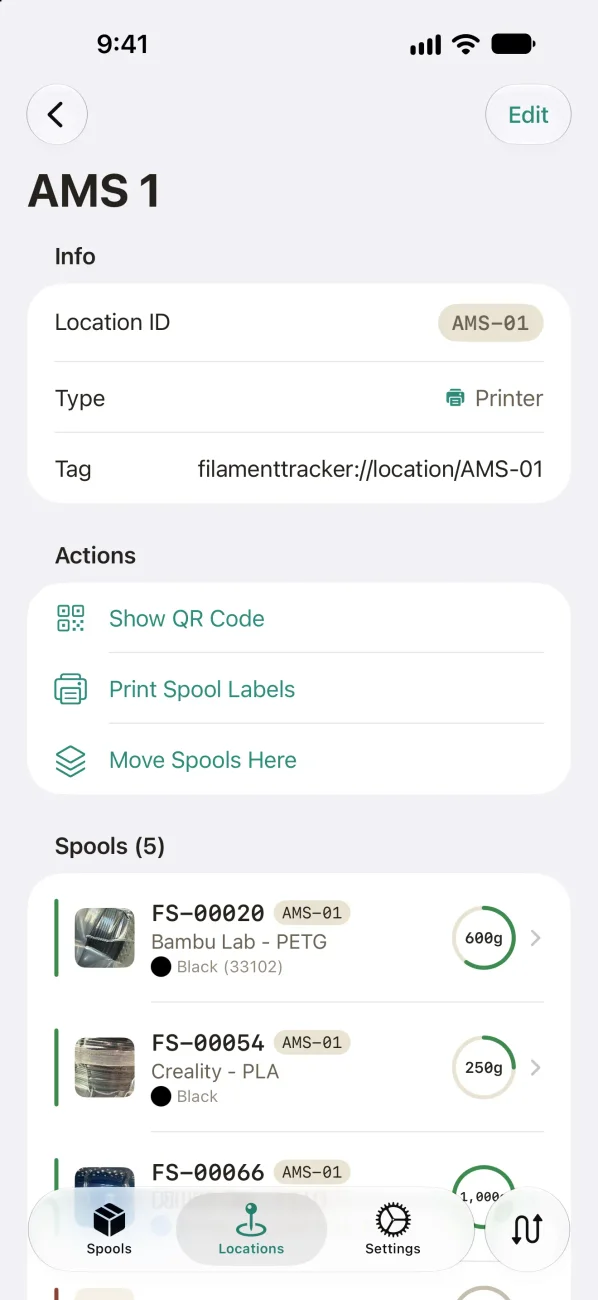
Scan a spool or location's QR code with your iPhone, iPad, or Mac camera, or write and tap custom NFC tags with your iPhone, to see what's loaded and where it is. To move a spool, tap Move and scan the destination — your preferred method (NFC, QR, or a list) opens instantly. Reorganizing a shelf? Pick the destination once, then scan spool after spool and move them all together.
— LOCATIONS THAT FIT YOUR SETUP —
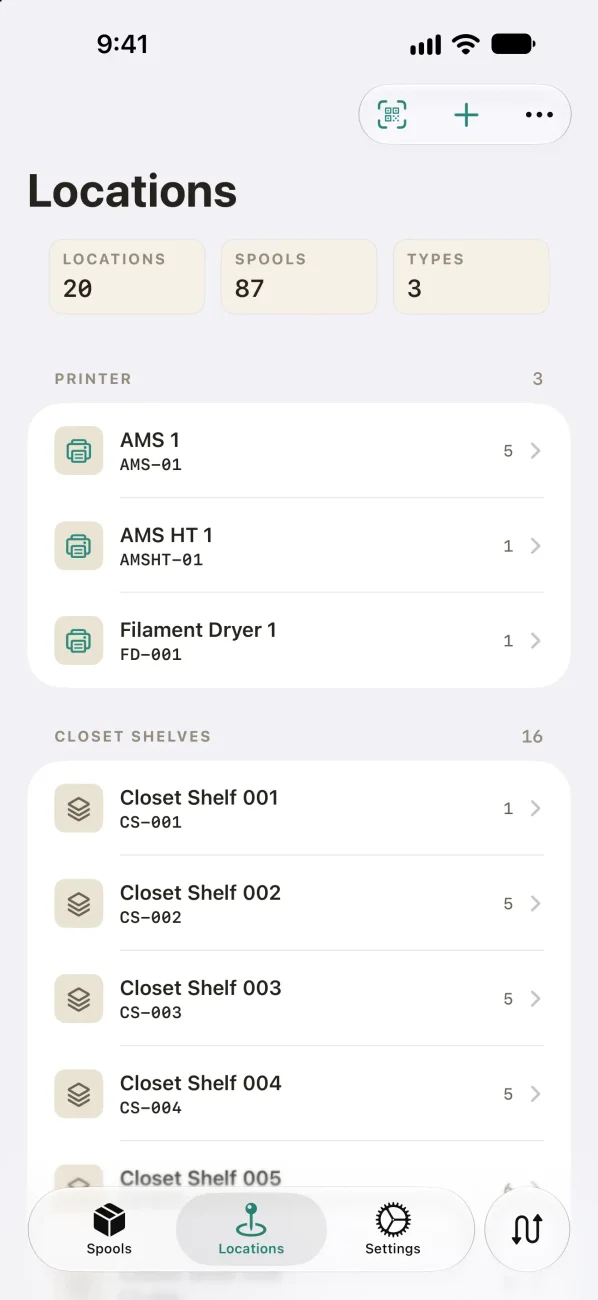
Organize your collection by dry box, AMS unit, shelf, printer, or any location you define, and search inside any of them. Locations marked as Connected to Printer automatically count loaded spools as In Use.
— TRACK EVERY GRAM —
Log print sessions to keep grams-remaining accurate, or weigh a spool on a Bluetooth scale — set the empty weight once and every weigh-in subtracts it. Attach photos from your camera, photo library, or Files, and track price, source URL, and currency per spool.
— SIRI, SHORTCUTS & SPOTLIGHT —
Ask Siri where a spool is, check how much filament you have left, or log print usage — or use them in your own Shortcuts. Find any spool from Spotlight, too.
— BUILT-IN FILAMENT REFERENCE —
Look up print temperatures, drying, density, and resistance ratings for over 30 filament types, from PLA and PETG to PA6-CF and BVOH. Tap any entry to filter your spools by that type.
— ICLOUD SYNC, BACKUP & CSV —
Your inventory syncs across your devices via CloudKit and works fully offline. Export a complete backup — spools, history, photos, and more — as an archive or plain JSON, and restore it whenever you need to. Export to CSV for Numbers or Excel, and import it back to bulk-update spools.
— MADE FOR EVERY SCREEN —
Light and Dark Mode, VoiceOver, and Dynamic Type throughout. On iPhone Duo, lists fit the cover screen, and folding or unfolding keeps your place.
— SEAMLESS MAC COMPANION —
The Mac app shares your data and prints labels to any Mac printer, label printers included. It also supports the TD-1 filament tester: capture transmission-distance and hex color readings over USB, synced to all your devices.
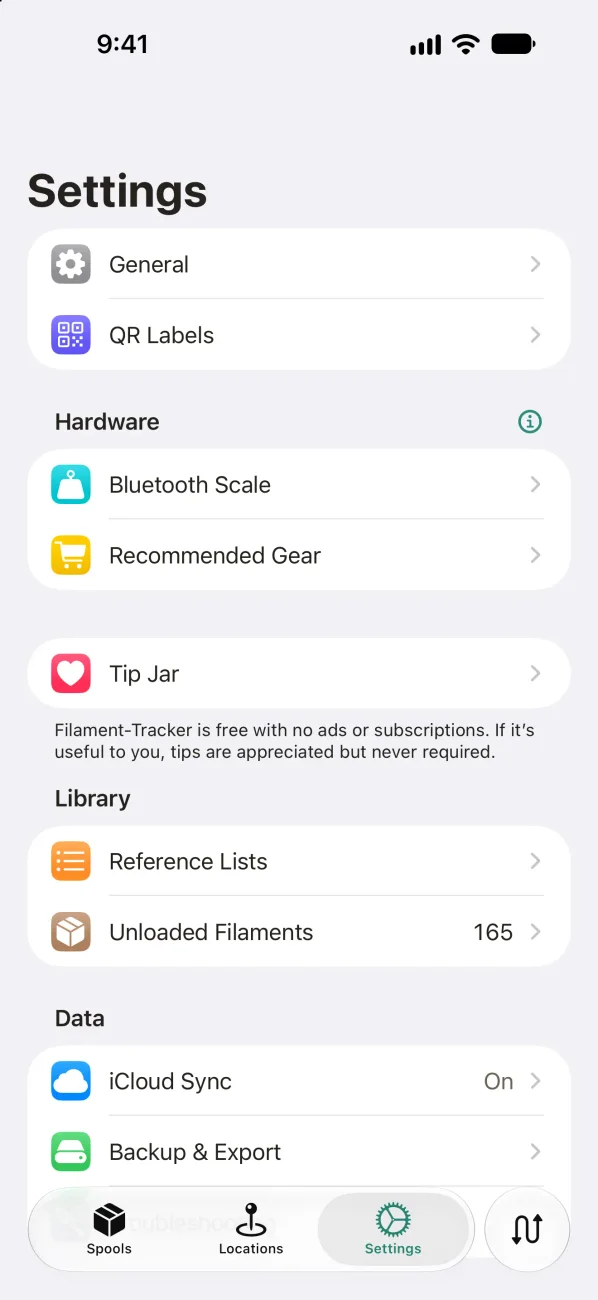
No subscriptions. No account required beyond iCloud — your data stays in your own private iCloud database. Optional tips in Settings support development, and a one-time Supporter purchase adds a thank-you badge — never required.
Novedades
Versión 2.2.2 · 25/11/2026
LINKS OPEN IN YOUR BROWSER
• Purchase links and Recommended Gear now open in your default browser, where you're already signed in and can hand off to the store's app
• The Open Links in App setting is gone, since every link now opens the same way
Privacidad de la aplicación
Lo que David Oreol declara en App Store sobre cómo esta aplicación gestiona los datos.
-
No se recopilan datos
El desarrollador no recopila ningún dato de esta aplicación.
Las prácticas de privacidad pueden variar, por ejemplo, según las funciones que uses o tu edad.
Información
- Vendedor
- David Oreol
- Categoría
- Productividad
- Versión
- 2.2.2
- Actualizado
- 25/11/2026
- Publicado
- 6/7/2026
- Tamaño
- 25,7 MB
- Requiere
- iOS 26.0 o posterior
- Clasificación por edad
- 4+
- Precio
- Gratis
- Compras en la aplicación
- Sí
- Idiomas
- Inglés
- Copyright
- © 2026 David Oreol