- 対象年齢4+
- カテゴリ仕事効率化
- 開発元David Oreol
- 言語英語
- サイズ25.7 MB
App Storeの公式ページにリンクしています
Download.orgはFilament-Trackerのファイルを一切ホストしていません。ボタンを押すと、David Oreolが公開しているApp Storeのアプリページが開きます。ページの最終確認:2026/11/26。
スクリーンショット
概要
開発元はこのテキストをお使いの言語で提供していません。
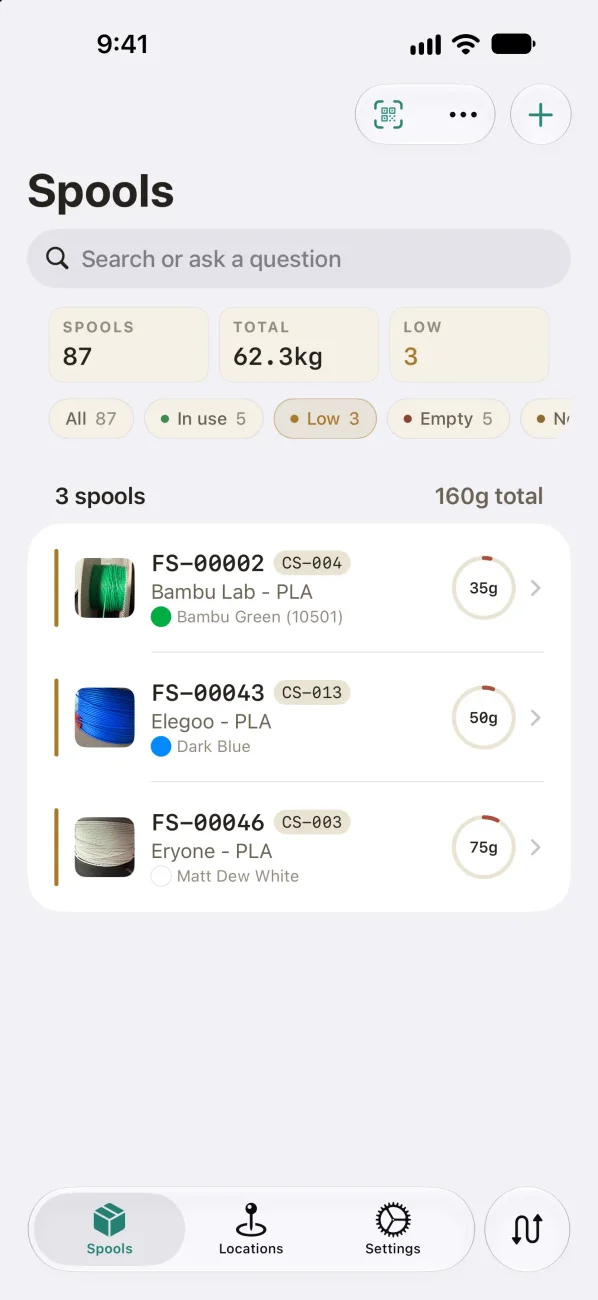
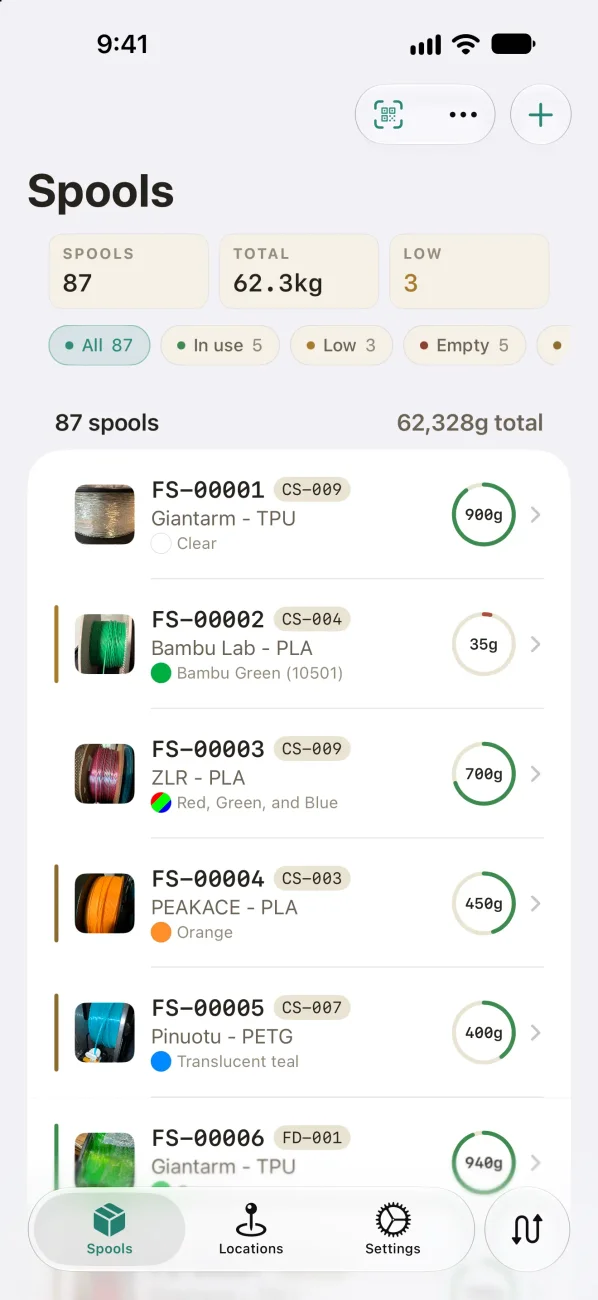
Take control of your 3D printer filament collection. Filament Tracker is a native app for iPhone, iPad, and Mac that gives every spool a unique ID, a home, and a complete history — from purchase to retirement.
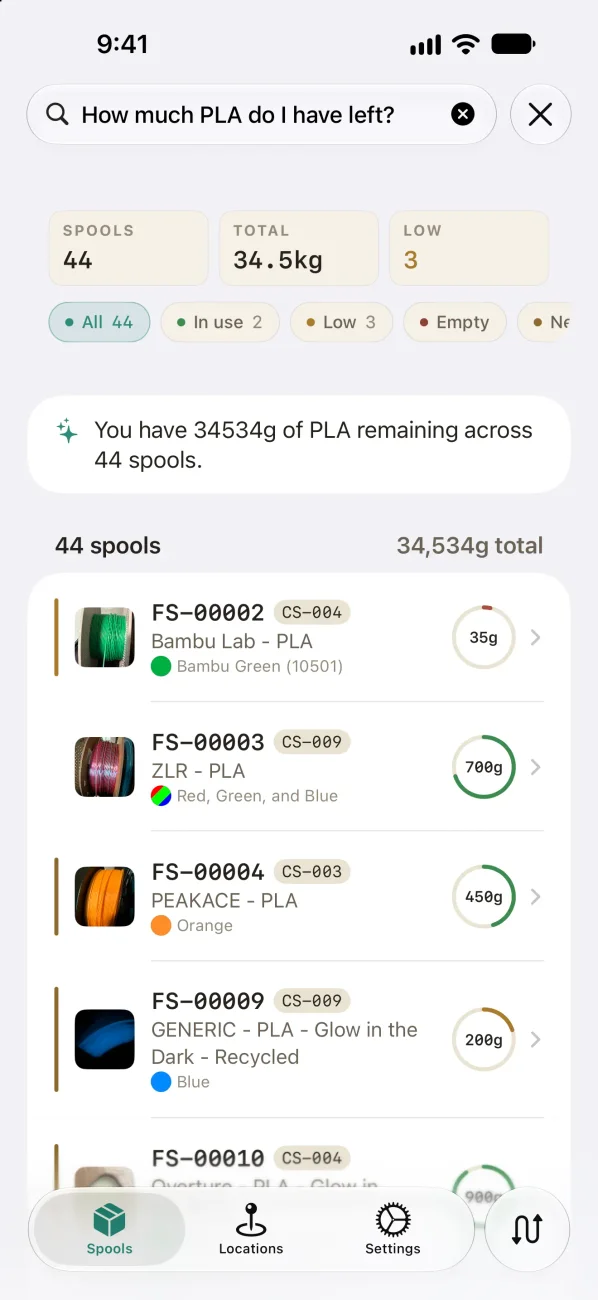
— ASK YOUR INVENTORY ANYTHING —
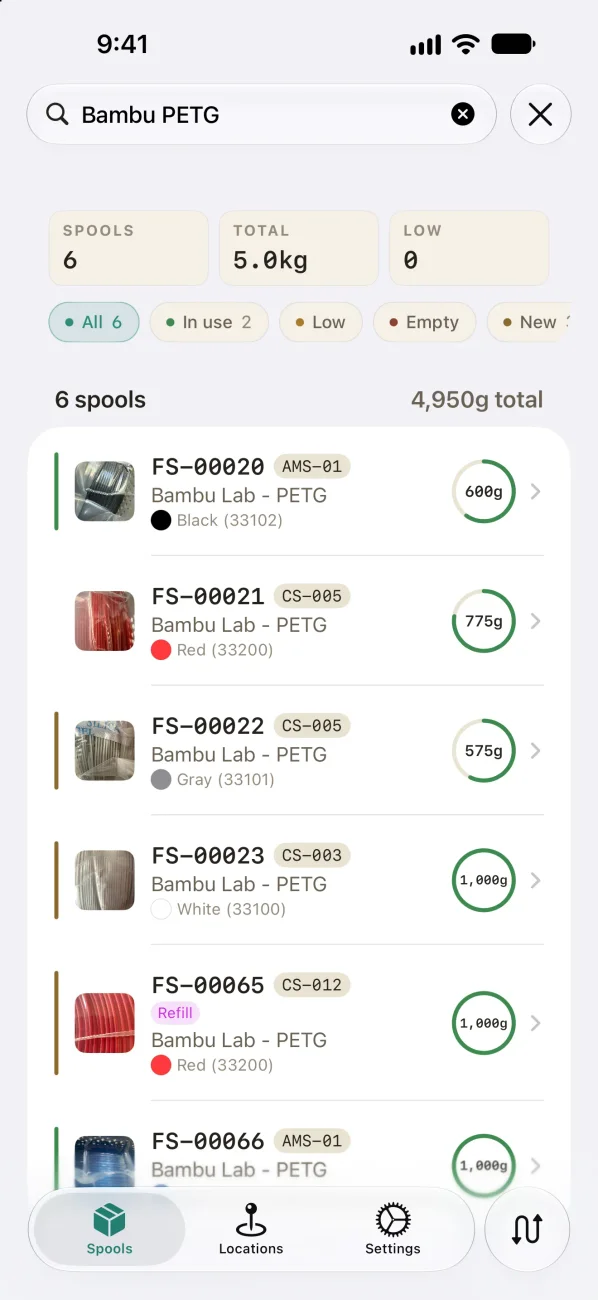
Type a question — like "how many grams of red PLA do I have?" — and get an instant answer. Powered by Apple Intelligence: on device, or on iOS 27 through Apple's Private Cloud Compute, built to keep your data private. No Apple Intelligence? Search still works.
— KNOW WHAT YOU HAVE —
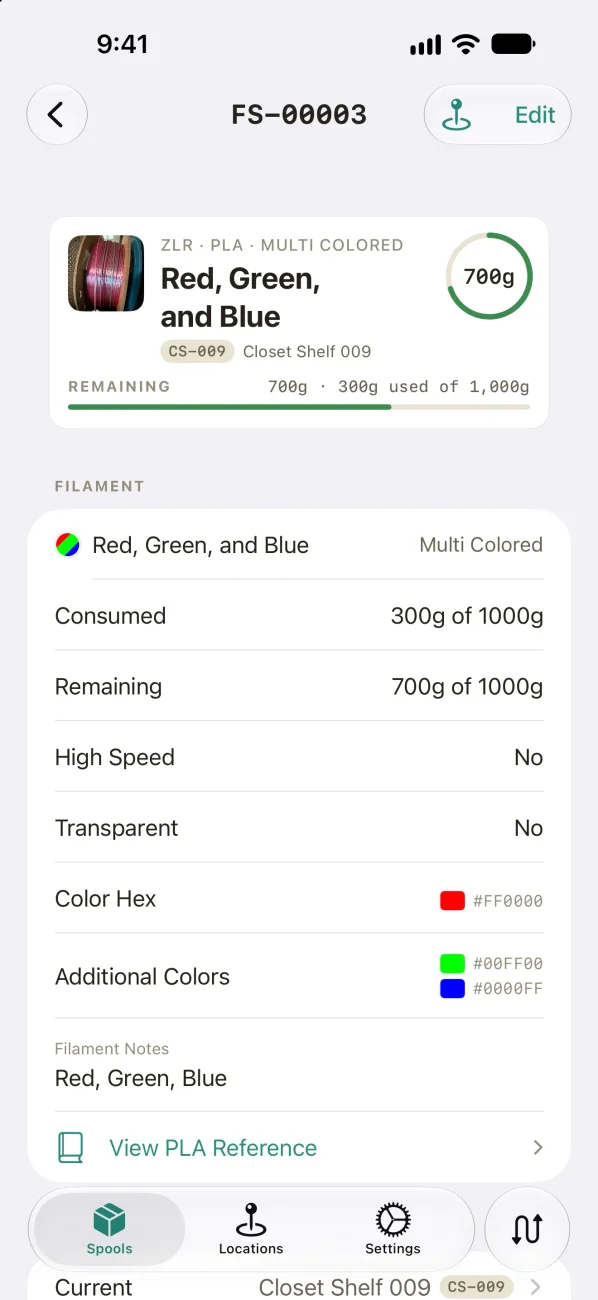
Filter by state, brand, type, color family, or location, with live counts on each filter — or flip a filter to Hide to see everything except what you check. Sort by color for a rainbow view, or by grams remaining to spot low spools — you choose what counts as Low. Each spool shows its true colors and hex codes, weight, state (New → In Use → Low → Empty → Retired), history, and photos.
— PRINT QR LABELS —
Print QR labels with AirPrint — for one spool, a whole shelf, or any spools you select. Add the brand, type, and color under the Spool ID, or print two copies per label, one for each side of the spool. Using a label printer's own app? Share the label as an image.
— FAST INTAKE & AUTO-FILL —
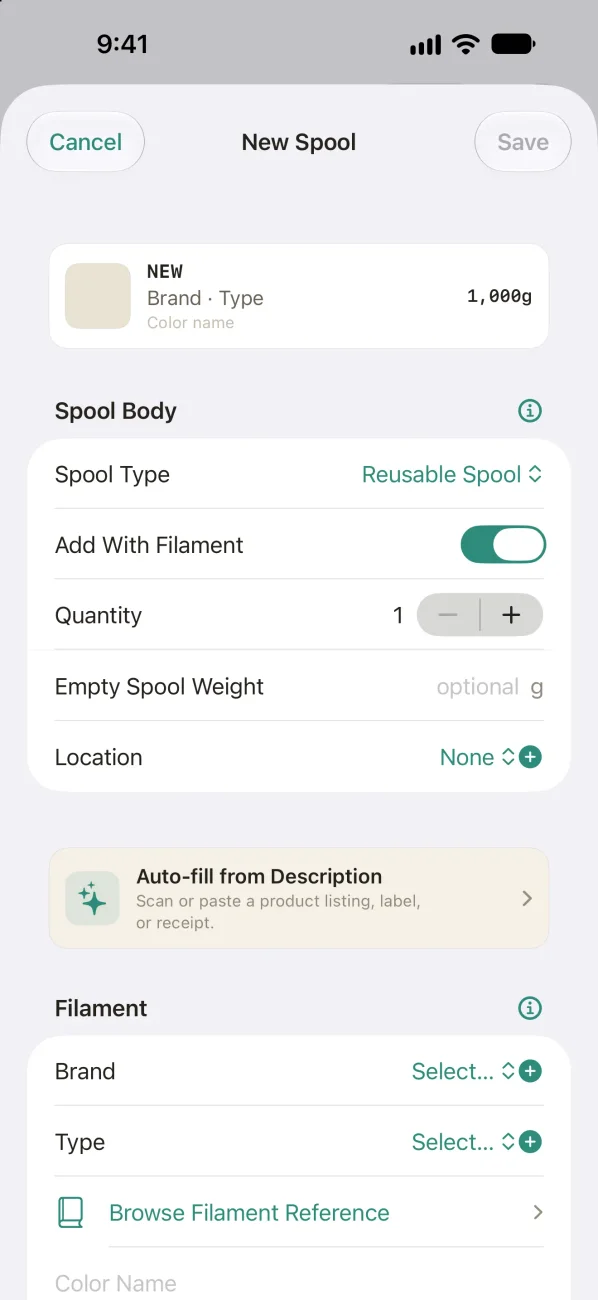
Skip the data entry: paste a product page or receipt, or scan a box or bag label with your camera, and Apple Intelligence fills in the brand, material, color, and net weight. Add a multi-pack at once, each spool with its own ID, or duplicate a spool when you buy another. New Spool remembers what you used last and records multiple colors and inclusions.
— SCAN TO FIND. SCAN TO MOVE. —
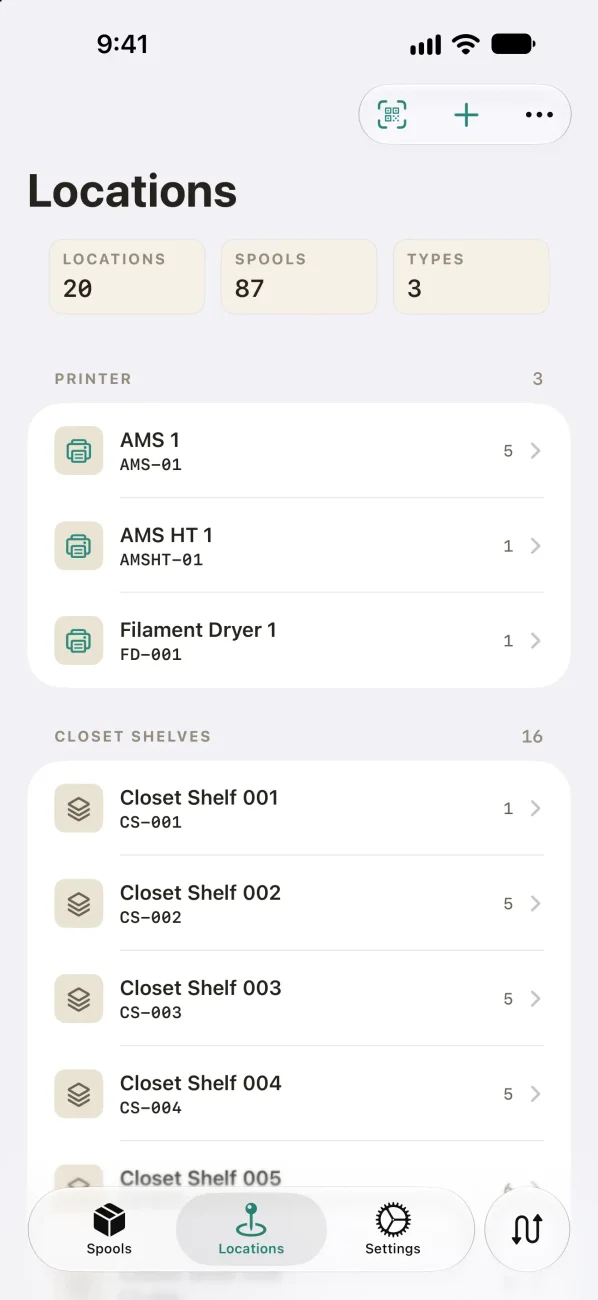
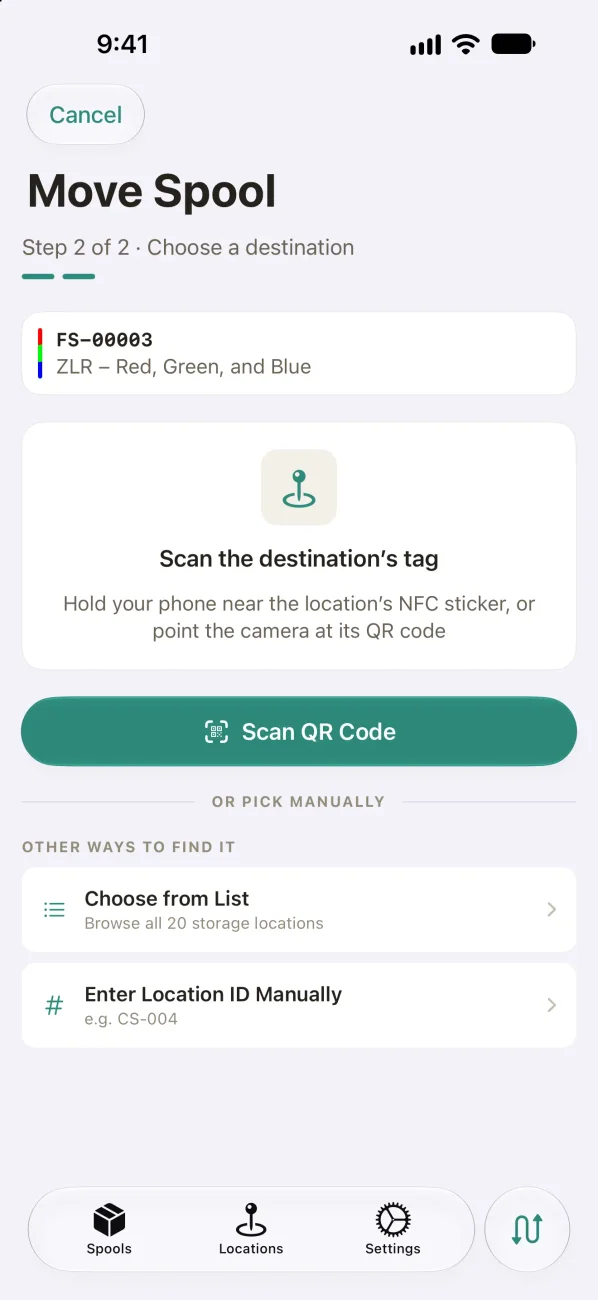
Scan a spool or location's QR code with your iPhone, iPad, or Mac camera, or write and tap custom NFC tags with your iPhone, to see what's loaded and where it is. To move a spool, tap Move and scan the destination — your preferred method (NFC, QR, or a list) opens instantly. Reorganizing a shelf? Pick the destination once, then scan spool after spool and move them all together.
— LOCATIONS THAT FIT YOUR SETUP —
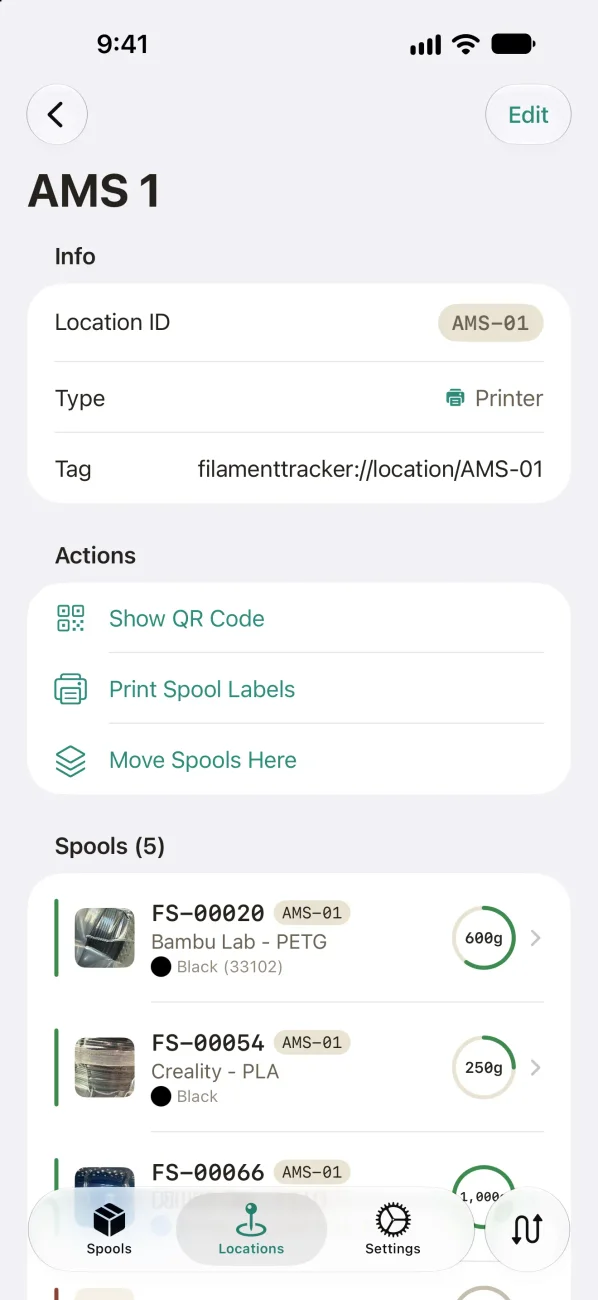
Organize your collection by dry box, AMS unit, shelf, printer, or any location you define, and search inside any of them. Locations marked as Connected to Printer automatically count loaded spools as In Use.
— TRACK EVERY GRAM —
Log print sessions to keep grams-remaining accurate, or weigh a spool on a Bluetooth scale — set the empty weight once and every weigh-in subtracts it. Attach photos from your camera, photo library, or Files, and track price, source URL, and currency per spool.
— SIRI, SHORTCUTS & SPOTLIGHT —
Ask Siri where a spool is, check how much filament you have left, or log print usage — or use them in your own Shortcuts. Find any spool from Spotlight, too.
— BUILT-IN FILAMENT REFERENCE —
Look up print temperatures, drying, density, and resistance ratings for over 30 filament types, from PLA and PETG to PA6-CF and BVOH. Tap any entry to filter your spools by that type.
— ICLOUD SYNC, BACKUP & CSV —
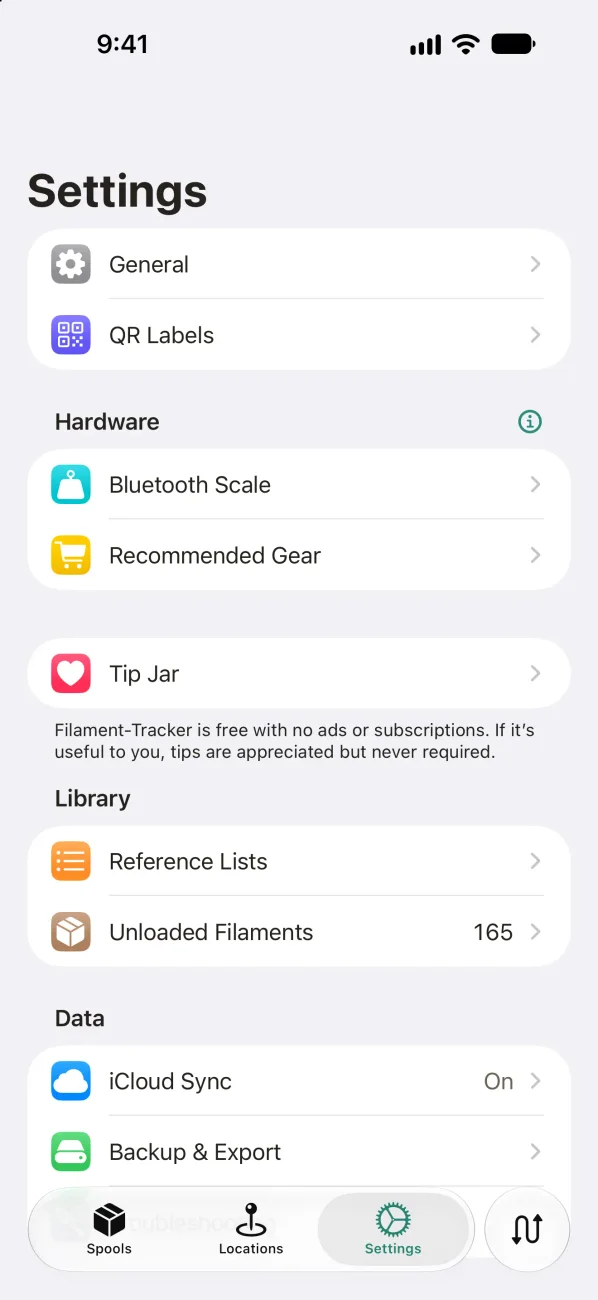
Your inventory syncs across your devices via CloudKit and works fully offline. Export a complete backup — spools, history, photos, and more — as an archive or plain JSON, and restore it whenever you need to. Export to CSV for Numbers or Excel, and import it back to bulk-update spools.
— MADE FOR EVERY SCREEN —
Light and Dark Mode, VoiceOver, and Dynamic Type throughout. On iPhone Duo, lists fit the cover screen, and folding or unfolding keeps your place.
— SEAMLESS MAC COMPANION —
The Mac app shares your data and prints labels to any Mac printer, label printers included. It also supports the TD-1 filament tester: capture transmission-distance and hex color readings over USB, synced to all your devices.
No subscriptions. No account required beyond iCloud — your data stays in your own private iCloud database. Optional tips in Settings support development, and a one-time Supporter purchase adds a thank-you badge — never required.
新機能
バージョン 2.2.2 · 2026/11/25
LINKS OPEN IN YOUR BROWSER
• Purchase links and Recommended Gear now open in your default browser, where you're already signed in and can hand off to the store's app
• The Open Links in App setting is gone, since every link now opens the same way
アプリのプライバシー
このアプリのデータの取り扱いについて、David OreolがApp Storeで申告している内容です。
-
データの収集なし
開発元はこのアプリからデータを収集しません。
プライバシーの取り扱いは、ご利用の機能やお客様の年齢などに応じて異なる場合があります。
情報
- 販売元
- David Oreol
- カテゴリ
- 仕事効率化
- バージョン
- 2.2.2
- 更新日
- 2026/11/25
- リリース
- 2026/7/6
- サイズ
- 25.7 MB
- 必要条件
- iOS 26.0以降
- 対象年齢
- 4+
- 価格
- 無料
- アプリ内課金
- あり
- 言語
- 英語
- 著作権
- © 2026 David Oreol