FileXip
Files, ZIP & Network Transfer
Diseñada para iPhone, iPad
6,99 € · Compras en la aplicación
- Clasificación por edad4+
- CategoríaUtilidades
- Desarrollador强 王
- IdiomasInglés+ 15 más
- Tamaño273,9 MB
Enlaza a la página oficial de App Store
Download.org no aloja ningún archivo de FileXip. El botón abre la página de la aplicación en App Store, donde la publica 强 王. Ficha comprobada por última vez el 12/11/2026.
Capturas de pantalla

Acerca de
El desarrollador no ha proporcionado este texto en tu idioma.
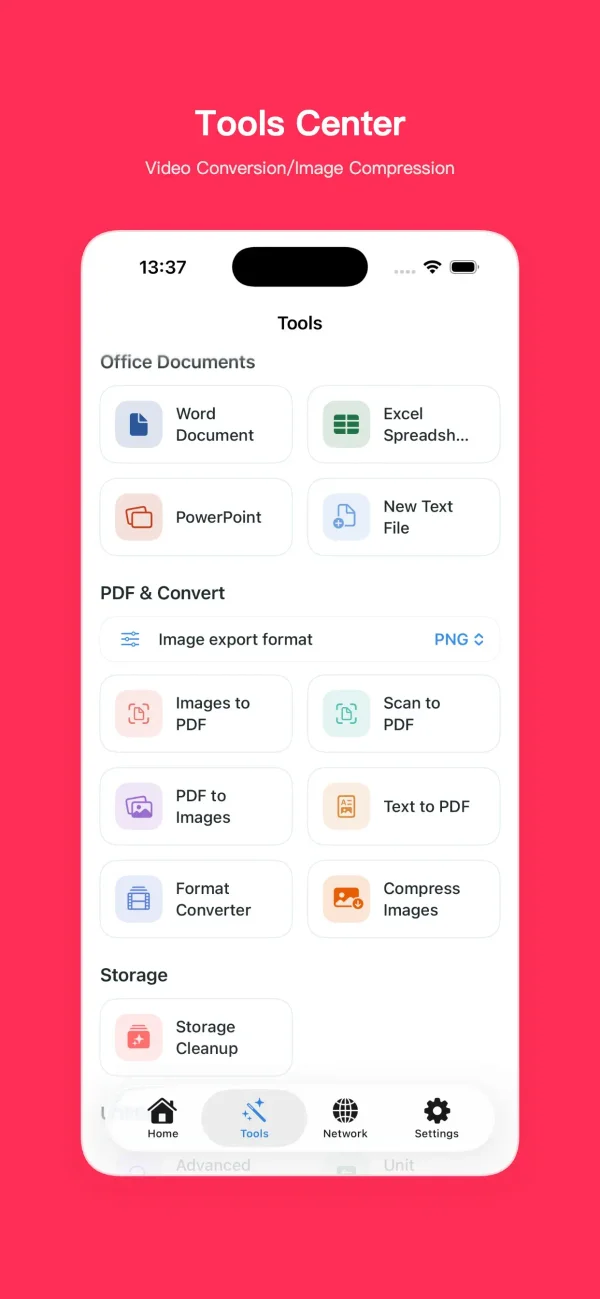
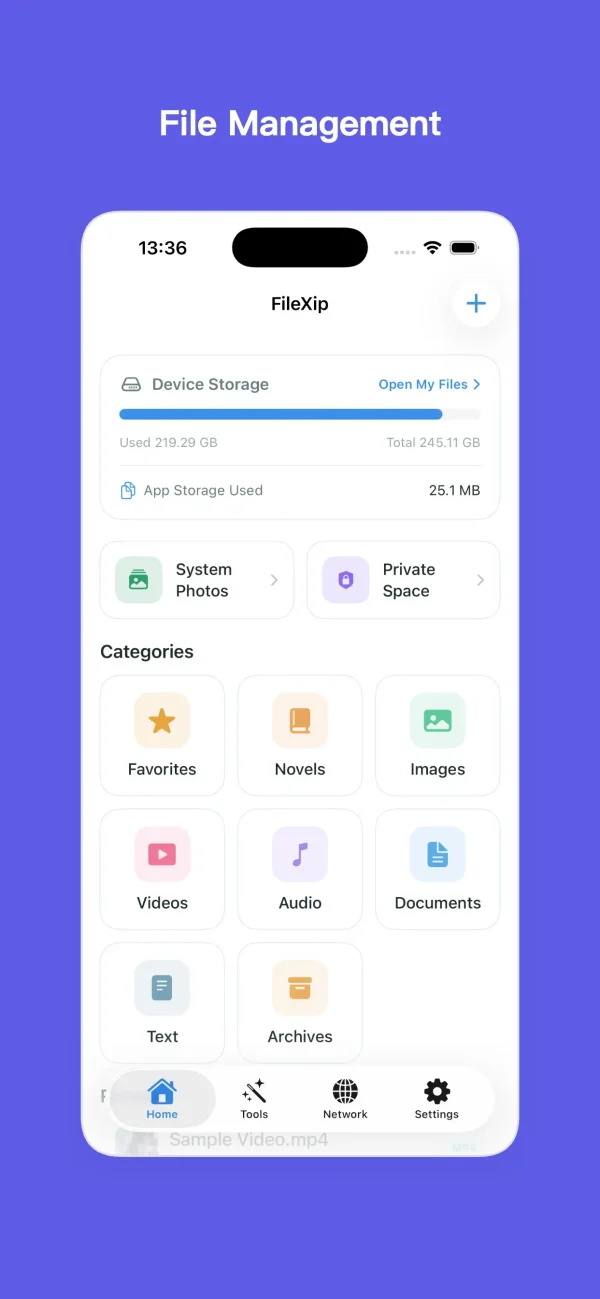
FileXip is a clean, powerful file manager for iPhone and iPad. Browse, organize, preview, and edit your files locally — with professional archive tools and built-in network transfer.
FILE MANAGEMENT
• List and grid views with sort by name, date, size, or type
• Search files instantly; advanced search with wildcards and content matching
• Create folders and text files, rename, delete, share, and import from the Files app
• Multi-select to copy, move, compress, or delete in batch
• Home dashboard with storage overview, file categories, and recent files
ARCHIVES — PROFESSIONAL GRADE
• Open ZIP, JAR, TAR, TAR.GZ, GZ, 7z, and RAR archives
• Tree-view browser: preview contents before extracting
• Extract individual files, folders, or multiple selections at once
• Password-protected archives (ZipCrypto & AES-256)
• Create encrypted ZIP files with adjustable compression levels
• Fix garbled filenames with encoding options (UTF-8, GBK, Big5, Shift-JIS, and more)
• Safe extraction with zip-slip protection and background progress
PREVIEW & EDIT
• Images: pinch-to-zoom and pan
• Video & audio: built-in player
• Text & code: syntax-highlighted editor with 190+ languages, themes, font size, encoding, find & replace
• PDF: draw, highlight, add text, erase — annotations save directly to the file
• Office & iWork documents: QuickLook preview
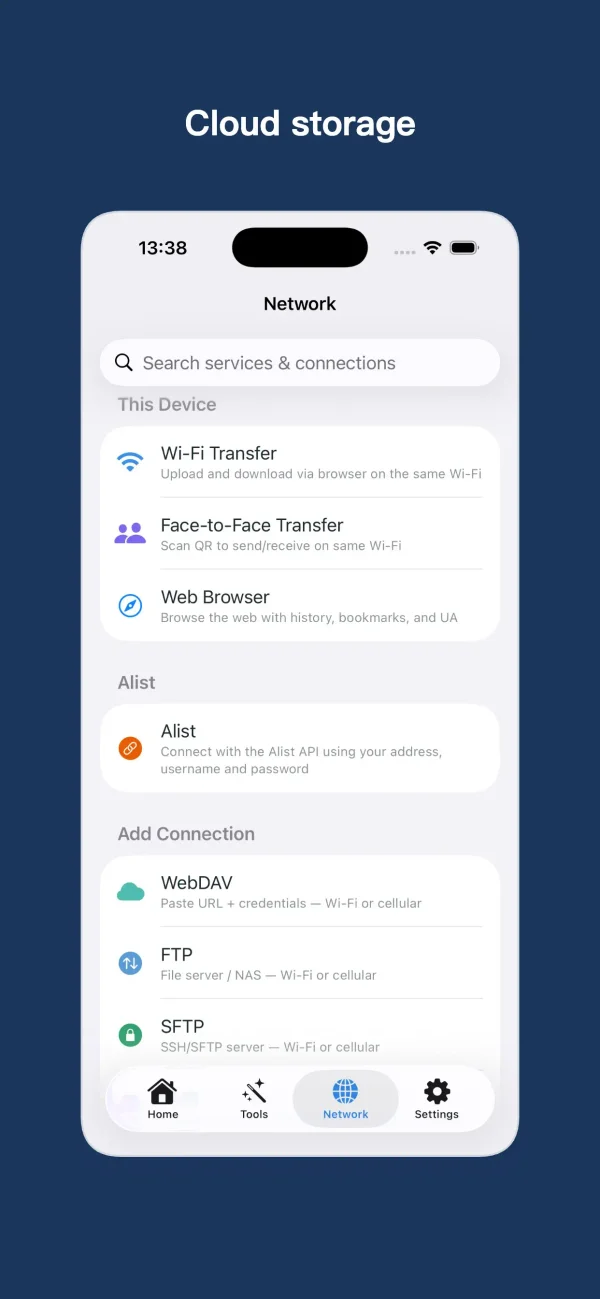
NETWORK TRANSFER
• Wi‑Fi Transfer: share files via browser on the same network (QR code included)
• FTP & WebDAV: connect to servers and NAS, browse, upload, download, and manage remotely
• SMB: import files from network shares via the system Files app
• Live transfer progress, speed, and history
DESIGNED FOR EVERYDAY USE
• Minimal, distraction-free interface
• Large file operations run in the background — no frozen UI
• English and Simplified Chinese supported
• Local-first: your files stay on your device unless you choose to transfer them
FileXip Pro (optional)
Unlock unlimited remote connections, batch encrypted compression, advanced encoding options, and early access to upcoming features.
Questions or feedback: vrlinkapp@163.com
Novedades
Versión 2.9.1 · 16/10/2026
General fixes and updates
New tool types added
Privacidad de la aplicación
Lo que 强 王 declara en App Store sobre cómo esta aplicación gestiona los datos.
-
No se recopilan datos
El desarrollador no recopila ningún dato de esta aplicación.
Las prácticas de privacidad pueden variar, por ejemplo, según las funciones que uses o tu edad.
Información
- Vendedor
- 强 王
- Categoría
- Utilidades
- Versión
- 2.9.1
- Actualizado
- 16/10/2026
- Publicado
- 23/6/2026
- Tamaño
- 273,9 MB
- Requiere
- iOS 16.2 o posterior
- Clasificación por edad
- 4+
- Precio
- 6,99 €
- Compras en la aplicación
- Sí
- Idiomas
- Inglés, Árabe, Checo, Danés, Francés, Alemán, Italiano, Japonés, Coreano, Noruego bokmål, Polaco, Ruso + 4 más
- Copyright
- © 2026 wangqiang
Quizá también te guste
-
 OpenHTML: HTML, PDF & MarkdownZIP, JSON, medios y código
-
 Unicode Teclado de SímbolosCaracteres especiales, flechas
-
 QuickPaste - Quick ClipboardUtilidades
-
 Glassiu Browser: Video SnifferUtilidades
-
 DocWeave: Escáner PDF, OCR IAConvertir Documentos y Notas
-
 Bóveda Privada – Sin ConexiónOculta Fotos, Archivos, Claves
-
 SilentProof: Noise ComplaintUtilidades
-
 Carpeta de apps: WidgetLoftWidget, tema y bloqueo
-
 Voice Notes: Voz a textoGraba, transcribe y exporta
-
 MeCode: Escáner QR y barrasCrea códigos, lee fotos y PDF