
Finger Timer
Simple and elegant speedcubing
Diseñada para iPhone, iPad, iPod touch
Gratis
- Clasificación por edad4+
- CategoríaUtilidades
- DesarrolladorYu-Mao Feng
- IdiomasInglés
- Tamaño22,9 MB
Enlaza a la página oficial de App Store
Download.org no aloja ningún archivo de Finger Timer. El botón abre la página de la aplicación en App Store, donde la publica Yu-Mao Feng. Ficha comprobada por última vez el 15/11/2026.
Capturas de pantalla

Acerca de
El desarrollador no ha proporcionado este texto en tu idioma.
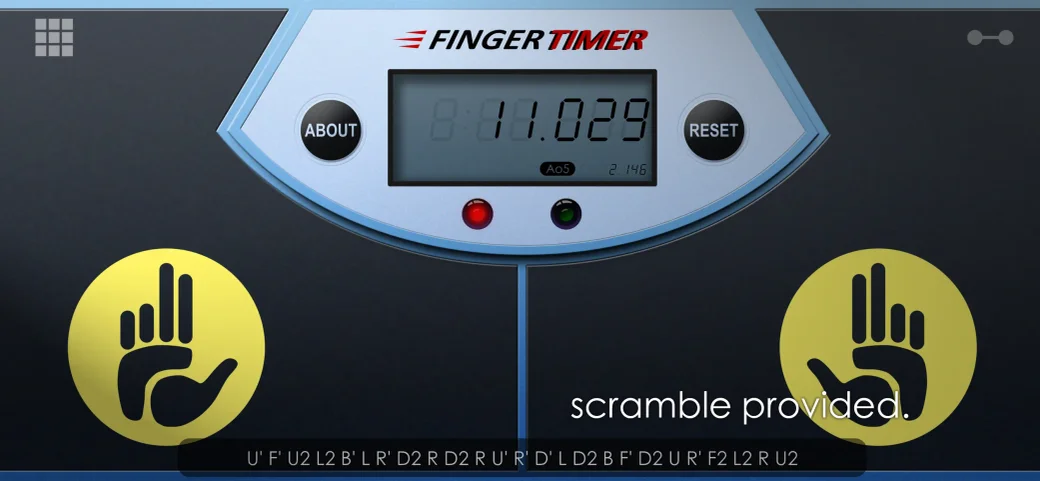
Finger Timer is a speedcubing/speedstacking timer in your pocket!
It's a simple and elegant timer app that you must have!
[HOW TO USE]
1. Put your fingers on the left and right pads, and hold.
2. When the red and green lights are both on, the timer is ready, and then you can release your fingers to start the timer.
3. When you want to stop the timer, put your fingers back on the left and right pads.
4. If you want to restart the timer, press "RESET" and do the steps 1 to 3.
[DISPLAY CONNECTION]
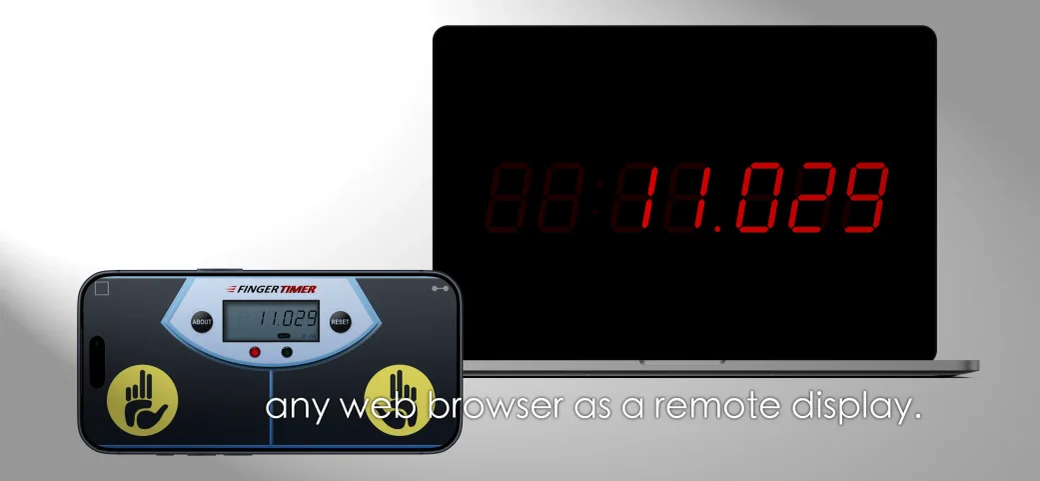
1. Connect your Timer device (with this app) and Display device (any computer or mobile device with a web browser) to the same Wi-Fi network. (Sometimes Internet also works.)
2. In Timer device, tap the top-right icon, and check "Allow display connection" checkbox.
3. In Display device, enter the Timer address into the address bar of your browser, and then press "START".
4. Enjoy it!
[Stats]
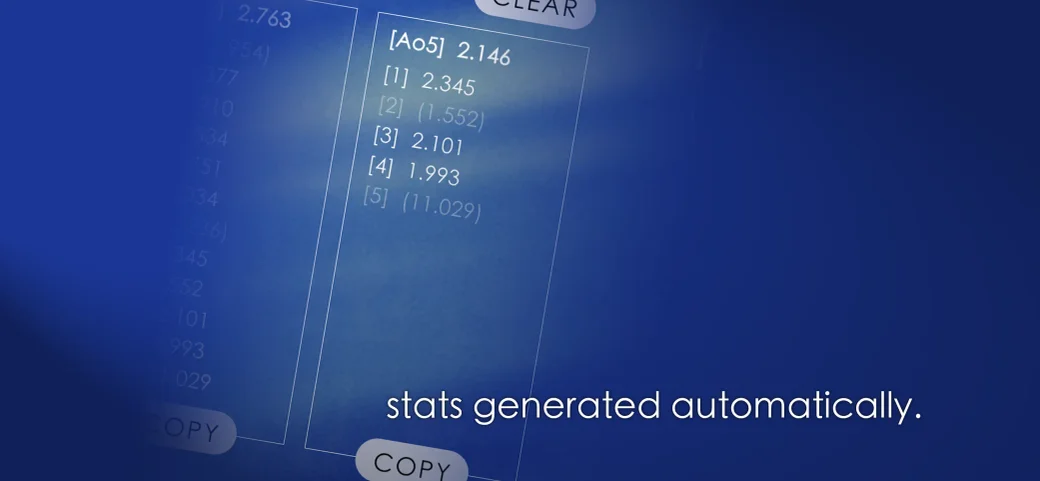
When you using the timer, stats are generated automatically. The average time, Ao5 and Ao12 (full version only), are displaying the summary in the LED panel, and you can also get the details in About page. In About page, you can clear the stats or copy them to show off!
Free version:
> The maximum time is 10 minutes.
> Display connection. (max 10 mins)
> Scramble for only cube 2x2x2 and 3x3x3.
> Showing Ao5 (average of 5) only.
> With ads
Full version:
> The maximum time is 60 minutes.
> Display connection. (max 60 mins)
> Scramble for cube 2x2x2, 3x3x3, 4x4x4, and 5x5x5.
> Showing both Ao5 (average of 5) and Ao12 (average of 12).
> No ads, no distractions!
Subscribe our YouTube channel to watch the latest cubing videos:
https://youtube.com/omgcrafts
Like us on Facebook for the latest news:
https://facebook.com/omegastudiopage
Novedades
Versión 1.0.7 · 15/5/2026
Improved timer precision with an extra decimal place
Updated to high-resolution graphics
Fixed Display Connection reconnection issue
Minor bug fixes
Privacidad de la aplicación
Lo que Yu-Mao Feng declara en App Store sobre cómo esta aplicación gestiona los datos.
-
No se recopilan datos
El desarrollador no recopila ningún dato de esta aplicación.
Las prácticas de privacidad pueden variar, por ejemplo, según las funciones que uses o tu edad.
Información
- Vendedor
- Yu-Mao Feng
- Categoría
- Utilidades
- Versión
- 1.0.7
- Actualizado
- 15/5/2026
- Publicado
- 14/12/2012
- Tamaño
- 22,9 MB
- Requiere
- iOS 13.0 o posterior
- Clasificación por edad
- 4+
- Precio
- Gratis
- Idiomas
- Inglés
- Copyright
- © Omega Studio
Quizá también te guste
-
 My Cube TimerUtilidades
-
 iCube LiteUtilidades
-
 Resolver Cubo | 21Moves MasterPuzzle Cube Solver and Guide
-
 CubeSolver AI - Cubo Mágico 3DCubo 3x3 fácil de resolver
-
 Rubiks Cube Solver - SolveQUtilidades
-
 BNStopwatch¡Con números grandes!
-
 CUBER - Learn algorithmsUtilidades
-
 XCube TimerSolve the cube, save the time!
-
 Smart Player ProUtilidades
-
 ScrambleMeUtilidades