
Finger Timer
Simple and elegant speedcubing
Conçue pour iPhone, iPad, iPod touch
Gratuit
- Classification d’âge4+
- CatégorieUtilitaires
- DéveloppeurYu-Mao Feng
- LanguesAnglais
- Taille22,9 Mo
Renvoie vers la page App Store officielle
Download.org n’héberge aucun fichier de Finger Timer. Le bouton ouvre la page de l’application sur App Store, où Yu-Mao Feng la publie. Fiche vérifiée pour la dernière fois le 15/11/2026.
Captures d’écran

À propos
Le développeur n’a pas fourni ce texte dans votre langue.
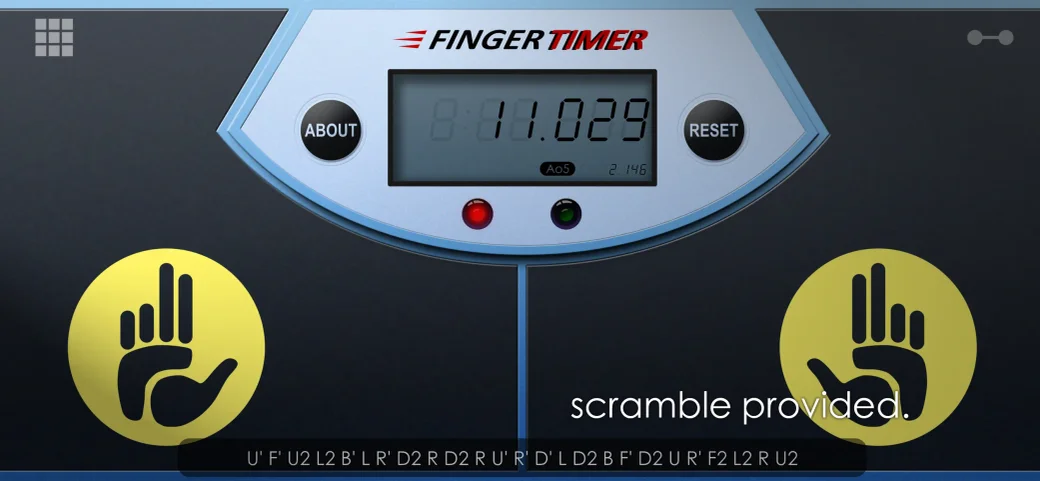
Finger Timer is a speedcubing/speedstacking timer in your pocket!
It's a simple and elegant timer app that you must have!
[HOW TO USE]
1. Put your fingers on the left and right pads, and hold.
2. When the red and green lights are both on, the timer is ready, and then you can release your fingers to start the timer.
3. When you want to stop the timer, put your fingers back on the left and right pads.
4. If you want to restart the timer, press "RESET" and do the steps 1 to 3.
[DISPLAY CONNECTION]
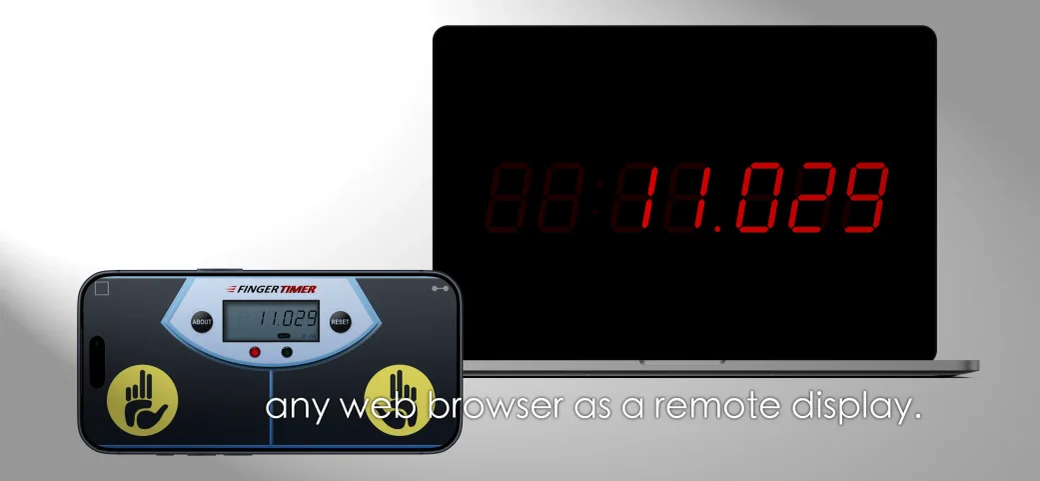
1. Connect your Timer device (with this app) and Display device (any computer or mobile device with a web browser) to the same Wi-Fi network. (Sometimes Internet also works.)
2. In Timer device, tap the top-right icon, and check "Allow display connection" checkbox.
3. In Display device, enter the Timer address into the address bar of your browser, and then press "START".
4. Enjoy it!
[Stats]
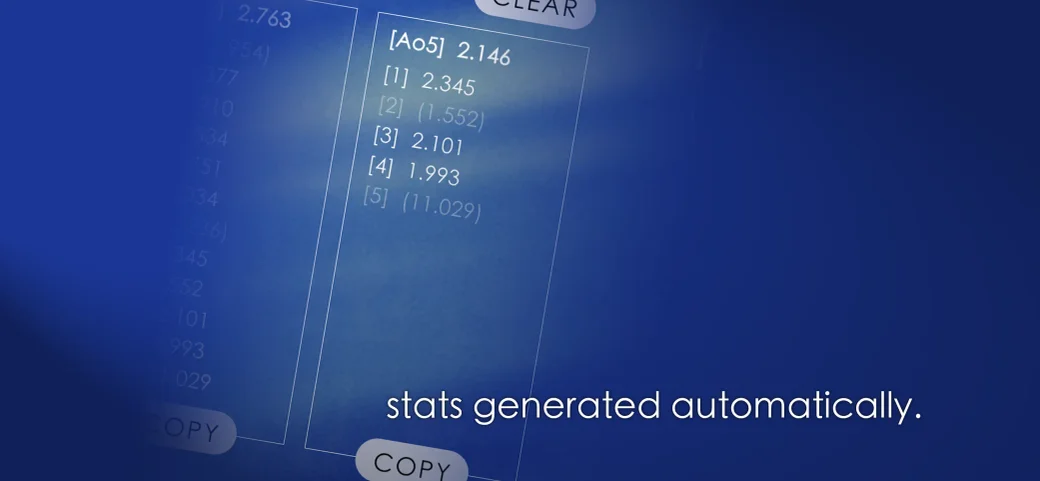
When you using the timer, stats are generated automatically. The average time, Ao5 and Ao12 (full version only), are displaying the summary in the LED panel, and you can also get the details in About page. In About page, you can clear the stats or copy them to show off!
Free version:
> The maximum time is 10 minutes.
> Display connection. (max 10 mins)
> Scramble for only cube 2x2x2 and 3x3x3.
> Showing Ao5 (average of 5) only.
> With ads
Full version:
> The maximum time is 60 minutes.
> Display connection. (max 60 mins)
> Scramble for cube 2x2x2, 3x3x3, 4x4x4, and 5x5x5.
> Showing both Ao5 (average of 5) and Ao12 (average of 12).
> No ads, no distractions!
Subscribe our YouTube channel to watch the latest cubing videos:
https://youtube.com/omgcrafts
Like us on Facebook for the latest news:
https://facebook.com/omegastudiopage
Nouveautés
Version 1.0.7 · 15/05/2026
Improved timer precision with an extra decimal place
Updated to high-resolution graphics
Fixed Display Connection reconnection issue
Minor bug fixes
Confidentialité de l’application
Ce que Yu-Mao Feng déclare sur l’App Store au sujet du traitement des données par cette application.
-
Données non collectées
Le développeur ne collecte aucune donnée à partir de cette application.
Les pratiques en matière de confidentialité peuvent varier, notamment en fonction des fonctionnalités que vous utilisez ou de votre âge.
Informations
- Vendeur
- Yu-Mao Feng
- Catégorie
- Utilitaires
- Version
- 1.0.7
- Mis à jour
- 15/05/2026
- Publié
- 14/12/2012
- Taille
- 22,9 Mo
- Nécessite
- iOS 13.0 ou version ultérieure
- Classification d’âge
- 4+
- Prix
- Gratuit
- Langues
- Anglais
- Copyright
- © Omega Studio
Vous aimerez peut-être aussi
-
 My Cube TimerUtilitaires
-
 iCube LiteUtilitaires
-
 Rubis Cube Solver | 21MovesRue Bis Solveur: Magic Puzzle
-
 CubeSolver AI:Cube Magique 3DRésolvez votre cube facile
-
 Rubiks Cube Solver - SolveQUtilitaires
-
 BNStopwatchAvec de grands chiffres !
-
 CUBER - Learn algorithmsUtilitaires
-
 XCube TimerUtilitaires
-
 Smart Player ProUtilitaires
-
 ScrambleMeUtilitaires