
FocusEdge: Study Lock
Parental control for homework
Diseñada para iPhone, iPad
Gratis
- Clasificación por edad4+
- CategoríaProductividad
- DesarrolladorQrcall Pty Ltd
- IdiomasInglés
- Tamaño4,9 MB
Enlaza a la página oficial de App Store
Download.org no aloja ningún archivo de FocusEdge: Study Lock. El botón abre la página de la aplicación en App Store, donde la publica Qrcall Pty Ltd. Ficha comprobada por última vez el 24/11/2026.
Capturas de pantalla
Acerca de
El desarrollador no ha proporcionado este texto en tu idioma.
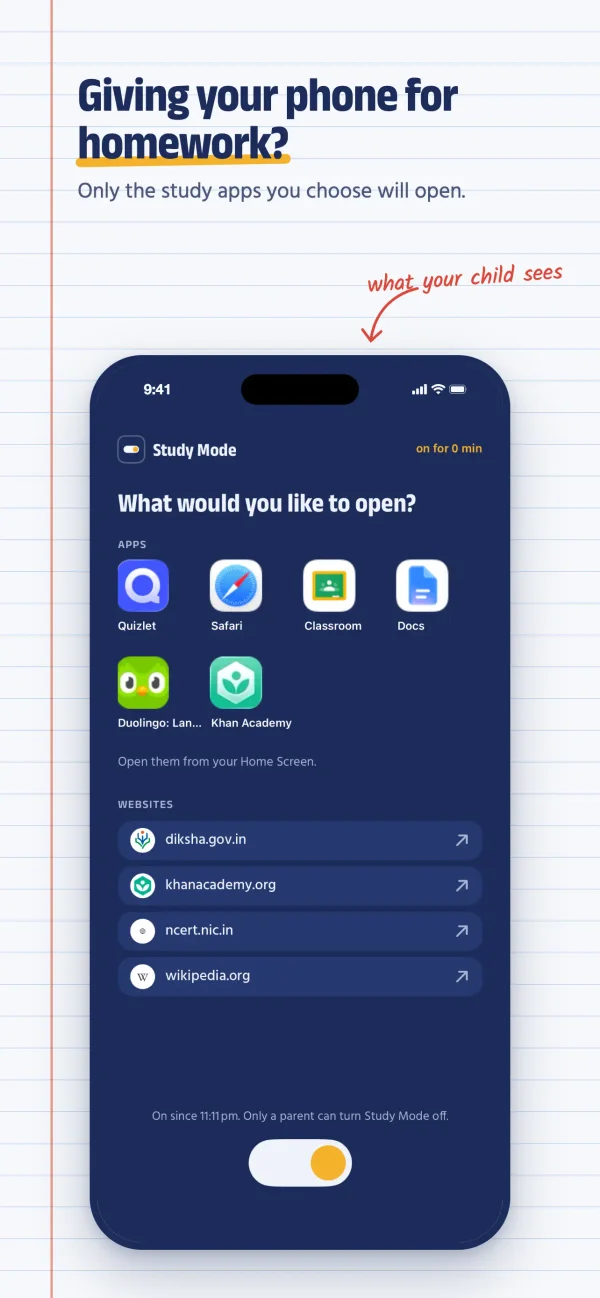
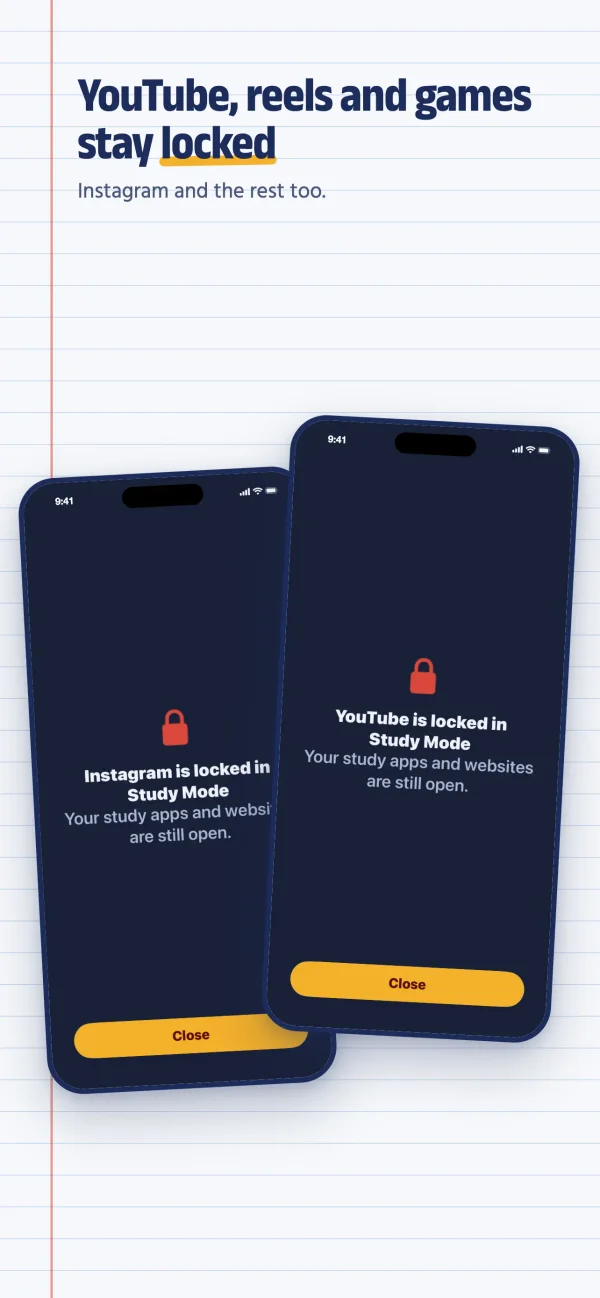
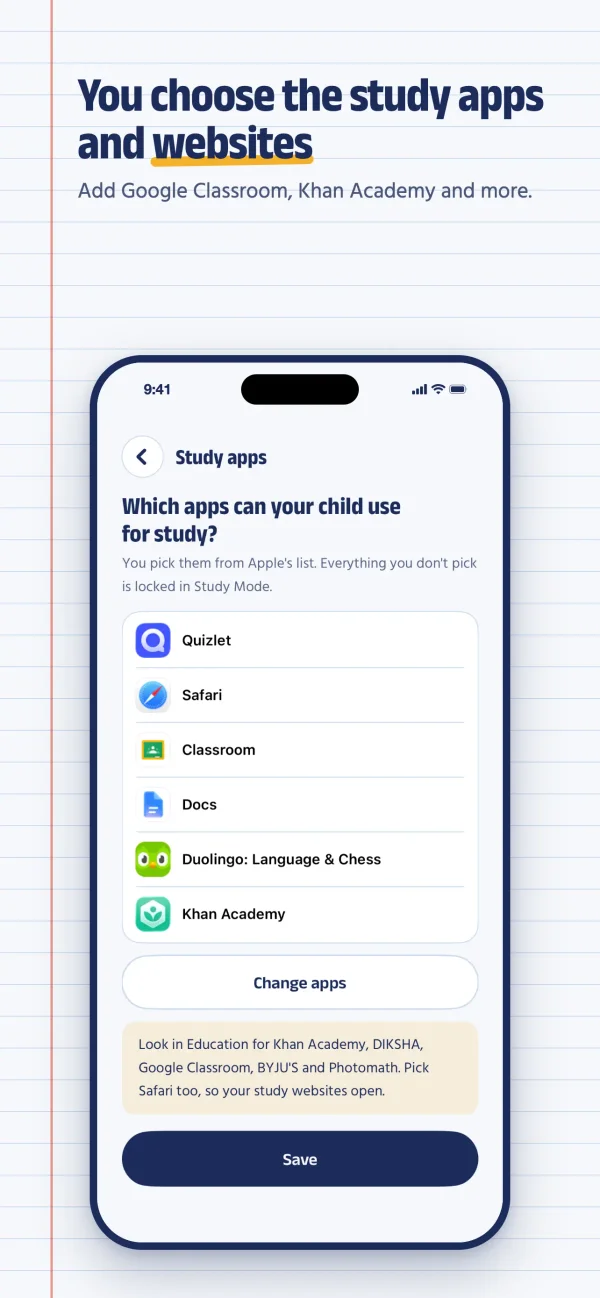
FocusEdge is a study lock and kids mode for parents who hand their own iPhone or iPad to their child for homework. Turn on Study Mode and only the study apps and websites you choose will open. YouTube, reels and games stay locked until you enter your PIN. Set an optional timer from 1 to 8 hours. Adult websites stay blocked even when Study Mode is off, using Apple's Screen Time filter.
Try it free for 7 days, with no card needed. After that, FocusEdge is a yearly subscription through the App Store.
STUDY MODE: ONE SWITCH, THEN HAND OVER THE PHONE
• Only the study apps you choose open, such as Google Classroom, Khan Academy, Duolingo or Photomath
• Only the study websites you choose open, such as Khan Academy, Wikipedia or your school's website
• YouTube, reels, games, Instagram, Facebook and other social media stay locked
• Set a timer from 1 to 8 hours, or leave it on until you turn it off
NO GAME PURCHASES WHILE YOUR CHILD STUDIES
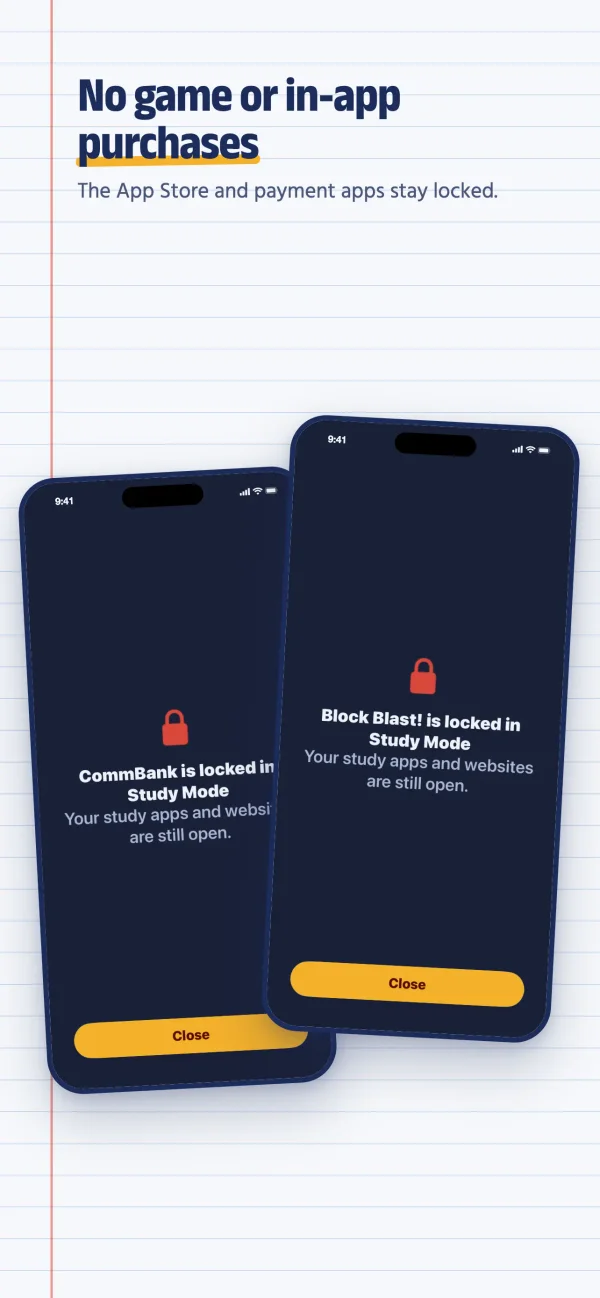
Your phone has your chats, photos and money on it. In Study Mode your messages, photos, banking and payment apps stay locked behind your 6-digit PIN. In-app purchases are off, no new apps can be installed, and no apps can be deleted.
ADULT AND OTHER UNSAFE WEBSITES STAY BLOCKED
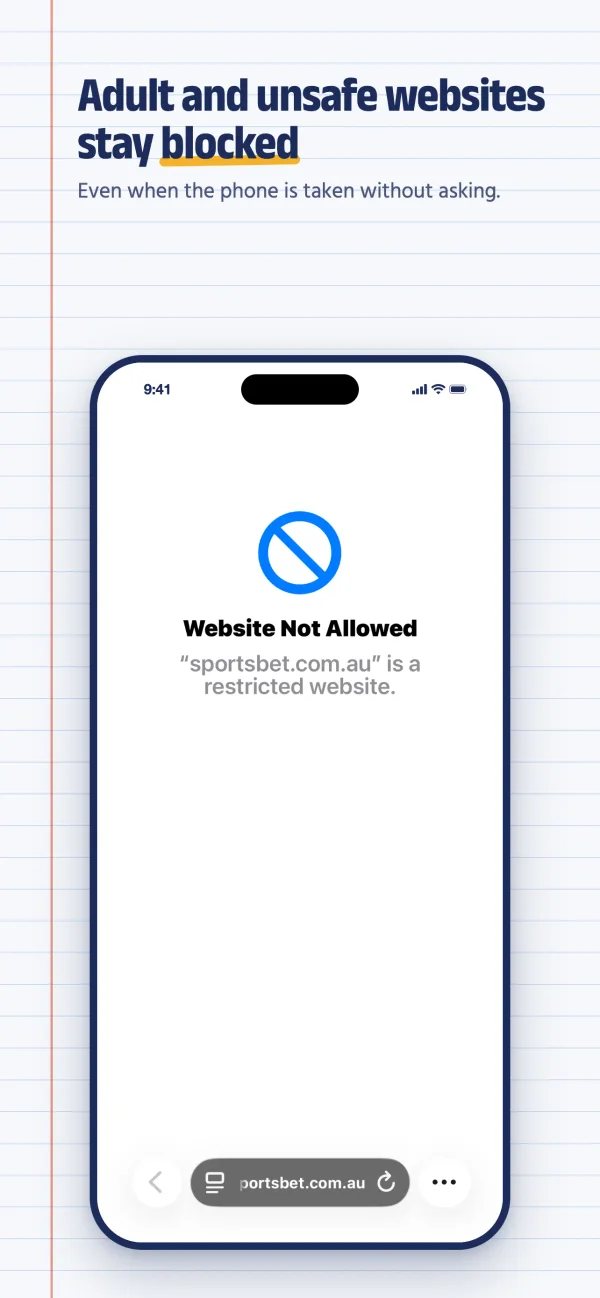
Adult websites, and well-known gambling, betting and violent websites, stay blocked at all times in Safari and other browsers, even when Study Mode is off and the phone is picked up without asking. You can also block any website yourself.
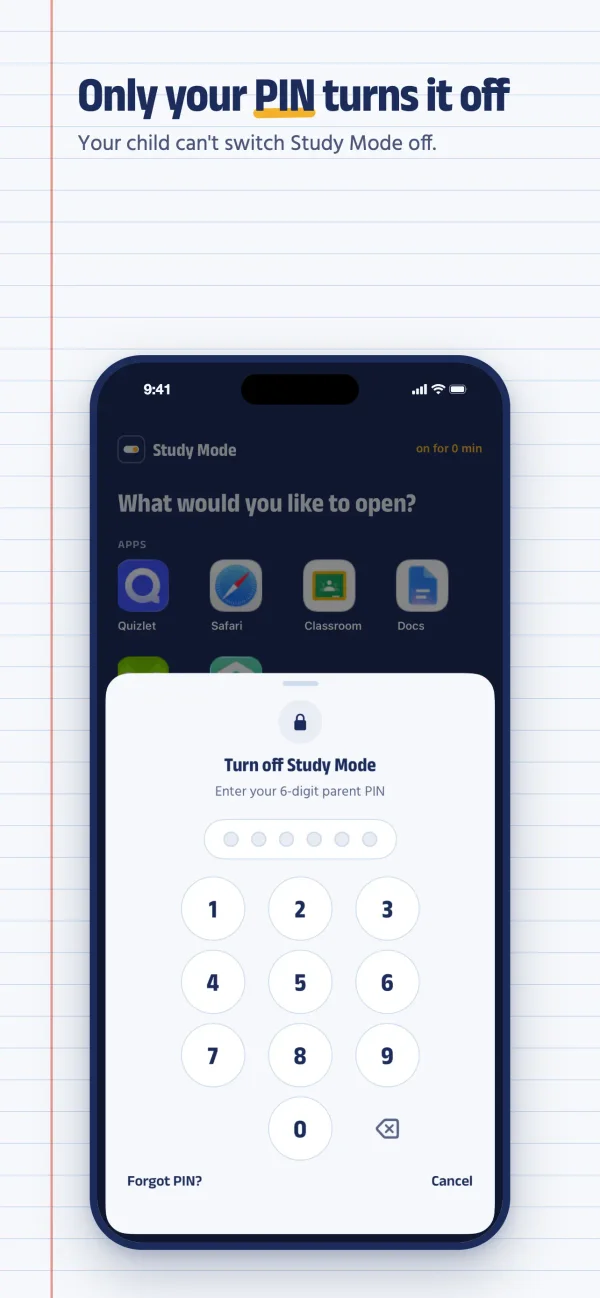
ONLY YOU CAN TURN IT OFF
Study Mode turns off with your 6-digit PIN, or with Face ID or Touch ID if you switch that on. If someone turns off FocusEdge's Screen Time access, we email you.
SIMPLE PARENTAL CONTROL FOR A SHARED PHONE
FocusEdge goes on your own iPhone or iPad, the one your child borrows. It is one app on one device: there is no second app to install on a child's phone and no child account to set up. It also works on a child's own iPhone or iPad when you hold the PIN.
SET UP IN A FEW MINUTES
1. Sign in with Apple, Google or your email
2. Allow Screen Time access
3. Choose the study apps and websites
4. Choose a 6-digit PIN
FORGOT YOUR PIN?
We email you a code to reset it.
YOUR PRIVACY
FocusEdge uses Apple's Screen Time to lock apps and block websites. Apple does not let FocusEdge see which apps or websites are opened, so that is never recorded or sent anywhere. FocusEdge does not read your messages, photos or anything inside an app.
SUBSCRIPTION
The first 7 days are free and need no payment method. To keep using Study Mode after that, subscribe to FocusEdge yearly, an auto-renewing subscription. Payment is charged to your Apple Account when you confirm the purchase, and the subscription renews each year unless you cancel at least 24 hours before the end of the period. Manage or cancel it in Settings › your name › Subscriptions.
Terms of use: https://focusedge.app/terms.html
Privacy policy: https://focusedge.app/privacy.html
FocusEdge is for parents and guardians aged 18 and over.
Questions: admin@qrcall.com.au
Novedades
Versión 1.9 · 23/11/2026
Create your account at the end of setup, so a forgotten PIN can be reset by email. Every setup step now has a Back button.
Privacidad de la aplicación
Lo que Qrcall Pty Ltd declara en App Store sobre cómo esta aplicación gestiona los datos.
-
Datos vinculados a ti
Pueden recopilarse y vincularse a tu identidad.
- Compras
- Ubicación
- Información de contacto
- Identificadores
- Datos de uso
- Diagnóstico
- Otros datos
Las prácticas de privacidad pueden variar, por ejemplo, según las funciones que uses o tu edad.
Información
- Vendedor
- Qrcall Pty Ltd
- Categoría
- Productividad
- Versión
- 1.9
- Actualizado
- 23/11/2026
- Publicado
- 7/10/2026
- Tamaño
- 4,9 MB
- Requiere
- iOS 18.0 o posterior
- Clasificación por edad
- 4+
- Precio
- Gratis
- Idiomas
- Inglés
- Copyright
- © 2026 Qrcall Pty Ltd
Quizá también te guste
-
 Eyes Up: Location LockProductividad
-
 Chore Time: App BlockerProductividad
-
 LimeTime: Tiempo de PantallaTareas y control parental
-
 Merite: Gana tiempo libreCompleta tareas, gana tiempo
-
 taskr: Chores & Screen TimeProductividad
-
 LockedIn: Earn Screen TimeProductividad
-
 LockMyApps Screen Time ControlProductividad
-
 Cast for Chromecast !Productividad
-
 ChoreReward: Rutina FamiliarPlanificadora de rutina diaria
-
 Stay Focused Bloqueador AppsBloqueador pantalla sitios web