
- 対象年齢4+
- カテゴリ仕事効率化
- 開発元Qrcall Pty Ltd
- 言語英語
- サイズ4.9 MB
App Storeの公式ページにリンクしています
Download.orgはFocusEdge: Study Lockのファイルを一切ホストしていません。ボタンを押すと、Qrcall Pty Ltdが公開しているApp Storeのアプリページが開きます。ページの最終確認:2026/11/24。
スクリーンショット
概要
開発元はこのテキストをお使いの言語で提供していません。
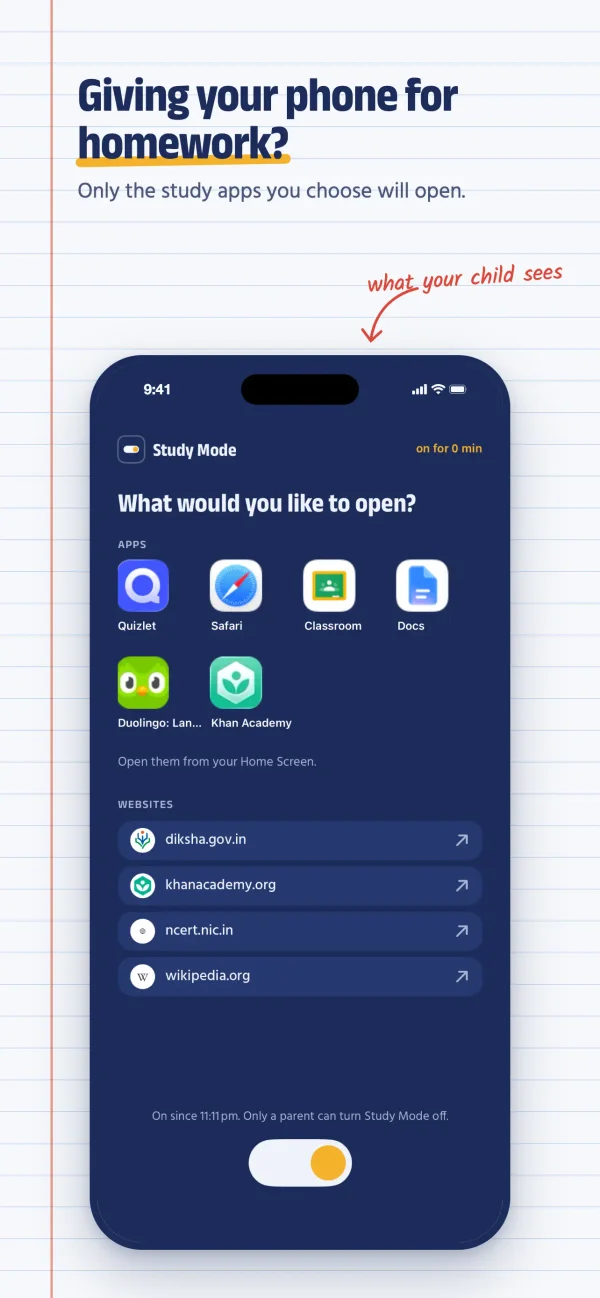
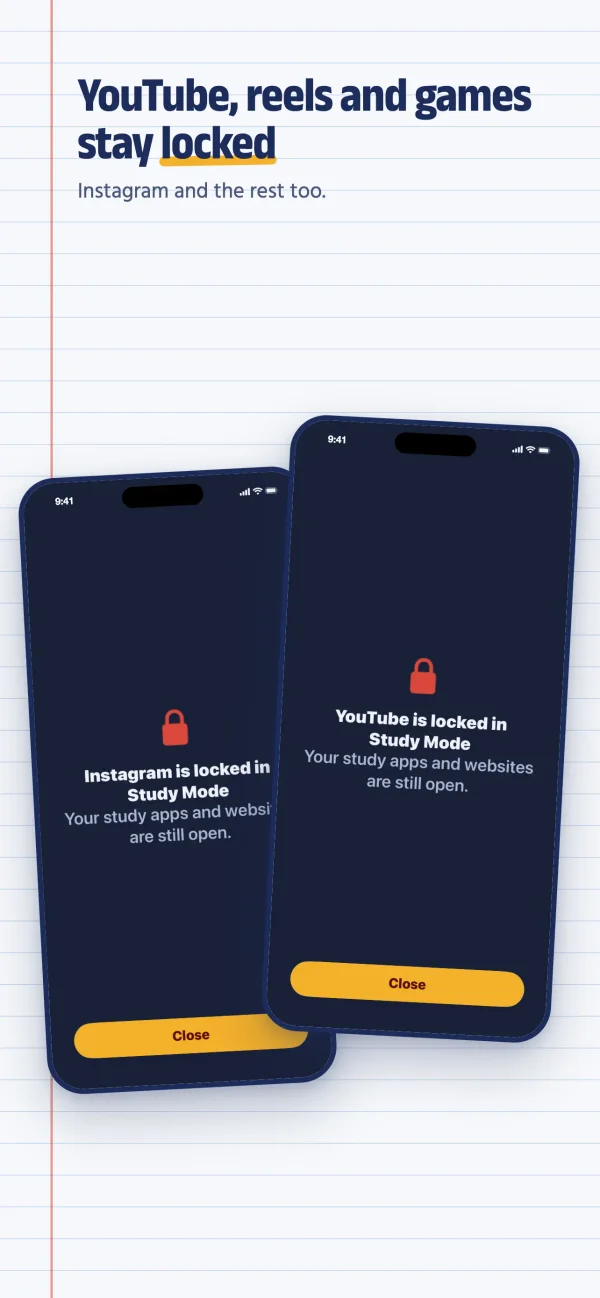
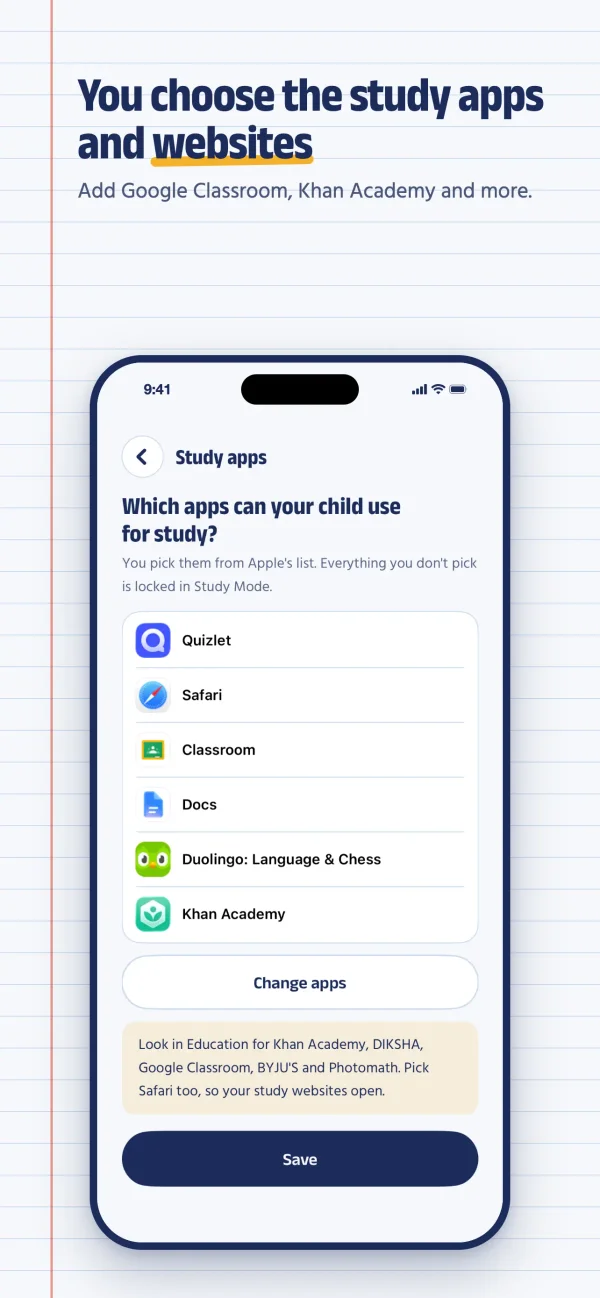
FocusEdge is a study lock and kids mode for parents who hand their own iPhone or iPad to their child for homework. Turn on Study Mode and only the study apps and websites you choose will open. YouTube, reels and games stay locked until you enter your PIN. Set an optional timer from 1 to 8 hours. Adult websites stay blocked even when Study Mode is off, using Apple's Screen Time filter.
Try it free for 7 days, with no card needed. After that, FocusEdge is a yearly subscription through the App Store.
STUDY MODE: ONE SWITCH, THEN HAND OVER THE PHONE
• Only the study apps you choose open, such as Google Classroom, Khan Academy, Duolingo or Photomath
• Only the study websites you choose open, such as Khan Academy, Wikipedia or your school's website
• YouTube, reels, games, Instagram, Facebook and other social media stay locked
• Set a timer from 1 to 8 hours, or leave it on until you turn it off
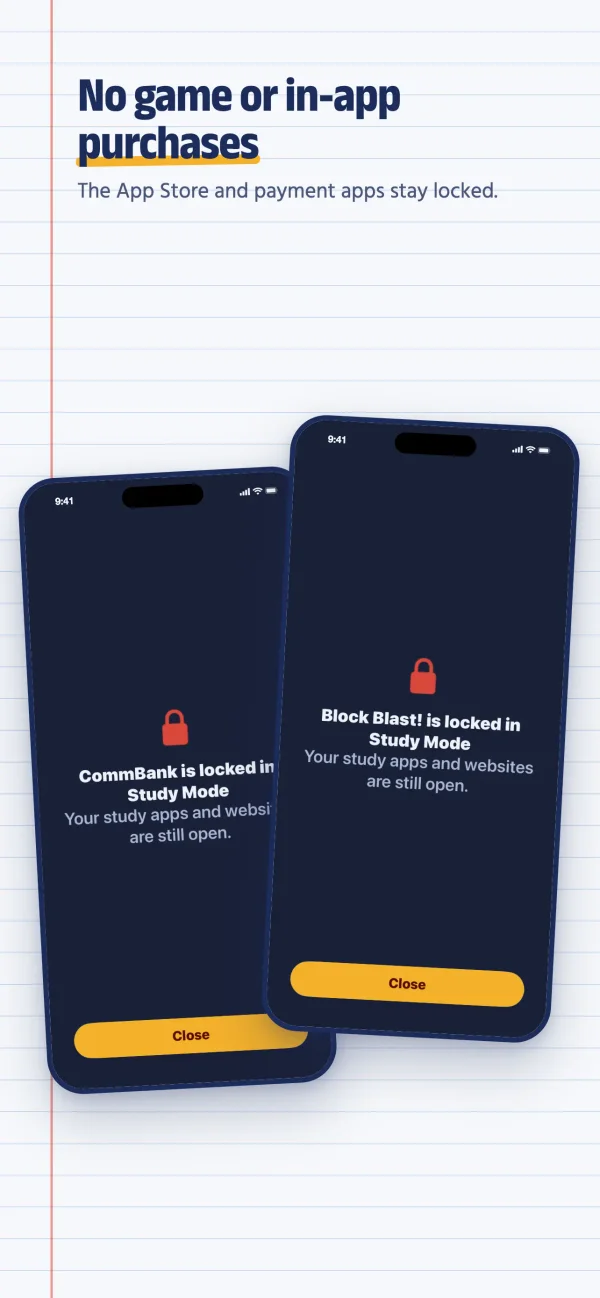
NO GAME PURCHASES WHILE YOUR CHILD STUDIES
Your phone has your chats, photos and money on it. In Study Mode your messages, photos, banking and payment apps stay locked behind your 6-digit PIN. In-app purchases are off, no new apps can be installed, and no apps can be deleted.
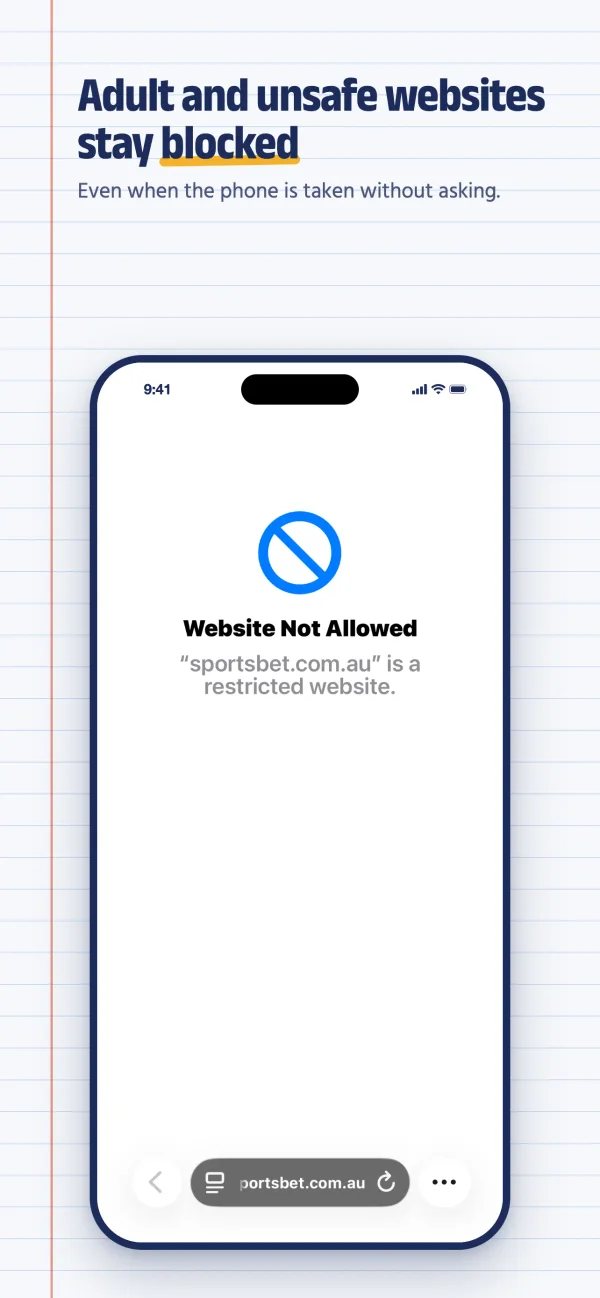
ADULT AND OTHER UNSAFE WEBSITES STAY BLOCKED
Adult websites, and well-known gambling, betting and violent websites, stay blocked at all times in Safari and other browsers, even when Study Mode is off and the phone is picked up without asking. You can also block any website yourself.
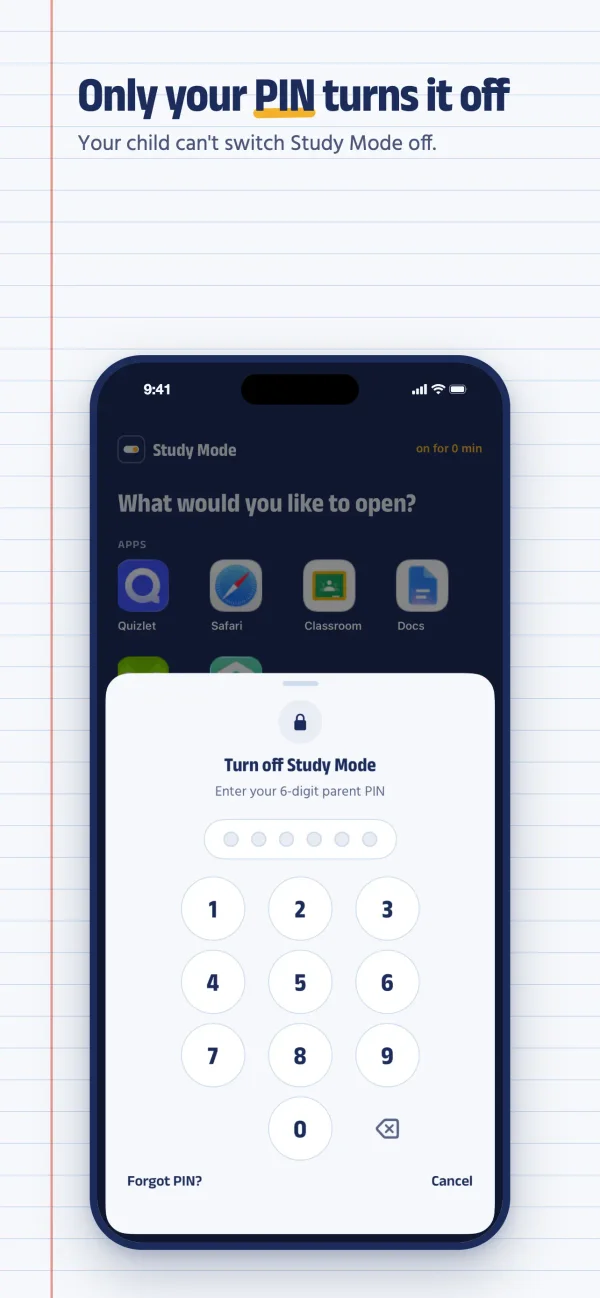
ONLY YOU CAN TURN IT OFF
Study Mode turns off with your 6-digit PIN, or with Face ID or Touch ID if you switch that on. If someone turns off FocusEdge's Screen Time access, we email you.
SIMPLE PARENTAL CONTROL FOR A SHARED PHONE
FocusEdge goes on your own iPhone or iPad, the one your child borrows. It is one app on one device: there is no second app to install on a child's phone and no child account to set up. It also works on a child's own iPhone or iPad when you hold the PIN.
SET UP IN A FEW MINUTES
1. Sign in with Apple, Google or your email
2. Allow Screen Time access
3. Choose the study apps and websites
4. Choose a 6-digit PIN
FORGOT YOUR PIN?
We email you a code to reset it.
YOUR PRIVACY
FocusEdge uses Apple's Screen Time to lock apps and block websites. Apple does not let FocusEdge see which apps or websites are opened, so that is never recorded or sent anywhere. FocusEdge does not read your messages, photos or anything inside an app.
SUBSCRIPTION
The first 7 days are free and need no payment method. To keep using Study Mode after that, subscribe to FocusEdge yearly, an auto-renewing subscription. Payment is charged to your Apple Account when you confirm the purchase, and the subscription renews each year unless you cancel at least 24 hours before the end of the period. Manage or cancel it in Settings › your name › Subscriptions.
Terms of use: https://focusedge.app/terms.html
Privacy policy: https://focusedge.app/privacy.html
FocusEdge is for parents and guardians aged 18 and over.
Questions: admin@qrcall.com.au
新機能
バージョン 1.9 · 2026/11/23
Create your account at the end of setup, so a forgotten PIN can be reset by email. Every setup step now has a Back button.
アプリのプライバシー
このアプリのデータの取り扱いについて、Qrcall Pty LtdがApp Storeで申告している内容です。
-
ユーザーに関連付けられたデータ
収集され、ユーザーの識別情報に関連付けられる場合があります。
- 購入
- 位置情報
- 連絡先情報
- ID
- 使用状況データ
- 診断
- その他のデータ
プライバシーの取り扱いは、ご利用の機能やお客様の年齢などに応じて異なる場合があります。
情報
- 販売元
- Qrcall Pty Ltd
- カテゴリ
- 仕事効率化
- バージョン
- 1.9
- 更新日
- 2026/11/23
- リリース
- 2026/10/7
- サイズ
- 4.9 MB
- 必要条件
- iOS 18.0以降
- 対象年齢
- 4+
- 価格
- 無料
- 言語
- 英語
- 著作権
- © 2026 Qrcall Pty Ltd
こちらもおすすめ
-
 Eyes Up: Location Lock仕事効率化
-
 Chore Time: App Blocker仕事効率化
-
 LimeTime: スクリーンタイム貯金お手伝い表とペアレンタルコントロール
-
 Merite: スクリーンタイムを獲得タスクをこなしてアプリを解除
-
 taskr: Chores & Screen Time仕事効率化
-
 LockedIn: Earn Screen Time仕事効率化
-
 LockMyApps Screen Time Control仕事効率化
-
 Cast for Chromecast !仕事効率化
-
 ChoreReward: Family routines仕事効率化
-
 Stay Focused 集中・スマホ依存対策勉強タイマー・アプリ/サイトブロック・スマホ制限