Gamma Board
Gamma control from a distance
Diseñada para iPhone, iPad, iPod touch
89,99 €
- Clasificación por edad4+
- CategoríaFoto y vídeo
- DesarrolladorMichel Fortin
- IdiomasInglés+ 1 más
- Tamaño14,4 MB
Enlaza a la página oficial de App Store
Download.org no aloja ningún archivo de Gamma Board. El botón abre la página de la aplicación en App Store, donde la publica Michel Fortin. Ficha comprobada por última vez el 20/11/2026.
Capturas de pantalla

Acerca de
El desarrollador no ha proporcionado este texto en tu idioma.
Remotely control the colors of an array screens.
Important: requires Gamma Control 6 (for Mac) or Scenica Player (for Mac, iPad, iPhone, Apple TV), sold separately.
Gamma Board makes it easy to change the gamma settings for screens on the local network. Devices running Gamma Control 6 or Scenica Player can be configured from afar using an iPhone or iPad. This is ideal for adjusting screen colors while looking from behind the camera. Tweak the colors to match the lighting and dim screens in a way that avoids flicker caused by the strobing LED backlight.
SETS
Create separate documents to save settings for a set of screens. Open an existing set to restore automatically its settings to the screens on the network.
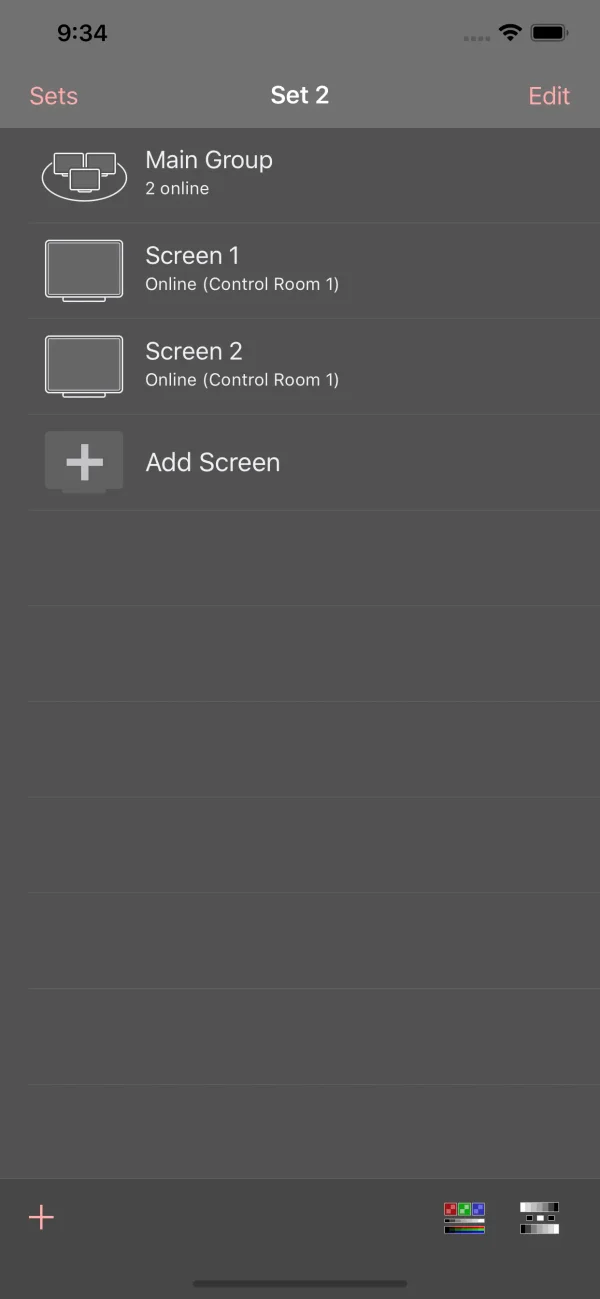
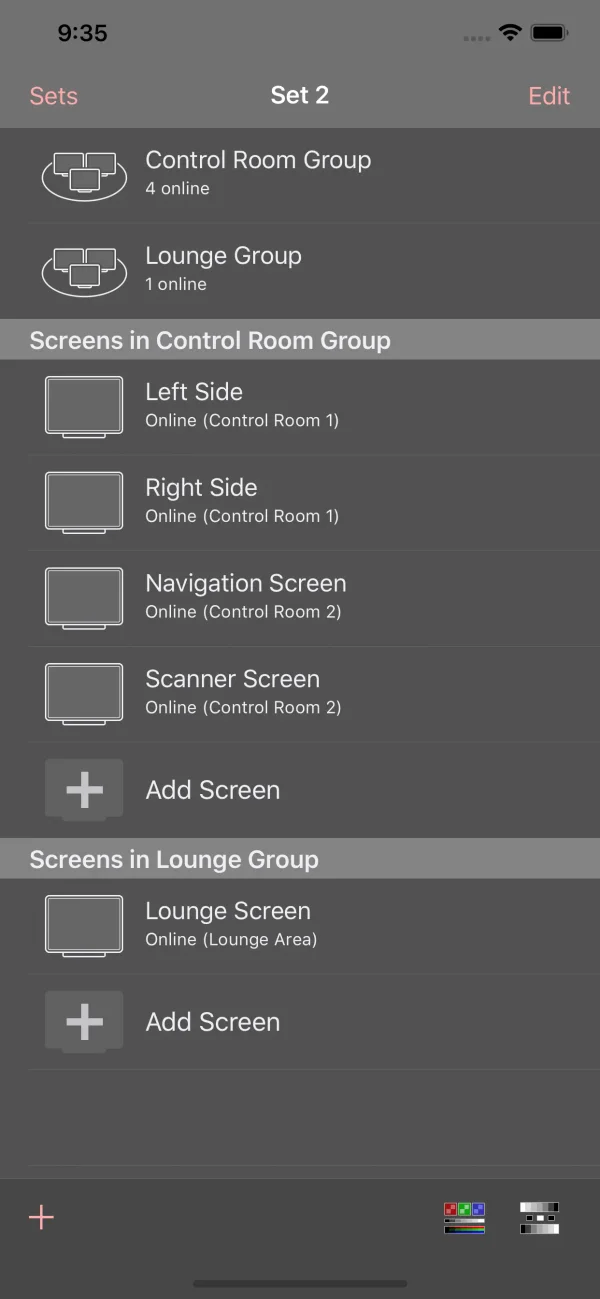
Inside a set you can see a list of screens that have been added. As soon as the set opens, Gamma Board establishes communication with the Gamma Control or Scenica Player running over the local network to apply its settings. You can add, remove, and reorder screens in the list.
The screen list also shows you at a glance which screens are online and offline as well as which screens are currently displaying a calibration pattern.
GAMMA SETTINGS
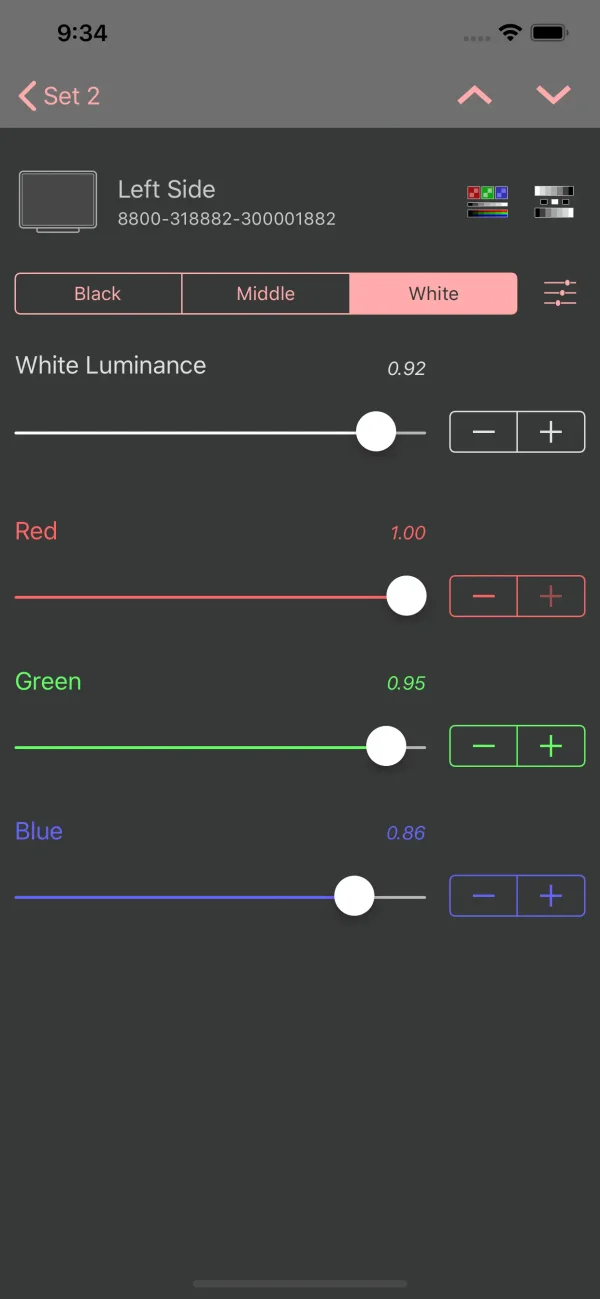
For each group and each screen in a set, you can edit its gamma settings. They are applied instantly to the screen over the network every time you make a change. Just look up at the screen to see the results live.
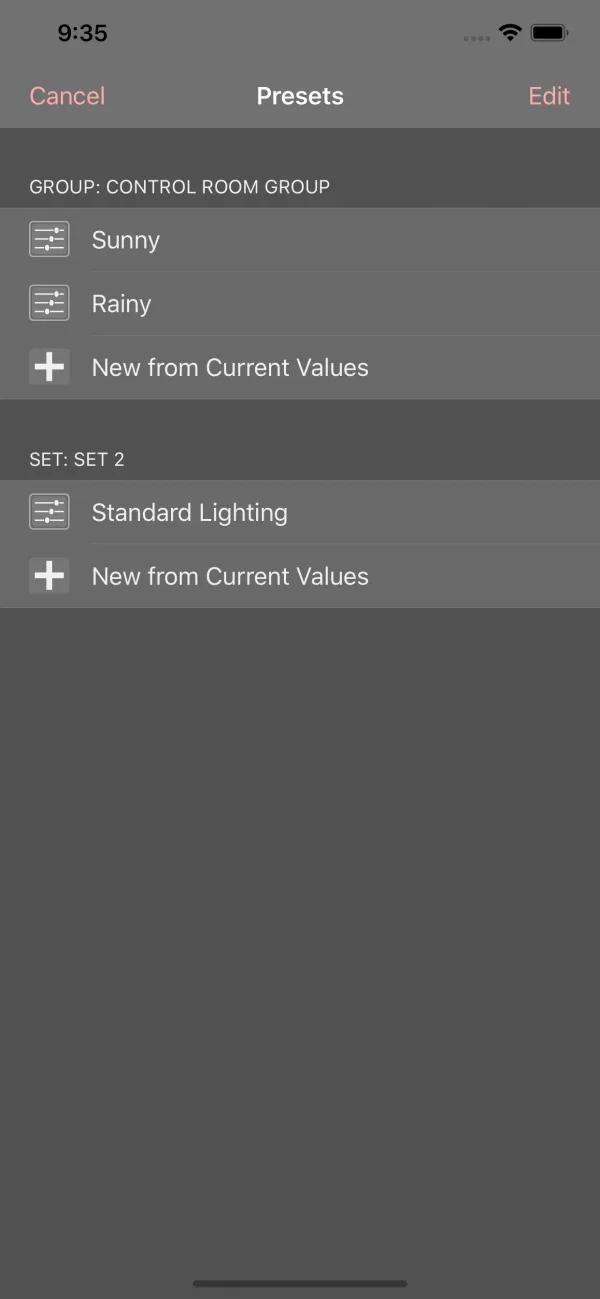
From the settings screen, tap the icon with three sliders to open the preset panel where you can save settings and restore them later.
GROUPS
Each set document starts with one group. A group allows gamma settings for many screens to be controlled simultaneously. More groups can be added to control independently various subsets of the screen list.
Screens retain their individual settings, allowing them to be calibrated independently. Group settings are combined with those individual settings to create the final gamma values sent to each screen.
ADDING A SCREEN
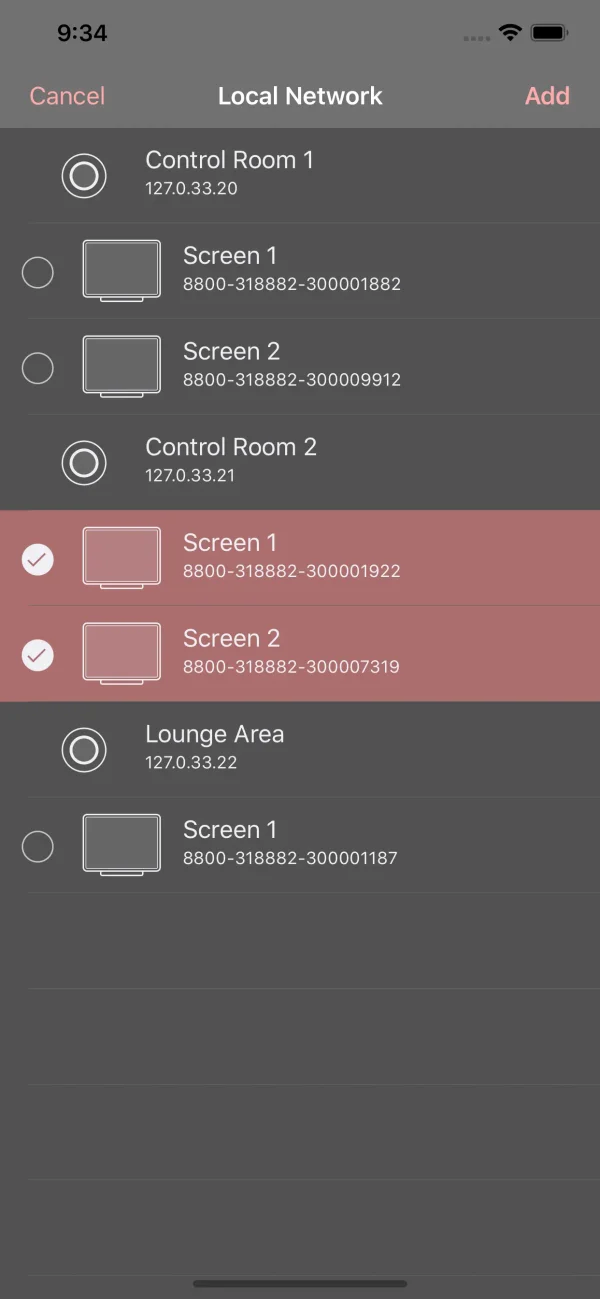
When adding a new screen to a set, you are presented with a list of all the available screens on the local network. Tap a screen in the list to add it to the current set.
Gamma Board talks to Gamma Control 6 or Scenica Player on the remote device to receive and apply its settings. Install Gamma Control or Scenica Player, then check Allow remote configuration in Preferences and this device is ready to for Gamma Board.
Connect as many devices as you can to your local network and control all the screens that are attached to them. There is no limit other than the number of copies of Gamma Control and Scenica Player you have.
CALIBRATION PATTERNS
At your fingertip, two full-screen calibration patterns can show up on connected screens. (Note: calibration patterns are only available on devices running Gamma Control, not Scenica Player.)
REQUIREMENTS
• Gamma Control 6 on one or more Macs, or Scenica Player on one or more devices. Sold separately.
• A local network connecting all the devices (Wi-Fi or wired).
(Internet is not needed: closed internal network are supported.)
Novedades
Versión 1.3.3 · 30/8/2026
- Fixed an issue where the permission prompt for local network access would not show up for new app installs.
Privacidad de la aplicación
Lo que Michel Fortin declara en App Store sobre cómo esta aplicación gestiona los datos.
-
No se recopilan datos
El desarrollador no recopila ningún dato de esta aplicación.
Las prácticas de privacidad pueden variar, por ejemplo, según las funciones que uses o tu edad.
Información
- Vendedor
- Michel Fortin
- Categoría
- Foto y vídeo
- Versión
- 1.3.3
- Actualizado
- 30/8/2026
- Publicado
- 24/7/2017
- Tamaño
- 14,4 MB
- Requiere
- iOS 11.0 o posterior
- Clasificación por edad
- 4+
- Precio
- 89,99 €
- Idiomas
- Inglés, Francés
- Copyright
- © 2026 Michel Fortin