- Clasificación por edad4+
- CategoríaProductividad
- DesarrolladorKenedy Ducheine
- IdiomasInglés
- Tamaño1,9 MB
Enlaza a la página oficial de App Store
Download.org no aloja ningún archivo de Grid Paper Notes. El botón abre la página de la aplicación en App Store, donde la publica Kenedy Ducheine. Ficha comprobada por última vez el 23/11/2026.
Capturas de pantalla

Acerca de
El desarrollador no ha proporcionado este texto en tu idioma.
I made Grid Paper Notes because there wasn't another app designed for serious note taking. There are no frills; this is simply a notebook designed to help you be better at whatever you're doing.
Key features (and why)
Grid paper:
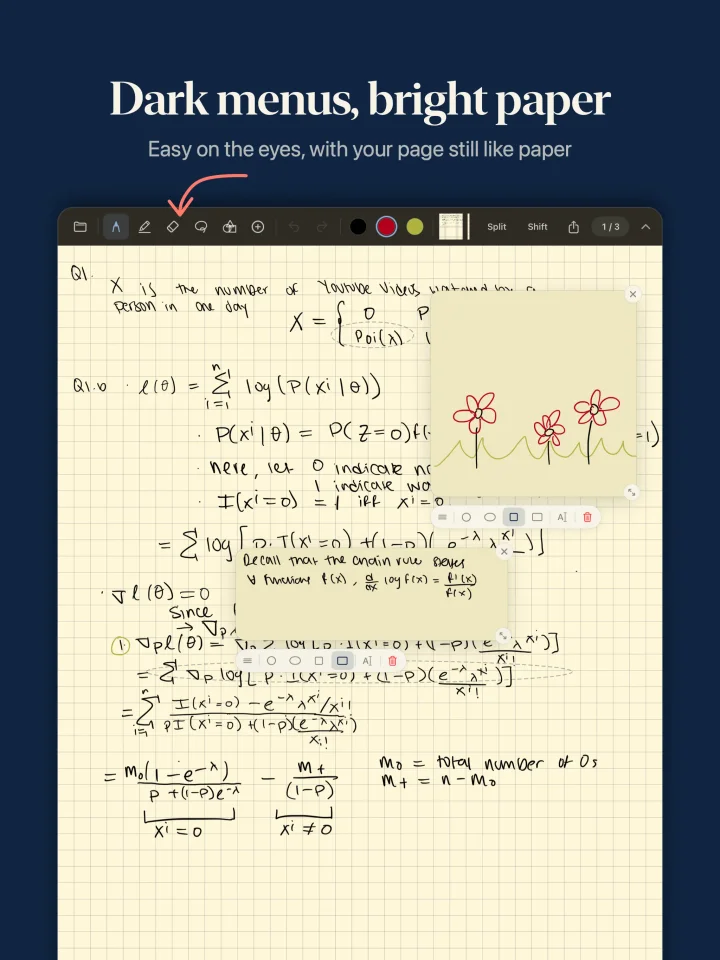
• Squares measure about 7 mm on every iPad and fill the screen edge to edge, with no half squares and no endless canvas. Pick a smaller square size for a bigger page, pinch to zoom in while you write, and turn the iPad sideways for bigger squares with the same page.
• I hated picking a paper size that didn't fit my iPad perfectly. There was always too screen space being wasted or taken up. I rarely printed my notes, so it made sense to optimize for the iPad screen.
Stickers:
• Circle part of your notes and turn it into a sticker: a little card next to it for side notes, typed or handwritten. Close it and a faint glow marks the spot; tap the glow to bring it back.
• I wanted to be able to write a little note, about a specific part of my notes, without compromising the overall structure. Like a sticky note for paper notes. Another example would be hovering over a link on Wikipedia. You get the idea.
Menu bar and overall formatting:
• Hide the menu bar for full screen paper. As thin as possible to give you the most room to write.
• Simple and intuitive file structure. No notebook covers here, sorry.
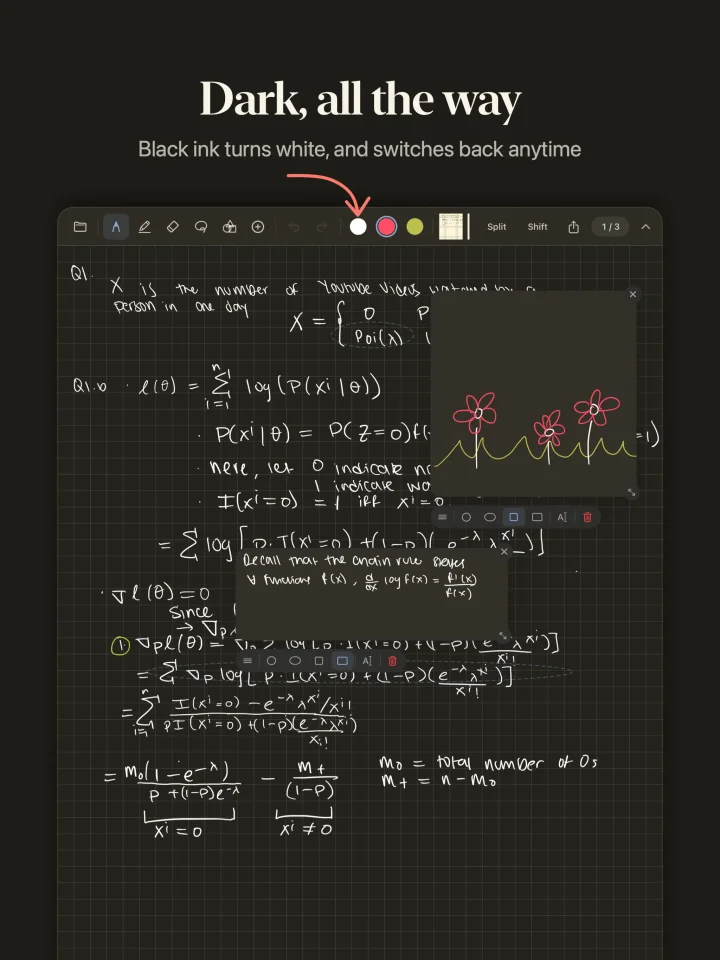
• Two dark modes. The first darkens the interface, but leaves your notes light. The second darkens your notes (and inverts colors) so you can write in dark mode but keep your notes light.
Other small things:
• Scribble to erase or double tap your apple pencil.
• Import pdfs and photos.
• iCloud syncing is an option, but every single file lives on your iPad. Not sent anywhere else.
Novedades
Versión 1.2 · 16/11/2026
- New welcome tutorial: a quick walkthrough of stickers, sticker glow colors, scribble to erase, light and dark appearance, and locking the page. Find it again any time under About.
- Shift is now Lock: the page opens Unlocked, so you can drag to move around, pinch to zoom, and swipe at the page's edge to turn pages. Tap to lock the page in place while you write.
- Faster PDF exports: exported pages now appear right away in PDF viewers, with sharp writing at any zoom.
- New notes and folders are only created when you tap Save; Cancel leaves nothing behind.
Privacidad de la aplicación
Lo que Kenedy Ducheine declara en App Store sobre cómo esta aplicación gestiona los datos.
-
No se recopilan datos
El desarrollador no recopila ningún dato de esta aplicación.
Las prácticas de privacidad pueden variar, por ejemplo, según las funciones que uses o tu edad.
Información
- Vendedor
- Kenedy Ducheine
- Categoría
- Productividad
- Versión
- 1.2
- Actualizado
- 16/11/2026
- Publicado
- 4/11/2026
- Tamaño
- 1,9 MB
- Requiere
- iOS 17.0 o posterior
- Clasificación por edad
- 4+
- Precio
- Gratis
- Idiomas
- Inglés
- Copyright
- © Kenedy Ducheine 2026