- Độ tuổi4+
- Danh mụcHiệu Suất
- Nhà phát triểnKenedy Ducheine
- Ngôn ngữTiếng Anh
- Kích thước1,9 MB
Liên kết đến trang App Store chính thức
Download.org không lưu trữ tệp nào của Grid Paper Notes. Nút này mở trang ứng dụng trên App Store, nơi Kenedy Ducheine phát hành ứng dụng. Trang được kiểm tra lần cuối: 23/11/2026.
Ảnh chụp màn hình

Giới thiệu
Nhà phát triển chưa cung cấp nội dung này bằng ngôn ngữ của bạn.
I made Grid Paper Notes because there wasn't another app designed for serious note taking. There are no frills; this is simply a notebook designed to help you be better at whatever you're doing.
Key features (and why)
Grid paper:
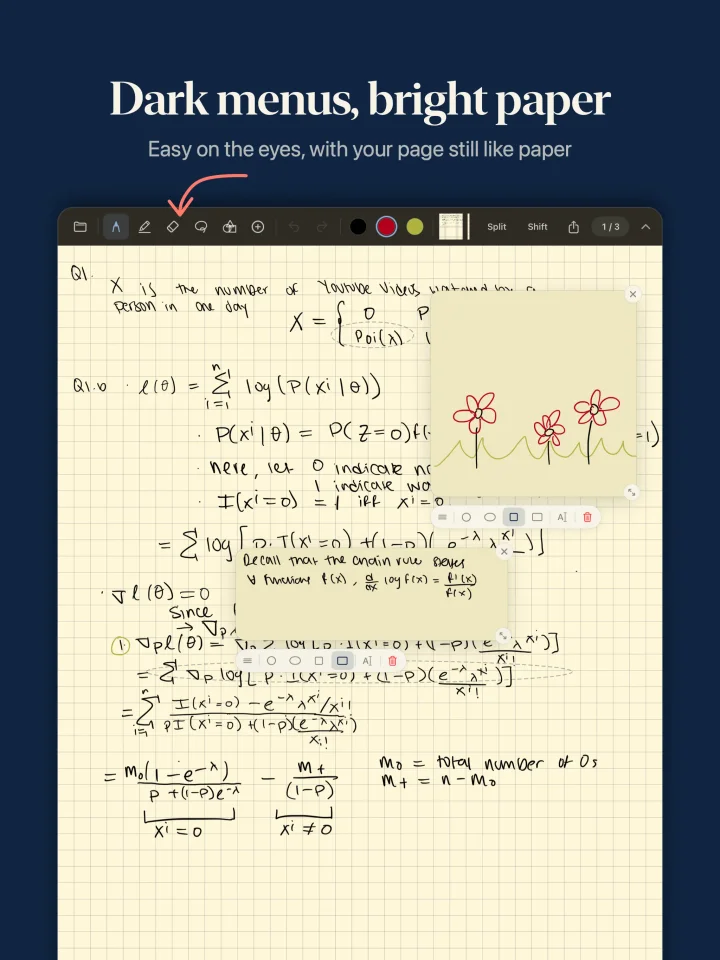
• Squares measure about 7 mm on every iPad and fill the screen edge to edge, with no half squares and no endless canvas. Pick a smaller square size for a bigger page, pinch to zoom in while you write, and turn the iPad sideways for bigger squares with the same page.
• I hated picking a paper size that didn't fit my iPad perfectly. There was always too screen space being wasted or taken up. I rarely printed my notes, so it made sense to optimize for the iPad screen.
Stickers:
• Circle part of your notes and turn it into a sticker: a little card next to it for side notes, typed or handwritten. Close it and a faint glow marks the spot; tap the glow to bring it back.
• I wanted to be able to write a little note, about a specific part of my notes, without compromising the overall structure. Like a sticky note for paper notes. Another example would be hovering over a link on Wikipedia. You get the idea.
Menu bar and overall formatting:
• Hide the menu bar for full screen paper. As thin as possible to give you the most room to write.
• Simple and intuitive file structure. No notebook covers here, sorry.
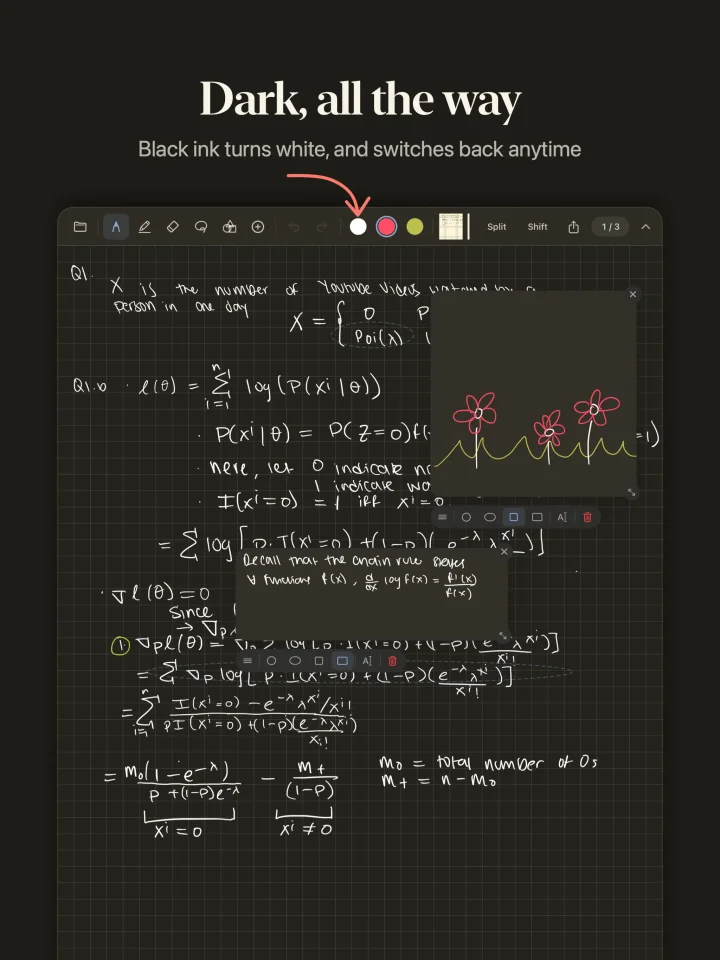
• Two dark modes. The first darkens the interface, but leaves your notes light. The second darkens your notes (and inverts colors) so you can write in dark mode but keep your notes light.
Other small things:
• Scribble to erase or double tap your apple pencil.
• Import pdfs and photos.
• iCloud syncing is an option, but every single file lives on your iPad. Not sent anywhere else.
Có gì mới
Phiên bản 1.2 · 16/11/2026
- New welcome tutorial: a quick walkthrough of stickers, sticker glow colors, scribble to erase, light and dark appearance, and locking the page. Find it again any time under About.
- Shift is now Lock: the page opens Unlocked, so you can drag to move around, pinch to zoom, and swipe at the page's edge to turn pages. Tap to lock the page in place while you write.
- Faster PDF exports: exported pages now appear right away in PDF viewers, with sharp writing at any zoom.
- New notes and folders are only created when you tap Save; Cancel leaves nothing behind.
Quyền riêng tư của ứng dụng
Những gì Kenedy Ducheine khai báo trên App Store về cách ứng dụng này xử lý dữ liệu.
-
Dữ liệu không được thu thập
Nhà phát triển không thu thập bất kỳ dữ liệu nào từ ứng dụng này.
Phương thức đảm bảo quyền riêng tư có thể khác nhau, chẳng hạn như tuỳ theo các tính năng bạn sử dụng hoặc độ tuổi của bạn.
Thông tin
- Người bán
- Kenedy Ducheine
- Danh mục
- Hiệu Suất
- Phiên bản
- 1.2
- Cập nhật
- 16/11/2026
- Phát hành
- 04/11/2026
- Kích thước
- 1,9 MB
- Yêu cầu
- iOS 17.0 trở lên
- Độ tuổi
- 4+
- Giá
- Miễn phí
- Ngôn ngữ
- Tiếng Anh
- Bản quyền
- © Kenedy Ducheine 2026