
JSON View : Editor & Formatter
View, Edit & Validate JSON
Diseñada para iPhone, iPad, iPod touch
Gratis
- Clasificación por edad4+
- CategoríaPara desarrolladores
- DesarrolladorGautam Singh Rathor
- IdiomasInglés
- Tamaño60,9 MB
Enlaza a la página oficial de App Store
Download.org no aloja ningún archivo de JSON View : Editor & Formatter. El botón abre la página de la aplicación en App Store, donde la publica Gautam Singh Rathor. Ficha comprobada por última vez el 12/11/2026.
Capturas de pantalla
Acerca de
El desarrollador no ha proporcionado este texto en tu idioma.
JSON View is a clean JSON viewer and editor. Open, view, edit, format, and validate JSON files — all offline, no account required, no ads.
Whether you're a developer debugging an API response, a data analyst inspecting config files, a student learning JSON syntax, or someone who just received a .json file and needs to read it — JSON View handles it efficiently.
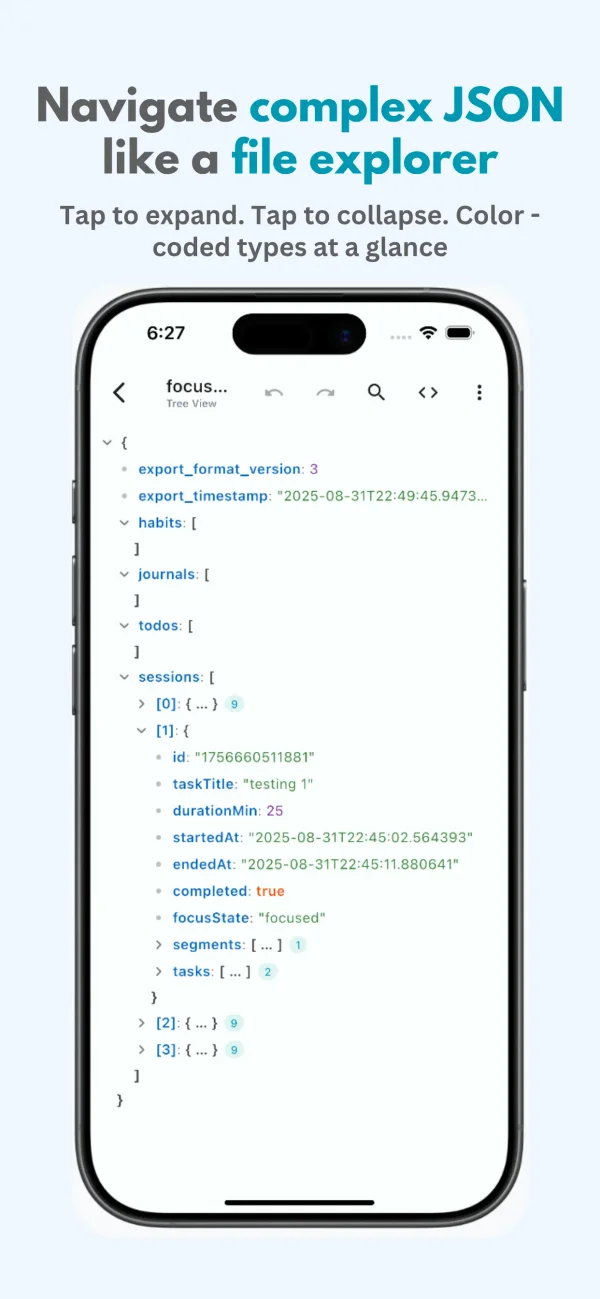
TREE VIEW — EXPLORE JSON VISUALLY
Navigate complex, deeply nested JSON with a collapsible tree view. Each node shows the key name, value type, and child count at a glance. Tap to expand or collapse any object or array. Color-coded types make it easy to spot strings, numbers, booleans, and null values without reading every line.
Auto-expands the first two levels when you open a file — so you see structure immediately, not a wall of collapsed nodes.
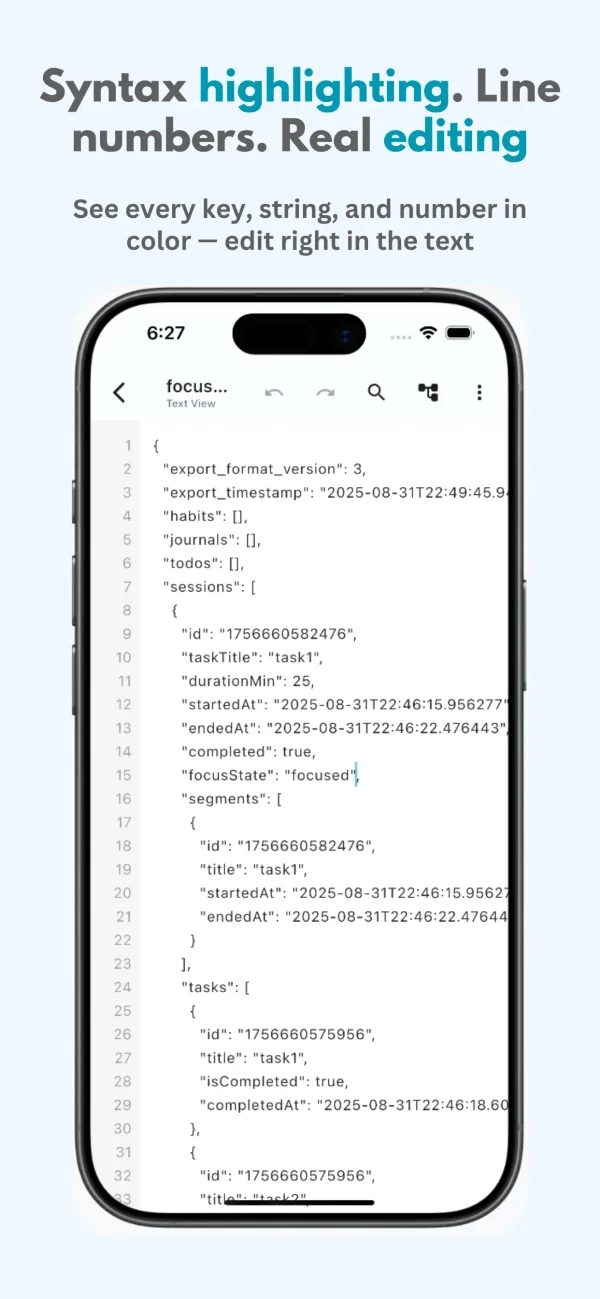
TEXT VIEW — READ & EDIT WITH SYNTAX HIGHLIGHTING
Switch to a full syntax-highlighted text view with line numbers. Every key, string, number, boolean, and bracket is color-coded for quick scanning. Edit your JSON directly in the text editor — fix typos, update values, restructure data.
JSON View gives you both a visual tree view AND a real text editing mode with syntax highlighting, giving you the flexibility to work exactly how you want.
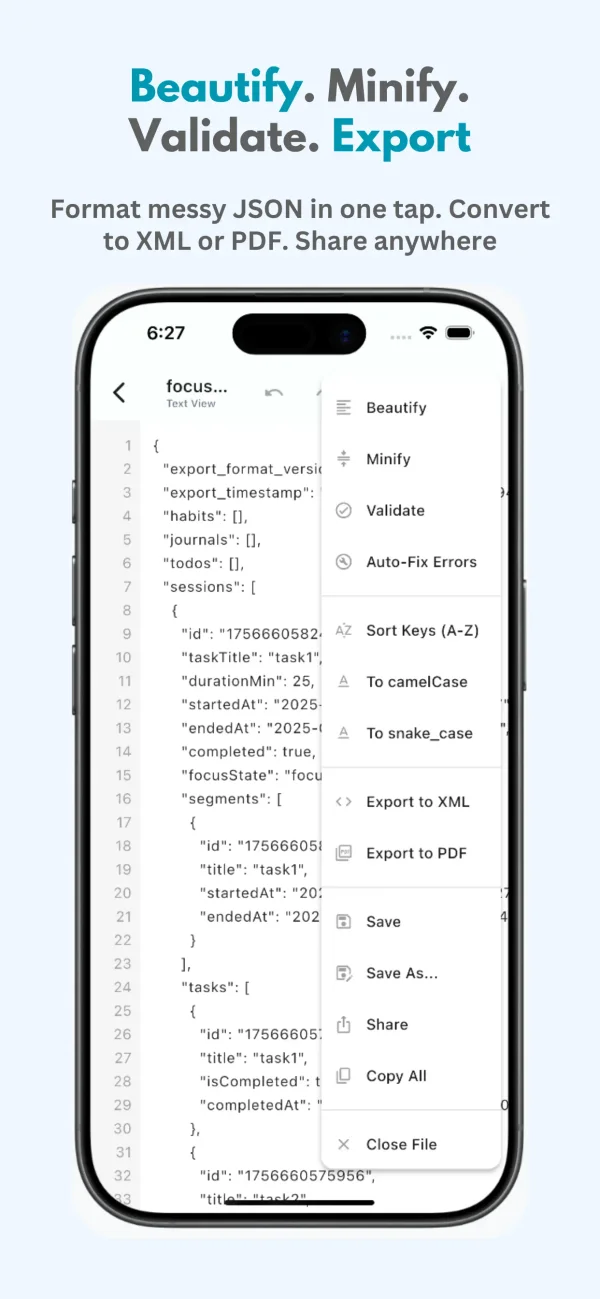
FORMAT & BEAUTIFY
Beautify messy, minified JSON into a clean, readable structure with one tap. Choose your indentation — 2 spaces, 4 spaces, or tabs. Minify bloated JSON into compact single-line output for APIs or configs. Sort keys alphabetically to organize your data.
VALIDATE BEFORE YOU SAVE
Real-time JSON validation catches syntax errors before you save. See exactly which line and column has the problem — no more guessing. JSON View validates your file every time you save, so you never accidentally corrupt a file.
Auto-fix common mistakes like trailing commas, missing quotes, and extra brackets.
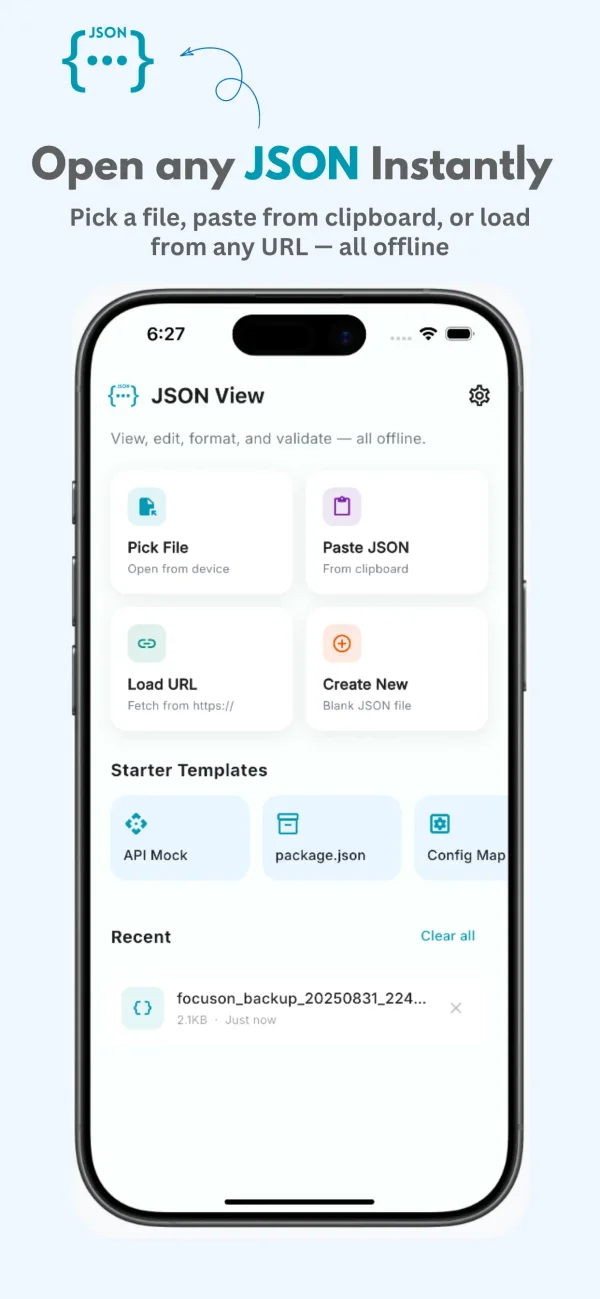
OPEN JSON FROM ANYWHERE
Pick a .json file from your device storage using the built-in file browser. Paste JSON directly from your clipboard — no file needed. Load JSON from any URL (paste an API endpoint and see the response). Receive JSON shared from other apps. Start from scratch with a blank file or use starter templates (API Mock, package.json, Config Map).
JSON View works with the Files app — tap any JSON file and open it directly in JSON View.
SAVE, SHARE & EXPORT
Save changes back to the original file. Save as a new .json file anywhere on your device. Export to XML or PDF for sharing with non-technical colleagues. Share formatted JSON as text to any messaging or note-taking app. Copy the entire file to your clipboard with one tap.
CONVERT BETWEEN FORMATS
Convert JSON to XML and XML to JSON with a single tap. Useful when you need to switch between data formats for different systems, APIs, or team members.
Transform key casing — convert between camelCase, snake_case, and PascalCase across all keys in your file.
DESIGNED FOR REAL USE
Modern, clean interface optimized for your device. Dark mode and light mode with system-aware auto-switching. Works completely offline — no internet connection needed. No account, no sign-up, no login. No data collection — your JSON files never leave your device. Handles deeply nested structures and large files smoothly.
Built by Garoono — indie developers who ship useful tools for real people.
Have feedback? We read every message.
Contact: garoono.digital@gmail.com
Website: garoono.in
Privacy Policy: https://sites.google.com/view/jsonview-privacy/privacypolicy
Terms of Use: https://sites.google.com/view/jsonview-eula/privacypolicy
Privacidad de la aplicación
Lo que Gautam Singh Rathor declara en App Store sobre cómo esta aplicación gestiona los datos.
-
No se recopilan datos
El desarrollador no recopila ningún dato de esta aplicación.
Las prácticas de privacidad pueden variar, por ejemplo, según las funciones que uses o tu edad.
Información
- Vendedor
- Gautam Singh Rathor
- Categoría
- Para desarrolladores
- Versión
- 0.1.1+3
- Actualizado
- 25/5/2026
- Publicado
- 25/5/2026
- Tamaño
- 60,9 MB
- Requiere
- iOS 15.0 o posterior
- Clasificación por edad
- 4+
- Precio
- Gratis
- Idiomas
- Inglés
- Copyright
- © 2026 garoono
Quizá también te guste
-
 Syntex - Developer ToolkitPara desarrolladores
-
 JavaScript IDE: Editor HTMLEjecuta y Aprende JS + TS
-
 Regex PlaygroundPara desarrolladores
-
 PushwordPara desarrolladores
-
 Pad Code AI: Editor e IDEEjecuta Python, C++ y JS
-
 Claw CompanionPara desarrolladores
-
 PyodiosPara desarrolladores
-
 DevSnoop - Developer BrowserPara desarrolladores
-
 Text Editor : Code EditorPara desarrolladores
-
 Crash Buddy - Debug crash logsPara desarrolladores