Jyrog
Journal shelves and Plaza
Diseñada para iPhone, iPod touch
Gratis · Compras en la aplicación
- Clasificación por edad17+
- CategoríaRedes sociales
- DesarrolladorWHITNEY MARIE DOMPIERRE
- IdiomasInglés
- Tamaño6,8 MB
Enlaza a la página oficial de App Store
Download.org no aloja ningún archivo de Jyrog. El botón abre la página de la aplicación en App Store, donde la publica WHITNEY MARIE DOMPIERRE. Ficha comprobada por última vez el 12/11/2026.
Capturas de pantalla

Acerca de
El desarrollador no ha proporcionado este texto en tu idioma.
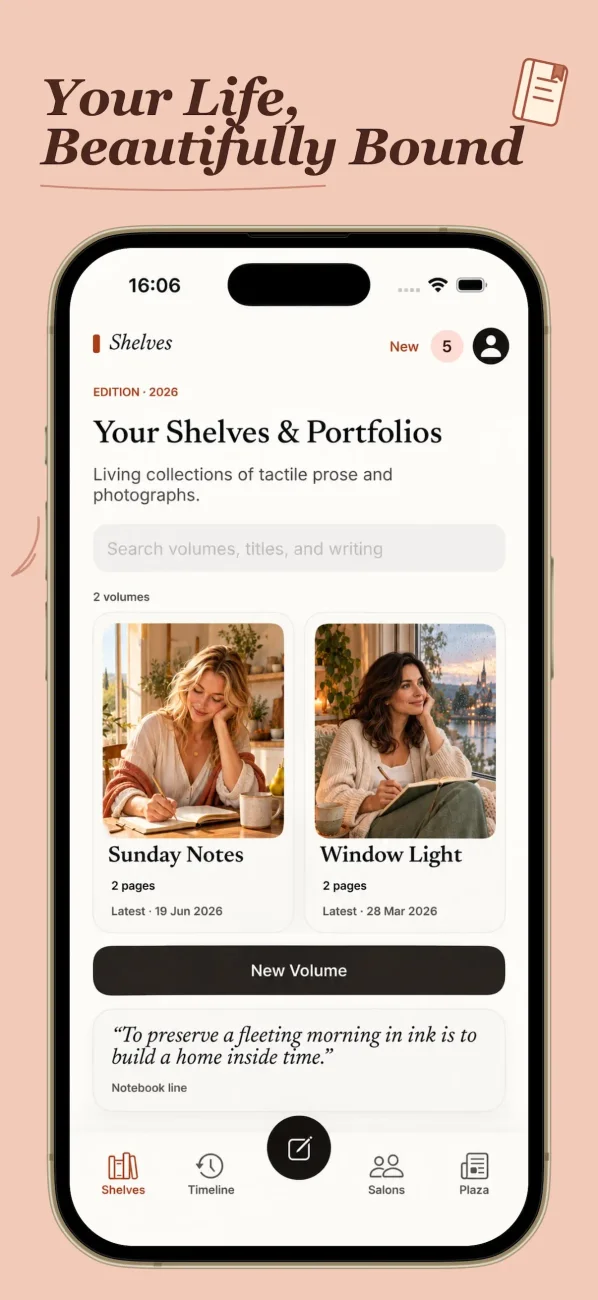
Jyrog is a journal arranged as shelves.
Your Shelves & Portfolios is the opening screen. Every volume sits in one row and slides sideways. A volume has a name, an optional theme, a cover, and its pages. Open one to read the thread, pick the cover photograph, or keep a weekly reminder at 10:00 AM. Custom schedule (1 Credit) sets a different interval and time for that volume.
Write, the center control, composes a page. Add a page name, the prose, Take Photo, Import from Photos, and Record Voice Memo. Review Visibility & Save spends 1 Entry Credit when that page is sealed for the first time. The choices are Private, Salons, and Plaza. Plaza publishes a snapshot of the page after a photograph is attached and the community guidelines are accepted.
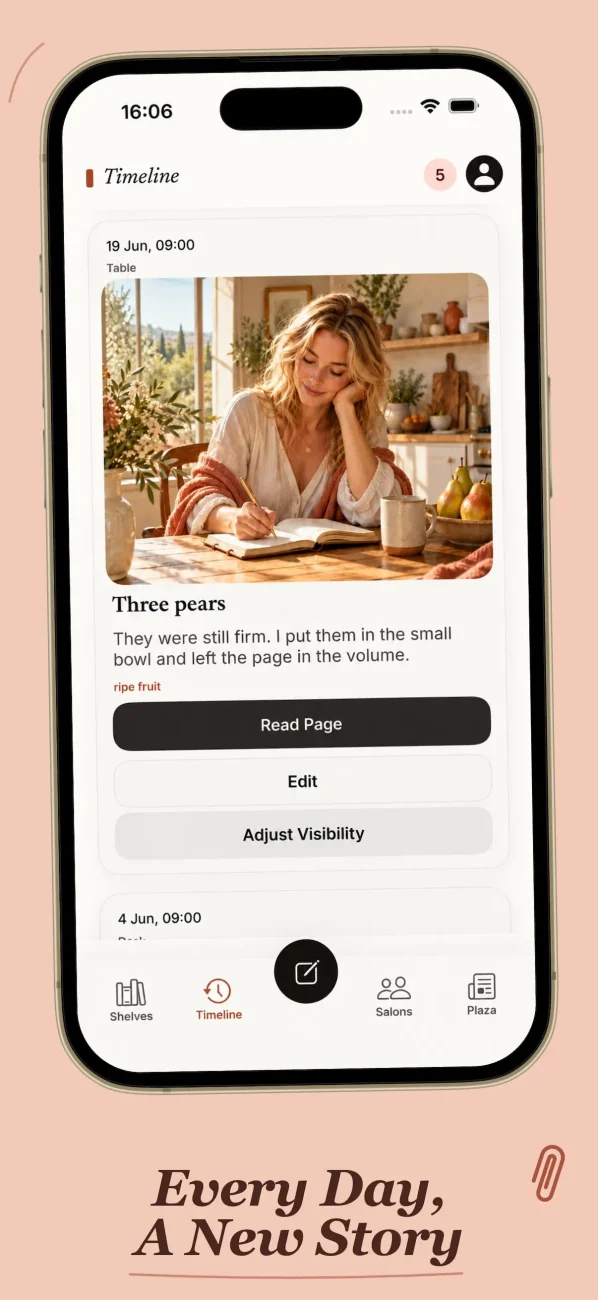
Timeline lays sealed pages on a calendar. Salons groups Salons and Plaza pages by the volume they belong to. The Plaza tab is the feed of snapshots: open a card to read it, and use Report when one should be flagged. Publish to Plaza can also send a sealed page that already has a photograph.
The figure in the header is the Entry Credit balance. Entry Credits shows nine Jyrog Coins packs. Credits from those packs pay for sealing a new page and for unlocking a custom reminder on one volume. Share Page PDF and Export Volume PDF turn a page, or a whole volume, into a PDF.
Novedades
Versión 1.1 · 4/11/2026
1.Vault a volume when you want it off the shelf row. The pages, cover, and reminder stay on this iPhone. Salons and a Plaza snapshot already published stay where they are. Open Vaulted on Shelves, then Return to Shelves, to bring the volume back.
2.On a sealed page, add a margin note. It stays beside that page on this iPhone and is not published to Salons or Plaza. The page proof also shows about how long the writing takes to read.
Privacidad de la aplicación
Lo que WHITNEY MARIE DOMPIERRE declara en App Store sobre cómo esta aplicación gestiona los datos.
-
Datos no vinculados a ti
Pueden recopilarse, pero no se vinculan a tu identidad.
- Contenido del usuario
- Identificadores
Las prácticas de privacidad pueden variar, por ejemplo, según las funciones que uses o tu edad.
Información
- Vendedor
- WHITNEY MARIE DOMPIERRE
- Categoría
- Redes sociales
- Versión
- 1.1
- Actualizado
- 4/11/2026
- Publicado
- 8/11/2026
- Tamaño
- 6,8 MB
- Requiere
- iOS 15.0 o posterior
- Clasificación por edad
- 17+
- Precio
- Gratis
- Compras en la aplicación
- Sí
- Idiomas
- Inglés
- Copyright
- © Whitney Marie Dompierre