
Jyrog
Journal shelves and Plaza
Được thiết kế cho iPhone, iPod touch
Miễn phí · Mua hàng trong ứng dụng
- Độ tuổi17+
- Danh mụcMạng Xã Hội
- Nhà phát triểnWHITNEY MARIE DOMPIERRE
- Ngôn ngữTiếng Anh
- Kích thước6,8 MB
Liên kết đến trang App Store chính thức
Download.org không lưu trữ tệp nào của Jyrog. Nút này mở trang ứng dụng trên App Store, nơi WHITNEY MARIE DOMPIERRE phát hành ứng dụng. Trang được kiểm tra lần cuối: 12/11/2026.
Ảnh chụp màn hình


Giới thiệu
Nhà phát triển chưa cung cấp nội dung này bằng ngôn ngữ của bạn.
Jyrog is a journal arranged as shelves.
Your Shelves & Portfolios is the opening screen. Every volume sits in one row and slides sideways. A volume has a name, an optional theme, a cover, and its pages. Open one to read the thread, pick the cover photograph, or keep a weekly reminder at 10:00 AM. Custom schedule (1 Credit) sets a different interval and time for that volume.
Write, the center control, composes a page. Add a page name, the prose, Take Photo, Import from Photos, and Record Voice Memo. Review Visibility & Save spends 1 Entry Credit when that page is sealed for the first time. The choices are Private, Salons, and Plaza. Plaza publishes a snapshot of the page after a photograph is attached and the community guidelines are accepted.
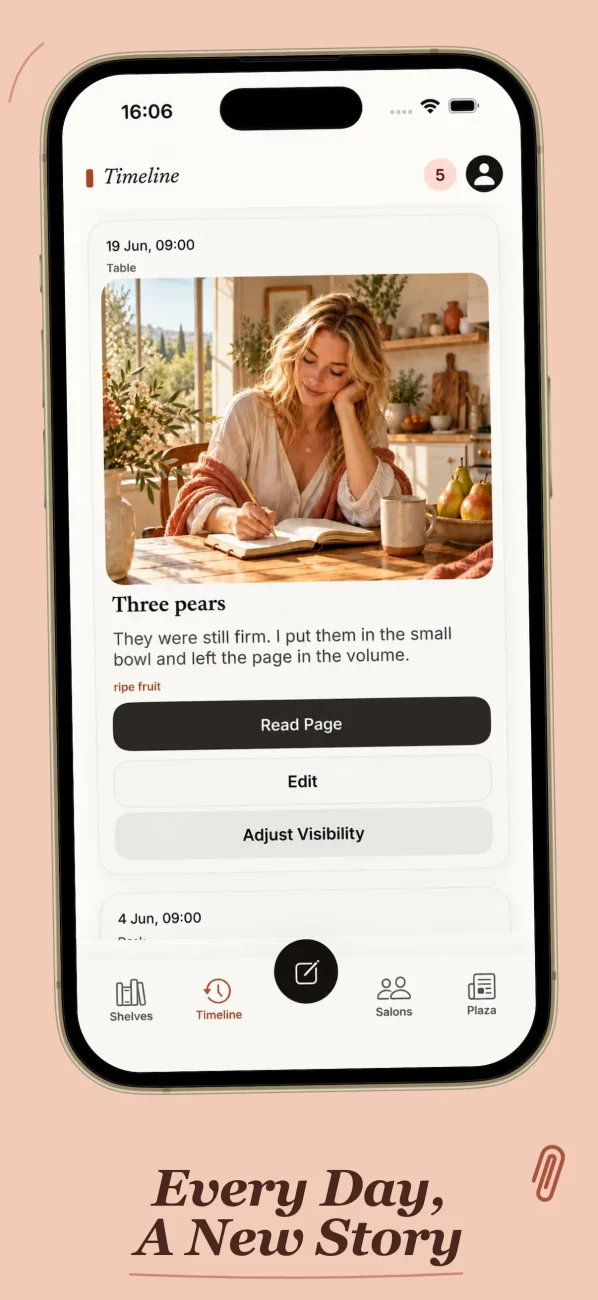
Timeline lays sealed pages on a calendar. Salons groups Salons and Plaza pages by the volume they belong to. The Plaza tab is the feed of snapshots: open a card to read it, and use Report when one should be flagged. Publish to Plaza can also send a sealed page that already has a photograph.
The figure in the header is the Entry Credit balance. Entry Credits shows nine Jyrog Coins packs. Credits from those packs pay for sealing a new page and for unlocking a custom reminder on one volume. Share Page PDF and Export Volume PDF turn a page, or a whole volume, into a PDF.
Có gì mới
Phiên bản 1.1 · 04/11/2026
1.Vault a volume when you want it off the shelf row. The pages, cover, and reminder stay on this iPhone. Salons and a Plaza snapshot already published stay where they are. Open Vaulted on Shelves, then Return to Shelves, to bring the volume back.
2.On a sealed page, add a margin note. It stays beside that page on this iPhone and is not published to Salons or Plaza. The page proof also shows about how long the writing takes to read.
Quyền riêng tư của ứng dụng
Những gì WHITNEY MARIE DOMPIERRE khai báo trên App Store về cách ứng dụng này xử lý dữ liệu.
-
Dữ liệu không liên kết với bạn
Có thể được thu thập nhưng không liên kết với danh tính của bạn.
- Nội dung của người dùng
- Mã định danh
Phương thức đảm bảo quyền riêng tư có thể khác nhau, chẳng hạn như tuỳ theo các tính năng bạn sử dụng hoặc độ tuổi của bạn.
Thông tin
- Người bán
- WHITNEY MARIE DOMPIERRE
- Danh mục
- Mạng Xã Hội
- Phiên bản
- 1.1
- Cập nhật
- 04/11/2026
- Phát hành
- 08/11/2026
- Kích thước
- 6,8 MB
- Yêu cầu
- iOS 15.0 trở lên
- Độ tuổi
- 17+
- Giá
- Miễn phí
- Mua hàng trong ứng dụng
- Có
- Ngôn ngữ
- Tiếng Anh
- Bản quyền
- © Whitney Marie Dompierre