KanjiGrader
Coloring Kanji by Grade
Diseñada para iPhone, iPad
Compras en la aplicación
- Clasificación por edad4+
- CategoríaReferencia
- DesarrolladorMotonari Hibi
- IdiomasInglés+ 1 más
- Tamaño8,6 MB
Es posible que KanjiGrader no esté disponible en App Store en este momento
No se pudo acceder a la ficha de la tienda en nuestra última comprobación. El enlace sigue llevando a la página oficial de App Store.
Capturas de pantalla

Acerca de
El desarrollador no ha proporcionado este texto en tu idioma.
The app analyzing the popularity of kanji.
The Japanese learn about 1000 kanji in elementary school. In lower grade, we learn kanji which have simple structures and used frequently. As the school grade goes up, they have more strokes and become less used ones. Being conscious of this stage is also helpful for those who learn the Japanese language.
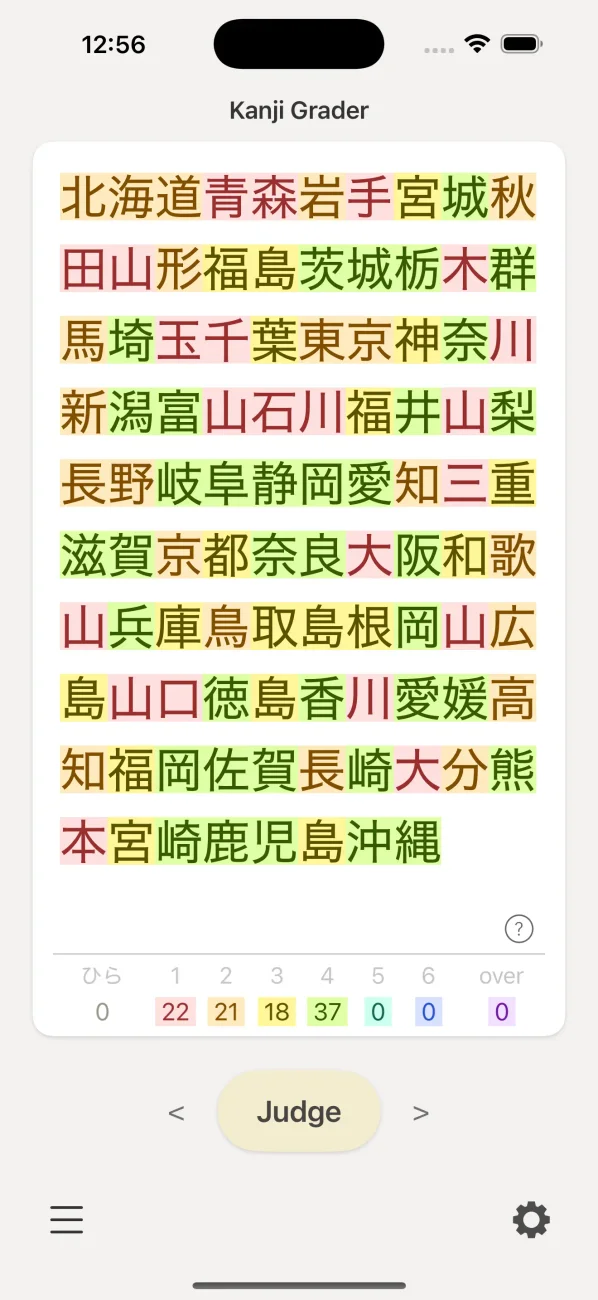
This app classifies Kanji based on the school grade in which we learn and displays them with each color. It is made for the education officials and parents mainly for Japan, but I think that it is useful for those who learn Japanese as well. When you read a Japanese sentence and find some kanji you do not know, you can check up the kanji which have much popularity and which you should learn first.
Specification
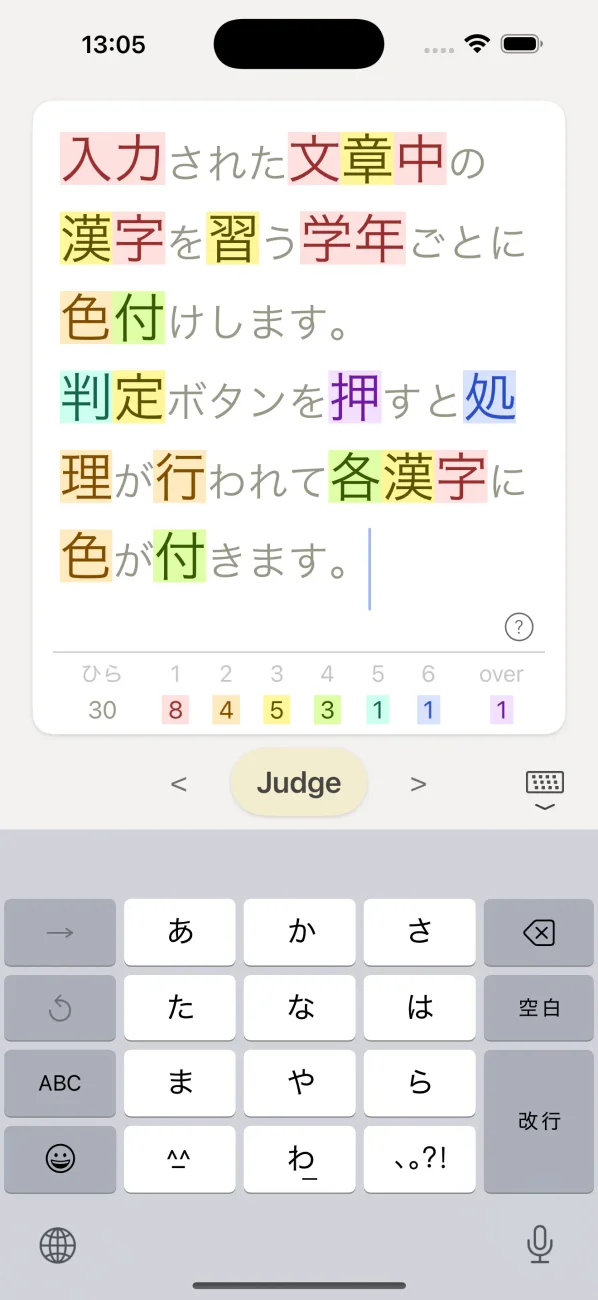
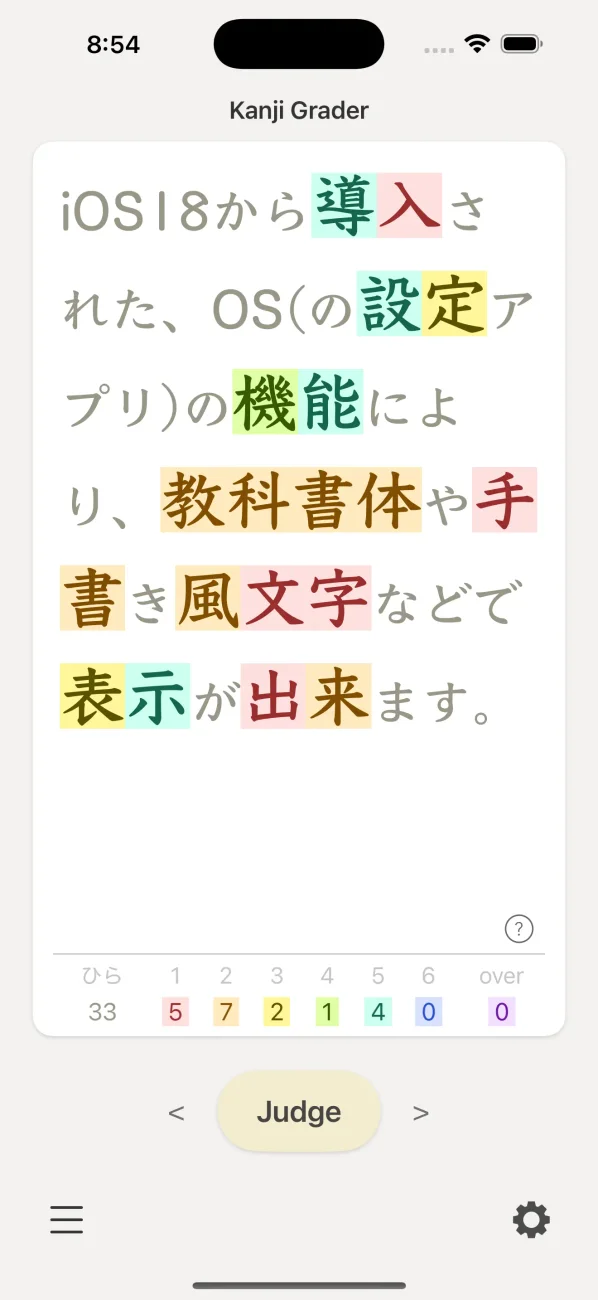
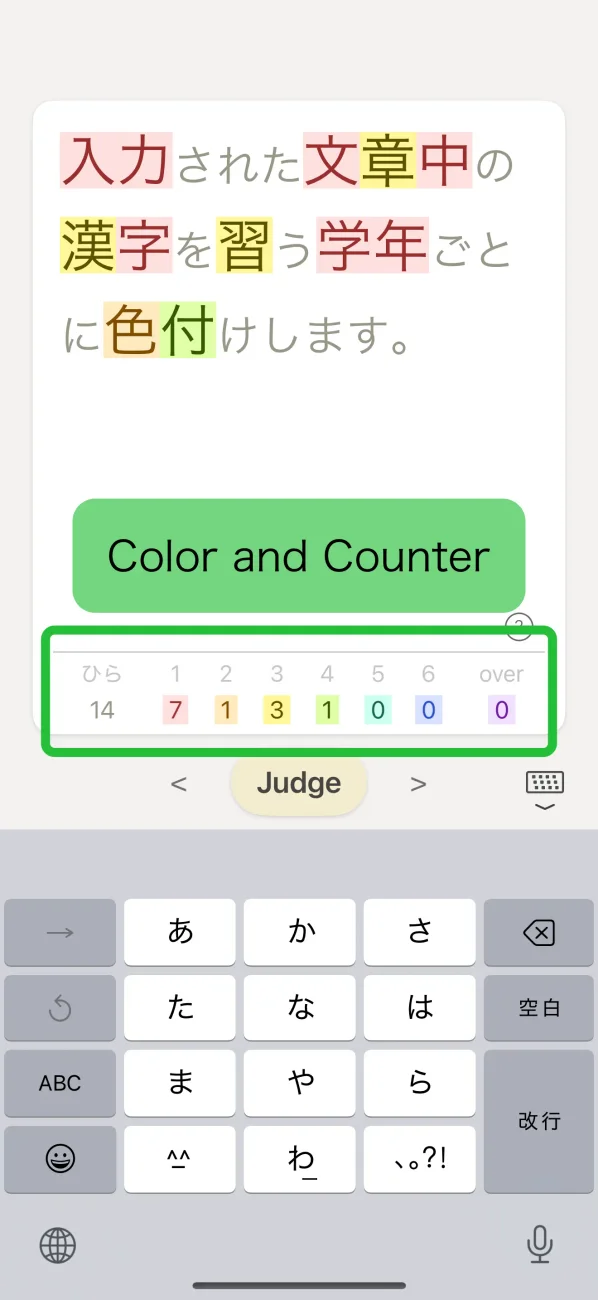
Enter a sentence and press the judgment button, then each kanji is colored. Each color is determined based on the grade we learn it in. It displays the relationship between color and grade below the input area. It also displays the numbers of Kanji for each grade.
Further specifications
After buying the in-app purchase item, some functions become enabled.
Changing the lowest grade of the colored range
If the target of the sentence is learners who have advanced to a certain extent, it is not necessary to color simple kanji. In this case, you can change the lowest grade of the colored range.
Changing color scheme
There are five patterns in all: light, heavy, and so on.
Emphasizing kanji of the lowest grade of the range
I think this is a bit confusing, but, for example, when coloring 4th grade and more, you can emphasize the 4th grade Kanji. The assumed usage is to determine the kanji for that grade one by one whether to leave it as kanji or change it to hiragana. It is for those who are well aware of the proficiency of children such as homeroom teachers.
Changing colored text size
You can enlarge the colored characters compared to the hiragana, so you can make it easy to see the colored letters even if the hiragana are small.
Utilizing the clipboard
You can pass texts with other apps. You can create a sentence with another app, check it with this app, and return it to the original app. Since the clipboard itself is a function of the OS, you can use it without purchasing the in-app purchase item. Once you buy it, you can do the easy operation with the button for this purpose.
Novedades
Versión 1.1.8 · 21/7/2026
Fixed GDPR-related stuff
Privacidad de la aplicación
Lo que Motonari Hibi declara en App Store sobre cómo esta aplicación gestiona los datos.
-
Datos usados para rastrearte
Pueden usarse para rastrearte en aplicaciones y sitios web propiedad de otras empresas.
- Ubicación
- Identificadores
- Datos de uso
- Diagnóstico
-
Datos vinculados a ti
Pueden recopilarse y vincularse a tu identidad.
- Ubicación
- Identificadores
- Datos de uso
- Diagnóstico
Las prácticas de privacidad pueden variar, por ejemplo, según las funciones que uses o tu edad.
Información
- Vendedor
- Motonari Hibi
- Categoría
- Referencia
- Versión
- 1.1.8
- Actualizado
- 21/7/2026
- Publicado
- 2/4/2019
- Tamaño
- 8,6 MB
- Requiere
- iOS 18.0 o posterior
- Clasificación por edad
- 4+
- Compras en la aplicación
- Sí
- Idiomas
- Inglés, Japonés
- Copyright
- © Motonari Hibi
Quizá también te guste
-
 Kanji N5 & N4 - Play and LearnEducación
-
 小学校の漢字 勉強 : ひとコマ漢字Educación
-
 Aprender el kanji japonésKanji por niveles
-
 Kanji Garden JapaneseEducación
-
 Kanji Teacher - Learn JapaneseEducación
-
 Kanji LookupReferencia
-
 Migii JLPT: Prueba JLPT N5-N1Japonés, Kanji, JLPT Dic. Prep
-
 RingotanEducación
-
 MochiKanji - Learn JapaneseEducación
-
 Shinobi: Lee y Aprende JaponésLee, escucha y aprende