
KanjiGrader
Coloring Kanji by Grade
Được thiết kế cho iPhone, iPad
Miễn phí · Mua hàng trong ứng dụng
- Độ tuổi4+
- Danh mụcTham Khảo
- Nhà phát triểnMotonari Hibi
- Ngôn ngữTiếng Anh+ 1 ngôn ngữ khác
- Kích thước8,6 MB
Liên kết đến trang App Store chính thức
Download.org không lưu trữ tệp nào của KanjiGrader. Nút này mở trang ứng dụng trên App Store, nơi Motonari Hibi phát hành ứng dụng. Trang được kiểm tra lần cuối: 14/11/2026.
Ảnh chụp màn hình

Giới thiệu
Nhà phát triển chưa cung cấp nội dung này bằng ngôn ngữ của bạn.
The app analyzing the popularity of kanji.
The Japanese learn about 1000 kanji in elementary school. In lower grade, we learn kanji which have simple structures and used frequently. As the school grade goes up, they have more strokes and become less used ones. Being conscious of this stage is also helpful for those who learn the Japanese language.
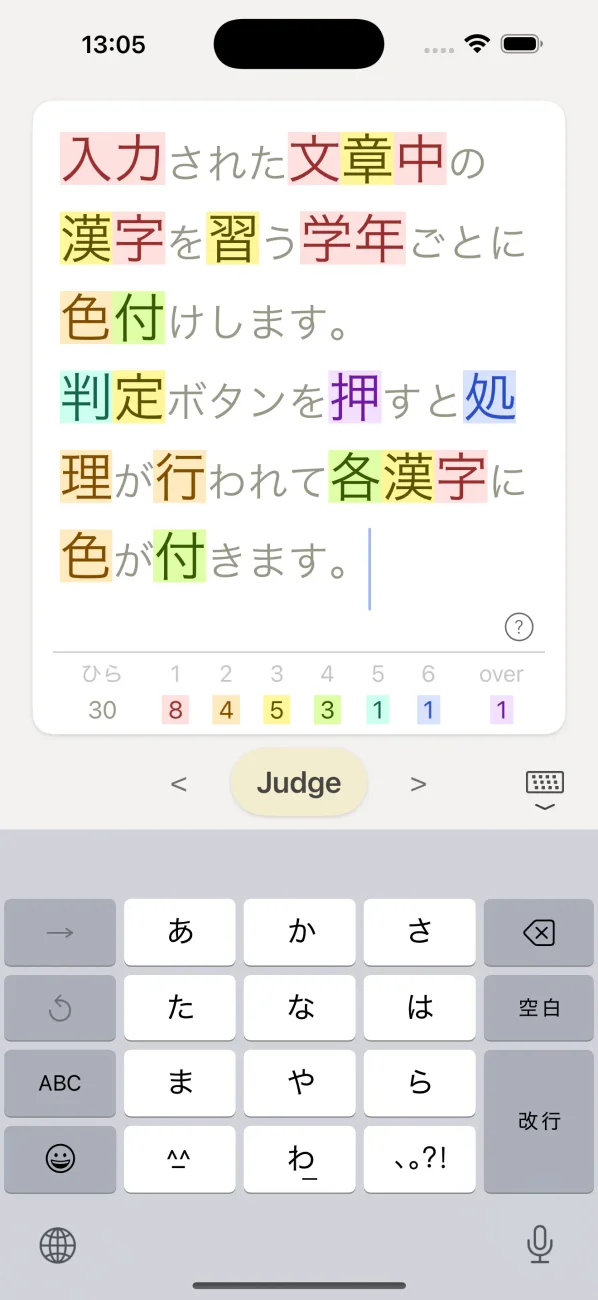
This app classifies Kanji based on the school grade in which we learn and displays them with each color. It is made for the education officials and parents mainly for Japan, but I think that it is useful for those who learn Japanese as well. When you read a Japanese sentence and find some kanji you do not know, you can check up the kanji which have much popularity and which you should learn first.
Specification
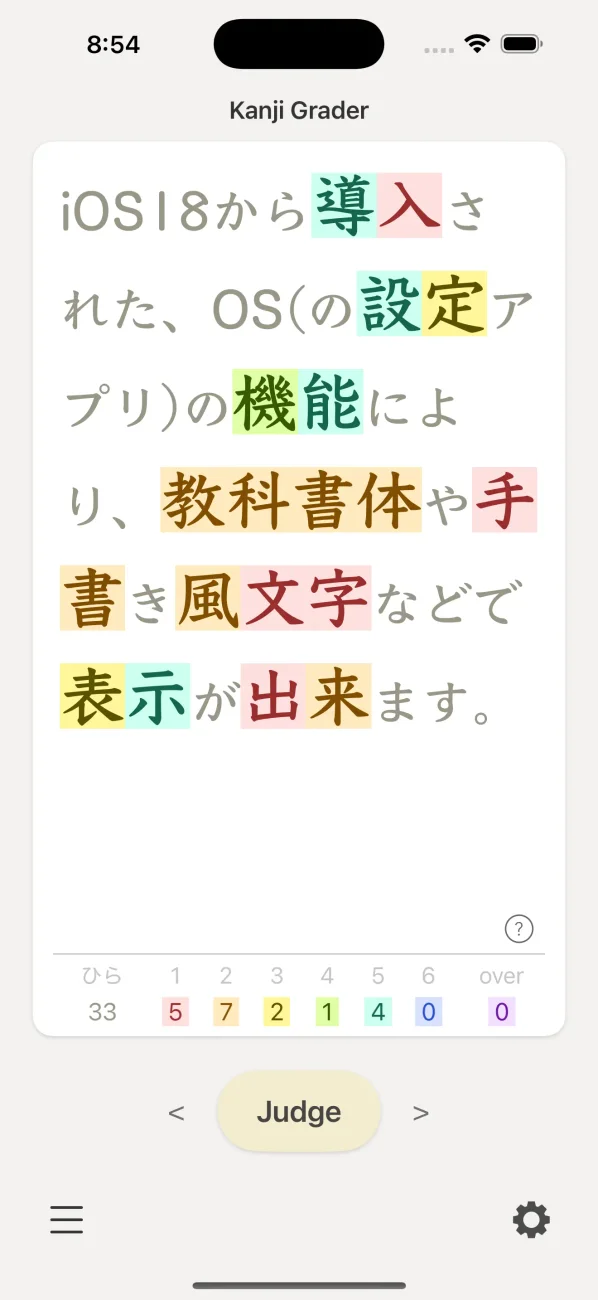
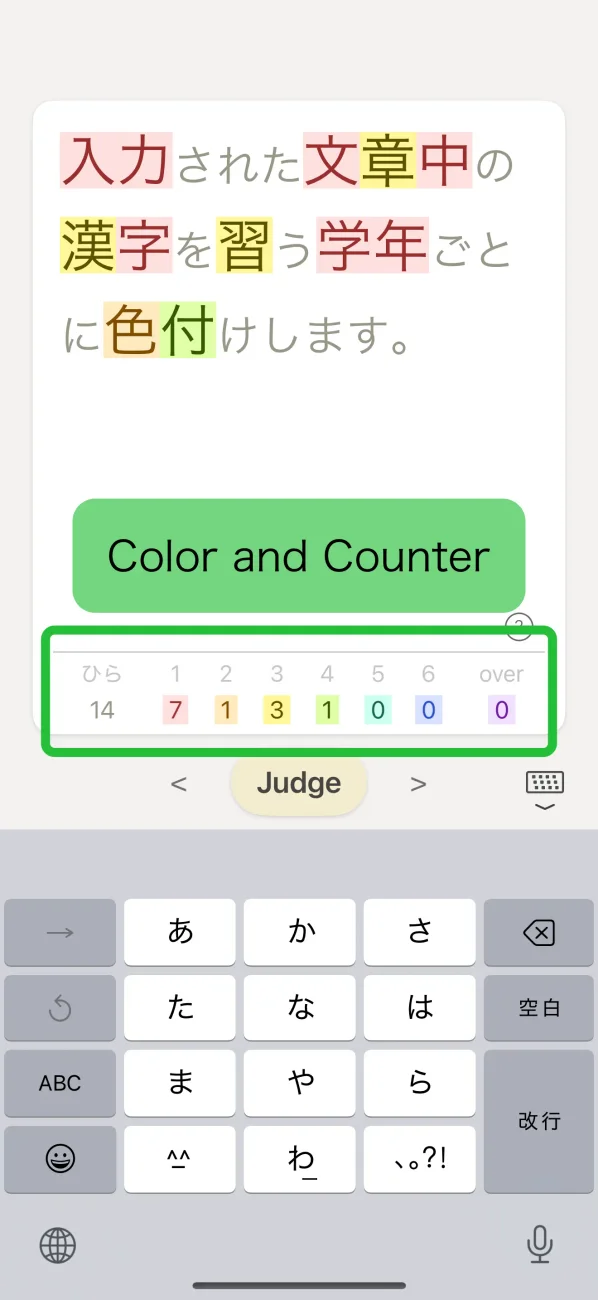
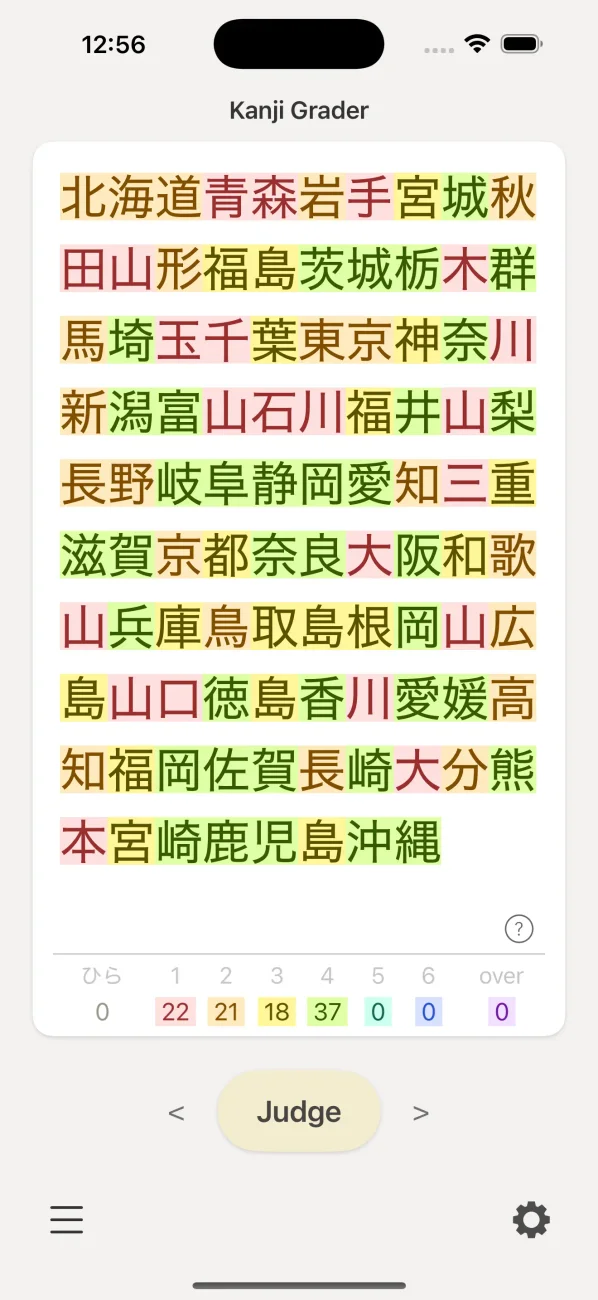
Enter a sentence and press the judgment button, then each kanji is colored. Each color is determined based on the grade we learn it in. It displays the relationship between color and grade below the input area. It also displays the numbers of Kanji for each grade.
Further specifications
After buying the in-app purchase item, some functions become enabled.
Changing the lowest grade of the colored range
If the target of the sentence is learners who have advanced to a certain extent, it is not necessary to color simple kanji. In this case, you can change the lowest grade of the colored range.
Changing color scheme
There are five patterns in all: light, heavy, and so on.
Emphasizing kanji of the lowest grade of the range
I think this is a bit confusing, but, for example, when coloring 4th grade and more, you can emphasize the 4th grade Kanji. The assumed usage is to determine the kanji for that grade one by one whether to leave it as kanji or change it to hiragana. It is for those who are well aware of the proficiency of children such as homeroom teachers.
Changing colored text size
You can enlarge the colored characters compared to the hiragana, so you can make it easy to see the colored letters even if the hiragana are small.
Utilizing the clipboard
You can pass texts with other apps. You can create a sentence with another app, check it with this app, and return it to the original app. Since the clipboard itself is a function of the OS, you can use it without purchasing the in-app purchase item. Once you buy it, you can do the easy operation with the button for this purpose.
Có gì mới
Phiên bản 1.1.8 · 21/07/2026
Fixed GDPR-related stuff
Quyền riêng tư của ứng dụng
Những gì Motonari Hibi khai báo trên App Store về cách ứng dụng này xử lý dữ liệu.
-
Dữ liệu được sử dụng để theo dõi bạn
Có thể được sử dụng để theo dõi bạn trên các ứng dụng và trang web do công ty khác sở hữu.
- Vị trí
- Mã định danh
- Dữ liệu sử dụng
- Chẩn đoán
-
Dữ liệu liên kết với bạn
Có thể được thu thập và liên kết với danh tính của bạn.
- Vị trí
- Mã định danh
- Dữ liệu sử dụng
- Chẩn đoán
Phương thức đảm bảo quyền riêng tư có thể khác nhau, chẳng hạn như tuỳ theo các tính năng bạn sử dụng hoặc độ tuổi của bạn.
Thông tin
- Người bán
- Motonari Hibi
- Danh mục
- Tham Khảo
- Phiên bản
- 1.1.8
- Cập nhật
- 21/07/2026
- Phát hành
- 02/04/2019
- Kích thước
- 8,6 MB
- Yêu cầu
- iOS 18.0 trở lên
- Độ tuổi
- 4+
- Giá
- Miễn phí
- Mua hàng trong ứng dụng
- Có
- Ngôn ngữ
- Tiếng Anh, Tiếng Nhật
- Bản quyền
- © Motonari Hibi
Có thể bạn cũng thích
-
 Kanji N5 & N4 - Play and LearnGiáo Dục
-
 小学校の漢字 勉強 : ひとコマ漢字Giáo Dục
-
 PORO - Học Kanji Tiếng NhậtKanji theo chủ đề và cấp độ
-
 Kanji Garden JapaneseGiáo Dục
-
 Kanji Teacher - Learn JapaneseGiáo Dục
-
 Kanji LookupTham Khảo
-
 Migii JLPT: JLPT test N5-N1Học Kanji, luyện thi JLPT T12
-
 RingotanGiáo Dục
-
 MochiKanji - Học tiếng NhậtNhớ 1000+ Kanji trong 1 tháng
-
 Shinobi: Read & Learn JapaneseGiáo Dục