Kihya Memo: Notes & Markdown
Offline TXT, optional sync
Diseñada para iPhone, iPad, Mac
Gratis
- Clasificación por edad4+
- CategoríaProductividad
- DesarrolladorKihya
- IdiomasJaponés+ 2 más
- Tamaño33,3 MB
Enlaza a la página oficial de App Store
Download.org no aloja ningún archivo de Kihya Memo: Notes & Markdown. El botón abre la página de la aplicación en App Store, donde la publica Kihya. Ficha comprobada por última vez el 12/11/2026.
Capturas de pantalla
Acerca de
El desarrollador no ha proporcionado este texto en tu idioma.
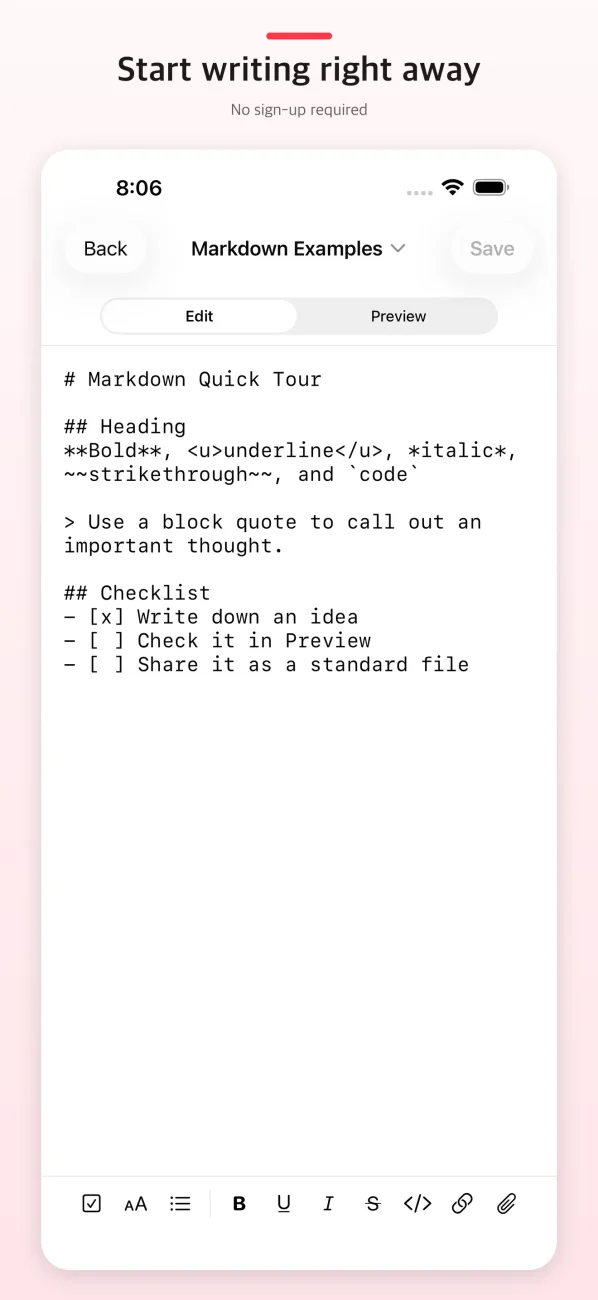
Kihya Memo is a lightweight, offline-first Markdown notepad. Write the source directly, use focused formatting tools, and switch to a beautiful native preview while every note remains a file you can keep.
Markdown is the heart of the app. When needed, the same plain-text editor also opens safe UTF-8 text and source documents without converting them to a proprietary database. There is no Kihya account to create and no required Kihya memo server. Google Drive sync and remote server folders are optional.
KEY FEATURES
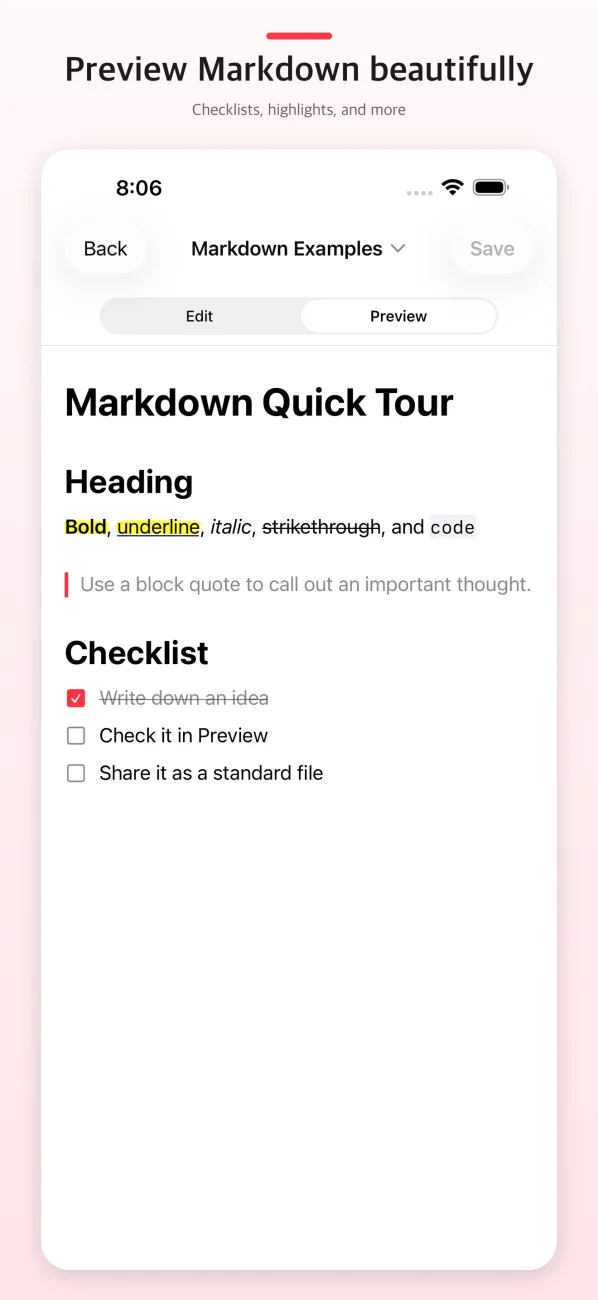
• Switch instantly between Markdown source and native preview
• Toggle task checkboxes directly in preview
• Use focused Markdown tools for headings, lists, bold, italic, strike, code, links, attachments, and underline
• Convert pasted rich text into clean Markdown
• Create, edit, rename, move, and share HTML, JSON, XML, CSV, PHP, ASP, JavaScript, SQL, and other UTF-8 text or source files when needed
• Live syntax colors and line numbers without adding formatting to the file
• Static HTML/SVG, pretty JSON/XML, table, calendar, contact, and color-source previews
• Plain-text copy and paste for code; rich-text conversion only inside Markdown
• Import photos, PDFs, archives, and other files from Photos or Files
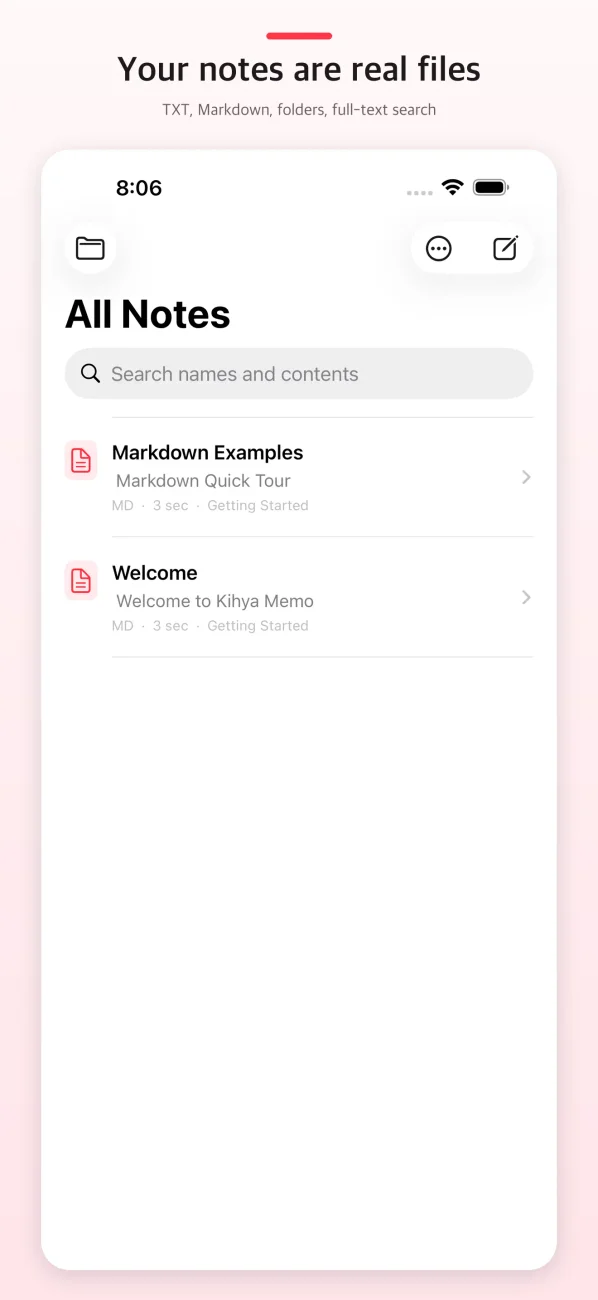
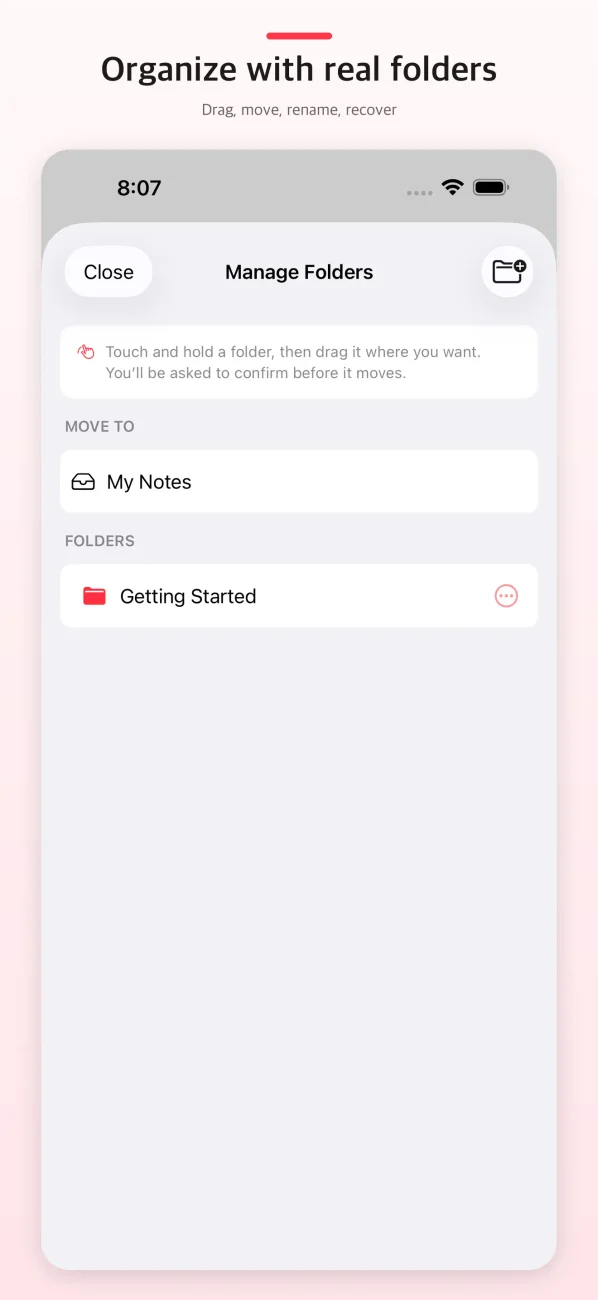
• Drag, rename, move, and safely remove nested folders in a dedicated manager
• Search file names and full note contents
• Find, Replace, and Replace All from the title menu, with case options, regex, and capture groups
• Choose Save, Discard Changes, or Keep Editing when leaving an unsaved note
• Move, rename, trash, or open past versions from the title menu
• Open Recently Deleted from the folder list to restore items to their original location or delete them permanently
• Optionally protect Recently Deleted with Face ID, Touch ID, or the device passcode
• Keep pre-save versions locally and load one into the editor without saving it immediately
• Recover the latest local edit draft after an unexpected app termination
• Optional marker-texture highlighting for bold and underlined preview text
• Preview local images and open clearly marked local-file links
• Open and share editable text, source documents, and stored files through the system Files app
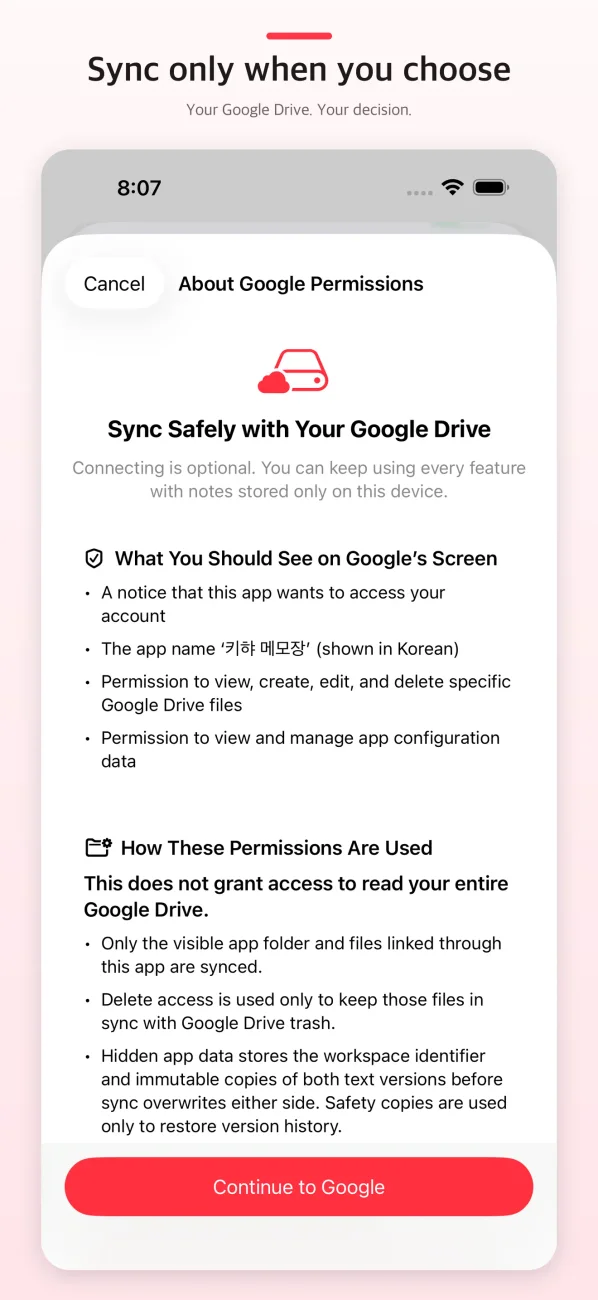
• Optionally sync original files through a visible app folder in your own Google Drive
• Add SFTP, plain FTP, explicit FTPS, or implicit FTPS servers as remote folders, with local recovery drafts, history, conflict detection, and verified saves
• Export the visible folder tree as a ZIP without trash or private history
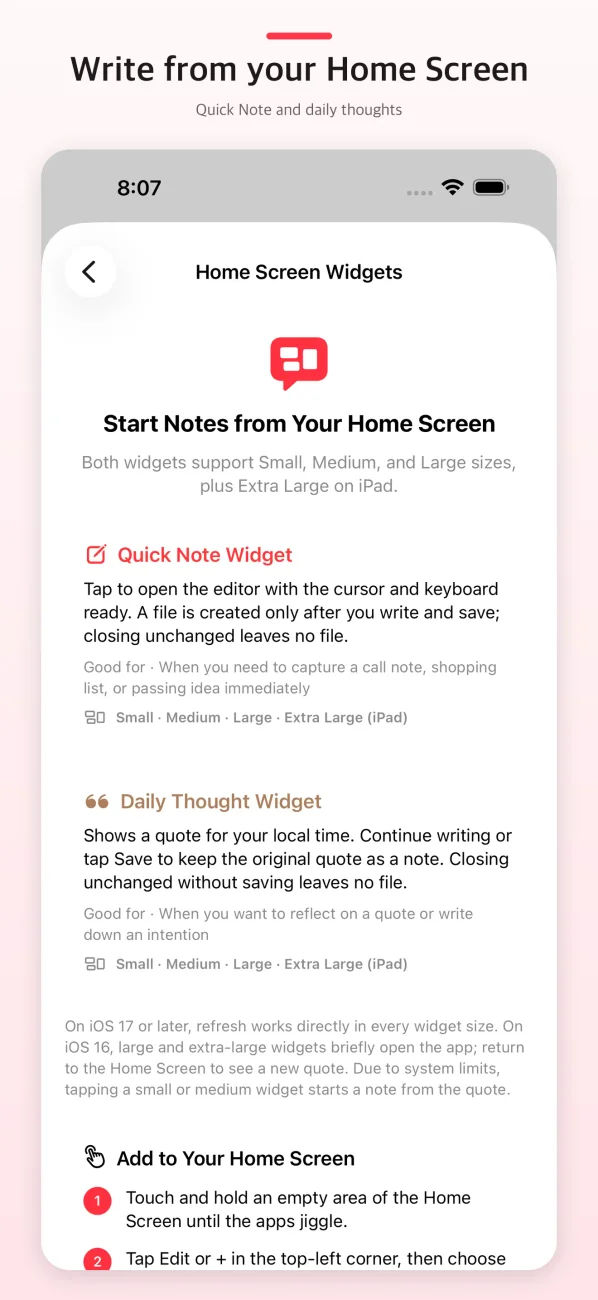
• Start writing instantly from a resizable Quick Note Home Screen widget
• See a sourced daily thought matched to morning, afternoon, evening, or night
• Continue writing beneath a thought and share it as a 4:5 image card
• Open a favorite document in full-screen reading mode from the Home Screen
• Five bundled Korean typefaces in addition to the system font
• Native phone navigation and an iPad three-pane or full-screen editor
PRIVACY BY DESIGN
• No Kihya sign-up or required login
• No ads or cross-app tracking
• Google Drive connects only when you choose it; notes are never sent to a Kihya server
• Remote connections go directly from your device to the server you enter; credentials use device-only protected storage and remote contents, hosts, paths, and user names are excluded from analytics
• SFTP and FTPS are encrypted. Plain FTP is visibly marked and requires a separate warning because its credentials, file names, and contents are not encrypted
• Firebase usage events never include note text, file names, searches, or Google account details
• Access is limited to local files and files the user explicitly selects
• Normal history and recovery drafts stay on device; pre-overwrite sync text is also protected in hidden app data in your Drive
Novedades
Versión 1.1.0 · 20/8/2026
Kihya Memo got its server-room badge.
• Edit supported UTF-8 text/source files in SFTP, FTP, and FTPS remote folders.
• Verified saves, conflict detection, recovery drafts, and local history help protect remote work.
• More formats now get syntax colors, line numbers, and regex Find & Replace.
• Smoother Drive sync, stability fixes, and a fresh icon.
Privacidad de la aplicación
Lo que Kihya declara en App Store sobre cómo esta aplicación gestiona los datos.
-
Datos vinculados a ti
Pueden recopilarse y vincularse a tu identidad.
- Ubicación
- Información de contacto
- Contenido del usuario
- Identificadores
- Datos de uso
-
Datos no vinculados a ti
Pueden recopilarse, pero no se vinculan a tu identidad.
- Datos de uso
- Diagnóstico
Las prácticas de privacidad pueden variar, por ejemplo, según las funciones que uses o tu edad.
Información
- Vendedor
- Kihya Co.,Ltd.
- Categoría
- Productividad
- Versión
- 1.1.0
- Actualizado
- 20/8/2026
- Publicado
- 19/8/2026
- Tamaño
- 33,3 MB
- Requiere
- iOS 16.0 o posterior
- Clasificación por edad
- 4+
- Precio
- Gratis
- Idiomas
- Japonés, Inglés, Coreano
- Copyright
- Copyright © Kihya Co., Ltd. All rights reserved.
Quizá también te guste
-
 NewPracticeProductividad
-
 AppendXProductividad
-
 torima-toss | とりあえず保存、あとから整理Productividad
-
 めももProductividad
-
 relnoteProductividad
-
 Thread Mark: Markdown NotesProductividad
-
 AnyData - Design your databaseProductividad
-
 Omoidase - Read Later with AIProductividad
-
 ClipVault Snippet BoxProductividad
-
 WebShelfProductividad