Kihya Memo: Notes & Markdown
Offline TXT, optional sync
Được thiết kế cho iPhone, iPad, Mac
Miễn phí
- Độ tuổi4+
- Danh mụcHiệu Suất
- Nhà phát triểnKihya
- Ngôn ngữTiếng Nhật+ 2 ngôn ngữ khác
- Kích thước33,3 MB
Liên kết đến trang App Store chính thức
Download.org không lưu trữ tệp nào của Kihya Memo: Notes & Markdown. Nút này mở trang ứng dụng trên App Store, nơi Kihya phát hành ứng dụng. Trang được kiểm tra lần cuối: 12/11/2026.
Ảnh chụp màn hình
Giới thiệu
Nhà phát triển chưa cung cấp nội dung này bằng ngôn ngữ của bạn.
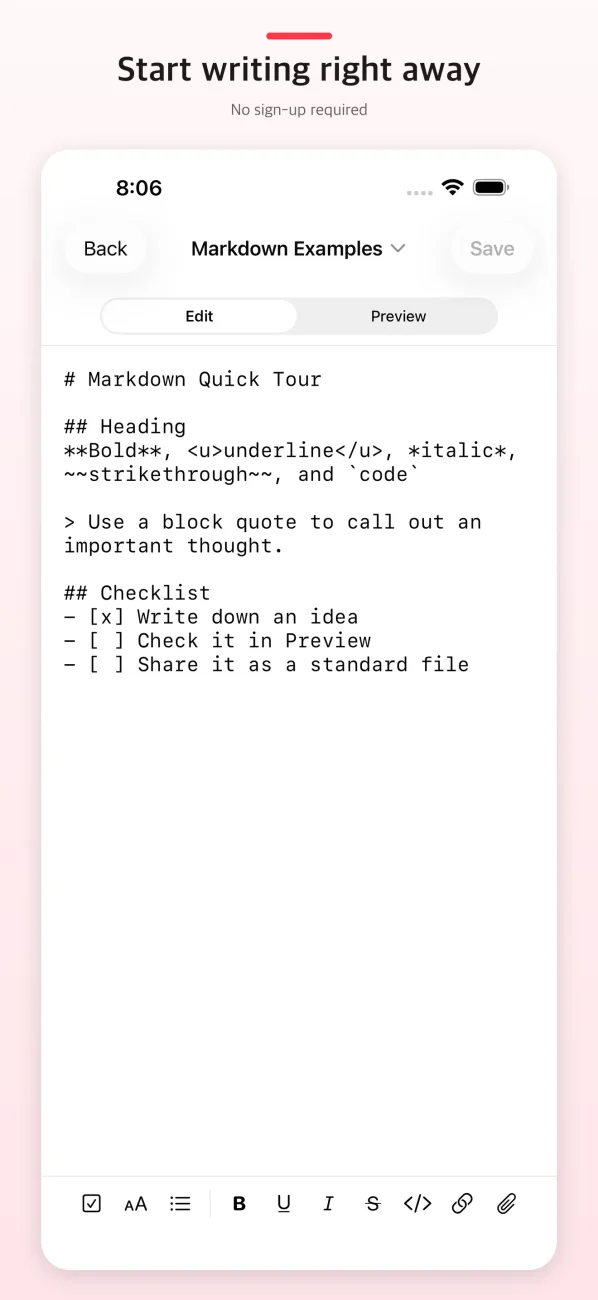
Kihya Memo is a lightweight, offline-first Markdown notepad. Write the source directly, use focused formatting tools, and switch to a beautiful native preview while every note remains a file you can keep.
Markdown is the heart of the app. When needed, the same plain-text editor also opens safe UTF-8 text and source documents without converting them to a proprietary database. There is no Kihya account to create and no required Kihya memo server. Google Drive sync and remote server folders are optional.
KEY FEATURES
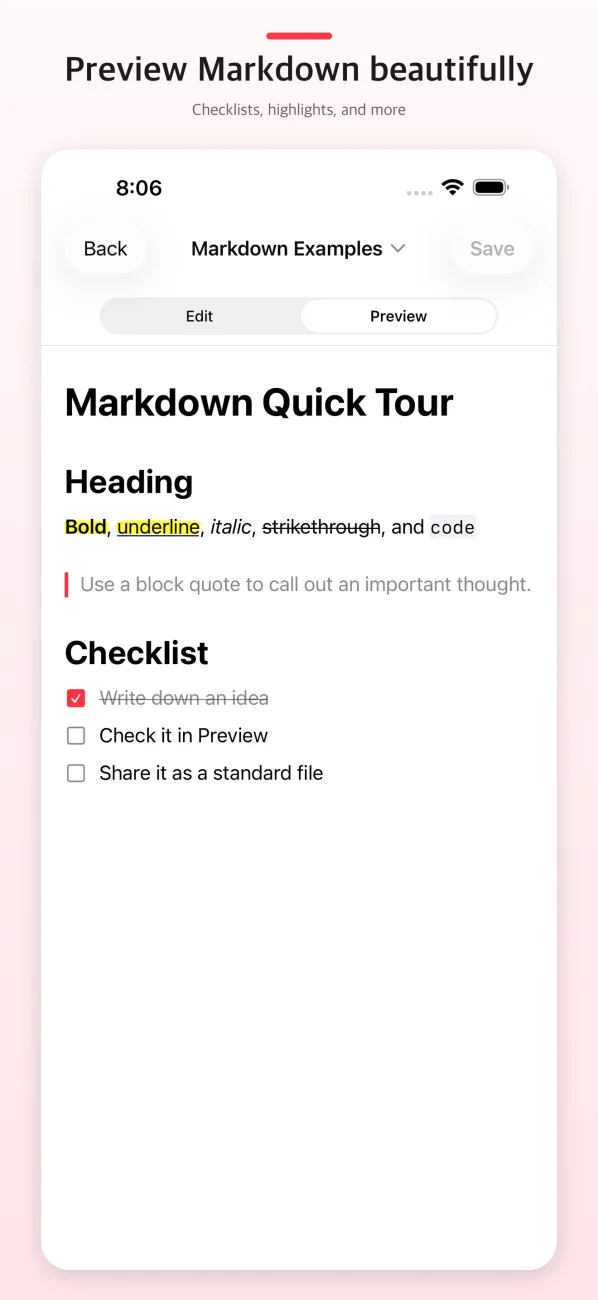
• Switch instantly between Markdown source and native preview
• Toggle task checkboxes directly in preview
• Use focused Markdown tools for headings, lists, bold, italic, strike, code, links, attachments, and underline
• Convert pasted rich text into clean Markdown
• Create, edit, rename, move, and share HTML, JSON, XML, CSV, PHP, ASP, JavaScript, SQL, and other UTF-8 text or source files when needed
• Live syntax colors and line numbers without adding formatting to the file
• Static HTML/SVG, pretty JSON/XML, table, calendar, contact, and color-source previews
• Plain-text copy and paste for code; rich-text conversion only inside Markdown
• Import photos, PDFs, archives, and other files from Photos or Files
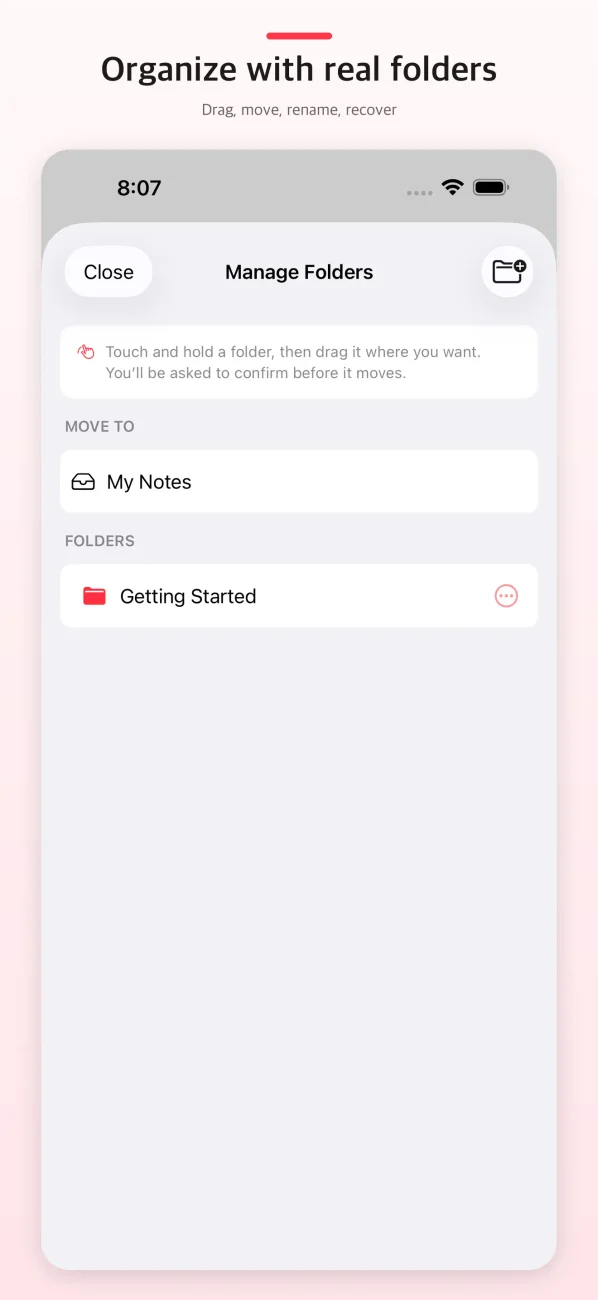
• Drag, rename, move, and safely remove nested folders in a dedicated manager
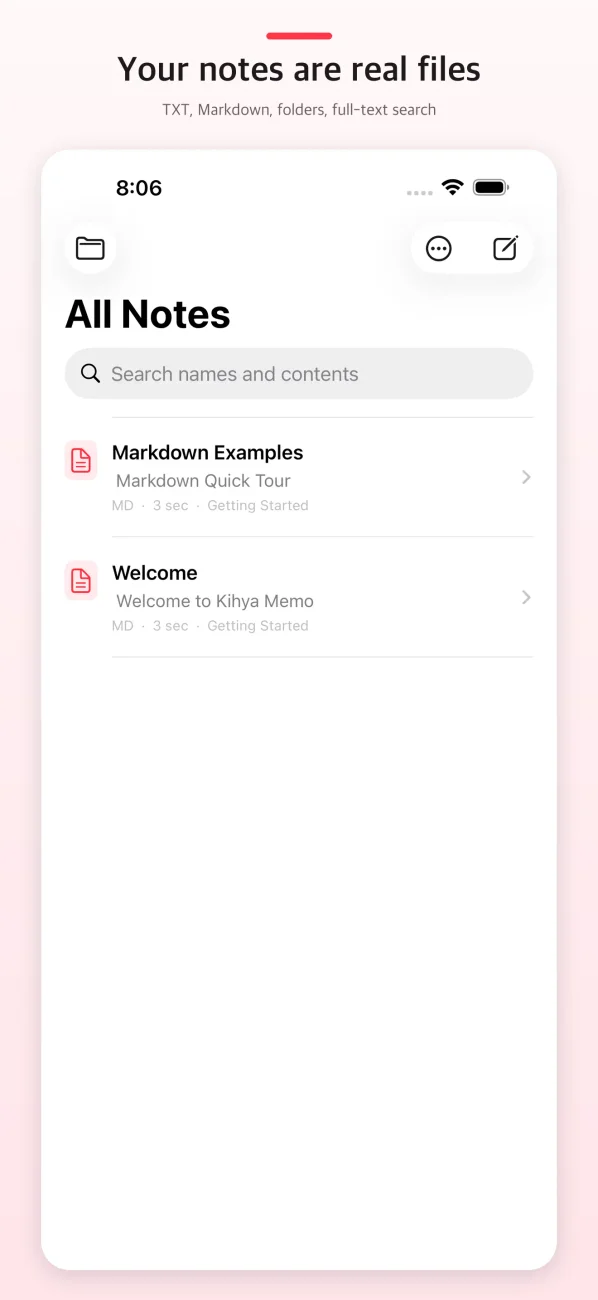
• Search file names and full note contents
• Find, Replace, and Replace All from the title menu, with case options, regex, and capture groups
• Choose Save, Discard Changes, or Keep Editing when leaving an unsaved note
• Move, rename, trash, or open past versions from the title menu
• Open Recently Deleted from the folder list to restore items to their original location or delete them permanently
• Optionally protect Recently Deleted with Face ID, Touch ID, or the device passcode
• Keep pre-save versions locally and load one into the editor without saving it immediately
• Recover the latest local edit draft after an unexpected app termination
• Optional marker-texture highlighting for bold and underlined preview text
• Preview local images and open clearly marked local-file links
• Open and share editable text, source documents, and stored files through the system Files app
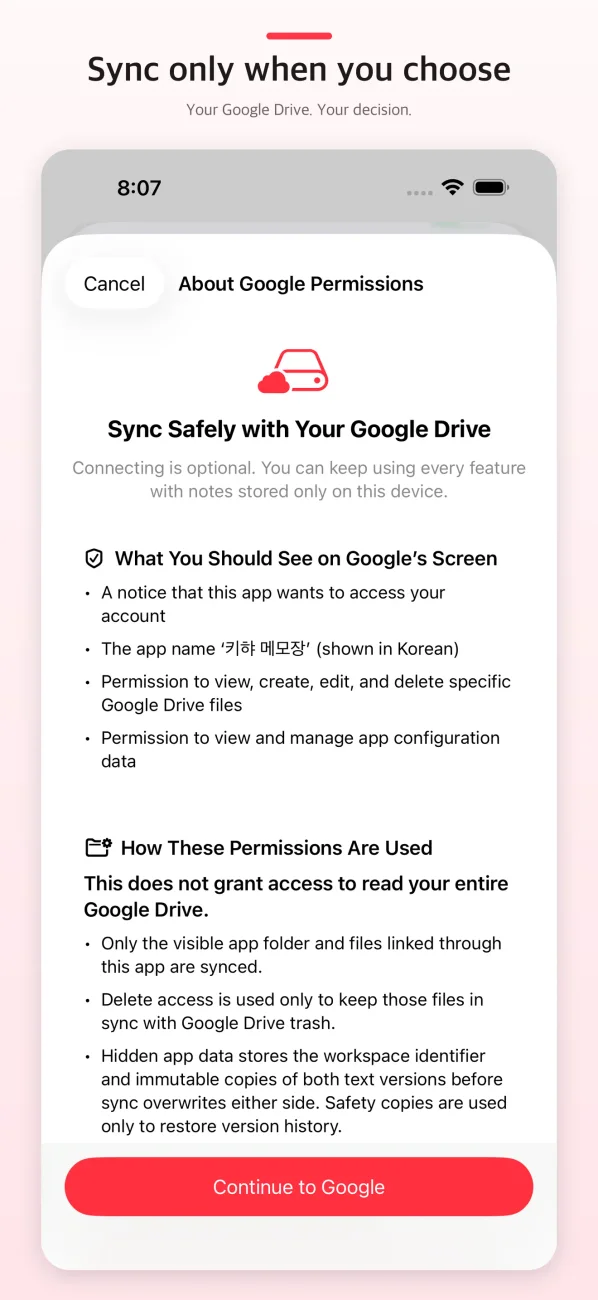
• Optionally sync original files through a visible app folder in your own Google Drive
• Add SFTP, plain FTP, explicit FTPS, or implicit FTPS servers as remote folders, with local recovery drafts, history, conflict detection, and verified saves
• Export the visible folder tree as a ZIP without trash or private history
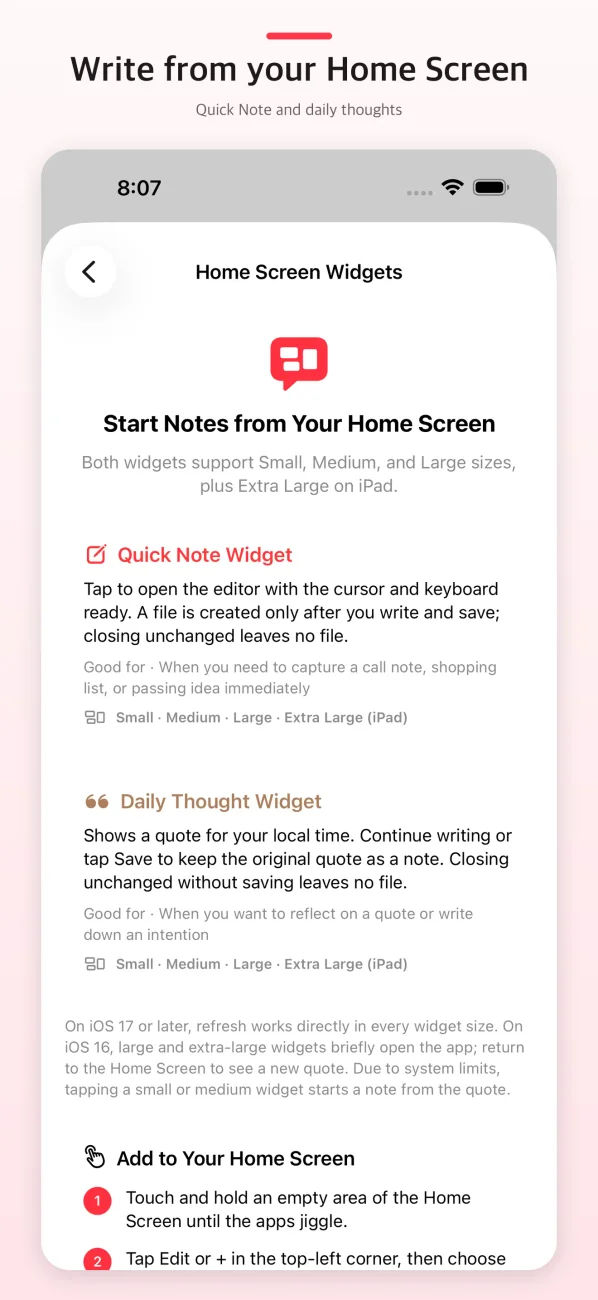
• Start writing instantly from a resizable Quick Note Home Screen widget
• See a sourced daily thought matched to morning, afternoon, evening, or night
• Continue writing beneath a thought and share it as a 4:5 image card
• Open a favorite document in full-screen reading mode from the Home Screen
• Five bundled Korean typefaces in addition to the system font
• Native phone navigation and an iPad three-pane or full-screen editor
PRIVACY BY DESIGN
• No Kihya sign-up or required login
• No ads or cross-app tracking
• Google Drive connects only when you choose it; notes are never sent to a Kihya server
• Remote connections go directly from your device to the server you enter; credentials use device-only protected storage and remote contents, hosts, paths, and user names are excluded from analytics
• SFTP and FTPS are encrypted. Plain FTP is visibly marked and requires a separate warning because its credentials, file names, and contents are not encrypted
• Firebase usage events never include note text, file names, searches, or Google account details
• Access is limited to local files and files the user explicitly selects
• Normal history and recovery drafts stay on device; pre-overwrite sync text is also protected in hidden app data in your Drive
Có gì mới
Phiên bản 1.1.0 · 20/08/2026
Kihya Memo got its server-room badge.
• Edit supported UTF-8 text/source files in SFTP, FTP, and FTPS remote folders.
• Verified saves, conflict detection, recovery drafts, and local history help protect remote work.
• More formats now get syntax colors, line numbers, and regex Find & Replace.
• Smoother Drive sync, stability fixes, and a fresh icon.
Quyền riêng tư của ứng dụng
Những gì Kihya khai báo trên App Store về cách ứng dụng này xử lý dữ liệu.
-
Dữ liệu liên kết với bạn
Có thể được thu thập và liên kết với danh tính của bạn.
- Vị trí
- Thông tin liên hệ
- Nội dung của người dùng
- Mã định danh
- Dữ liệu sử dụng
-
Dữ liệu không liên kết với bạn
Có thể được thu thập nhưng không liên kết với danh tính của bạn.
- Dữ liệu sử dụng
- Chẩn đoán
Phương thức đảm bảo quyền riêng tư có thể khác nhau, chẳng hạn như tuỳ theo các tính năng bạn sử dụng hoặc độ tuổi của bạn.
Thông tin
- Người bán
- Kihya Co.,Ltd.
- Danh mục
- Hiệu Suất
- Phiên bản
- 1.1.0
- Cập nhật
- 20/08/2026
- Phát hành
- 19/08/2026
- Kích thước
- 33,3 MB
- Yêu cầu
- iOS 16.0 trở lên
- Độ tuổi
- 4+
- Giá
- Miễn phí
- Ngôn ngữ
- Tiếng Nhật, Tiếng Anh, Tiếng Hàn
- Bản quyền
- Copyright © Kihya Co., Ltd. All rights reserved.