Klavette
One Row. Every Word.
Diseñada para iPhone, iPad
Compras en la aplicación
- Clasificación por edad4+
- CategoríaUtilidades
- DesarrolladorZachery Ng
- IdiomasInglés
- Tamaño65,0 MB
Es posible que Klavette no esté disponible en App Store en este momento
No se pudo acceder a la ficha de la tienda en nuestra última comprobación. El enlace sigue llevando a la página oficial de App Store.
Capturas de pantalla

Acerca de
El desarrollador no ha proporcionado este texto en tu idioma.
One Row. Every Word.
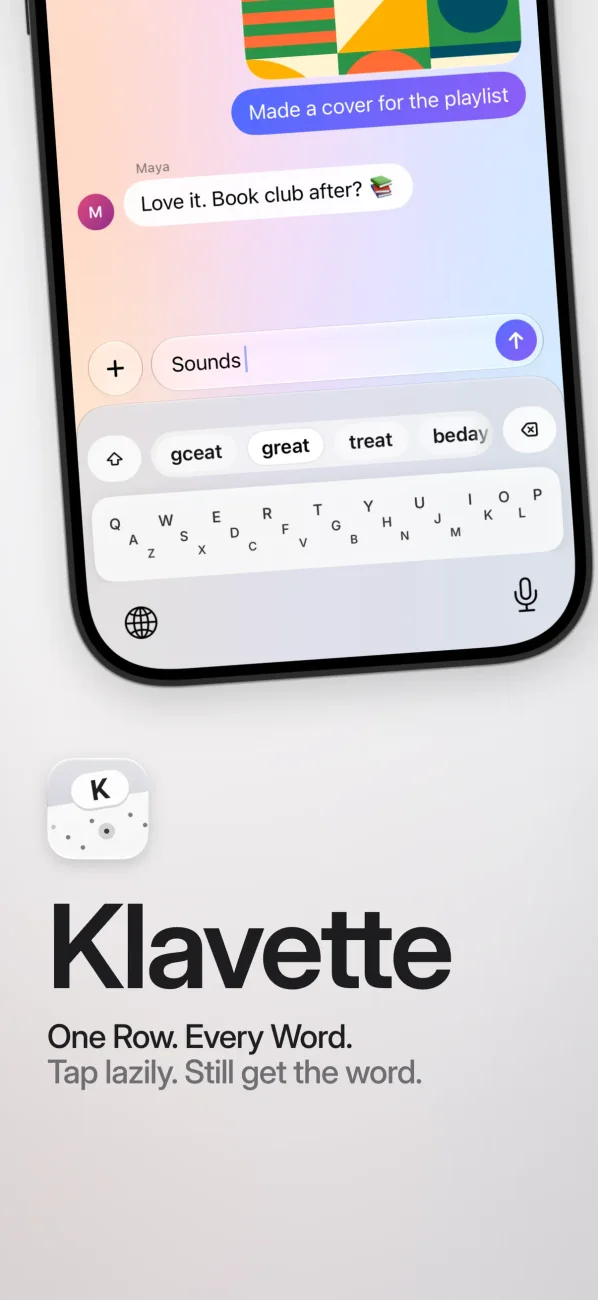
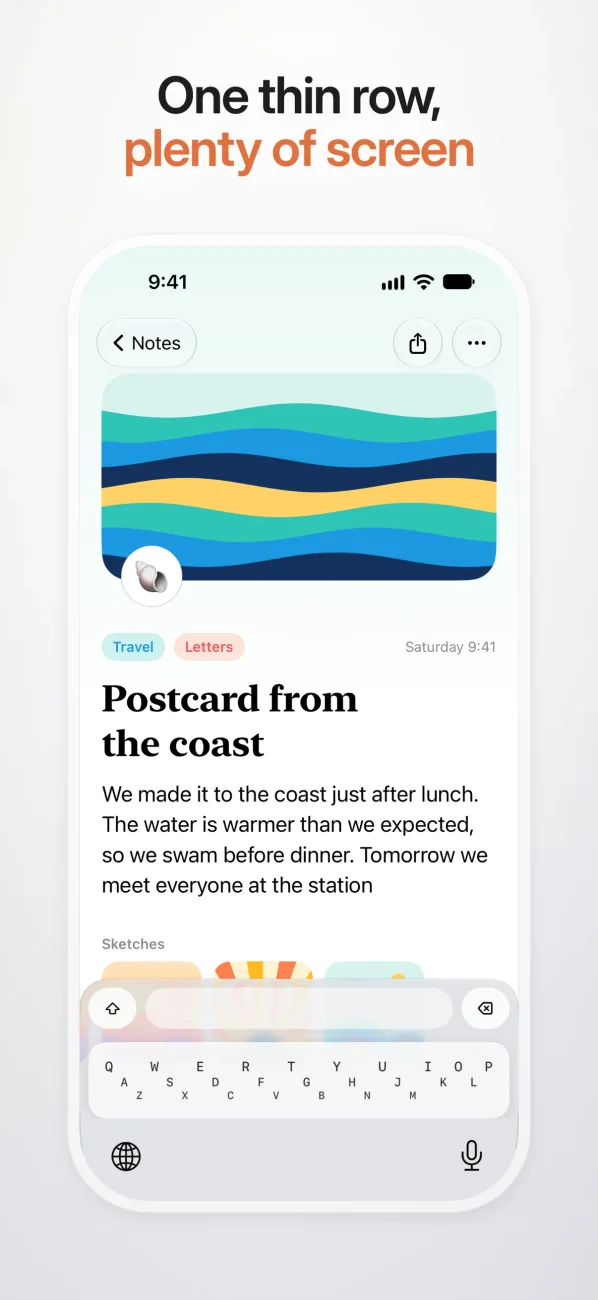
Klavette is a keyboard you don't have to aim. Tap close enough and it works out the word you meant, on one thin row that leaves more of the screen to what you're writing. When you want every key, a full keyboard is one swipe away.
FREE, FOREVER
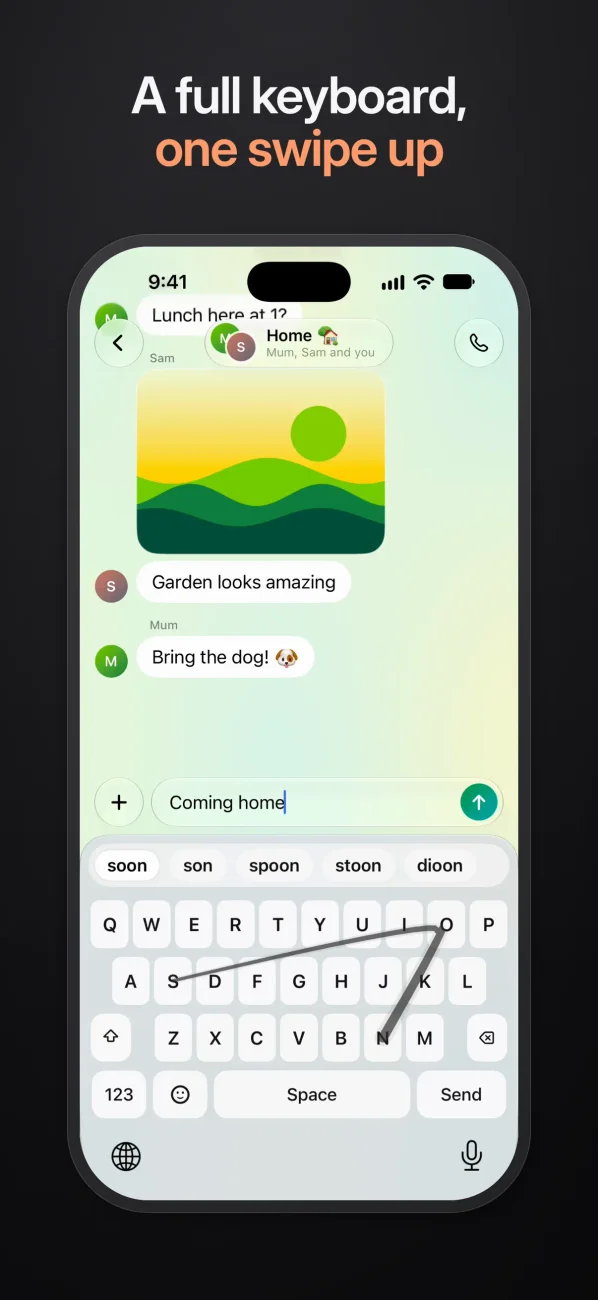
• A full QWERTY keyboard with numbers, symbols and emoji search
• Glide typing: slide across the letters to type a word
• Autocorrect that fixes typos and leaves real words alone. Every correction can be undone
• AutoFill: your name, emails, phone and address appear as a tap in the fields that ask for them
• Keyboard macros for text you type again and again
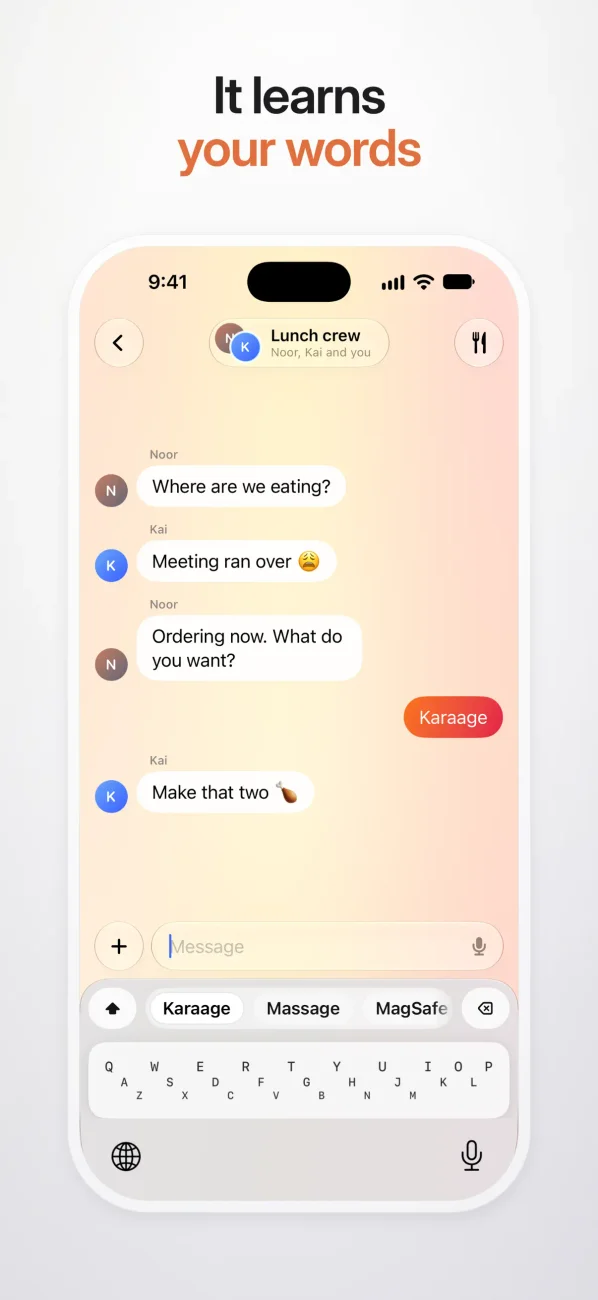
• It learns your words and your corrections, and forgets what you tell it to
• iCloud Sync: your learned words, AutoFill, macros and settings on every iPhone and iPad you use. Choose what syncs, or turn it off
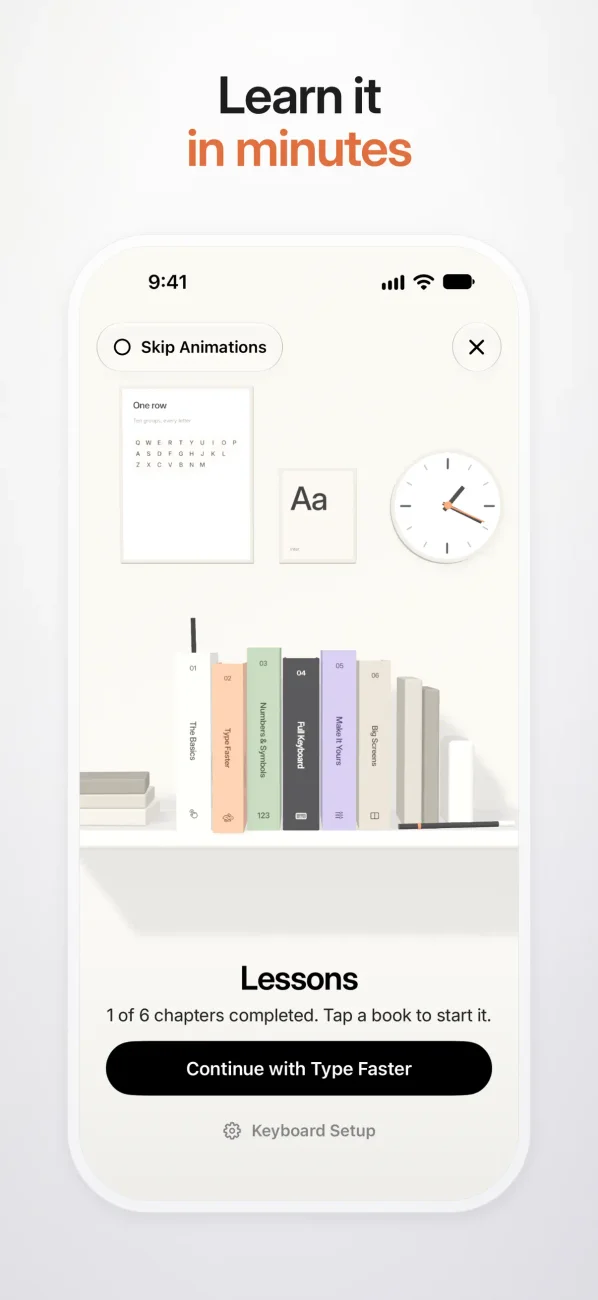
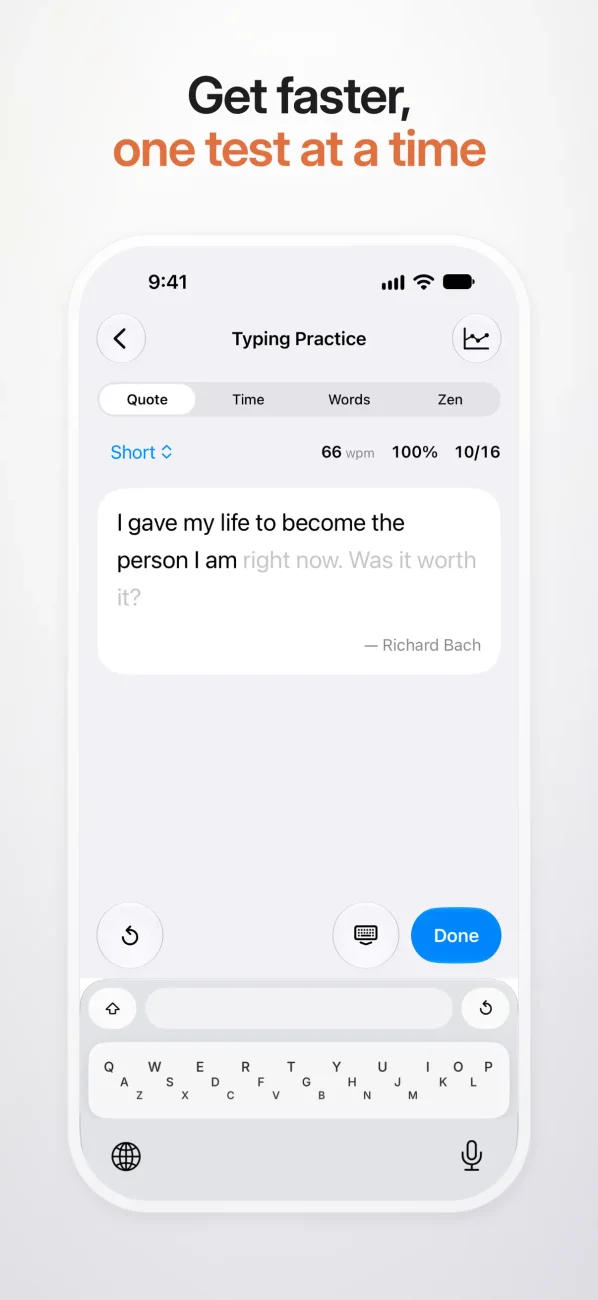
• Lessons and typing practice in the app
KLAVETTE PRO
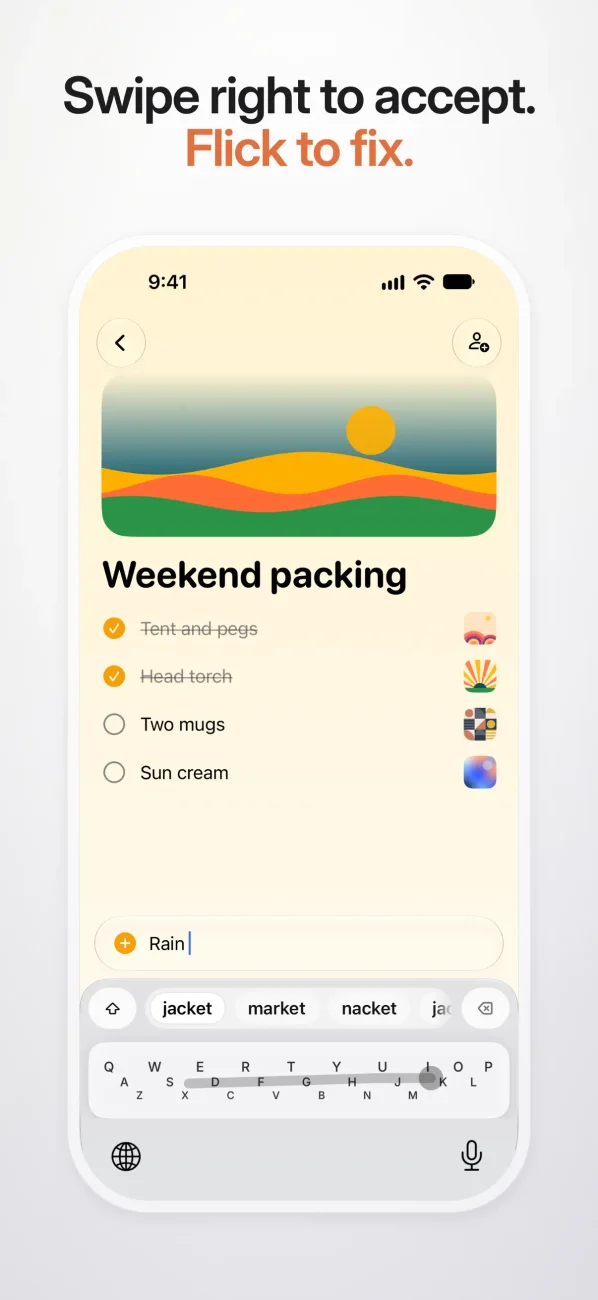
• Mini: one thin row of keys, in every app. Tap once per letter, close enough, and the bar above shows the words you most likely meant. Swipe right to accept a word, swipe left to delete it, flick up and to the left to swap it for the next best
• Docking and Split on iPad and the unfolded iPhone Duo: dock the keyboard to the left or right edge, or split it into two halves, one on each edge
DESIGNED FOR NARROW SCREENS
On the iPhone Duo's folded outer screen a full keyboard crowds out what you are writing. Mini's single row is built for one thumb and leaves room to read. Unfold the Duo and Klavette docks to a side or splits, like on iPad: Split puts the keyboard on the two edges, away from the fold.
YOU DON'T HAVE TO AIM
Taps are read for the word you meant, so a lazy tap still gets it most of the time. Wrong word? One flick swaps it. Need exact letters? Press and hold a key, or swipe up for the full keyboard.
PRIVATE BY DESIGN
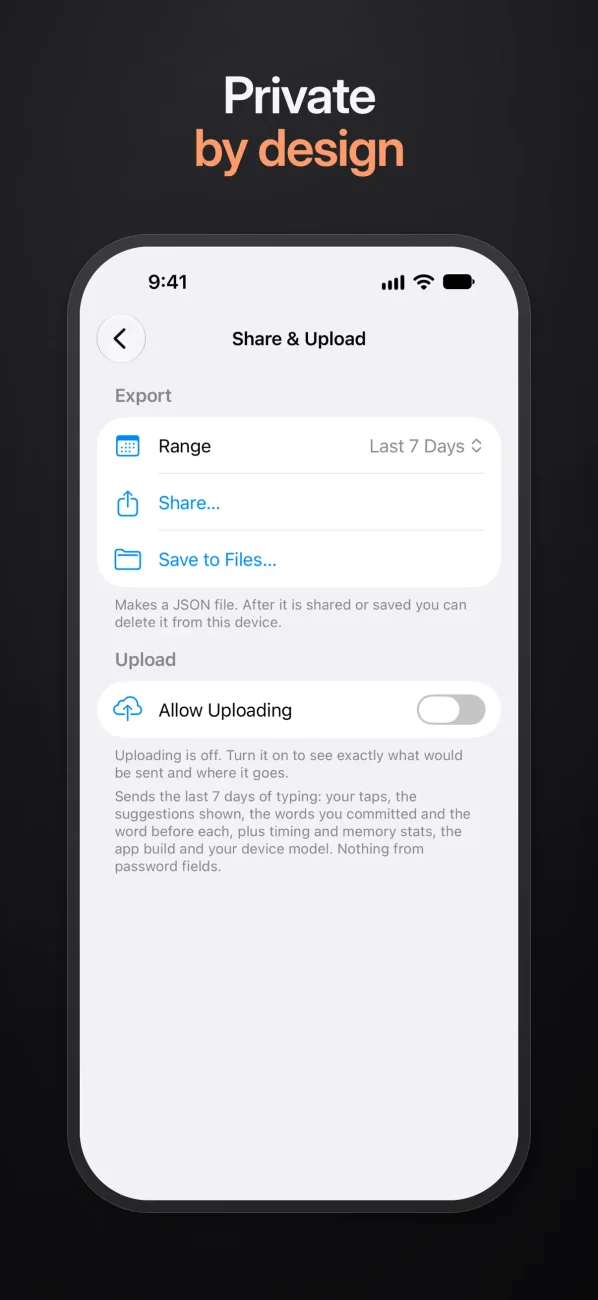
• Typing stats are recorded on your device only, never from password, email, web address, phone-number or other sensitive fields, and kept for 60 days
• Sending stats to the developer is optional and off unless you turn it on
• AutoFill details and macros stay on your device, or in your own iCloud, encrypted, if iCloud Sync is on. Klavette never receives them
• No ads, no tracking, no third-party SDKs
• Full Access is recommended, not required. The full keyboard works without it
GOOD TO KNOW
• English only. Needs iOS 26.2 or later
• To turn it on: Settings > General > Keyboard > Keyboards > Add New Keyboard > Klavette
KLAVETTE PRO SUBSCRIPTION
Klavette is free to download, and the full keyboard is free forever. Klavette Pro unlocks Mini, docking and Split. Choose:
• Yearly, with a 2-week free trial (US$34.99 per year)
• Monthly (US$4.99 per month)
• Lifetime, a one-time purchase (US$89.99)
Prices shown are for the United States. Other countries see Apple's local price. Payment is charged to your Apple Account at confirmation of purchase, or when the free trial ends. Yearly and monthly subscriptions renew automatically unless cancelled at least 24 hours before the end of the current period, and your account is charged for renewal within 24 hours before the end of the period. Manage or cancel in your Apple Account settings after purchase. Any unused part of a free trial is forfeited when you buy a subscription. Family Sharing is not available.
Terms of Use: https://klavette.app/terms
Privacy Policy: https://klavette.app/privacy
Apple's standard EULA: https://www.apple.com/legal/internet-services/itunes/dev/stdeula/
Help: https://klavette.app/support
Novedades
Versión 1.2.0 · 25/11/2026
A new prediction engine, rebuilt from the ground up. Mini now reads where on the row you actually tapped, not just which column, and its word list and word pairs are built from billions of words of real writing, so it picks the word you meant more often. The words you've taught Klavette come with you; capitals you'd taught are relearned as you type.
The full keyboard's autocorrect is new too. It knows which keys sit next to each other and where you pressed each letter, so it fixes more real typos (a neighbouring key, a dropped letter, a missed space) and changes far fewer words you typed correctly.
Glide is more accurate on both keyboards: it keeps your first and last letters exactly, and a glided word lands before your next tap.
When the next word makes it clear, the word before can be fixed with one tap on its pill, now also for look-alikes like go and to, or of and or.
Hold the bar swipe that opened symbols, rest on a symbol and lift to type it and go straight back to letters.
Numbers: after a number you're offered the ordinal (1st, 22nd), times like 630 and 1130 offer am and pm, and tapping a time or amount replaces the whole thing. Symbol pages follow the iOS order.
Hold empty space on the suggestion bar for quick settings, and drag the docked keyboard's edge to resize it.
iPad and the unfolded iPhone Duo use the iPadOS layout with Key Flicks, and the app shows a sidebar there. On the folded Duo the keyboard can dock to either edge or the middle, and remembers a position for folded and for open.
A paste pill appears on the bar when you've copied something.
Fixes: swipes that cross between the bar and Mini are no longer lost, the Return key label updates when you move between fields, a word you removed never comes back as the highlighted suggestion, keys respond correctly right after unfolding the Duo, and the split keyboard's right half scrolls on its own.
Privacidad de la aplicación
Lo que Zachery Ng declara en App Store sobre cómo esta aplicación gestiona los datos.
-
Datos vinculados a ti
Pueden recopilarse y vincularse a tu identidad.
- Contenido del usuario
- Identificadores
- Datos de uso
- Diagnóstico
Las prácticas de privacidad pueden variar, por ejemplo, según las funciones que uses o tu edad.
Información
- Vendedor
- Zachery Ng
- Categoría
- Utilidades
- Versión
- 1.2.0
- Actualizado
- 25/11/2026
- Publicado
- 15/10/2026
- Tamaño
- 65,0 MB
- Requiere
- iOS 26.2 o posterior
- Clasificación por edad
- 4+
- Compras en la aplicación
- Sí
- Idiomas
- Inglés
- Copyright
- © 2026 Zheng Hao Ng
Quizá también te guste
-
 4get: Cuenta atrásCumpleaños, planes y fechas
-
 ReachTypeUtilidades
-
 TalaKeyboardUtilidades
-
 stoobit searchUtilidades
-
 Folder Fort - Cloud StorageUtilidades
-
 SplitBoardUtilidades
-
 ARC Type KeyboardUtilidades
-
 Just Quick SearchUtilidades
-
 Finale KeyboardUtilidades
-
 Awesome Fonts KeyboardFonts Keyboard Bio & Comments