
- Clasificación por edad4+
- CategoríaUtilidades
- DesarrolladorCiparu Troja SIA
- IdiomasRuso+ 1 más
- Tamaño118,9 MB
Enlaza a la página oficial de App Store
Download.org no aloja ningún archivo de Lama Client. El botón abre la página de la aplicación en App Store, donde la publica Ciparu Troja SIA. Ficha comprobada por última vez el 12/11/2026.
Capturas de pantalla
Acerca de
El desarrollador no ha proporcionado este texto en tu idioma.
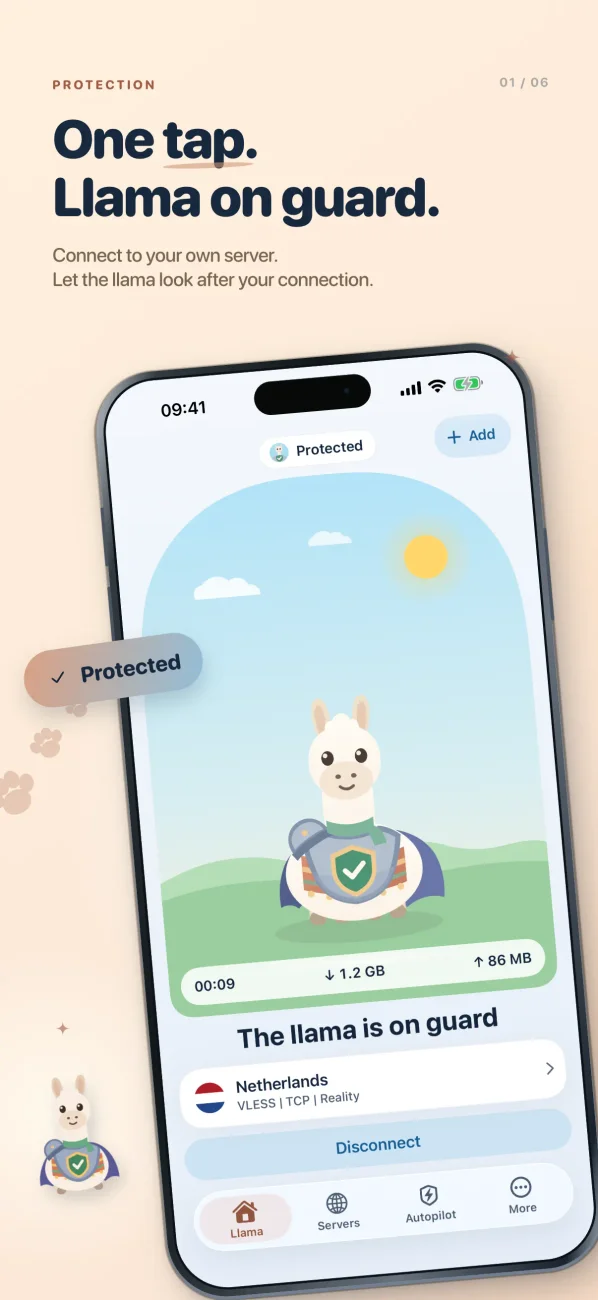
Lama Client is a VPN client for your own access keys. Add one key or several, and the llama keeps the connection going.
IMPORTANT: you need an access key from your provider — a vless://, vmess://, trojan:// or ss:// link, or a subscription URL. The app does not sell or provide VPN servers.
SEVERAL KEYS, ONE QUEUE
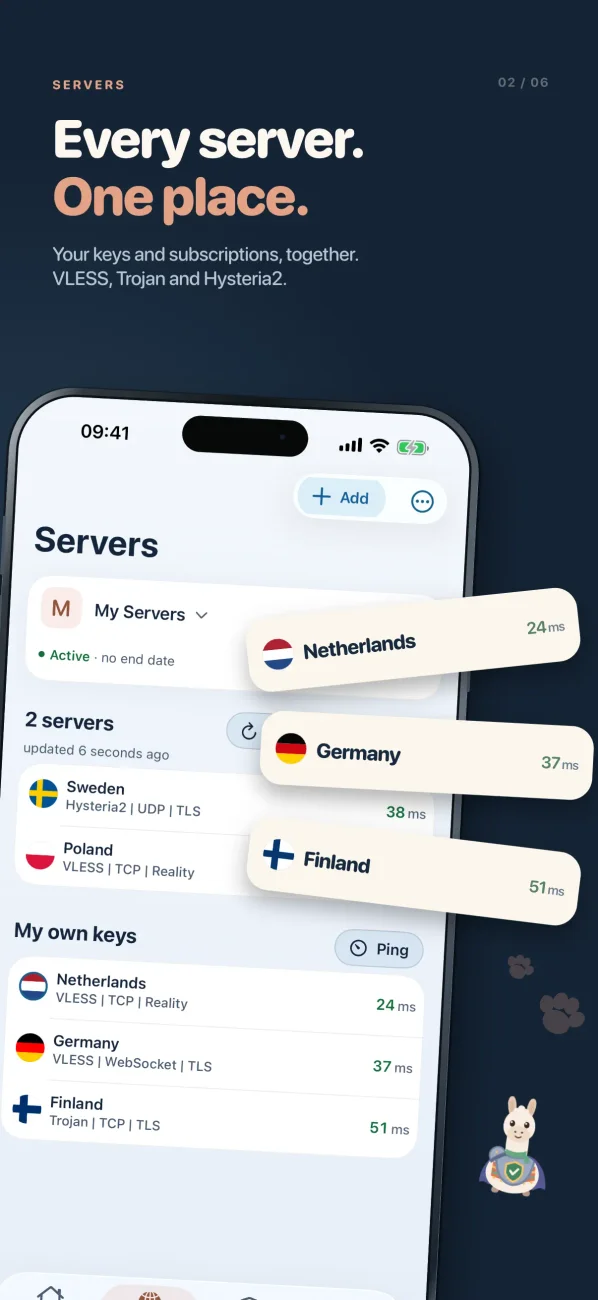
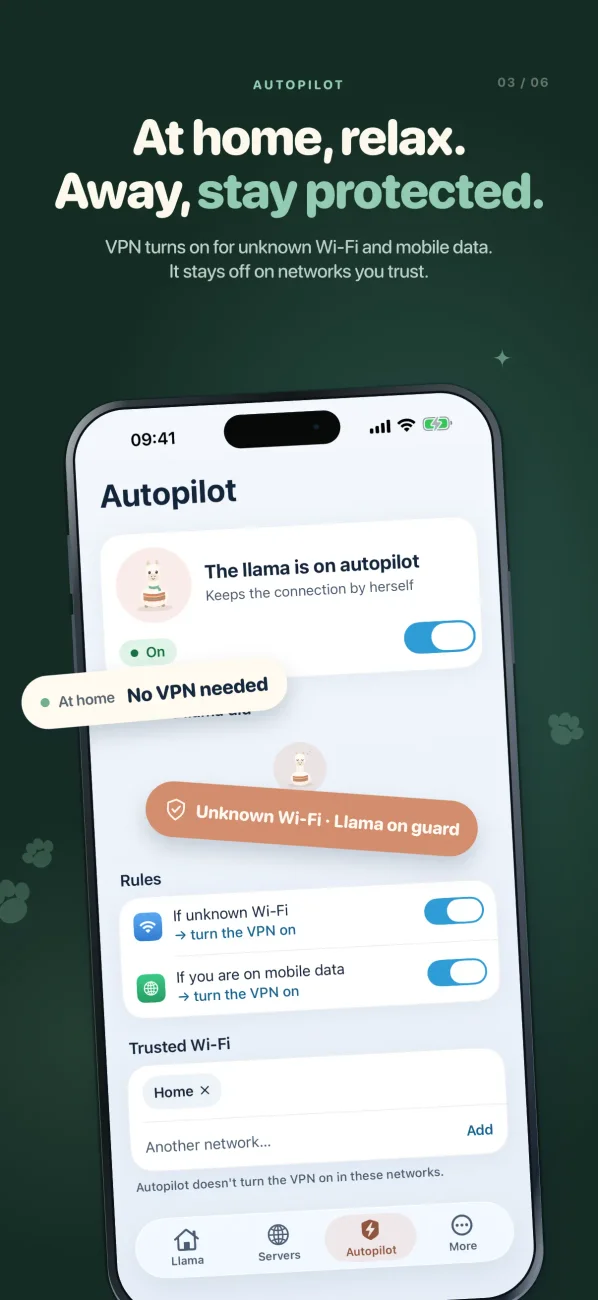
Keys from different providers live in one list, in the order you choose. Turn on Autopilot, and if the active key drops or the internet stops working through it, the llama connects the next one. You don't have to tap anything.
AUTOPILOT
• Turns the VPN on by itself on unfamiliar Wi-Fi and on cellular
• Trusted networks: no VPN at home or at work
• Regularly checks that the connection through the key is alive, and switches keys if it isn't
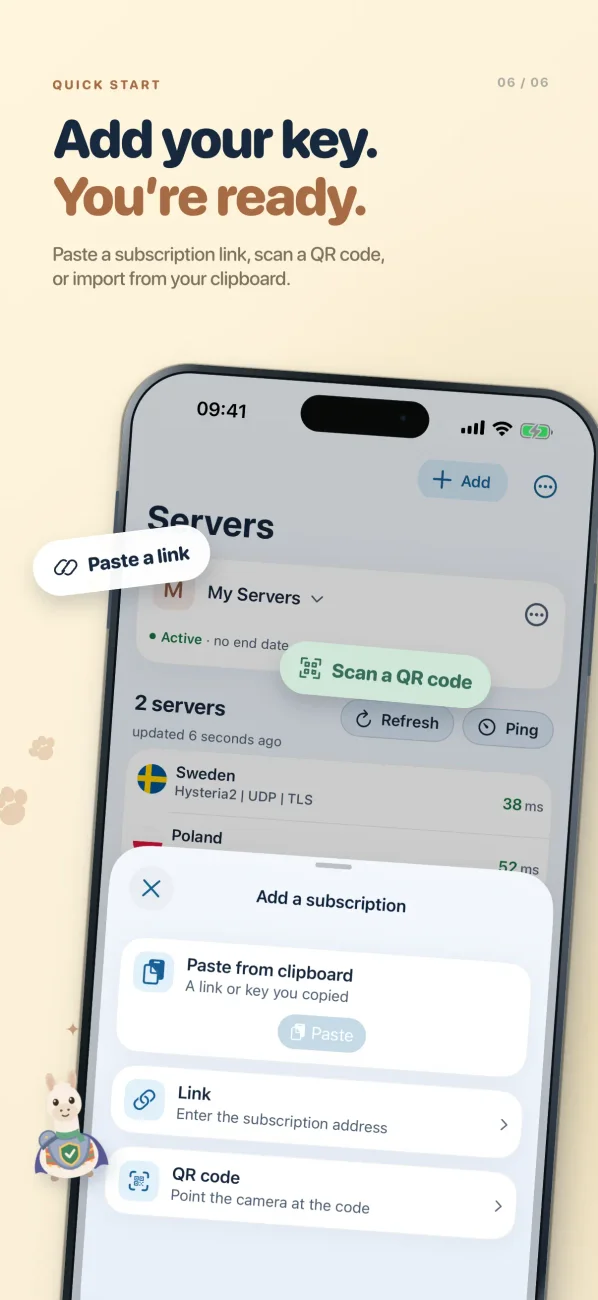
EASY TO ADD A KEY
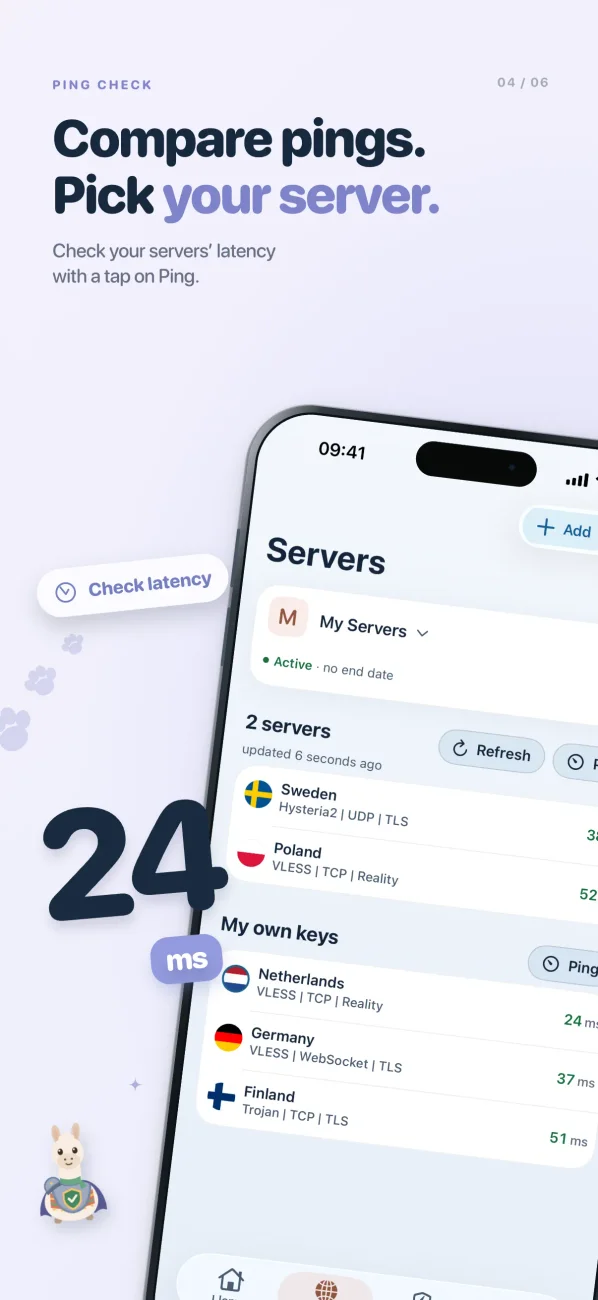
Paste a link from the clipboard, scan a QR code, or load every key from your provider's subscription. Each key shows its latency, and the list can be sorted by speed. Keep a note on a key — for example, when it expires.
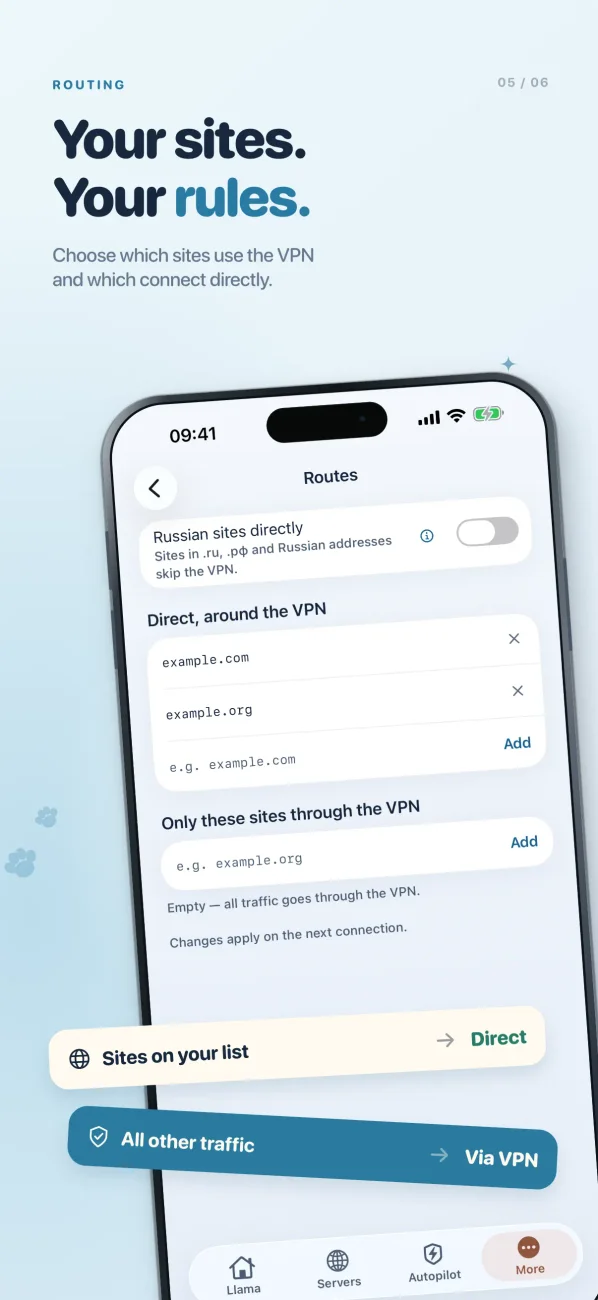
ROUTES
Pick sites that should open directly, outside the VPN — your bank, for example. Or the other way round: send only selected sites through the key.
THE LLAMA
The llama dozes while the VPN is off and stands guard once you're connected. A Home Screen widget turns the VPN on and off without opening the app, and a Live Activity shows the status on the Lock Screen and in the Dynamic Island.
PRIVACY
• No account, no registration, no ads
• No analytics or third-party trackers
• Keys are stored in the iPhone's encrypted Keychain and never leave the device
• We run no servers of our own: traffic goes to your provider's server
Protocols: VLESS, VMess, Trojan, Shadowsocks; TLS and Reality; TCP, WebSocket, gRPC, HTTP/2, HTTPUpgrade and XHTTP transports.
The connection uses Apple's system VPN mechanism. On first connection iOS asks permission to add a VPN configuration.
Requires an iPhone with iOS 17 or later.
Novedades
Versión 1.1.2 · 7/11/2026
• VPN turned off in Control Center no longer turns itself back on.
• Errors when adding a subscription now show right away.
• With Autopilot off, your chosen server stays put. If it isn’t answering, the app tells you.
• If a server in a group stops working, the app moves to a working one without dropping your connection.
Privacidad de la aplicación
Lo que Ciparu Troja SIA declara en App Store sobre cómo esta aplicación gestiona los datos.
-
No se recopilan datos
El desarrollador no recopila ningún dato de esta aplicación.
Las prácticas de privacidad pueden variar, por ejemplo, según las funciones que uses o tu edad.
Información
- Vendedor
- Ciparu Troja SIA
- Categoría
- Utilidades
- Versión
- 1.1.2
- Actualizado
- 7/11/2026
- Publicado
- 25/9/2026
- Tamaño
- 118,9 MB
- Requiere
- iOS 17.0 o posterior
- Clasificación por edad
- 4+
- Precio
- Gratis
- Idiomas
- Ruso, Inglés
- Copyright
- © SUPORTE TECN ADM DISALL LTDA