Lark: Language Shadowing
Speak with podcasts & videos
Diseñada para iPhone, iPad
Gratis · Compras en la aplicación
- Clasificación por edad4+
- CategoríaEducación
- DesarrolladorZicun Hang
- IdiomasInglés
- Tamaño7,1 MB
Enlaza a la página oficial de App Store
Download.org no aloja ningún archivo de Lark: Language Shadowing. El botón abre la página de la aplicación en App Store, donde la publica Zicun Hang. Ficha comprobada por última vez el 23/11/2026.
Capturas de pantalla

Acerca de
El desarrollador no ha proporcionado este texto en tu idioma.
Lark is a shadowing app for learning a language by ear. Bring a podcast or a video you enjoy and practice it one sentence at a time: listen, say it back, hear yourself, and go again. No subscription, no account, no ads.
LANGUAGES
Transcripts and practice are available in:
• English
• Spanish
• French
• German
• Italian
• Portuguese
• Japanese
• Korean
• Chinese (Mandarin)
• Cantonese
ONE SENTENCE AT A TIME
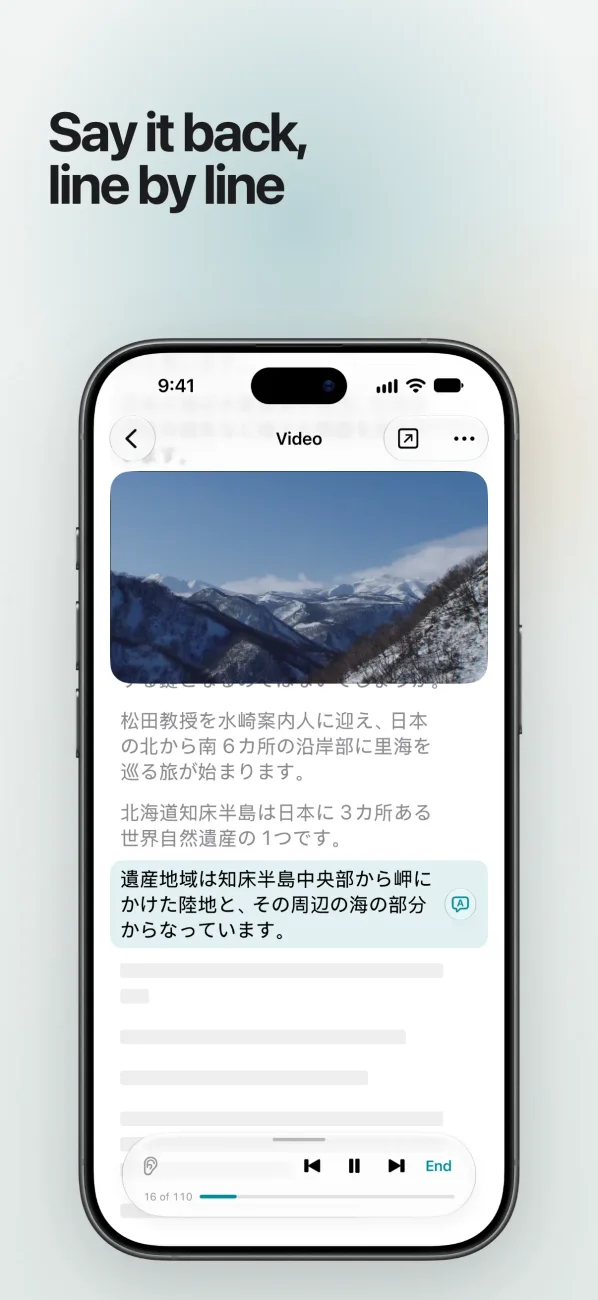
Lark plays a sentence, then waits while you say it. Turn on Record Attempts and it plays your attempt back, marks any words it didn't hear, and plays the sentence again, so you can compare and try once more. Move on when you're ready, go back, or tap any line in the transcript to practice that one instead.
Set the speed from 0.5× to 2×, how long you get to speak, whether you hear each sentence once or twice, and whether the text stays on screen during your turn. Beginners can set sentences shorter, and long ones are split into phrases that are easier to say back. On iPhone, a light tap lets you know when it's your turn.
BRING YOUR OWN MATERIAL
Search for podcasts and add episodes, paste a video link, import a video from Photos, or a video or audio file from Files. Anything you like listening to can become a lesson.
TRANSCRIPTS
Lark can use a video's own captions, bring in subtitles you already have (SRT or WebVTT) from Files, or transcribe an episode or video with AI on your device. The transcript follows along as it plays, and tapping a line jumps to it. Three AI transcripts a week are free; captions and subtitles are never counted.
UNDERSTAND EACH SENTENCE
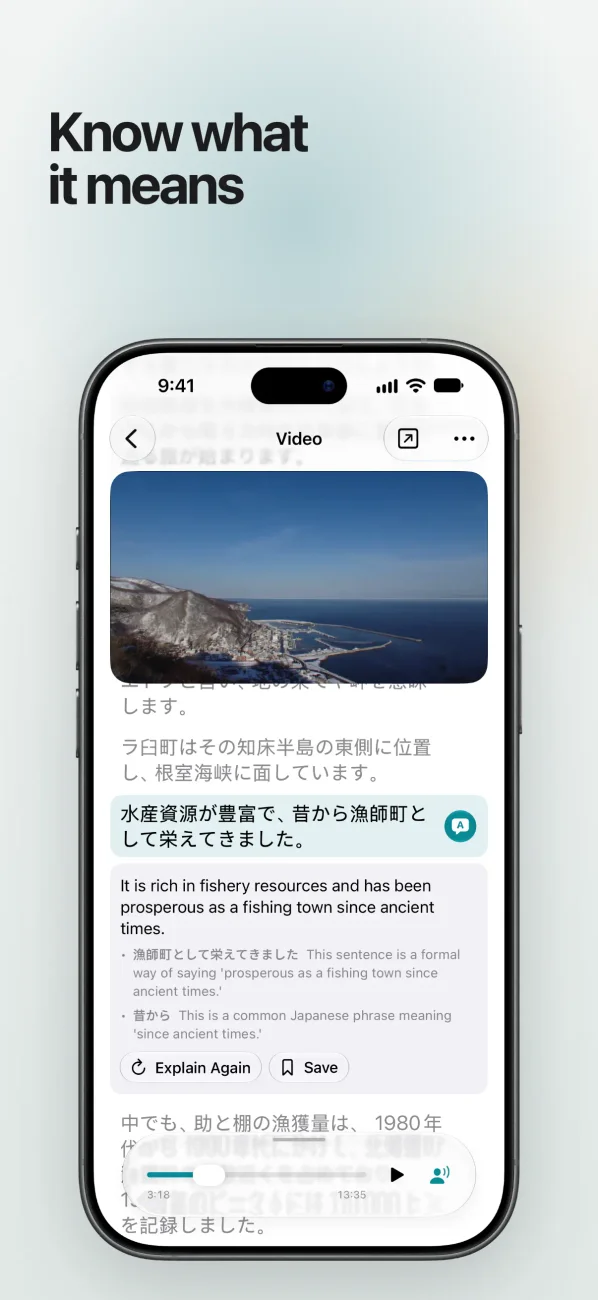
On devices with Apple Intelligence, tap the bubble beside a sentence to see what it means in your own language, with a short note on anything a word-for-word reading would get wrong. It is worked out on your iPhone or iPad, not sent to a server.
SAVE SENTENCES
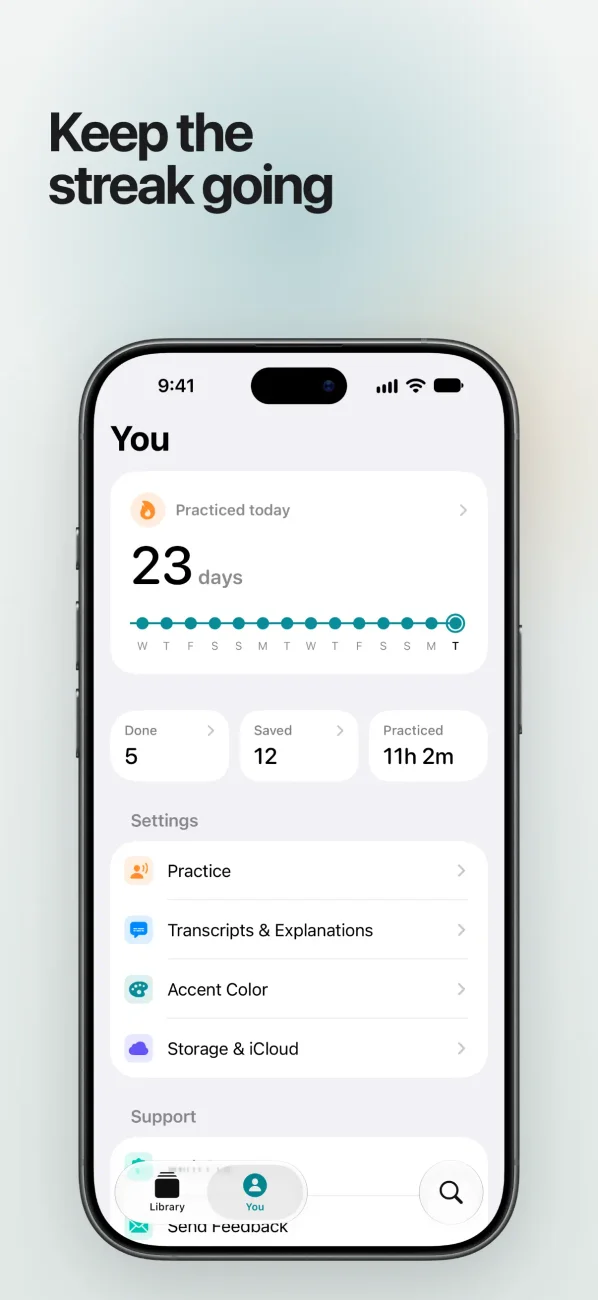
Touch and hold any line to save it. Your saved sentences are kept together on the You page, and each one opens right at its line.
KEEP A STREAK
Practicing one sentence marks the day. A calendar shows the days you've practiced, your current streak, and your longest, and a widget keeps it on your home screen. A daily reminder can nudge you, only on days you haven't practiced yet. Material you mark as done moves to a list of its own, with the time you spent on it.
PRIVATE BY DEFAULT
Transcripts, recordings of your voice, and explanations are made on your device. There is no Lark account and no Lark server. With iCloud, your library and practice record follow you to your other devices; media and transcripts stay on the device that has them.
IPHONE AND IPAD
Lark works upright or on its side, and puts the transcript beside the player whenever there's room.
ONE PURCHASE, NO SUBSCRIPTION
Lark is free to download, with no ads and no account. Practice, explanations, captions, subtitles, and your streak are free for everyone. Lark Pro is a single purchase that removes the weekly limit on AI transcripts and unlocks all 15 accent colors. With Family Sharing, up to five family members get it too.
Novedades
Versión 1.3 · 18/11/2026
Save the sentences you want to come back to. Touch and hold any line of a transcript, or save it from its explanation, and find them all under Saved Sentences on the You page, where each one opens right at its line.
Turn on Record Attempts and Lark now listens to each attempt on your device and marks the words of the sentence it didn't hear.
A daily reminder can nudge you in the evening, only on days you haven't practiced yet.
This release also brings improvements throughout the app.
Privacidad de la aplicación
Lo que Zicun Hang declara en App Store sobre cómo esta aplicación gestiona los datos.
-
No se recopilan datos
El desarrollador no recopila ningún dato de esta aplicación.
Las prácticas de privacidad pueden variar, por ejemplo, según las funciones que uses o tu edad.
Información
- Vendedor
- Zicun Hang
- Categoría
- Educación
- Versión
- 1.3
- Actualizado
- 18/11/2026
- Publicado
- 11/10/2026
- Tamaño
- 7,1 MB
- Requiere
- iOS 27.0 o posterior
- Clasificación por edad
- 4+
- Precio
- Gratis
- Compras en la aplicación
- Sí
- Idiomas
- Inglés
- Copyright
- © 2026 Lark
Quizá también te guste
-
 Work KoreanEducación
-
 DailyTalk: Learn KoreanEducación
-
 TalkScenes: Práctica oral12 idiomas, situaciones reales
-
 Korean–VietnameseEducación
-
 CapContext - Learn EnglishEducación
-
 Lingoreel: Idiomas con pódcastInglés: subtítulos bilingües
-
 Speak French - NowFluencyEducación
-
 Kotoba: Learn by ReadingEducación
-
 Seoli: coreano con historiasK-pop, K-dramas y chat
-
 Bantera: Practica hablar/oírInglés, francés, japonés…