Lark: Language Shadowing
Speak with podcasts & videos
Được thiết kế cho iPhone, iPad
Miễn phí · Mua hàng trong ứng dụng
- Độ tuổi4+
- Danh mụcGiáo Dục
- Nhà phát triểnZicun Hang
- Ngôn ngữTiếng Anh
- Kích thước8,3 MB
Liên kết đến trang App Store chính thức
Download.org không lưu trữ tệp nào của Lark: Language Shadowing. Nút này mở trang ứng dụng trên App Store, nơi Zicun Hang phát hành ứng dụng. Trang được kiểm tra lần cuối: 28/11/2026.
Ảnh chụp màn hình
Giới thiệu
Nhà phát triển chưa cung cấp nội dung này bằng ngôn ngữ của bạn.
Lark is a shadowing app for learning a language by ear. Bring a podcast or a video you enjoy and practice it one sentence at a time: listen, say it back, hear yourself, and go again. No subscription, no account, no ads.
LANGUAGES
Transcripts and practice are available in:
• English
• Spanish
• French
• German
• Italian
• Portuguese
• Japanese
• Korean
• Chinese (Mandarin)
• Cantonese
ONE SENTENCE AT A TIME
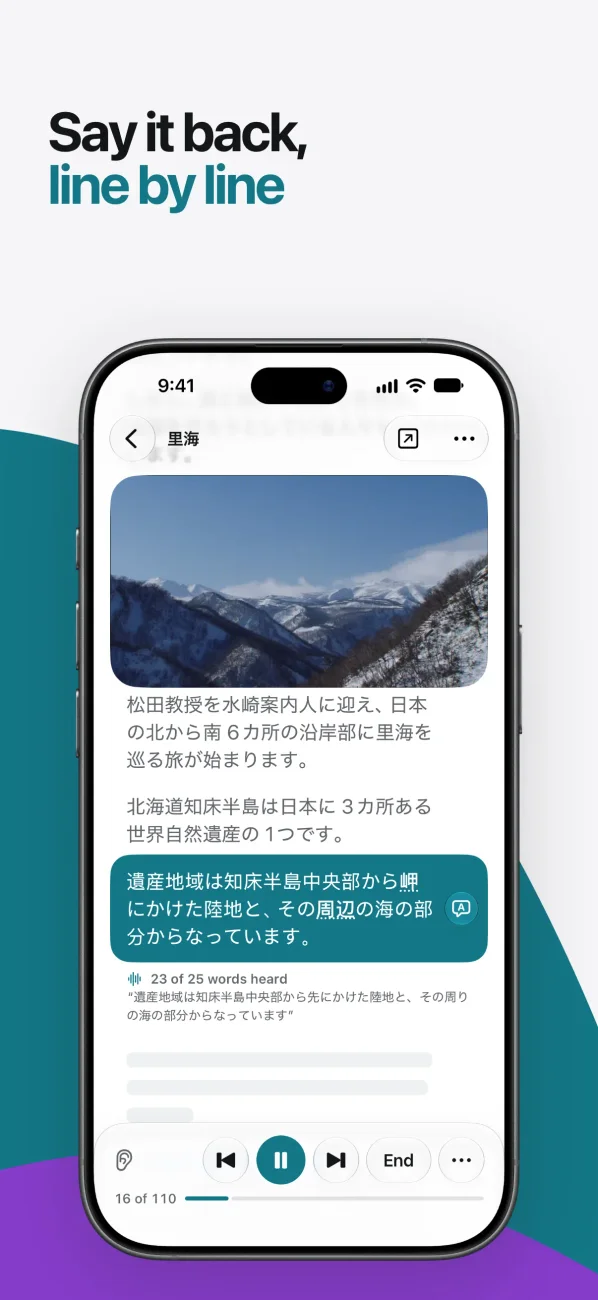
Lark plays a sentence, then waits while you say it. Turn on Record Attempts and it plays your attempt back, marks any words it didn't hear, shows what it heard instead, and plays the sentence again, so you can compare and try once more. Move on when you're ready, go back, or tap any line in the transcript to practice that one instead.
Set the speed from 0.5× to 2×, how long you get to speak, whether you hear each sentence once or twice, and whether the text stays on screen during your turn. Beginners can set sentences shorter, and long ones are split into phrases that are easier to say back. On iPhone, a light tap lets you know when it's your turn.
A LIBRARY IN COLOR
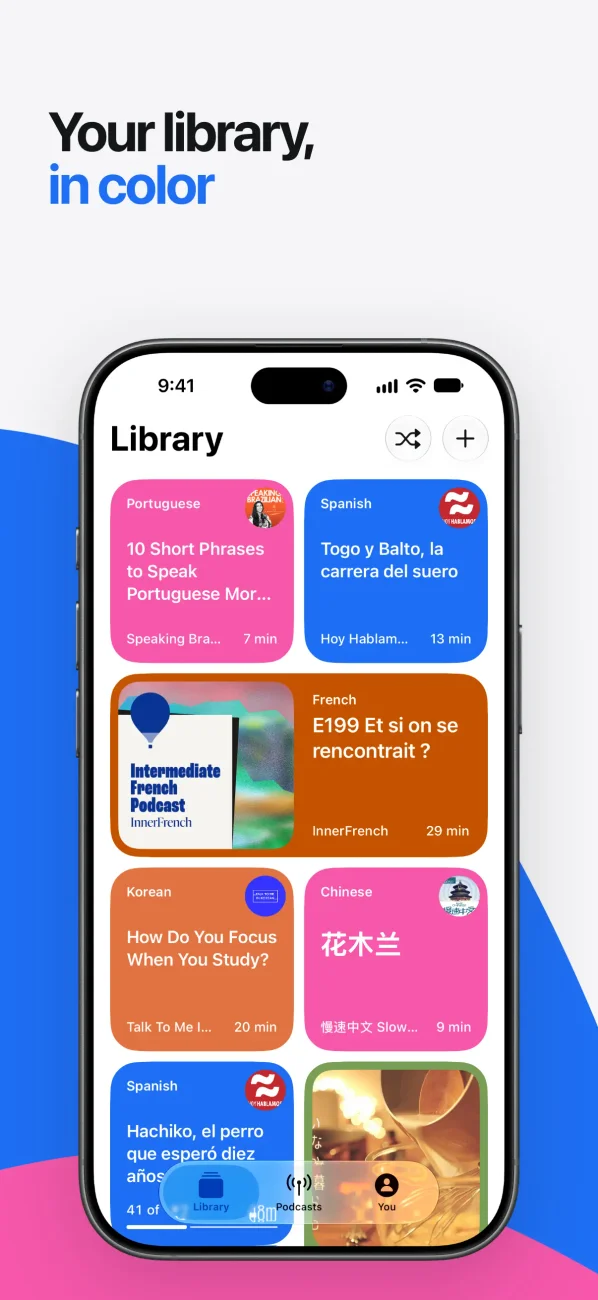
Your library is a board of tiles in the colors of your palette, each material in its own color, and its practice page takes that color too. Shuffle the board with a tap, or a shake of your iPhone, for a new order, new colors and new shapes.
BRING YOUR OWN MATERIAL
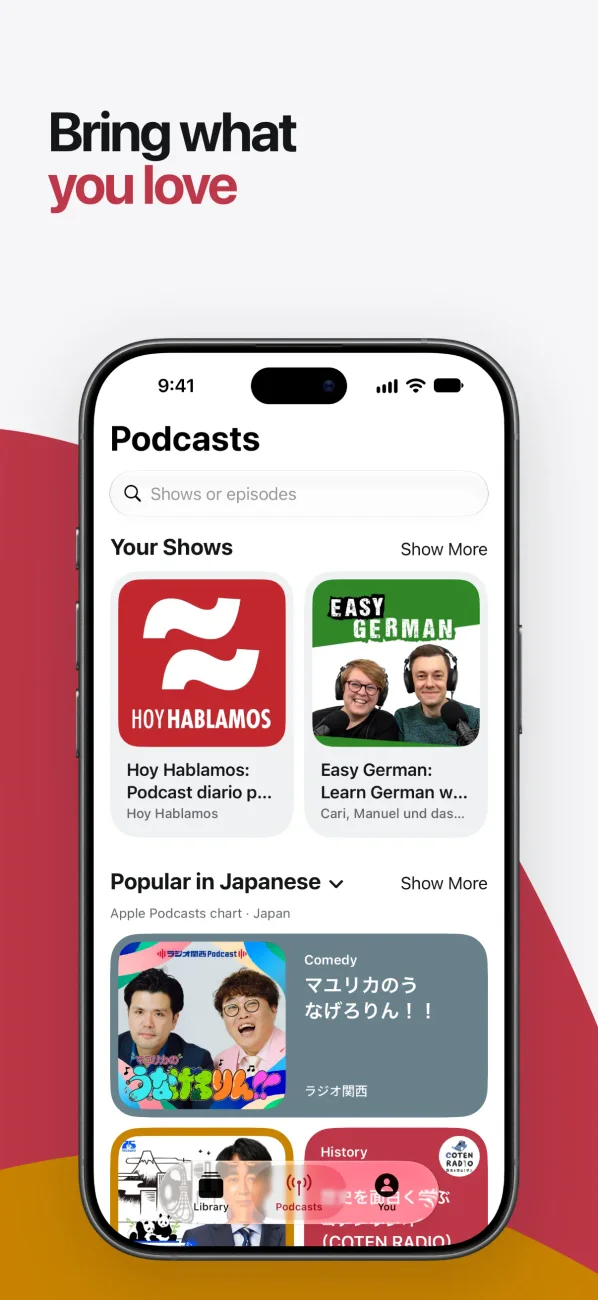
The Podcasts tab opens on the top shows in the language you're learning, from the Apple Podcasts charts, along with the shows you've added episodes from and your recent searches. Search for any podcast and add its episodes, paste a video link, import a video from Photos, or a video or audio file from Files. Anything you like listening to can become a lesson.
TRANSCRIPTS
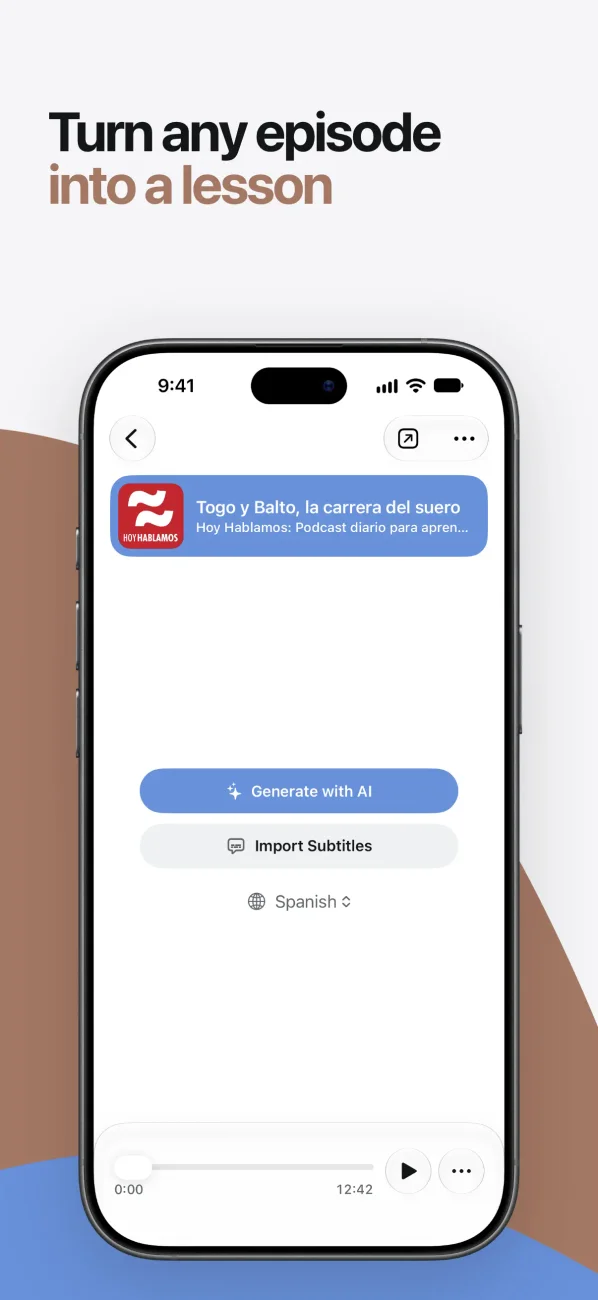
Lark can use a video's own captions, bring in subtitles you already have (SRT or WebVTT) from Files, or transcribe an episode or video with AI on your device. The transcript follows along as it plays, and tapping a line jumps to it. Three AI transcripts a week are free; captions and subtitles are never counted.
UNDERSTAND EACH SENTENCE
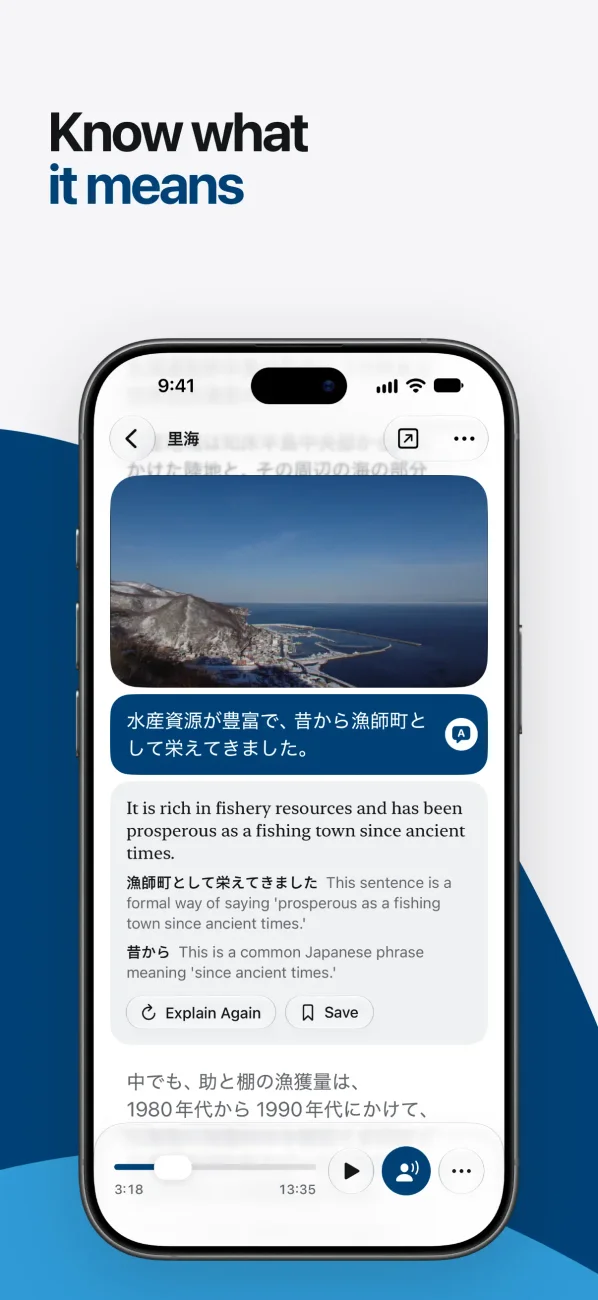
On devices with Apple Intelligence, tap the bubble beside a sentence to see what it means in your own language, with a short note on anything a word-for-word reading would get wrong. It is worked out on your iPhone or iPad, not sent to a server.
SAVE SENTENCES
Touch and hold any line to save it. Your saved sentences are kept together on the You page, and each one opens right at its line.
KEEP A STREAK
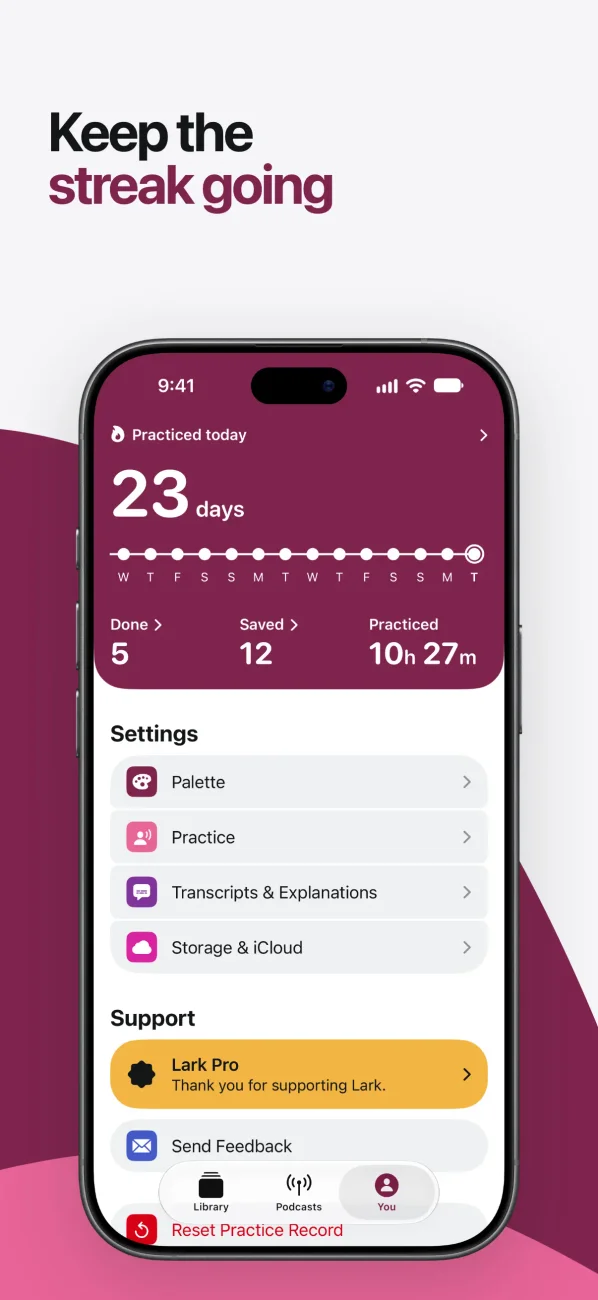
Practicing one sentence marks the day. A calendar shows the days you've practiced, your current streak, and your longest, and a widget keeps it on your home screen. A daily reminder can nudge you, only on days you haven't practiced yet. Material you mark as done moves to a list of its own, with the time you spent on it.
PRIVATE BY DEFAULT
Transcripts, recordings of your voice, and explanations are made on your device. There is no Lark account and no Lark server. With iCloud, your library and practice record follow you to your other devices; media and transcripts stay on the device that has them.
IPHONE, IPAD AND IPHONE DUO
Lark works upright or on its side, and on both displays of iPhone Duo. On a wider screen your library spreads out, with larger tiles, and the transcript sits beside the player whenever there's room.
ONE PURCHASE, NO SUBSCRIPTION
Lark is free to download, with no ads and no account. Practice, explanations, captions, subtitles, and your streak are free for everyone, in Lark's own palette. Lark Pro is a single purchase that removes the weekly limit on AI transcripts and unlocks seven more palettes. With Family Sharing, up to five family members get it too.
Có gì mới
Phiên bản 2.0 · 27/11/2026
A whole new look: your library is a board of colorful tiles, and each material's page takes its tile's color.
Tap shuffle, or shake your iPhone, to mix up your library.
Podcasts has its own tab, starting with the top shows in the language you're learning.
On iPad, iPhone Duo, and an iPhone on its side, your library spreads out across the screen, with larger tiles.
Quyền riêng tư của ứng dụng
Những gì Zicun Hang khai báo trên App Store về cách ứng dụng này xử lý dữ liệu.
-
Dữ liệu không được thu thập
Nhà phát triển không thu thập bất kỳ dữ liệu nào từ ứng dụng này.
Phương thức đảm bảo quyền riêng tư có thể khác nhau, chẳng hạn như tuỳ theo các tính năng bạn sử dụng hoặc độ tuổi của bạn.
Thông tin
- Người bán
- Zicun Hang
- Danh mục
- Giáo Dục
- Phiên bản
- 2.0
- Cập nhật
- 27/11/2026
- Phát hành
- 11/10/2026
- Kích thước
- 8,3 MB
- Yêu cầu
- iOS 27.0 trở lên
- Độ tuổi
- 4+
- Giá
- Miễn phí
- Mua hàng trong ứng dụng
- Có
- Ngôn ngữ
- Tiếng Anh
- Bản quyền
- © 2026 Lark
Có thể bạn cũng thích
-
 Work KoreanTiếng Hàn đi làm tại Hàn Quốc
-
 DailyTalk: Learn KoreanGiáo Dục
-
 TalkScenes: Speaking PracticeGiáo Dục
-
 Tự điển Hàn-ViệtTra Hàn, nghĩa Việt, ví dụ
-
 CapContext - Learn EnglishGiáo Dục
-
 Lingoreel: Learn with PodcastsGiáo Dục
-
 Speak French - NowFluencyGiáo Dục
-
 Kotoba: Learn by ReadingGiáo Dục
-
 Seoli: Learn Korean in StoriesGiáo Dục
-
 Bantera: Luyện nói và ngheTiếng Anh, Pháp, Nhật…