
- Clasificación por edad4+
- CategoríaProductividad
- DesarrolladorPrakash Chaudhary
- IdiomasInglés
- Tamaño19,5 MB
Enlaza a la página oficial de App Store
Download.org no aloja ningún archivo de Lazyflow. El botón abre la página de la aplicación en App Store, donde la publica Prakash Chaudhary. Ficha comprobada por última vez el 12/11/2026.
Capturas de pantalla


Acerca de
El desarrollador no ha proporcionado este texto en tu idioma.
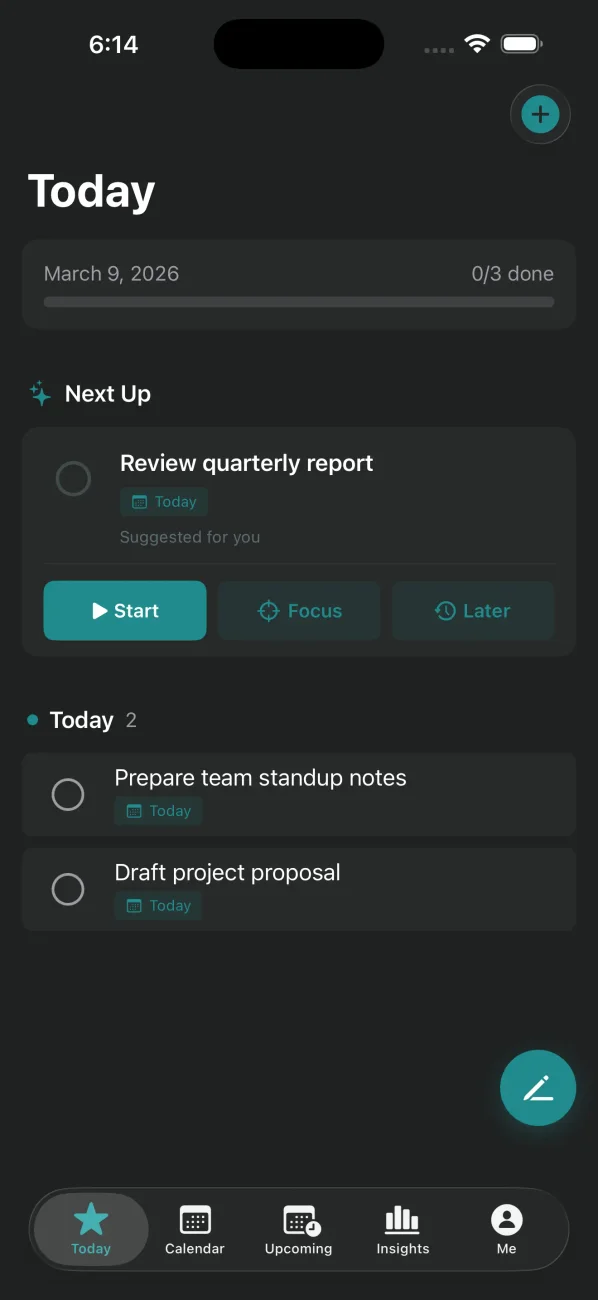
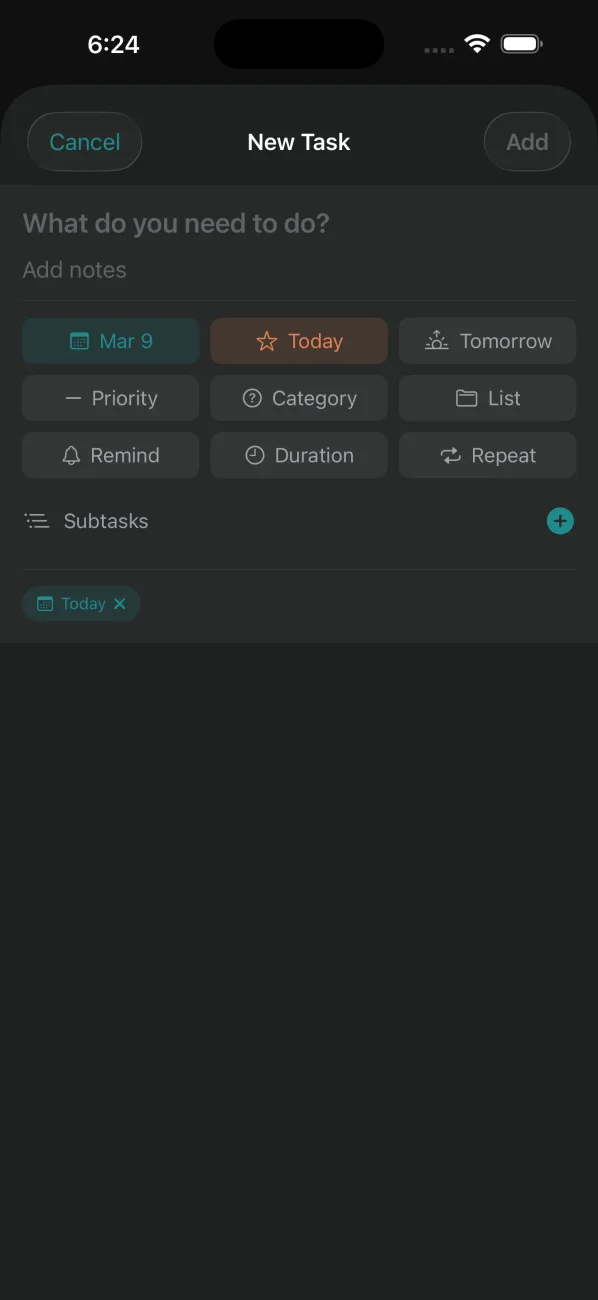
Your tasks, your calendar, one app — powered by on-device AI that keeps your data private. Lazyflow is free, open source, and built for people who want to get things done without subscriptions or cloud lock-in.
AI-POWERED PRODUCTIVITY
- Quick Capture: jot down rough notes and let AI extract structured tasks with due dates, priorities, and subtasks
- Next Up: a single focused task suggestion that learns what you skip, snooze, and complete
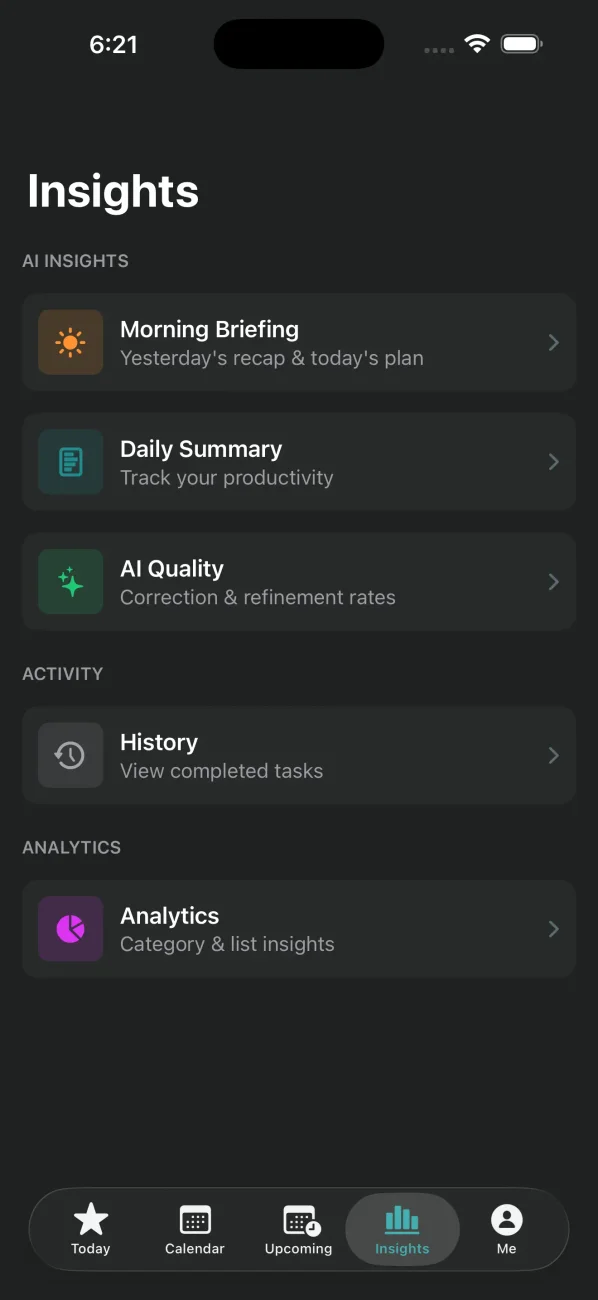
- Morning Briefing: start each day with a personalized plan based on your schedule and priorities
- Daily Summary with automatic carryover from yesterday
- Automatic categorization powered by Apple Intelligence
- Connect Ollama or custom AI providers for advanced workflows
- AI runs on-device by default — your data stays on your phone
FOCUS MODE
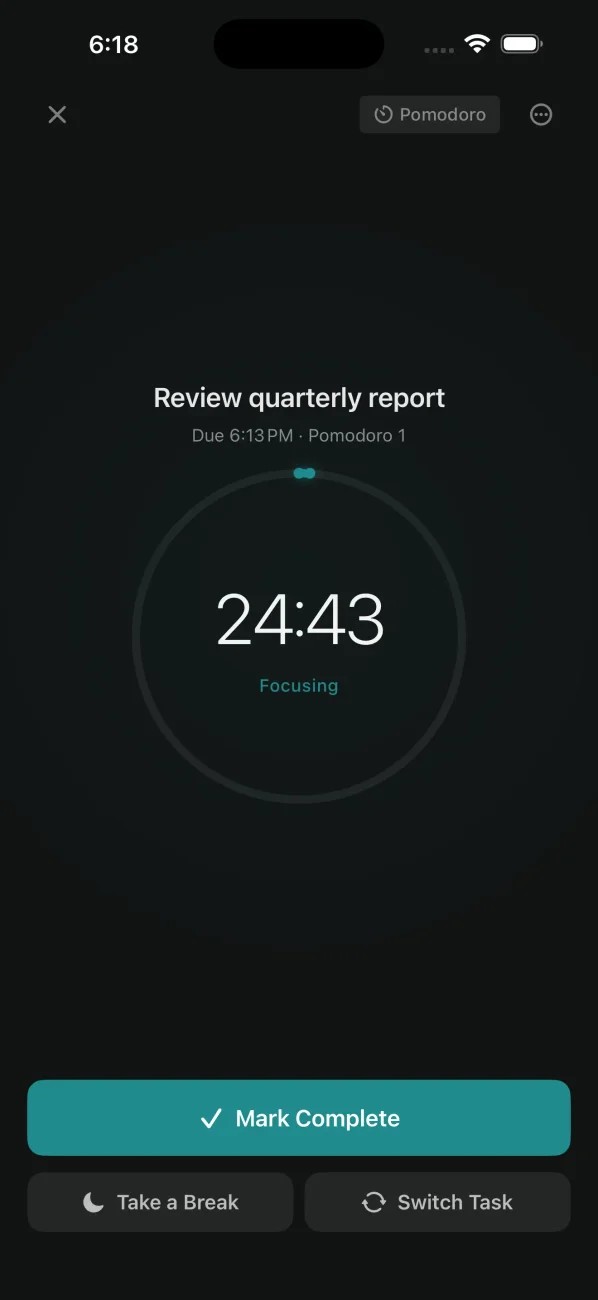
- Immersive full-screen timer with animated progress ring
- Pomodoro mode with configurable work and break intervals
- Subtasks and notes panel — see everything without leaving focus
- Lock in on one task at a time with no distractions
- Sessions persist across app restarts — pick up where you left off
- Track focus streaks and build consistent habits
CALENDAR INTEGRATION
- Dedicated Lazyflow calendar with two-way task-event sync
- Day view (default on iPhone) and week view with persistent preference
- Set scheduled start and end times for event-like task planning
- Long-press any event to instantly create a task
- Supported recurring tasks sync as recurring calendar events
TASK MANAGEMENT
- Task lists for projects and categories with custom colors and icons
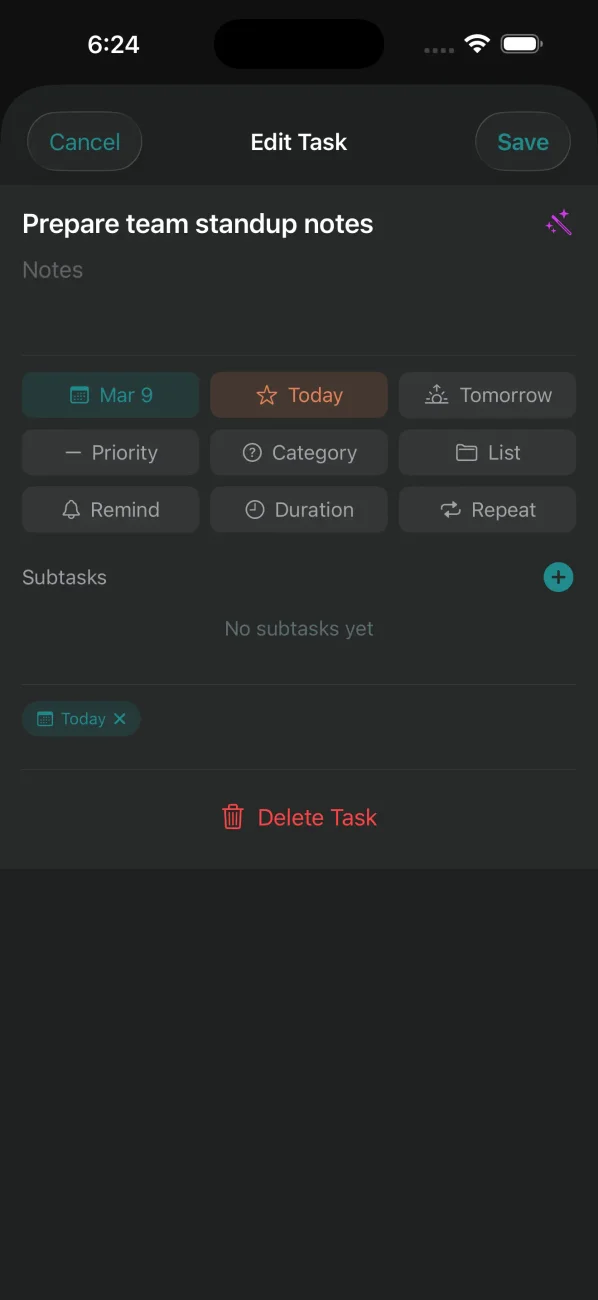
- Due dates, smart reminders, and recurring tasks
- Priority levels with color coding
- Subtasks with automatic completion tracking
- Swipe actions for quick edits
- Full task history with search and filters
SIRI SHORTCUTS
- "Add a task in Lazyflow"
- "Complete my next task"
- "What's on my agenda today"
- Hands-free task management
WIDGETS & LIVE ACTIVITIES
- Home Screen widgets (Small, Medium, Large)
- Lock Screen Live Activity with Dynamic Island support
- Real-time progress updates throughout your day
APPLE WATCH
- Today's tasks on your wrist
- Tap to complete tasks
- Real-time sync with iPhone
- Watch complications for at-a-glance progress
iPAD OPTIMIZED
- Sidebar navigation with adaptive layouts
- Full keyboard shortcuts
- Split View multitasking
PRIVACY FIRST
- All data stored locally on your device
- Optional iCloud sync across your devices
- No tracking, no analytics, no ads
- AI runs on-device by default with Apple Intelligence
OPEN SOURCE
Lazyflow is free and open source under the MIT License. View the code, report issues, and contribute on GitHub.
Novedades
Versión 1.10.0 · 13/3/2026
What's New in v1.10
Quick Capture
• Jot down rough notes and let AI extract structured tasks
• Draggable capture button — move it out of the way of swipe actions
Focus Mode
• Pomodoro timer with configurable work and break intervals
• Subtasks and notes panel inside Focus Mode
• Sessions persist across app restarts
Calendar Integration
• Two-way sync between tasks and calendar events
• Set scheduled start and end times for event-like planning
• Recurring tasks sync as recurring calendar events
Accessibility & Polish
• Accessibility labels and hints on all views
• Day view default on iPhone with persistent view mode
• AI features now check device capability before appearing
Under the Hood
• Improved iCloud sync reliability and conflict resolution
• Hardened Core Data migration and error handling
• Performance and crash monitoring with MetricKit
Privacidad de la aplicación
Lo que Prakash Chaudhary declara en App Store sobre cómo esta aplicación gestiona los datos.
-
No se recopilan datos
El desarrollador no recopila ningún dato de esta aplicación.
Las prácticas de privacidad pueden variar, por ejemplo, según las funciones que uses o tu edad.
Información
- Vendedor
- Prakash Chaudhary
- Categoría
- Productividad
- Versión
- 1.10.0
- Actualizado
- 13/3/2026
- Publicado
- 7/1/2026
- Tamaño
- 19,5 MB
- Requiere
- iOS 17.0 o posterior
- Clasificación por edad
- 4+
- Precio
- Gratis
- Idiomas
- Inglés
- Copyright
- © 2026 Prakash Chaudhary
Quizá también te guste
-
 Daily Checklist: Task ManagerProductividad
-
 Personal OfficeProductividad
-
 ¿Por qué pagar?! TareasTareas, kanban y notas
-
 Kasten - Zettelkasten CardsProductividad
-
 Zenodot: Notas con IASegundo cerebro y biblioteca
-
 Task & Event TrackerProductividad
-
 SpillStackProductividad
-
 AI Task trackerProductividad
-
 Superscribe PhoneProductividad
-
 iFocusFlow: ADHD PlannerProductividad