Leafnote: AI Second Brain
Voice Notes & Smart Organizer
Diseñada para iPhone
Gratis · Compras en la aplicación
- Clasificación por edad4+
- CategoríaProductividad
- DesarrolladorEduardo Alba
- IdiomasInglés
- Tamaño61,1 MB
Enlaza a la página oficial de App Store
Download.org no aloja ningún archivo de Leafnote: AI Second Brain. El botón abre la página de la aplicación en App Store, donde la publica Eduardo Alba. Ficha comprobada por última vez el 18/11/2026.
Capturas de pantalla
Acerca de
El desarrollador no ha proporcionado este texto en tu idioma.
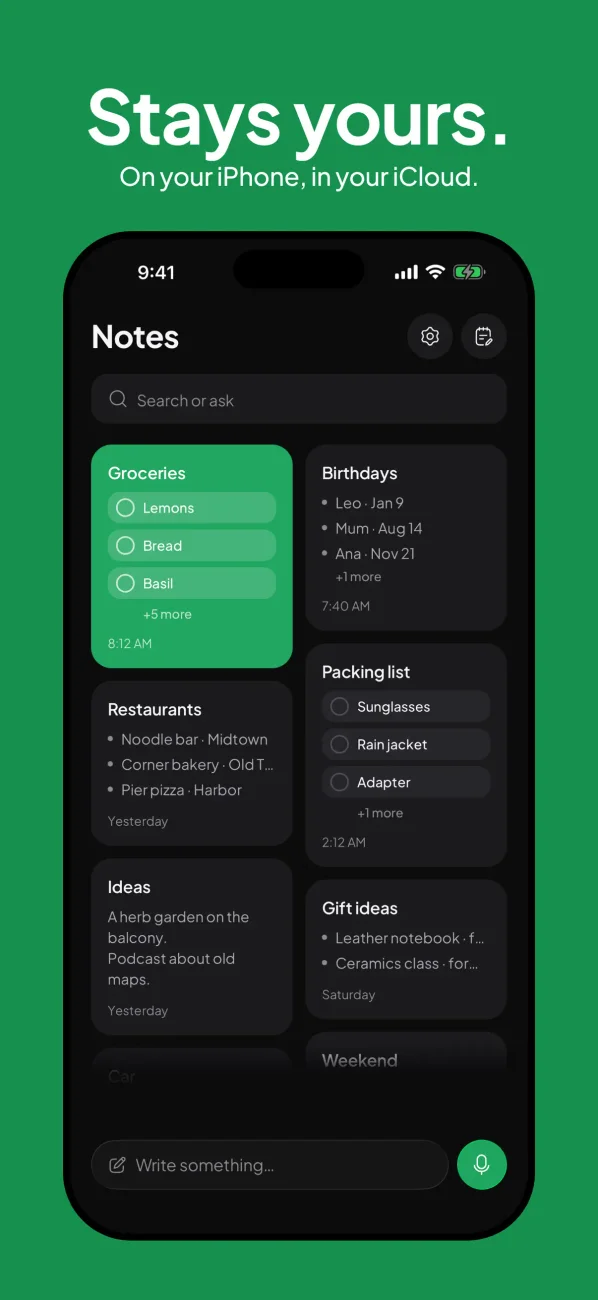
Leafnote is a notes app that files itself. Say or type something quick, and the AI puts it in the right note, with a reminder when there's a time.
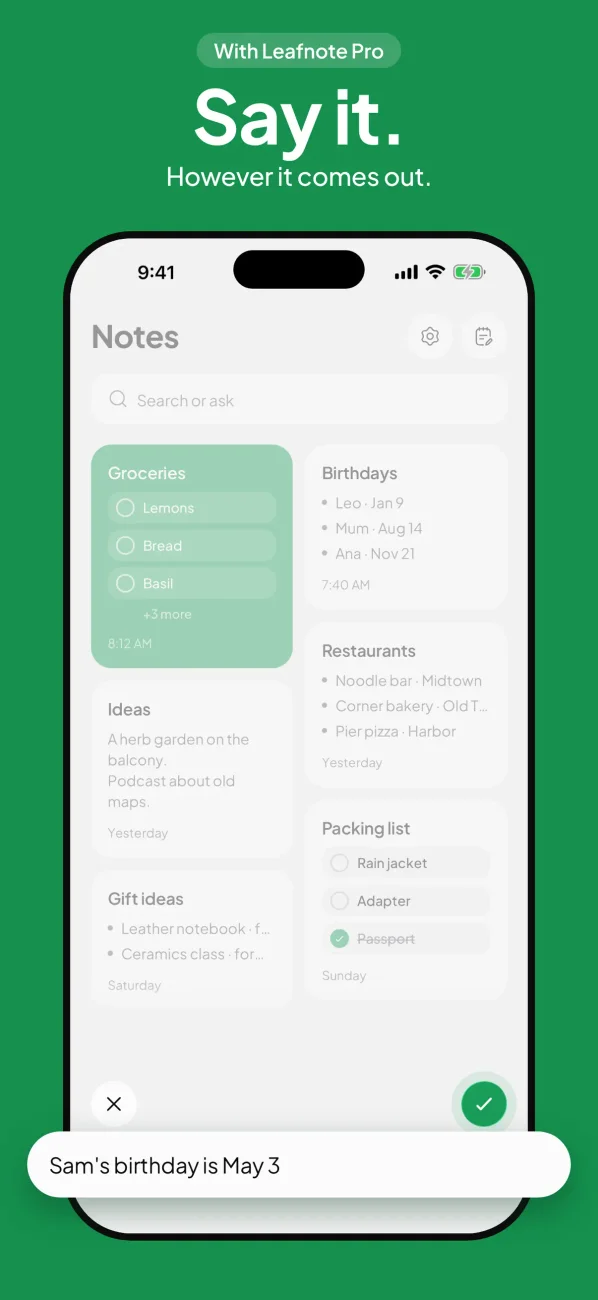
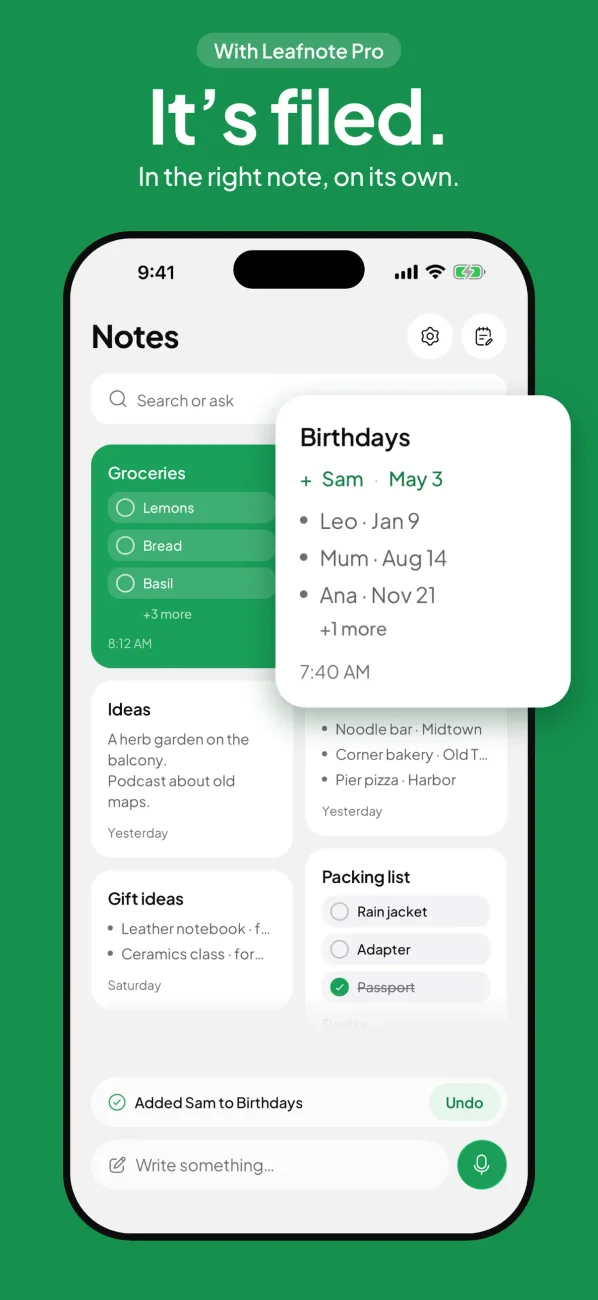
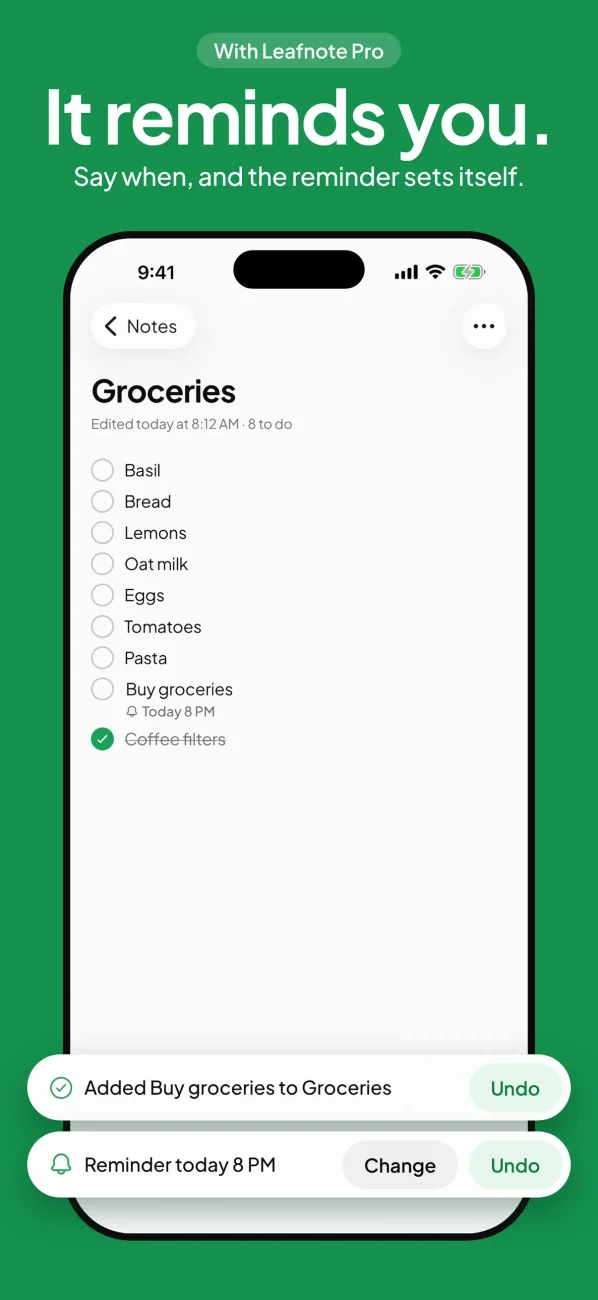
"Basil and lemons" goes on your grocery list. "Sam's birthday is May 3" lands in Birthdays. "Schedule the dentist next week" goes in To-do, with a reminder Monday at 9 AM. Later, "got the basil" checks it off instead of adding it twice.
SAY IT. IT'S FILED.
• Capture by voice or text in one tap. It saves instantly, even offline.
• The AI picks the right note, or starts a new one, and updates entries instead of duplicating them.
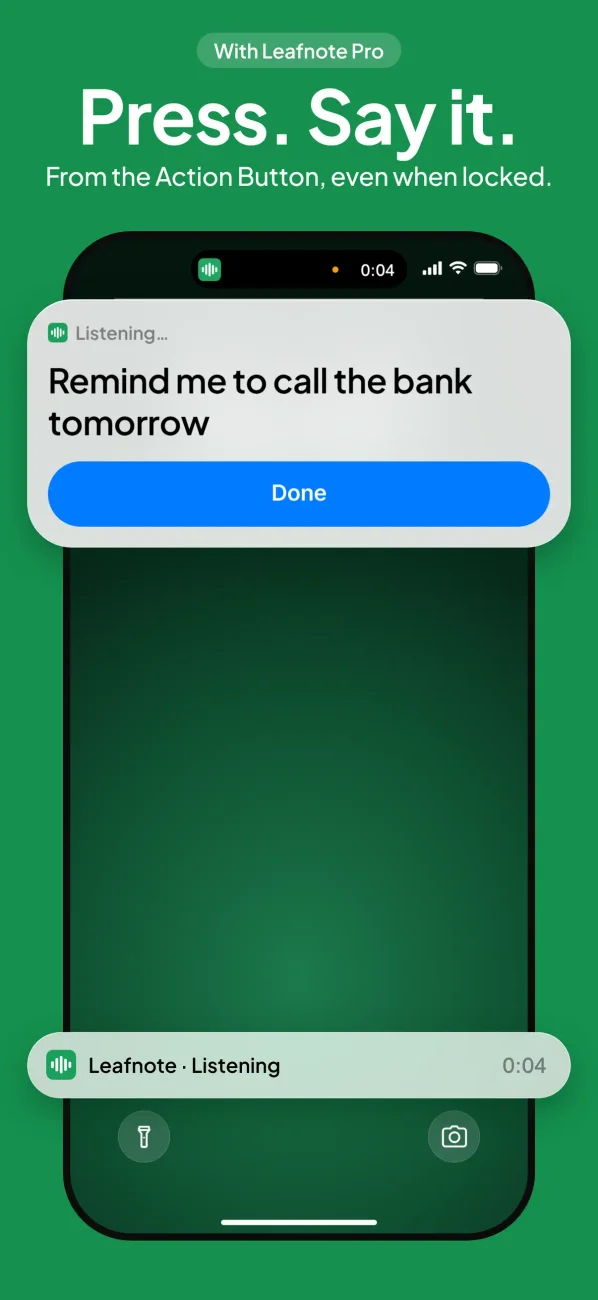
• Set your Action Button to "Record to Leafnote", then press it and talk, even with Leafnote closed. You see your words as you say them, and it stops when you do.
• No Action Button? Run "Record to Leafnote" or "Add to Leafnote" from the Shortcuts app.
REMINDERS, SET FOR YOU
• When something has a time, like "call mom in 20 minutes", Leafnote puts a reminder on that line.
• Tap Done in the notification to check it off, or Later to be reminded in an hour.
• Change or remove a reminder from its line any time. Prefer to ask? Turn off automatic reminders in Settings, and Leafnote only sets one when you say "remind me".
UNDO ANYTHING
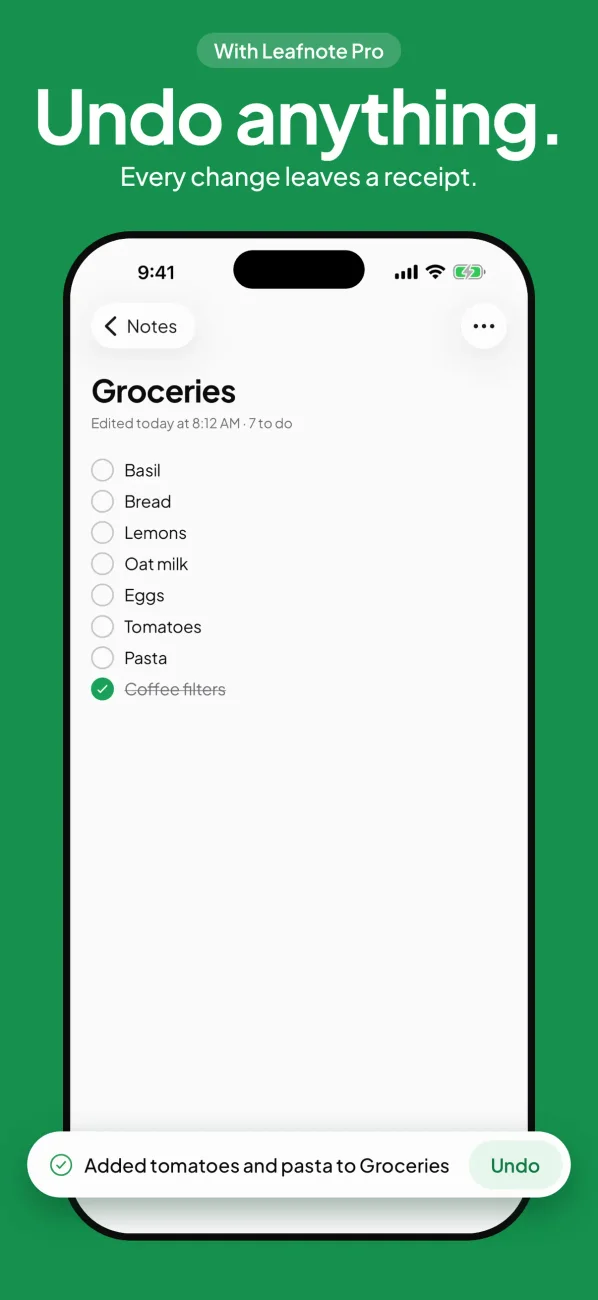
• Every change shows a short receipt, like "Added basil to Groceries", with Undo. Reminders get their own.
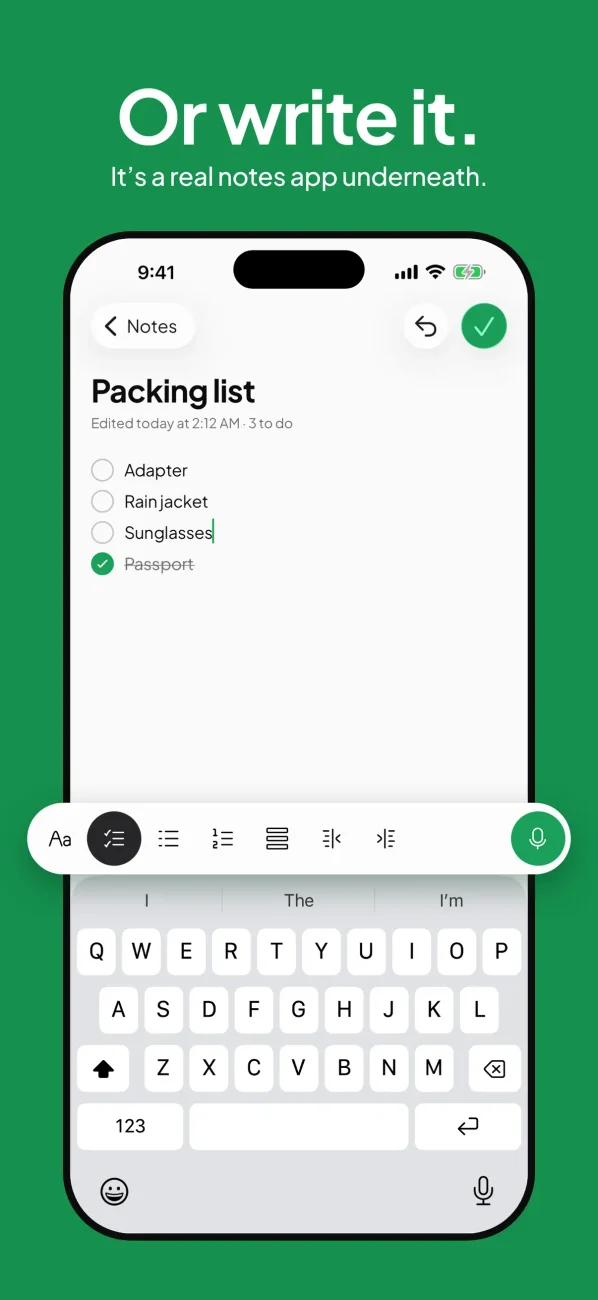
• Notes are plain documents with checklists, lists and headings you can edit yourself any time.
JUST ASK
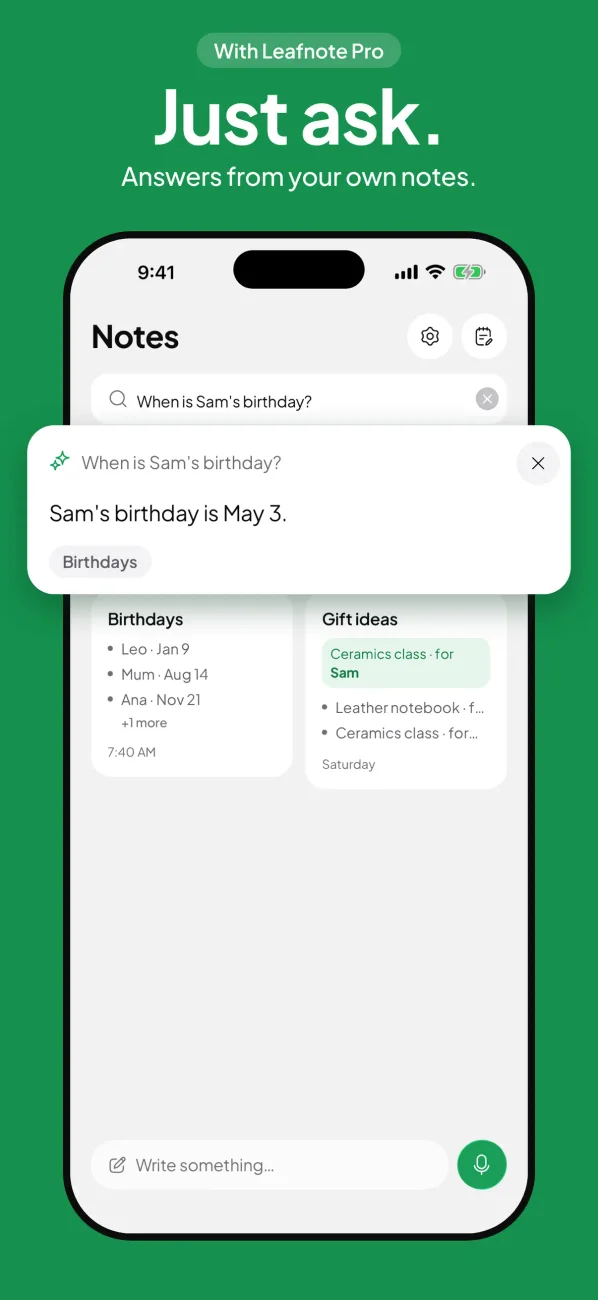
• Search or ask from Home. "When is Sam's birthday?" is answered from your own notes.
YOUR NOTES STAY YOURS
• Notes live on your iPhone and sync through your own iCloud. We don't keep copies.
• Speech is turned into text on your iPhone. The audio never leaves it, and recordings are deleted once they're text.
• Reminders are scheduled on your iPhone and sync with your notes.
• No accounts, no ads, no tracking.
• The AI only runs after you allow it, and you can switch it off in Settings.
FREE, WITH PRO FOR THE AI
Writing notes, checklists, iCloud sync, search and dictation are free and never locked. Leafnote Pro adds the AI: filing what you add, reminders set for you, the AI mic in notes, and answers. Without Pro, what you add is saved and waits, then files on its own when you subscribe.
Leafnote Pro costs $39.99 a year with a 14-day free trial, or $4.99 a month. Prices may vary by region. Payment is charged to your Apple Account when you confirm the purchase. The subscription renews automatically unless you cancel it at least 24 hours before the current period ends. Manage or cancel it in your App Store account settings. Any unused part of a free trial ends when you buy a subscription.
Terms of Use: https://getleafnote.app/terms
Privacy Policy: https://getleafnote.app/privacy
Novedades
Versión 0.2.0 · 7/11/2026
• Reminders: say "remind me to call the bank tomorrow" and Leafnote files it and sets the reminder. Done and Later are right in the notification.
• Record with the Action Button: set it to "Record to Leafnote" in Settings, then press it and talk, even with Leafnote closed.
• No Action Button? Run "Record to Leafnote" from the Shortcuts app.
• Recordings become text on your iPhone, then they're deleted.
• Reminders and filing are part of Leafnote Pro.
• You'll see the AI screen once more: Leafnote now sends your local time, so "tonight" means tonight.
Privacidad de la aplicación
Lo que Eduardo Alba declara en App Store sobre cómo esta aplicación gestiona los datos.
-
Datos no vinculados a ti
Pueden recopilarse, pero no se vinculan a tu identidad.
- Compras
- Contenido del usuario
- Identificadores
- Datos de uso
Las prácticas de privacidad pueden variar, por ejemplo, según las funciones que uses o tu edad.
Información
- Vendedor
- Eduardo Alba
- Categoría
- Productividad
- Versión
- 0.2.0
- Actualizado
- 7/11/2026
- Publicado
- 6/11/2026
- Tamaño
- 61,1 MB
- Requiere
- iOS 26.0 o posterior
- Clasificación por edad
- 4+
- Precio
- Gratis
- Compras en la aplicación
- Sí
- Idiomas
- Inglés
- Copyright
- © Eduardo Alba 2026
Quizá también te guste
-
 Orviss - Markdown & MermaidGestión de conocimiento con IA
-
 Remae: AI Memory AssistantProductividad
-
 DiaryDootProductividad
-
 NabuyaProductividad
-
 Chrono: Notes, Routine & GoalsProductividad
-
 Savvyy: Personal CRMProductividad
-
 D-Plan: Daily Planner & TasksTasks, Notes & Focus in One
-
 Super Ivy: Personal Voice AIProductividad
-
 Chuck – Email con SuperpoderesLimpia tu correo en segundos
-
 Clean Email: Bulk CleanerFilter Junk & Spam Mail