Leafnote: AI Second Brain
Voice Notes & Smart Organizer
Conçue pour iPhone
Gratuit · Achats intégrés
- Classification d’âge4+
- CatégorieProductivité
- DéveloppeurEduardo Alba
- LanguesAnglais
- Taille61,1 Mo
Renvoie vers la page App Store officielle
Download.org n’héberge aucun fichier de Leafnote: AI Second Brain. Le bouton ouvre la page de l’application sur App Store, où Eduardo Alba la publie. Fiche vérifiée pour la dernière fois le 18/11/2026.
Captures d’écran
À propos
Le développeur n’a pas fourni ce texte dans votre langue.
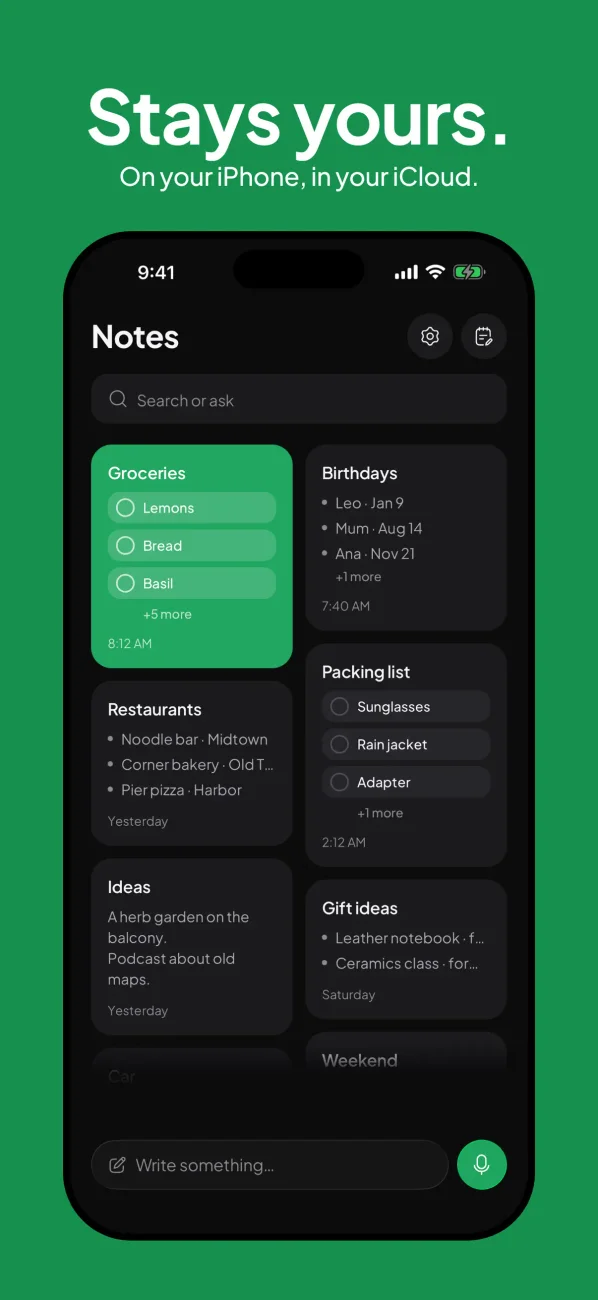
Leafnote is a notes app that files itself. Say or type something quick, and the AI puts it in the right note, with a reminder when there's a time.
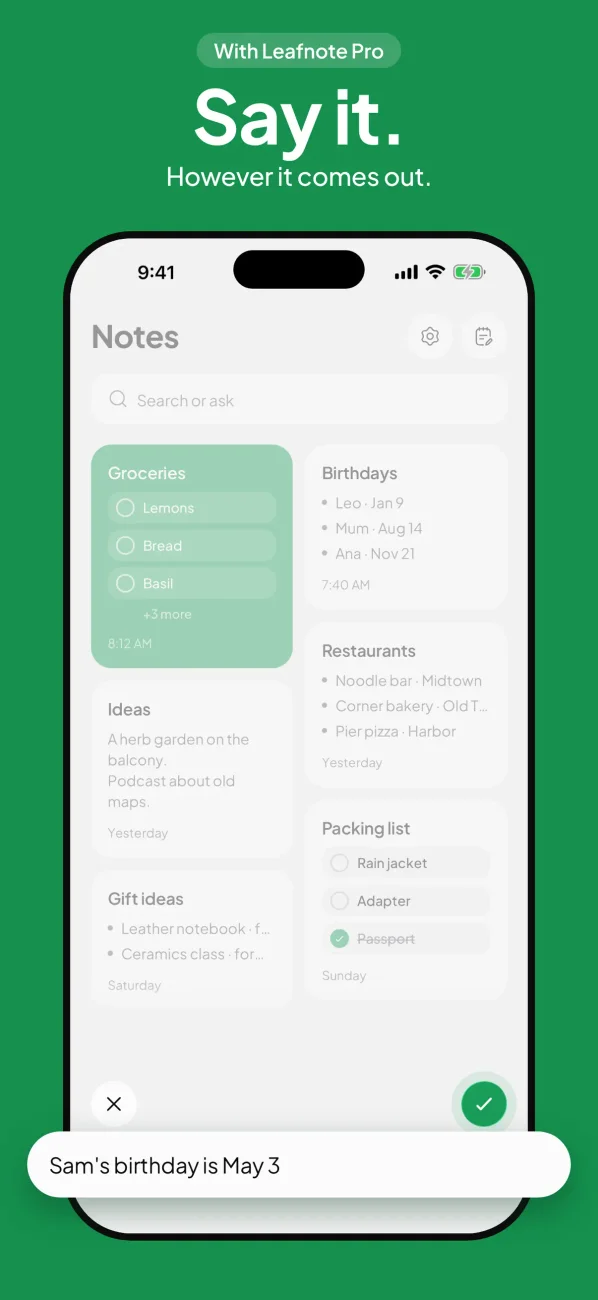
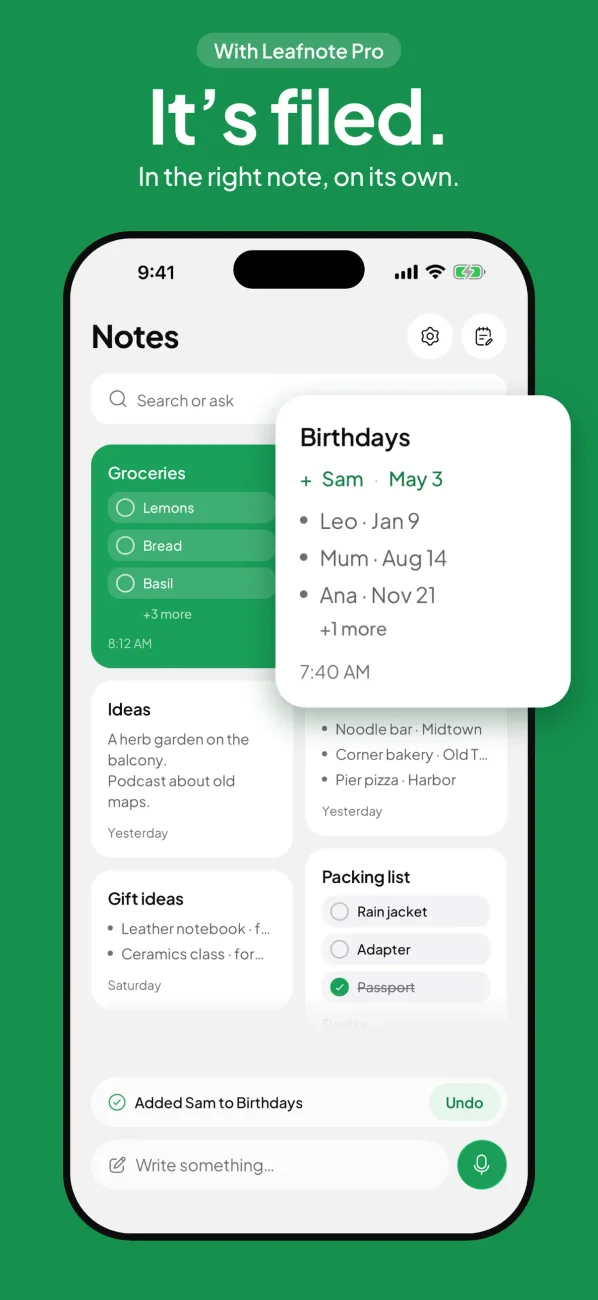
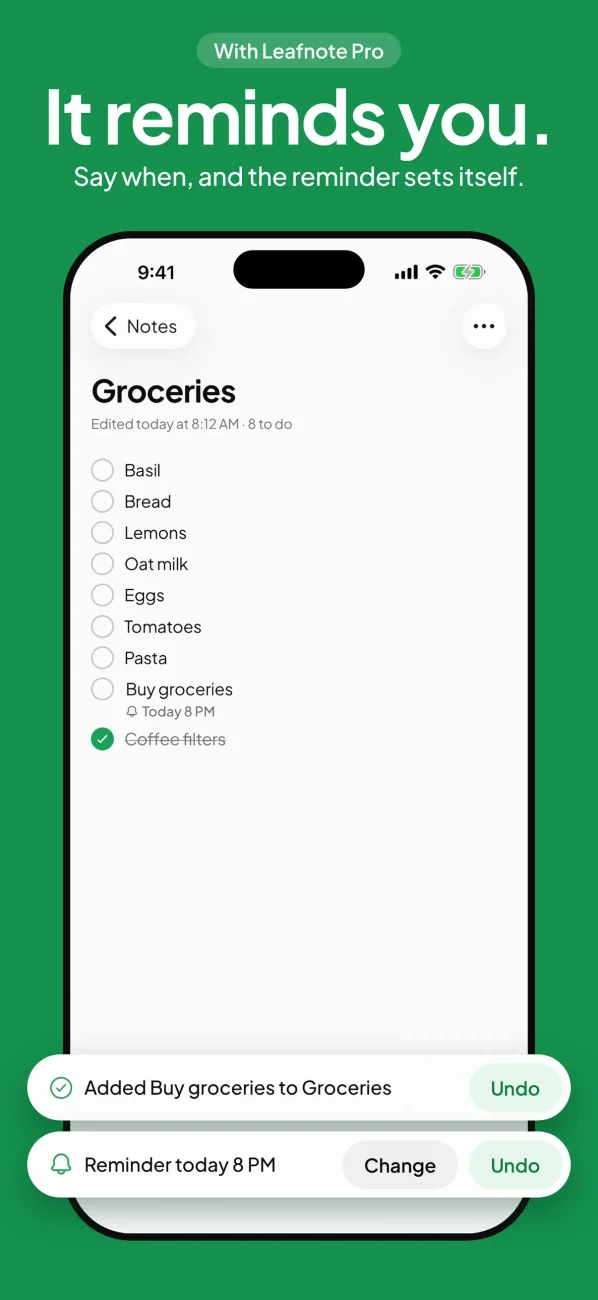
"Basil and lemons" goes on your grocery list. "Sam's birthday is May 3" lands in Birthdays. "Schedule the dentist next week" goes in To-do, with a reminder Monday at 9 AM. Later, "got the basil" checks it off instead of adding it twice.
SAY IT. IT'S FILED.
• Capture by voice or text in one tap. It saves instantly, even offline.
• The AI picks the right note, or starts a new one, and updates entries instead of duplicating them.
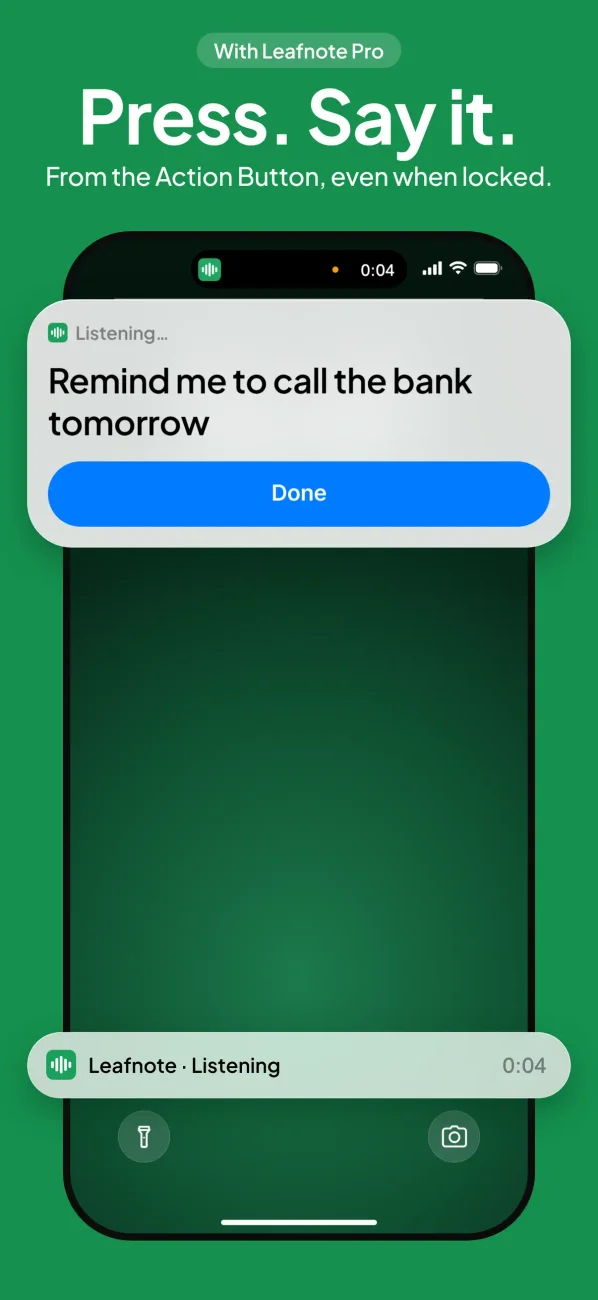
• Set your Action Button to "Record to Leafnote", then press it and talk, even with Leafnote closed. You see your words as you say them, and it stops when you do.
• No Action Button? Run "Record to Leafnote" or "Add to Leafnote" from the Shortcuts app.
REMINDERS, SET FOR YOU
• When something has a time, like "call mom in 20 minutes", Leafnote puts a reminder on that line.
• Tap Done in the notification to check it off, or Later to be reminded in an hour.
• Change or remove a reminder from its line any time. Prefer to ask? Turn off automatic reminders in Settings, and Leafnote only sets one when you say "remind me".
UNDO ANYTHING
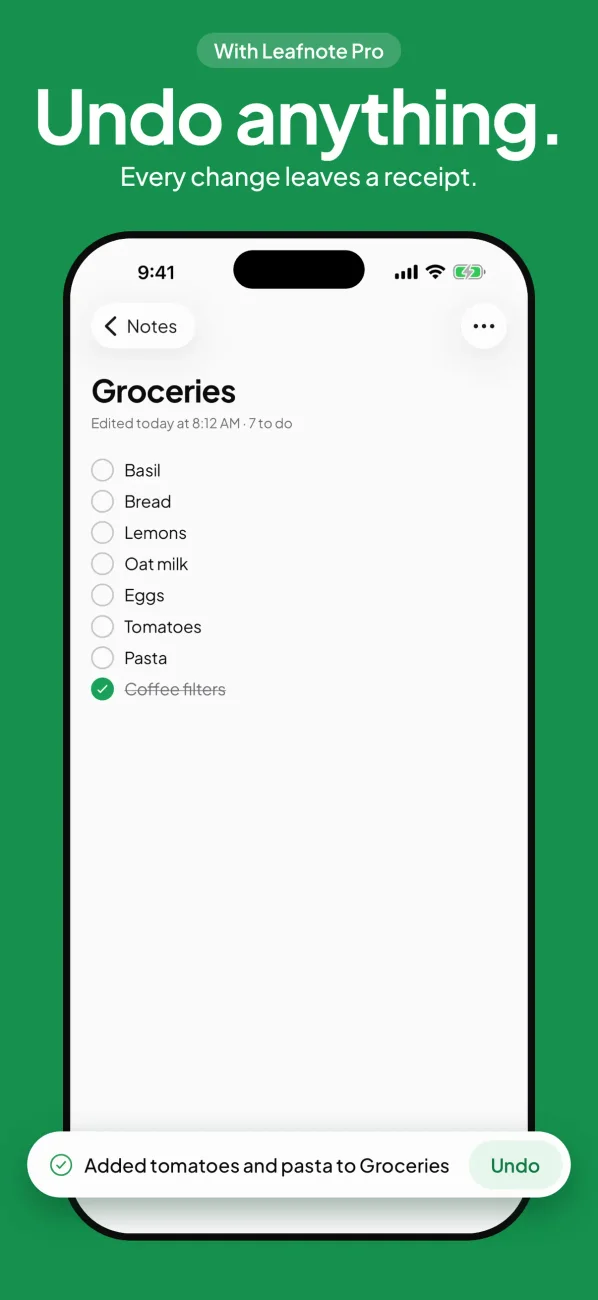
• Every change shows a short receipt, like "Added basil to Groceries", with Undo. Reminders get their own.
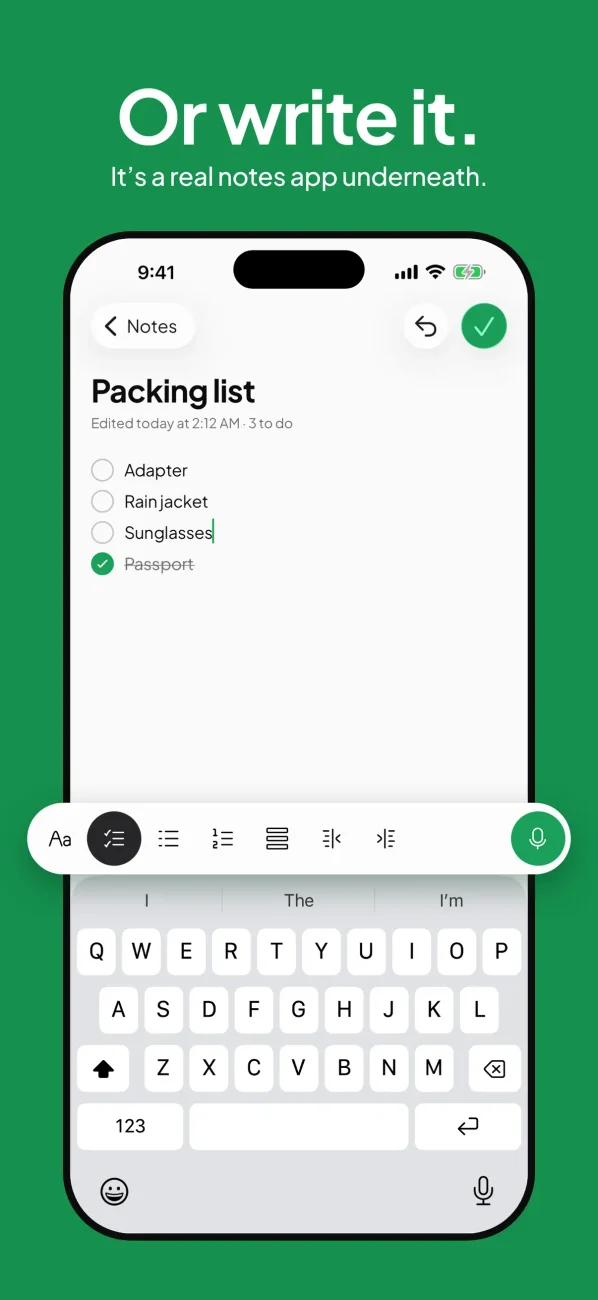
• Notes are plain documents with checklists, lists and headings you can edit yourself any time.
JUST ASK
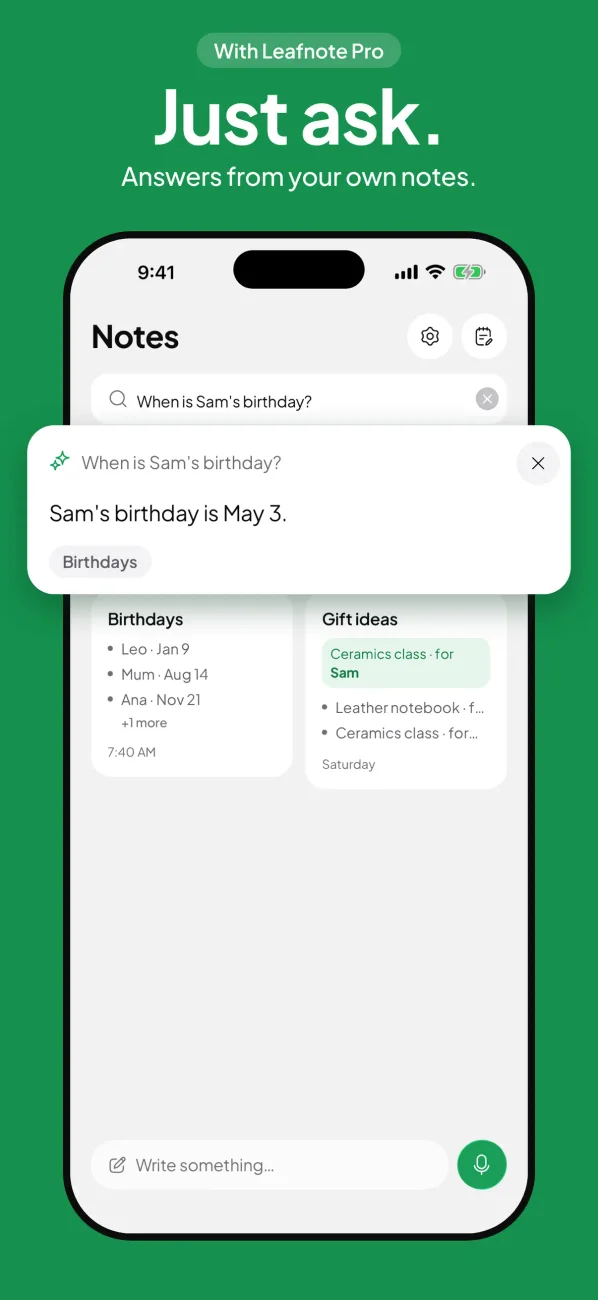
• Search or ask from Home. "When is Sam's birthday?" is answered from your own notes.
YOUR NOTES STAY YOURS
• Notes live on your iPhone and sync through your own iCloud. We don't keep copies.
• Speech is turned into text on your iPhone. The audio never leaves it, and recordings are deleted once they're text.
• Reminders are scheduled on your iPhone and sync with your notes.
• No accounts, no ads, no tracking.
• The AI only runs after you allow it, and you can switch it off in Settings.
FREE, WITH PRO FOR THE AI
Writing notes, checklists, iCloud sync, search and dictation are free and never locked. Leafnote Pro adds the AI: filing what you add, reminders set for you, the AI mic in notes, and answers. Without Pro, what you add is saved and waits, then files on its own when you subscribe.
Leafnote Pro costs $39.99 a year with a 14-day free trial, or $4.99 a month. Prices may vary by region. Payment is charged to your Apple Account when you confirm the purchase. The subscription renews automatically unless you cancel it at least 24 hours before the current period ends. Manage or cancel it in your App Store account settings. Any unused part of a free trial ends when you buy a subscription.
Terms of Use: https://getleafnote.app/terms
Privacy Policy: https://getleafnote.app/privacy
Nouveautés
Version 0.2.0 · 07/11/2026
• Reminders: say "remind me to call the bank tomorrow" and Leafnote files it and sets the reminder. Done and Later are right in the notification.
• Record with the Action Button: set it to "Record to Leafnote" in Settings, then press it and talk, even with Leafnote closed.
• No Action Button? Run "Record to Leafnote" from the Shortcuts app.
• Recordings become text on your iPhone, then they're deleted.
• Reminders and filing are part of Leafnote Pro.
• You'll see the AI screen once more: Leafnote now sends your local time, so "tonight" means tonight.
Confidentialité de l’application
Ce que Eduardo Alba déclare sur l’App Store au sujet du traitement des données par cette application.
-
Données n’établissant aucun lien avec vous
Peuvent être collectées, mais ne sont pas liées à votre identité.
- Achats
- Contenu utilisateur
- Identifiants
- Données d’utilisation
Les pratiques en matière de confidentialité peuvent varier, notamment en fonction des fonctionnalités que vous utilisez ou de votre âge.
Informations
- Vendeur
- Eduardo Alba
- Catégorie
- Productivité
- Version
- 0.2.0
- Mis à jour
- 07/11/2026
- Publié
- 06/11/2026
- Taille
- 61,1 Mo
- Nécessite
- iOS 26.0 ou version ultérieure
- Classification d’âge
- 4+
- Prix
- Gratuit
- Achats intégrés
- Oui
- Langues
- Anglais
- Copyright
- © Eduardo Alba 2026
Vous aimerez peut-être aussi
-
 Orviss - Markdown & MermaidGestion du savoir à l'ère IA
-
 Remae: AI Memory AssistantProductivité
-
 DiaryDootProductivité
-
 NabuyaProductivité
-
 Chrono: Notes, Routine & GoalsProductivité
-
 Savvyy: Personal CRMProductivité
-
 D-Plan: Daily Planner & TasksTasks, Notes & Focus in One
-
 Super Ivy: Personal Voice AIProductivité
-
 Chuck – E-mail surpuissantNettoyez vos e-mails vite
-
 Clean Email: Nettoyage d’emailArrêtez vos mails indésirables