Learning transistor
From transistor to computer
Diseñada para iPhone
Gratis · Compras en la aplicación
- Clasificación por edad4+
- CategoríaEducación
- DesarrolladorSungjun Kim
- IdiomasInglés
- Tamaño619,0 KB
Enlaza a la página oficial de App Store
Download.org no aloja ningún archivo de Learning transistor. El botón abre la página de la aplicación en App Store, donde la publica Sungjun Kim. Ficha comprobada por última vez el 17/11/2026.
Capturas de pantalla
Acerca de
El desarrollador no ha proporcionado este texto en tu idioma.
How does a computer actually compute? Not metaphorically — physically. Learning Transistor answers that question in 14 interactive screens, starting from a single transistor and ending at a working one-bit computer you can step through with your finger. Every screen is a live circuit. Current flows as moving dots, voltage glows on the wires, and every input is yours to flip. Nothing is a video, and nothing is a quiz — you learn by turning things on and off and watching what the electrons do.
THE JOURNEY
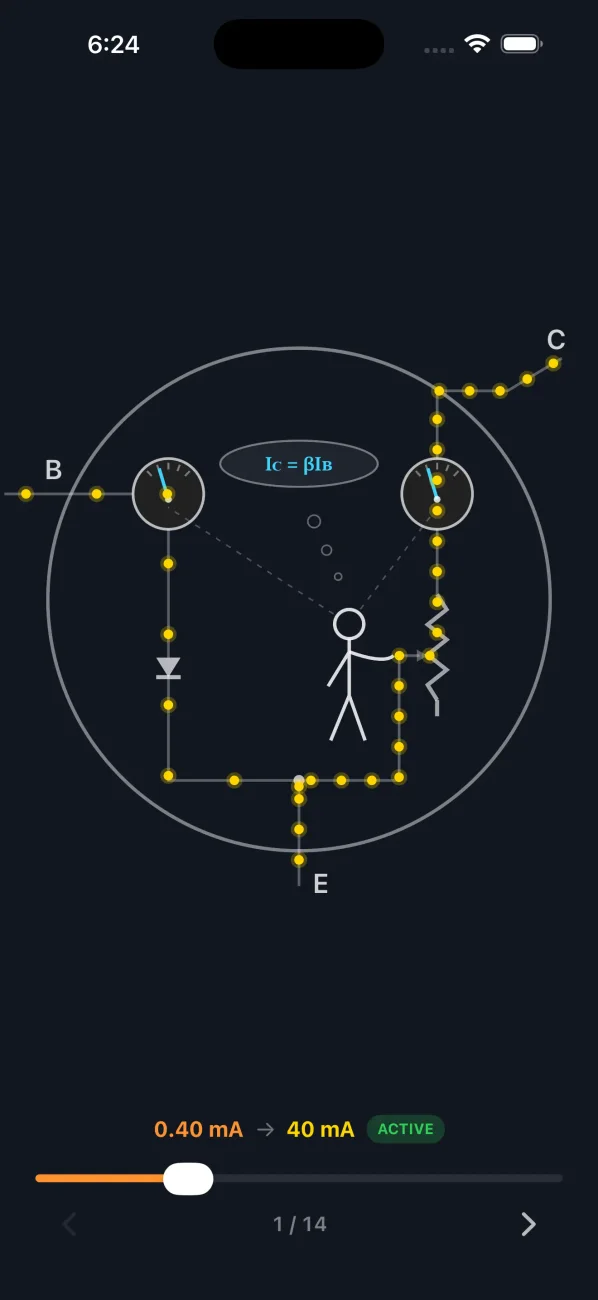
- Meet Transistor Man — the classic mental model of how a transistor keeps its collector current exactly 100 times the base current, and what happens when it can't
- The transistor switch: how 9.4 mA of base current lights a 100 mA lamp
- The NOT gate: how a resistor and a transistor turn voltage into logic — and why "1" costs no current at all
- NAND and NOR at the transistor level: series vs parallel, and why these two gates can build everything else
- The symbol language: the D-shape, the pointed shape, and the little circle that flips every answer
- Building with gates: AND from NANDs — abstraction you can tap to open and see the transistors still working inside
- The SR latch: two crossed gates that remember one bit after your finger leaves the screen
- XOR and the half adder: the moment logic becomes arithmetic, and 1 + 1 becomes 10
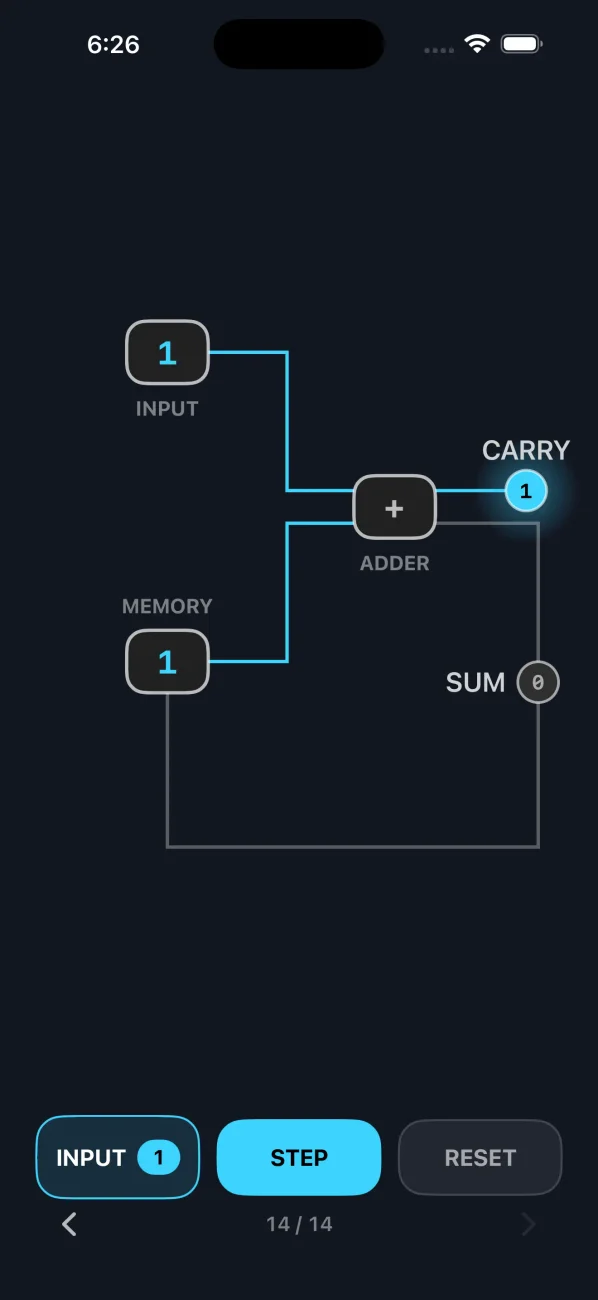
- The finale: memory + adder + feedback + a STEP clock — a one-bit computer, with every layer tappable all the way down to the silicon
FREE TO START
The first two screens — Transistor Man and the transistor switch — are free. A single purchase unlocks the rest of the journey. No subscriptions, no ads, no accounts, no data collection.
Inspired by the classic figures of The Art of Electronics. Made for curious minds who want to know what is really happening inside the machine they are holding.
Privacidad de la aplicación
Lo que Sungjun Kim declara en App Store sobre cómo esta aplicación gestiona los datos.
-
No se recopilan datos
El desarrollador no recopila ningún dato de esta aplicación.
Las prácticas de privacidad pueden variar, por ejemplo, según las funciones que uses o tu edad.
Información
- Vendedor
- Sungjun Kim
- Categoría
- Educación
- Versión
- 1.0
- Actualizado
- 30/7/2026
- Publicado
- 29/7/2026
- Tamaño
- 619,0 KB
- Requiere
- iOS 17.0 o posterior
- Clasificación por edad
- 4+
- Precio
- Gratis
- Compras en la aplicación
- Sí
- Idiomas
- Inglés
- Copyright
- © Sungjun Kim
Quizá también te guste
-
 LearnEE: Learn ElectronicsEducación
-
 Byte: Practice DSAEducación
-
 WaferLabEducación
-
 Code Quest ProEducación
-
 Learn SEO - GuideEducación
-
 Embedded Interview Q&A PrepEducación
-
 Learn Raspberry Pi Pico ProRP2040 Pico board programming
-
 Aether CircuitEducación
-
 CodeAscent: Python para todosAprende Python jugando
-
 Electronics ReferenceReferencia