Learning transistor
From transistor to computer
Designed for iPhone
Free · In-app purchases
- Age rating4+
- CategoryEducation
- DeveloperSungjun Kim
- LanguagesEnglish
- Size619.0 KB
Links to the official App Store page
Download.org hosts no file of Learning transistor. The button opens its official App Store page, published by Sungjun Kim. Listing last checked on Nov 17, 2026.
Screenshots
About
How does a computer actually compute? Not metaphorically — physically. Learning Transistor answers that question in 14 interactive screens, starting from a single transistor and ending at a working one-bit computer you can step through with your finger. Every screen is a live circuit. Current flows as moving dots, voltage glows on the wires, and every input is yours to flip. Nothing is a video, and nothing is a quiz — you learn by turning things on and off and watching what the electrons do.
THE JOURNEY
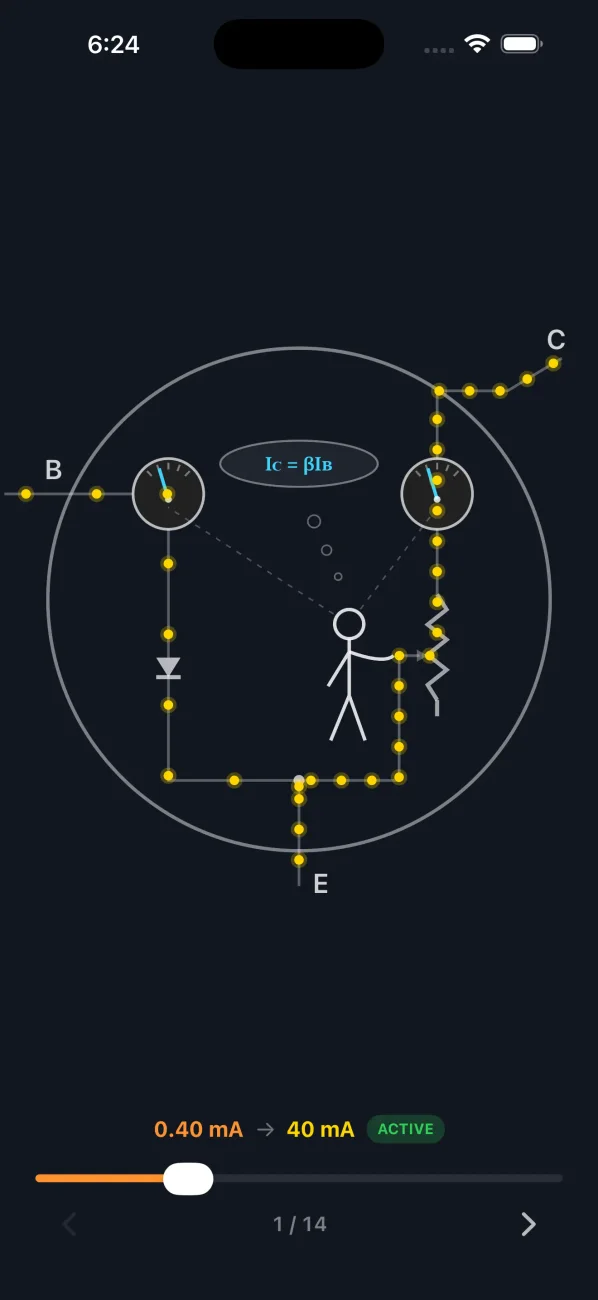
- Meet Transistor Man — the classic mental model of how a transistor keeps its collector current exactly 100 times the base current, and what happens when it can't
- The transistor switch: how 9.4 mA of base current lights a 100 mA lamp
- The NOT gate: how a resistor and a transistor turn voltage into logic — and why "1" costs no current at all
- NAND and NOR at the transistor level: series vs parallel, and why these two gates can build everything else
- The symbol language: the D-shape, the pointed shape, and the little circle that flips every answer
- Building with gates: AND from NANDs — abstraction you can tap to open and see the transistors still working inside
- The SR latch: two crossed gates that remember one bit after your finger leaves the screen
- XOR and the half adder: the moment logic becomes arithmetic, and 1 + 1 becomes 10
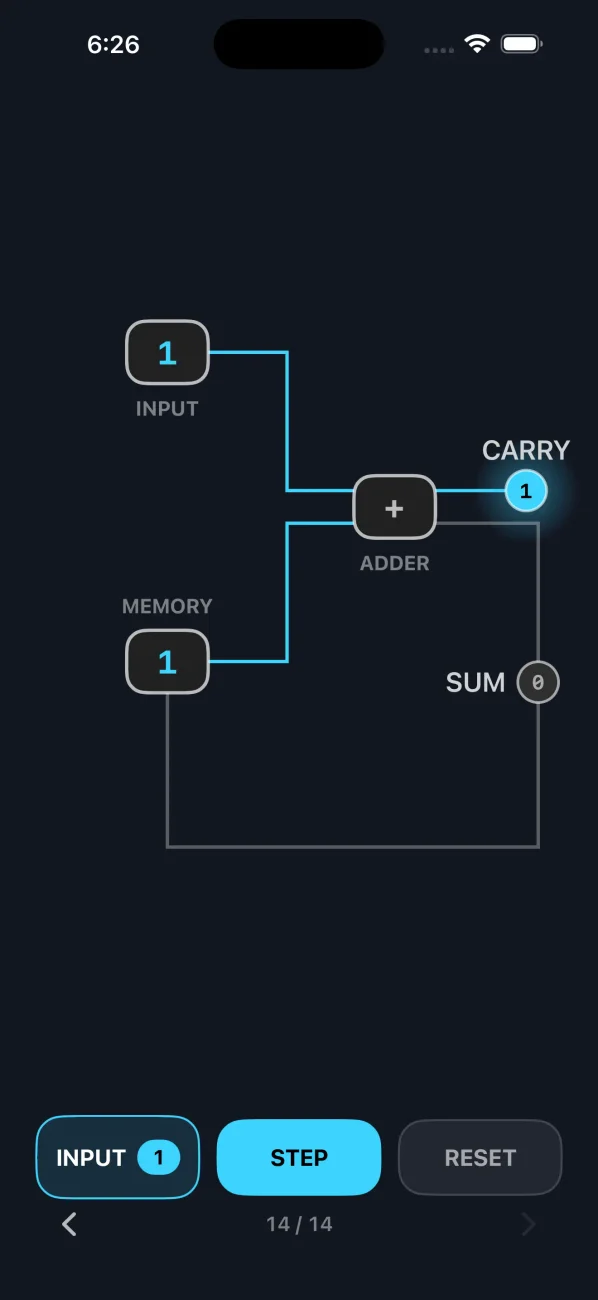
- The finale: memory + adder + feedback + a STEP clock — a one-bit computer, with every layer tappable all the way down to the silicon
FREE TO START
The first two screens — Transistor Man and the transistor switch — are free. A single purchase unlocks the rest of the journey. No subscriptions, no ads, no accounts, no data collection.
Inspired by the classic figures of The Art of Electronics. Made for curious minds who want to know what is really happening inside the machine they are holding.
App privacy
What Sungjun Kim declares on the App Store about how this app handles data.
-
Data not collected
The developer does not collect any data from this app.
Privacy practices may vary, for example with the features you use or your age.
Information
- Seller
- Sungjun Kim
- Category
- Education
- Version
- 1.0
- Updated
- Jul 30, 2026
- Released
- Jul 29, 2026
- Size
- 619.0 KB
- Requires
- iOS 17.0 or later
- Age rating
- 4+
- Price
- Free
- In-app purchases
- Yes
- Languages
- English
- Copyright
- © Sungjun Kim
You might also like
-
 LearnEE: Learn ElectronicsBuild circuits in tiny lessons
-
 Byte: Practice DSAPython coding interview prep
-
 WaferLabProcess Simulator Encyclopedia
-
 Code Quest ProLearn C, C++ and Python
-
 Learn SEO - GuideSEO for Beginners & Pros
-
 Embedded Interview Q&A PrepEmbedded Interview Practice
-
 Learn Raspberry Pi Pico ProRP2040 Pico board programming
-
 Aether CircuitCircuit Gate Simulator
-
 Codeascent: Python for allPython for all ages and levels
-
 Electronics ReferenceKey information in your hand