LightEditor RAW
Open-source RAW photo editor
Diseñada para iPhone, iPad, Mac
Gratis
- Clasificación por edad4+
- CategoríaFoto y vídeo
- DesarrolladorChris Konstad
- IdiomasInglés
- Tamaño883,6 MB
Enlaza a la página oficial de App Store
Download.org no aloja ningún archivo de LightEditor RAW. El botón abre la página de la aplicación en App Store, donde la publica Chris Konstad. Ficha comprobada por última vez el 20/11/2026.
Capturas de pantalla


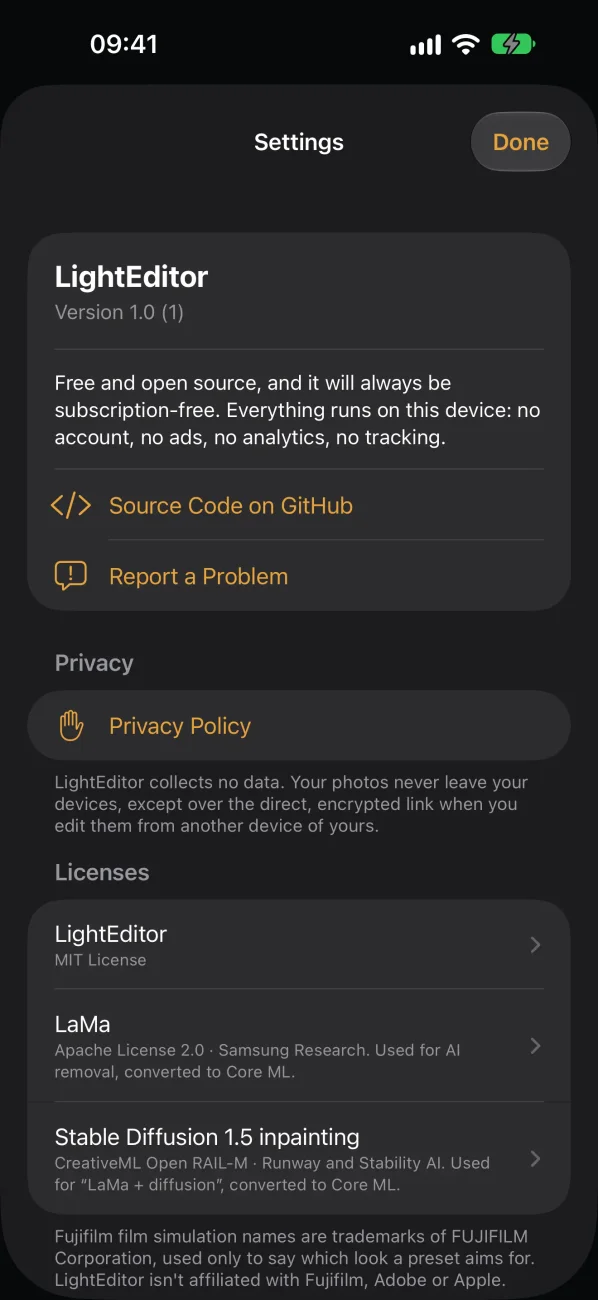
Acerca de
El desarrollador no ha proporcionado este texto en tu idioma.
LightEditor is a free, open-source RAW photo editor for iPhone, iPhone Duo and iPad, made for quick, color-focused edits on the road. It will always be free of subscriptions: no subscription, no in-app purchases, no account, no ads, no tracking. Your photos never leave your devices.
YOUR PHOTOS LIBRARY IS THE LIBRARY
LightEditor edits the photos already in Apple Photos. Originals stay untouched: every edit is saved non-destructively, syncs through iCloud Photos, and can be reverted at any time, in LightEditor or in Photos.
PRECISE, FAST TOOLS
• RAW decoding with Apple's latest RAW engine, for supported cameras and iPhone ProRAW. JPEG and HEIC work too.
• Light: exposure, contrast, highlights, shadows, whites and blacks, with Auto, Clarity, Texture and Dehaze.
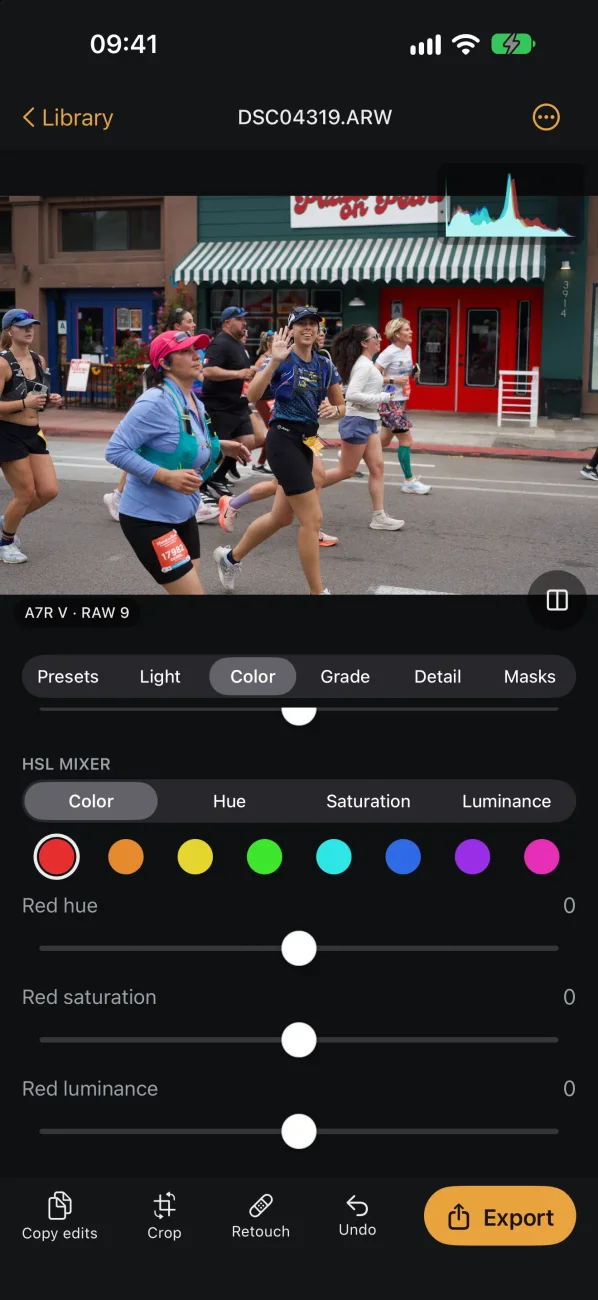
• Color: white balance, vibrance, saturation, and an 8-band HSL mixer.
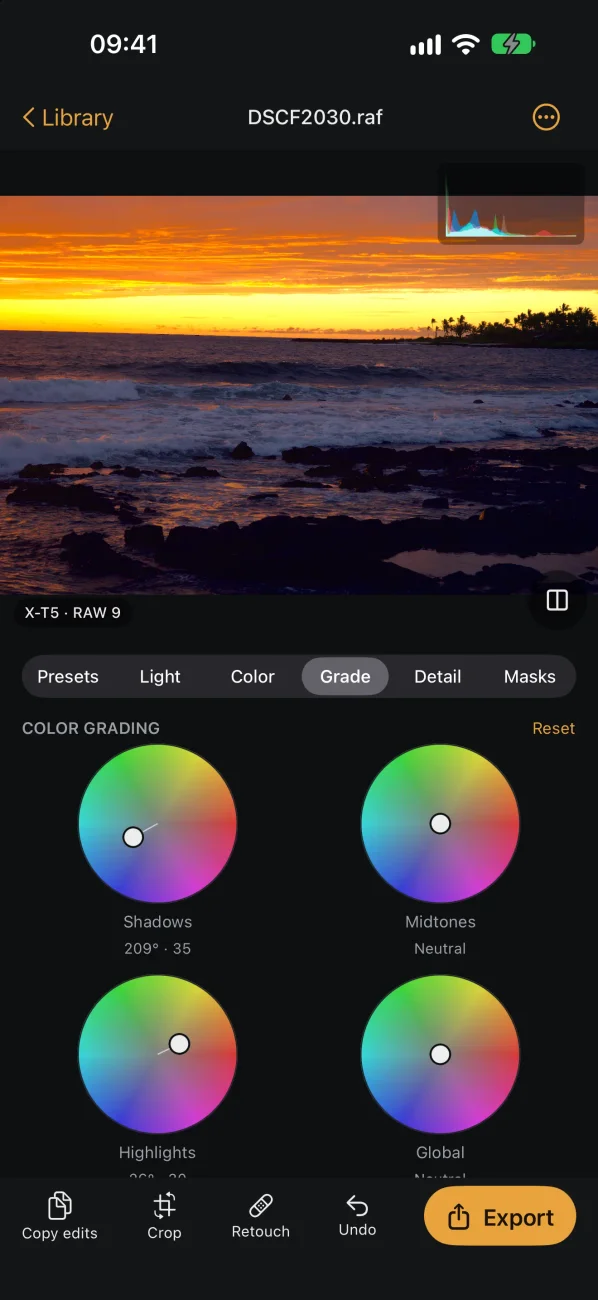
• Grade: color wheels for shadows, midtones and highlights, film looks, vignette and grain.
• Detail: noise reduction and sharpening applied to the RAW itself.
• Tone curve, crop, straighten, perspective and auto-straighten.
• Sliders stay smooth while you drag, even on large RAW files.
LOCAL ADJUSTMENTS AND AI, ON YOUR DEVICE
• Masks: linear and radial gradients, brush, luminance and color ranges.
• One-tap AI masks for the subject, people and the sky, or tap any object to select it.
• Remove distractions with heal, clone and AI removal. The most realistic mode fills the area with an on-device diffusion model.
All AI runs on your device. Nothing is uploaded.
EDIT MANY PHOTOS AT ONCE
• Copy and paste edits, choosing exactly which settings to paste.
• Bulk edit a selection: set values, or adjust each photo by an amount.
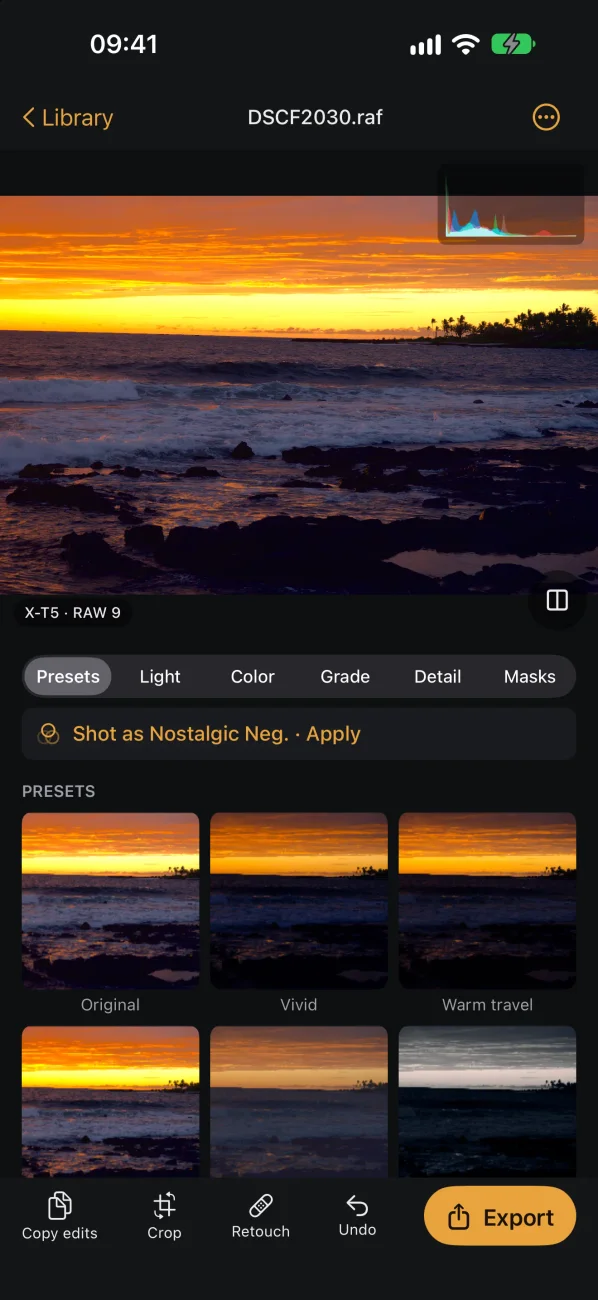
• Presets with an Amount slider, film-inspired looks, .cube LUTs, and import of XMP presets.
EDIT YOUR IPHONE'S PHOTOS ON YOUR IPAD
Traveling with an iPhone and an iPad? Your iPhone can share its library straight to your iPad over a direct, encrypted Wi-Fi link. No internet or router needed, and no cloud in between.
BUILT FOR IPHONE DUO
Unfold iPhone Duo and LightEditor turns into an iPad-class editor. Turn it sideways for the photo and the full set of tools side by side, or hold it upright for a big photo over a roomy panel. Fold it and you're back to the one-handed phone editor.
DESIGNED FOR TOUCH
Pull away from a slider for fine control, double-tap to reset, press and hold to compare, and drag the before/after split. Every slow task shows its progress in a job tray and can be cancelled.
PRIVATE BY DESIGN
LightEditor collects no data at all: no analytics, no crash reporting, no accounts, no servers.
FREE AND OPEN SOURCE, FOREVER
LightEditor is free, and it will always be subscription-free. The full source code is on GitHub under the MIT license, so anyone can read it, check what it does, report issues or contribute:
https://github.com/chriskonstad/LightEditor
Requires iOS or iPadOS 27.
Novedades
Versión 1.0.4 · 19/11/2026
• Presets and imported LUTs sync automatically through iCloud to your iPhone, iPad and Mac.
• Manual lens corrections: distortion, color fringing and lens vignetting, on top of the lens's built-in profile.
• Choose the size and quality of the image each photo saves to your library.
• AI object removal with diffusion now works on iPhone.
• Fixed: a TIFF could fail to reopen with "Couldn't read".
• Fixed: ProRAW previews could be cropped.
Privacidad de la aplicación
Lo que Chris Konstad declara en App Store sobre cómo esta aplicación gestiona los datos.
-
No se recopilan datos
El desarrollador no recopila ningún dato de esta aplicación.
Las prácticas de privacidad pueden variar, por ejemplo, según las funciones que uses o tu edad.
Información
- Vendedor
- Chris Konstad
- Categoría
- Foto y vídeo
- Versión
- 1.0.4
- Actualizado
- 19/11/2026
- Publicado
- 31/10/2026
- Tamaño
- 883,6 MB
- Requiere
- iOS 27.0 o posterior
- Clasificación por edad
- 4+
- Precio
- Gratis
- Idiomas
- Inglés
- Copyright
- © 2026 Chris Konstad
Quizá también te guste
-
 Afterglow CamFoto y vídeo
-
 PreReel: Pregrabación de vídeoPesca: no te pierdas la picada
-
 SqueeezyFoto y vídeo
-
 EZPhotos: Organizador de fotosOrganiza tus fotos fácilmente
-
 Lumora: tus fotos y vídeosTu vida también merece verse
-
 Luxa RAW CameraFoto y vídeo
-
 LAM · Cámara Analógica & CineCarrete 35mm: Foto & Vídeo
-
 Cineica: Cinematic PhotosFoto y vídeo
-
 AlbumX: Limpieza de fotosOrdena tus fotos en álbumes
-
 ON1 Photo RAW for MobileFoto y vídeo