LightEditor RAW
Open-source RAW photo editor
Conçue pour iPhone, iPad, Mac
Gratuit
- Classification d’âge4+
- CatégoriePhoto et vidéo
- DéveloppeurChris Konstad
- LanguesAnglais
- Taille883,6 Mo
Renvoie vers la page App Store officielle
Download.org n’héberge aucun fichier de LightEditor RAW. Le bouton ouvre la page de l’application sur App Store, où Chris Konstad la publie. Fiche vérifiée pour la dernière fois le 20/11/2026.
Captures d’écran


À propos
Le développeur n’a pas fourni ce texte dans votre langue.
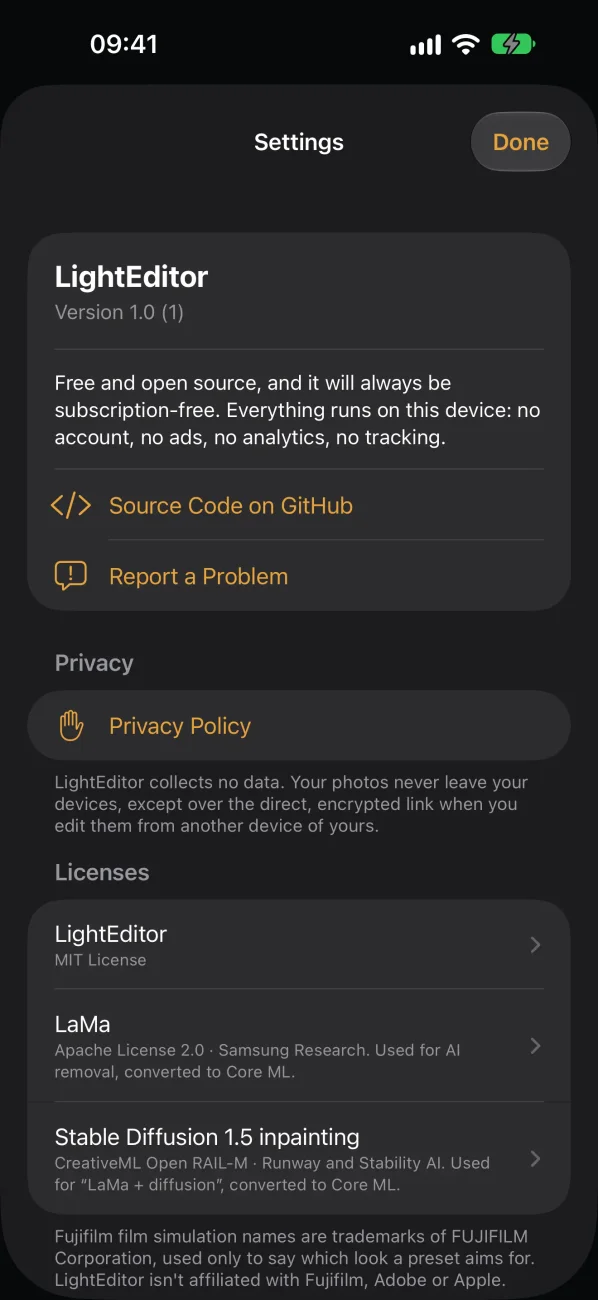
LightEditor is a free, open-source RAW photo editor for iPhone, iPhone Duo and iPad, made for quick, color-focused edits on the road. It will always be free of subscriptions: no subscription, no in-app purchases, no account, no ads, no tracking. Your photos never leave your devices.
YOUR PHOTOS LIBRARY IS THE LIBRARY
LightEditor edits the photos already in Apple Photos. Originals stay untouched: every edit is saved non-destructively, syncs through iCloud Photos, and can be reverted at any time, in LightEditor or in Photos.
PRECISE, FAST TOOLS
• RAW decoding with Apple's latest RAW engine, for supported cameras and iPhone ProRAW. JPEG and HEIC work too.
• Light: exposure, contrast, highlights, shadows, whites and blacks, with Auto, Clarity, Texture and Dehaze.
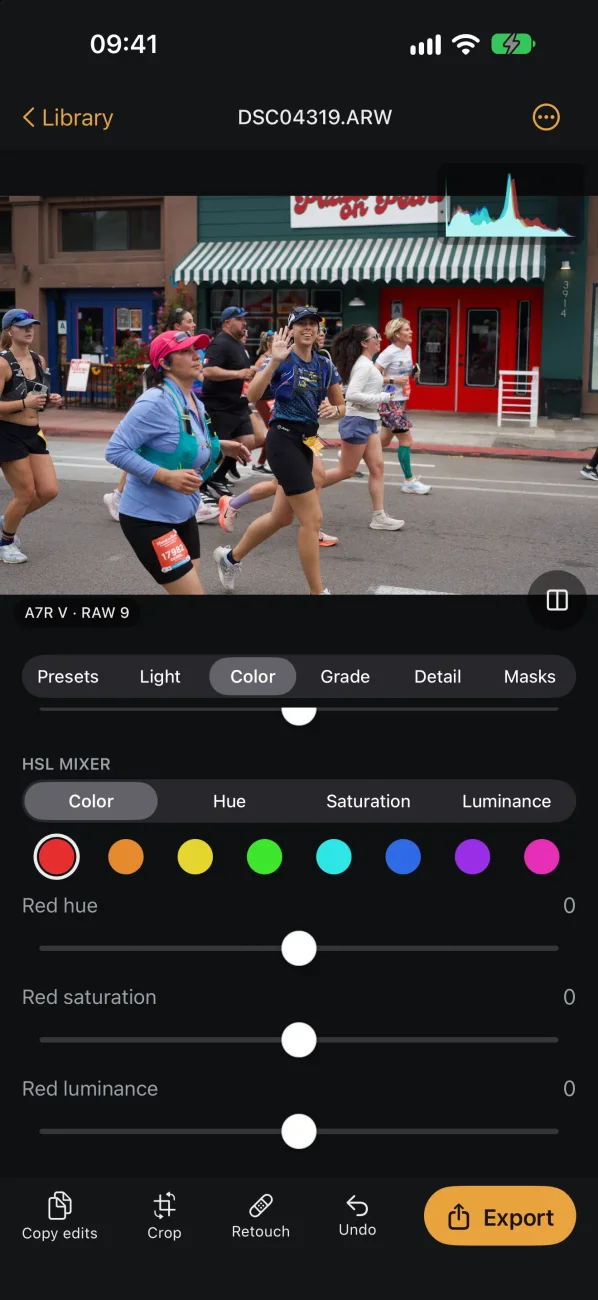
• Color: white balance, vibrance, saturation, and an 8-band HSL mixer.
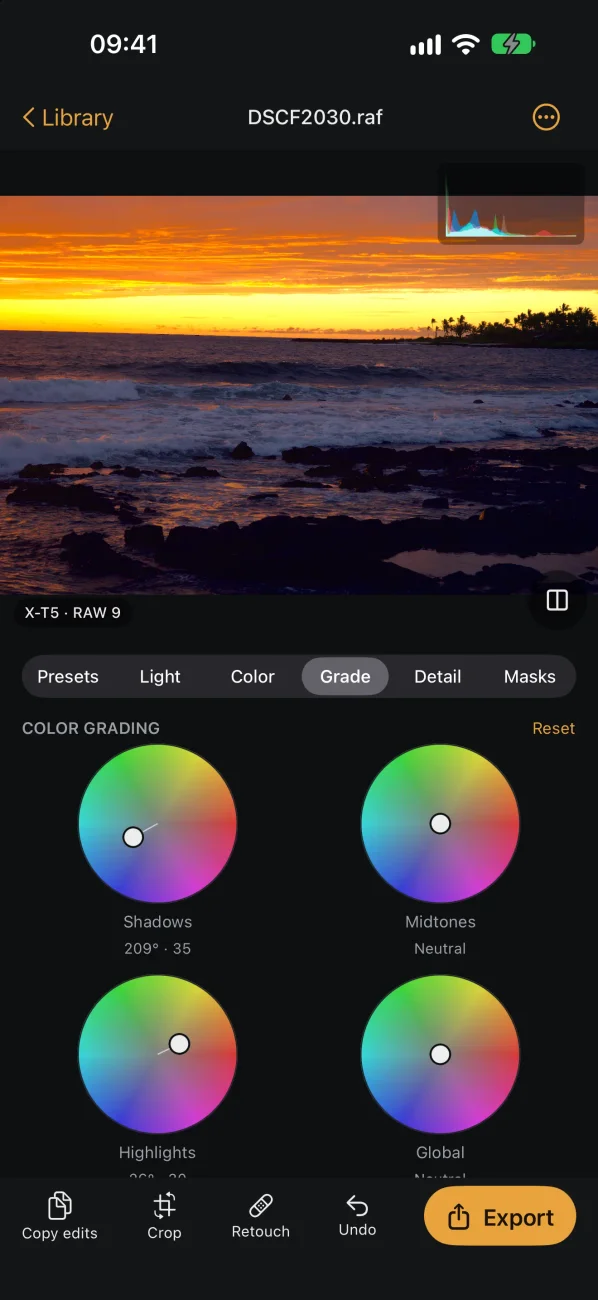
• Grade: color wheels for shadows, midtones and highlights, film looks, vignette and grain.
• Detail: noise reduction and sharpening applied to the RAW itself.
• Tone curve, crop, straighten, perspective and auto-straighten.
• Sliders stay smooth while you drag, even on large RAW files.
LOCAL ADJUSTMENTS AND AI, ON YOUR DEVICE
• Masks: linear and radial gradients, brush, luminance and color ranges.
• One-tap AI masks for the subject, people and the sky, or tap any object to select it.
• Remove distractions with heal, clone and AI removal. The most realistic mode fills the area with an on-device diffusion model.
All AI runs on your device. Nothing is uploaded.
EDIT MANY PHOTOS AT ONCE
• Copy and paste edits, choosing exactly which settings to paste.
• Bulk edit a selection: set values, or adjust each photo by an amount.
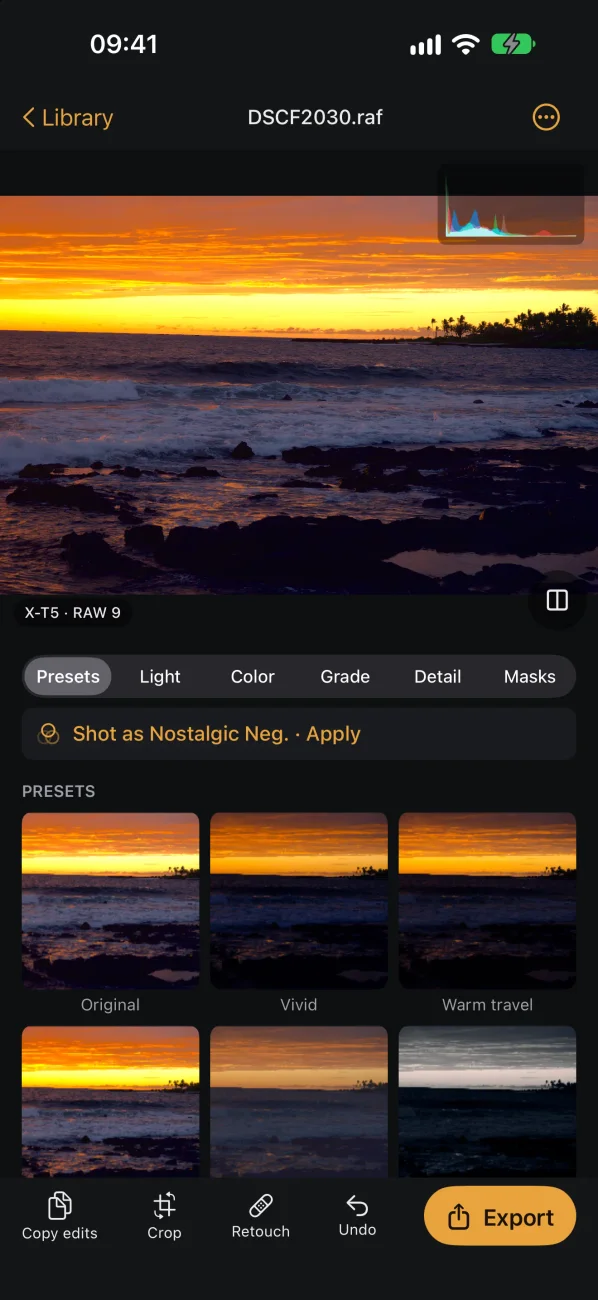
• Presets with an Amount slider, film-inspired looks, .cube LUTs, and import of XMP presets.
EDIT YOUR IPHONE'S PHOTOS ON YOUR IPAD
Traveling with an iPhone and an iPad? Your iPhone can share its library straight to your iPad over a direct, encrypted Wi-Fi link. No internet or router needed, and no cloud in between.
BUILT FOR IPHONE DUO
Unfold iPhone Duo and LightEditor turns into an iPad-class editor. Turn it sideways for the photo and the full set of tools side by side, or hold it upright for a big photo over a roomy panel. Fold it and you're back to the one-handed phone editor.
DESIGNED FOR TOUCH
Pull away from a slider for fine control, double-tap to reset, press and hold to compare, and drag the before/after split. Every slow task shows its progress in a job tray and can be cancelled.
PRIVATE BY DESIGN
LightEditor collects no data at all: no analytics, no crash reporting, no accounts, no servers.
FREE AND OPEN SOURCE, FOREVER
LightEditor is free, and it will always be subscription-free. The full source code is on GitHub under the MIT license, so anyone can read it, check what it does, report issues or contribute:
https://github.com/chriskonstad/LightEditor
Requires iOS or iPadOS 27.
Nouveautés
Version 1.0.4 · 19/11/2026
• Presets and imported LUTs sync automatically through iCloud to your iPhone, iPad and Mac.
• Manual lens corrections: distortion, color fringing and lens vignetting, on top of the lens's built-in profile.
• Choose the size and quality of the image each photo saves to your library.
• AI object removal with diffusion now works on iPhone.
• Fixed: a TIFF could fail to reopen with "Couldn't read".
• Fixed: ProRAW previews could be cropped.
Confidentialité de l’application
Ce que Chris Konstad déclare sur l’App Store au sujet du traitement des données par cette application.
-
Données non collectées
Le développeur ne collecte aucune donnée à partir de cette application.
Les pratiques en matière de confidentialité peuvent varier, notamment en fonction des fonctionnalités que vous utilisez ou de votre âge.
Informations
- Vendeur
- Chris Konstad
- Catégorie
- Photo et vidéo
- Version
- 1.0.4
- Mis à jour
- 19/11/2026
- Publié
- 31/10/2026
- Taille
- 883,6 Mo
- Nécessite
- iOS 27.0 ou version ultérieure
- Classification d’âge
- 4+
- Prix
- Gratuit
- Langues
- Anglais
- Copyright
- © 2026 Chris Konstad
Vous aimerez peut-être aussi
-
 Afterglow CamPhoto et vidéo
-
 PreReel : PréenregistrementPêche : ne ratez aucune touche
-
 SqueeezyPhoto et vidéo
-
 EZPhotos: Organiseur de photosVos photos, tout simplement
-
 Lumora : photos et vidéosVotre vie vaut d'être revue
-
 Luxa RAW CameraPhoto et vidéo
-
 LAM · Caméra Argentique & CinéRendu Rétro 35mm Photo & Vidéo
-
 Cineica: Cinematic PhotosPhoto et vidéo
-
 AlbumX: Triez vos photosEffacez les photos similaires
-
 ON1 Photo RAW for MobilePhoto et vidéo