Linkalyst: Network Toolkit
Ping, DNS, Port Scan & HTTPS
Diseñada para iPhone, iPad
Gratis · Compras en la aplicación
- Clasificación por edad4+
- CategoríaUtilidades
- DesarrolladorEntromoonic Ltd
- IdiomasInglés+ 5 más
- Tamaño26,4 MB
Enlaza a la página oficial de App Store
Download.org no aloja ningún archivo de Linkalyst: Network Toolkit. El botón abre la página de la aplicación en App Store, donde la publica Entromoonic Ltd. Ficha comprobada por última vez el 18/11/2026.
Capturas de pantalla


Acerca de
El desarrollador no ha proporcionado este texto en tu idioma.
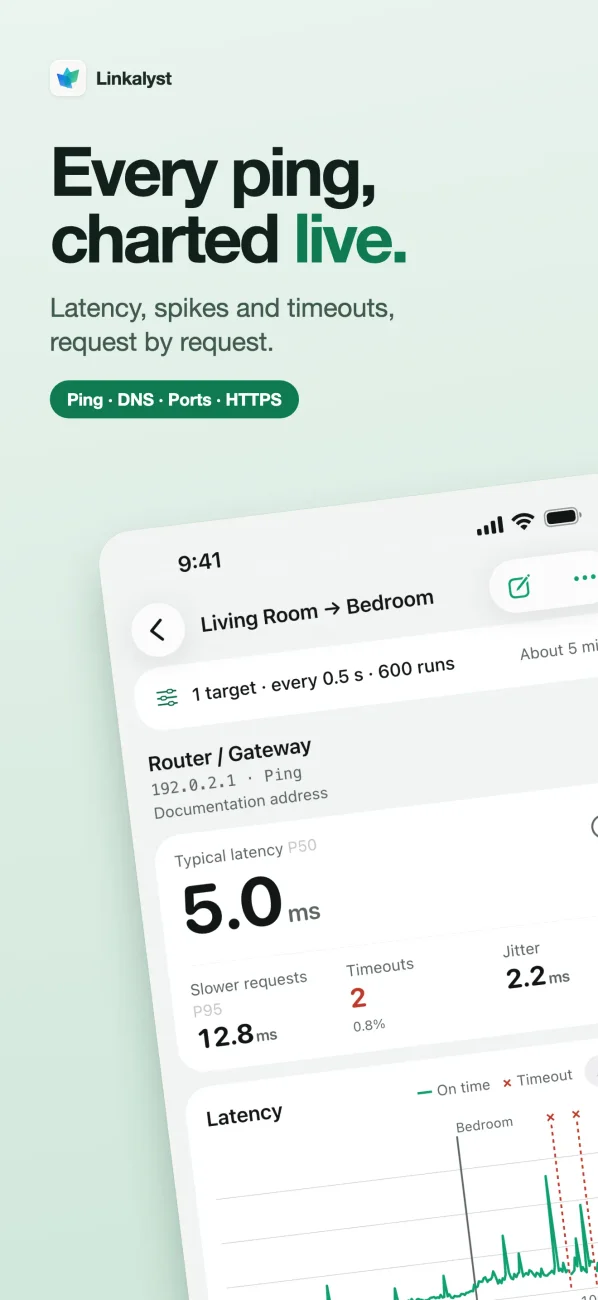
Ping with a live latency chart, query encrypted DNS (DoH and DoT), check TCP ports, see where an HTTPS request spends its time and trace every hop, on iPhone and iPad. Test results are saved as reports you can search and share.
EVERYDAY CHECKS
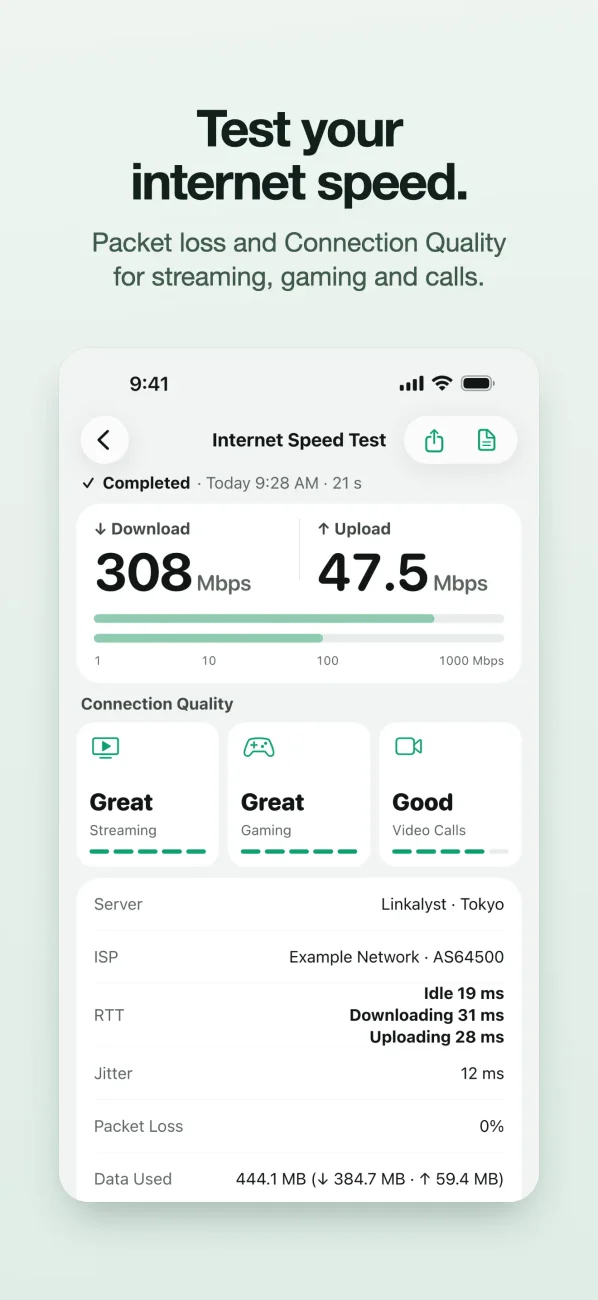
• Internet Speed Test: speed, packet loss and Connection Quality in one tap
• Popular Services: how fast popular sites and services connect, ordered for your region
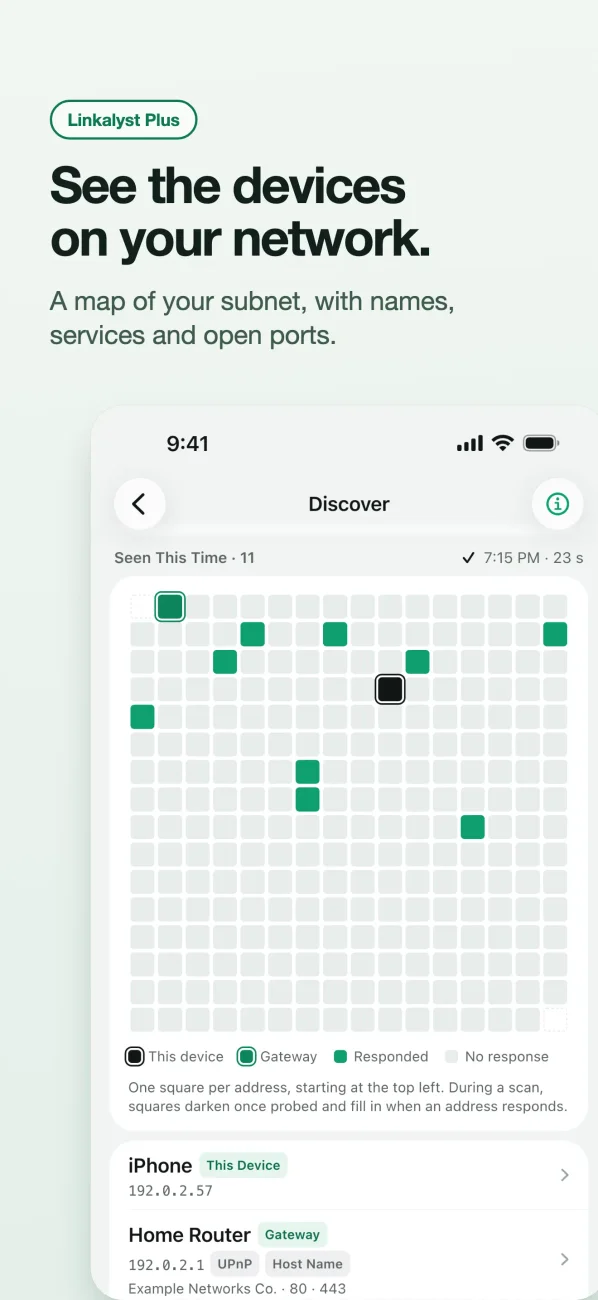
• Discover: your gateway, Bonjour services and My Devices in one place
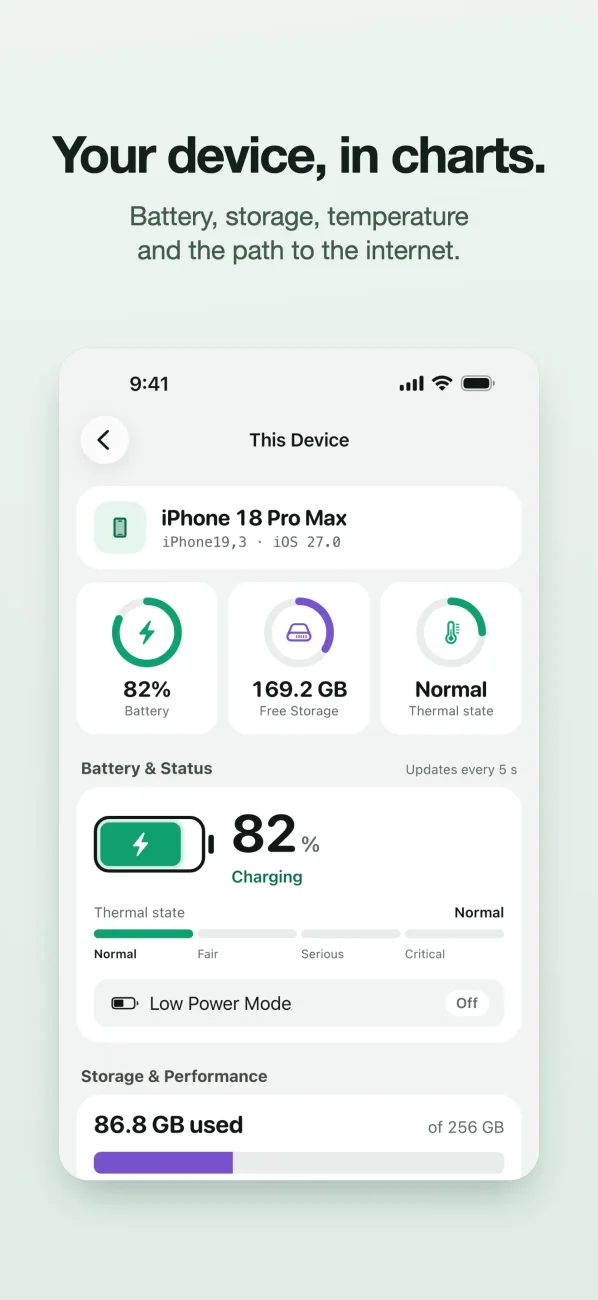
• This Device: model, battery, storage and how this device connects
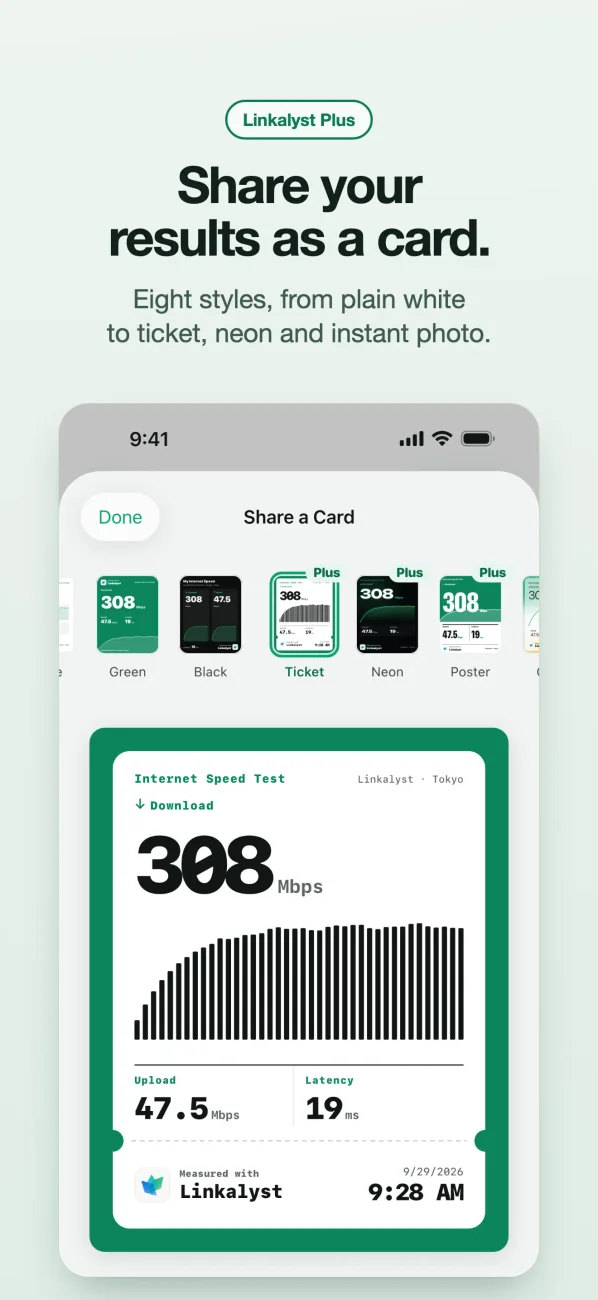
• Share a Card: share a speed test, Popular Services or latency result as an image; five more styles with Plus
MEASURE THE CONNECTION
• Chart Ping (ICMP) probes live; up to six targets in one run and UDP probes with Plus
• Typical latency (P50), slower requests (P95, P99), variation, timeout rate and longest timeout streak
• Tap the chart to inspect a request and add notes as you test; timeouts are marked, never plotted as latency
• Check a TCP port once or up to 50 times in a row
SEE WHERE EVERY MILLISECOND GOES
• Website Check sends five HEAD or GET requests in a row and can follow redirects hop by hop
• Times DNS, TCP, TLS and time to first byte
• Shows the HTTP protocol, TLS version, cipher suite and certificate chain, with expiry dates and SHA-256 fingerprints
COMPARE DNS RESULTS
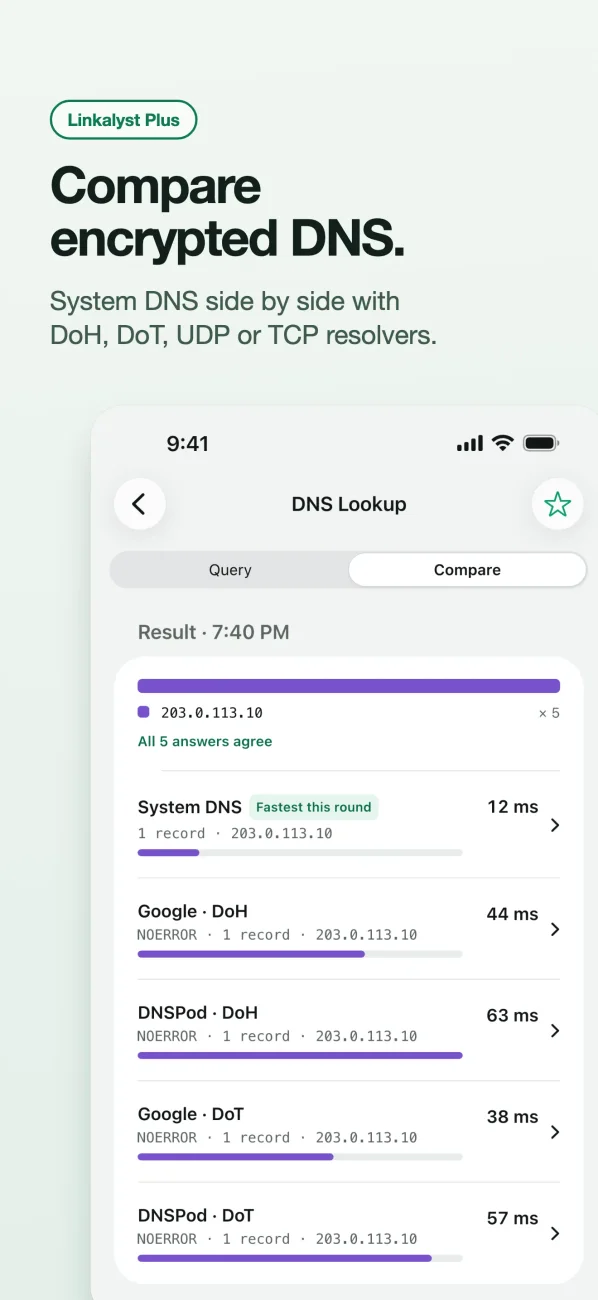
• Query system DNS or choose UDP, TCP, DNS over HTTPS (DoH) or DNS over TLS (DoT)
• Compare system DNS with up to four resolvers, each on its own protocol: fastest this round, record differences, response codes and failures (Plus)
• Presets for Cloudflare, Google and DNSPod, or a custom endpoint
• A, AAAA, CNAME, MX, TXT, NS, SOA and PTR records, with TTLs
• DoH and DoT apply to queries in Linkalyst; they don't change your device's DNS settings
SCAN PORTS AND ORGANIZE DEVICES
• Batch Scan in Port Check takes IPv4 lists or CIDR and known IPv6 addresses, with port presets or your own ranges: up to 256 addresses and 4,096 address/port pairs per run (Plus)
• Discover scans your network and lists devices that answer, with names, services and open ports; on iOS 27 also hardware addresses and makers (Plus)
• Keep targets, notes and related reports in My Devices, optionally grouped by network
ROUTES, SPEED AND ADDRESSES
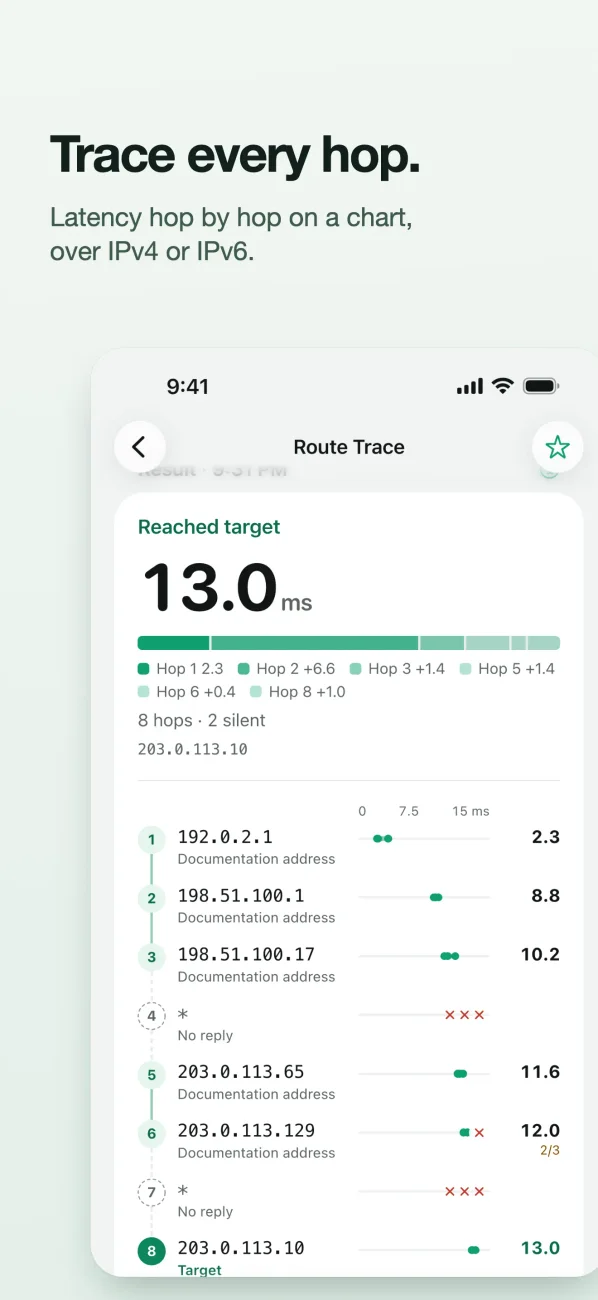
• Route Trace for IPv4 and IPv6: up to 30 hops, 1 to 3 probes per hop, optional hop hostname lookup
• See this device's addresses and gateway; turn on IP Lookup in Settings for your public IP, region, network organization and ASN (via FreeIPAPI)
• Download Test for a URL you choose, up to 64 MiB or 10 seconds
• Throughput Test for upload or download to a free test peer you run on your own computer
• Offline IPv4/IPv6 Subnet Calculator
KEEP THE RESULTS
• Search, star and tag reports; share them as JSON, or request-level data as CSV (one export free, then Plus)
• Compare two runs with latency curves overlaid; repeated port checks, website checks, download and throughput tests and route traces are paired by target (Plus)
• Optional iCloud Drive report sync, off by default (Plus)
BUILT FOR IPHONE AND IPAD
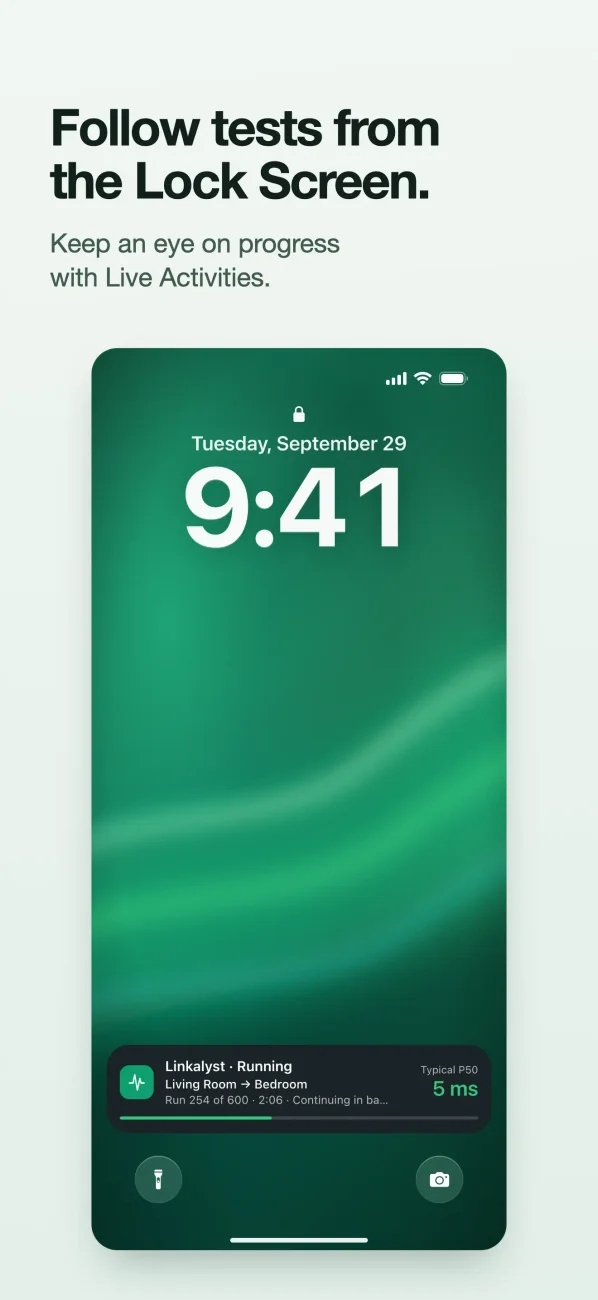
• Follow a running test on the Lock Screen and, on supported iPhones, in the Dynamic Island, where you can also stop it
• On iPad, open the tools or a single report in its own window
Use network tests only on systems you own or have permission to test. UDP latency and Throughput Test require a compatible test peer; instructions are linked in the app.
Linkalyst is free to download, and its everyday tools are free. Items marked (Plus) need Linkalyst Plus, a one-time purchase that also removes all ads and supports Family Sharing.
Privacy Policy: https://linkalyst.entromoonic.com/privacy-policy
Terms of Service: https://linkalyst.entromoonic.com/terms-of-service
Novedades
Versión 2.3.3 · 11/11/2026
• The Privacy Policy has been updated.
• Improvements to the app experience.
Privacidad de la aplicación
Lo que Entromoonic Ltd declara en App Store sobre cómo esta aplicación gestiona los datos.
-
Datos usados para rastrearte
Pueden usarse para rastrearte en aplicaciones y sitios web propiedad de otras empresas.
- Identificadores
-
Datos vinculados a ti
Pueden recopilarse y vincularse a tu identidad.
- Ubicación
- Identificadores
- Datos de uso
-
Datos no vinculados a ti
Pueden recopilarse, pero no se vinculan a tu identidad.
- Compras
- Diagnóstico
- Otros datos
Las prácticas de privacidad pueden variar, por ejemplo, según las funciones que uses o tu edad.
Información
- Vendedor
- Entromoonic, Ltd
- Categoría
- Utilidades
- Versión
- 2.3.3
- Actualizado
- 11/11/2026
- Publicado
- 24/9/2026
- Tamaño
- 26,4 MB
- Requiere
- iOS 17.0 o posterior
- Clasificación por edad
- 4+
- Precio
- Gratis
- Compras en la aplicación
- Sí
- Idiomas
- Inglés, Francés, Alemán, Italiano, Japonés, Chino simplificado
- Copyright
- © 2026 Entromoonic Ltd