
Linkalyst: Network Toolkit
Ping, DNS, Port Scan & HTTPS
Designed for iPhone, iPad
Free · In-app purchases
- Age rating4+
- CategoryUtilities
- DeveloperEntromoonic Ltd
- LanguagesEnglish+ 5 more
- Size26.4 MB
Links to the official App Store page
Download.org hosts no file of Linkalyst: Network Toolkit. The button opens its official App Store page, published by Entromoonic Ltd. Listing last checked on Nov 18, 2026.
Screenshots


About
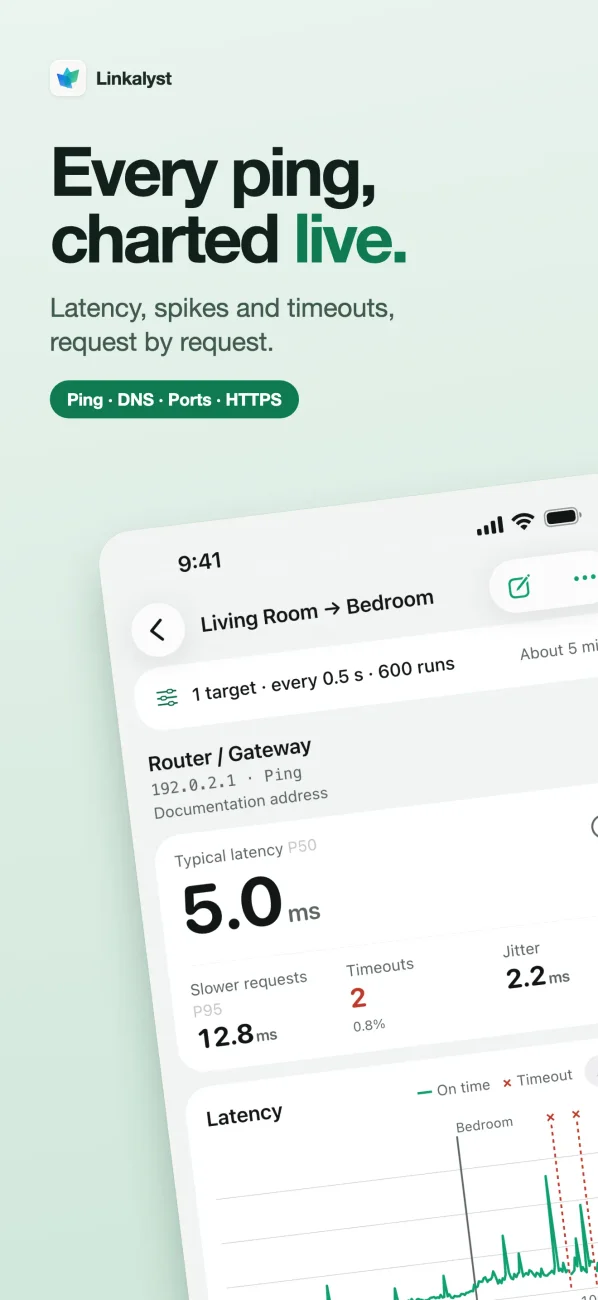
Ping with a live latency chart, query encrypted DNS (DoH and DoT), check TCP ports, see where an HTTPS request spends its time and trace every hop, on iPhone and iPad. Test results are saved as reports you can search and share.
EVERYDAY CHECKS
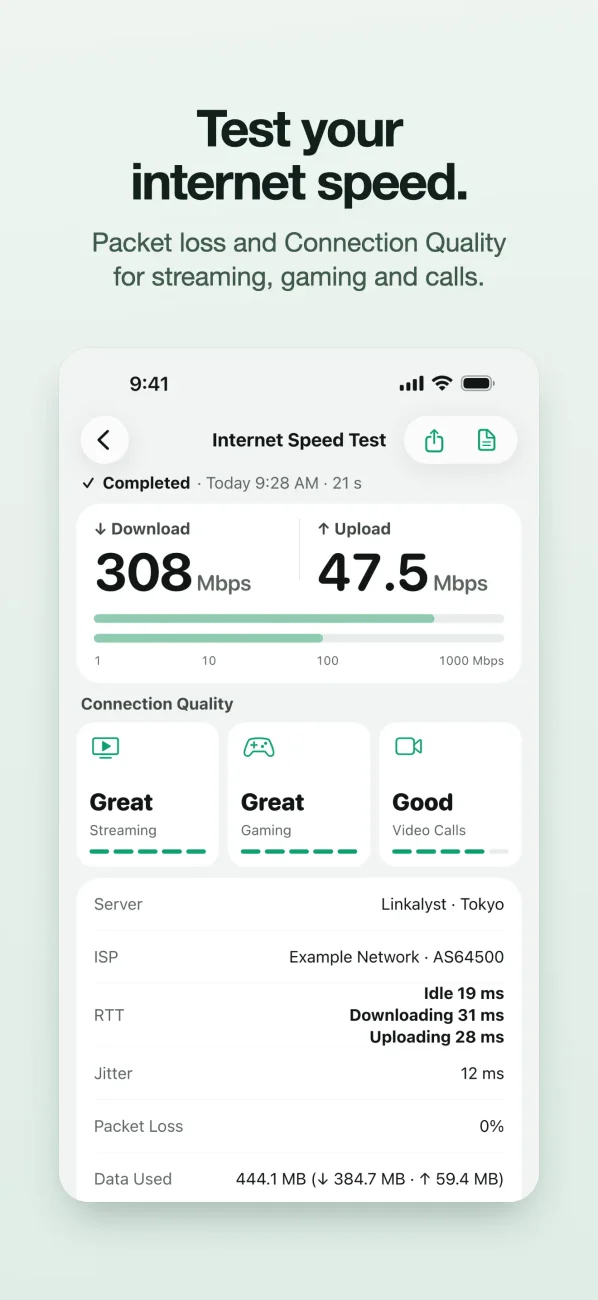
• Internet Speed Test: speed, packet loss and Connection Quality in one tap
• Popular Services: how fast popular sites and services connect, ordered for your region
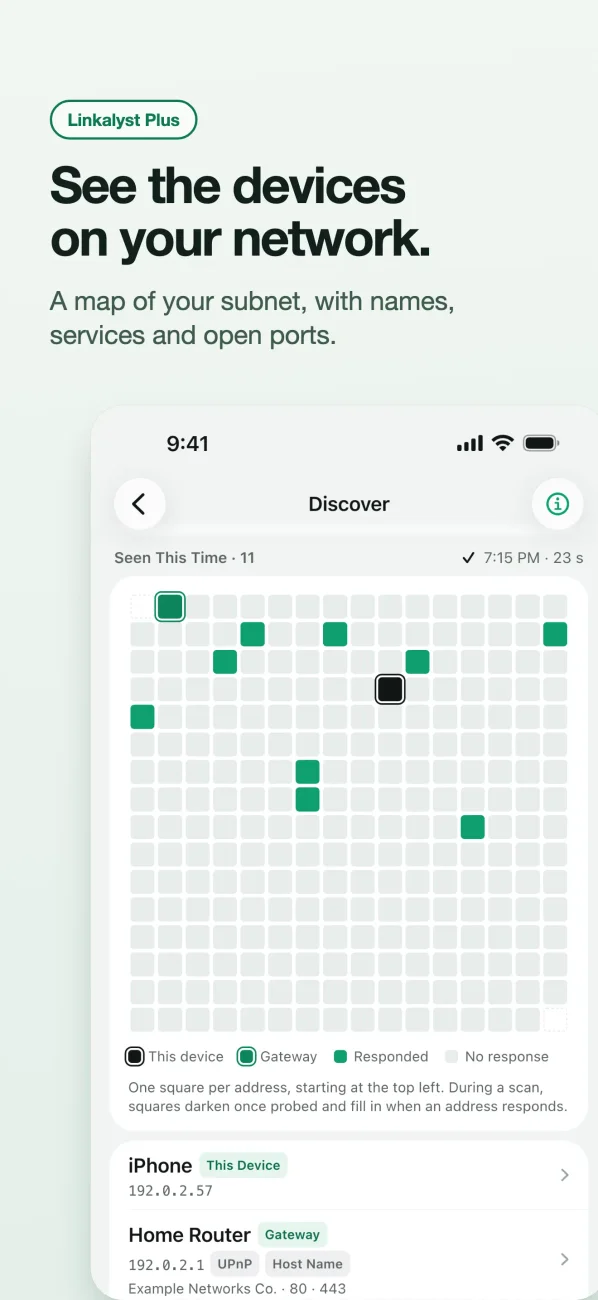
• Discover: your gateway, Bonjour services and My Devices in one place
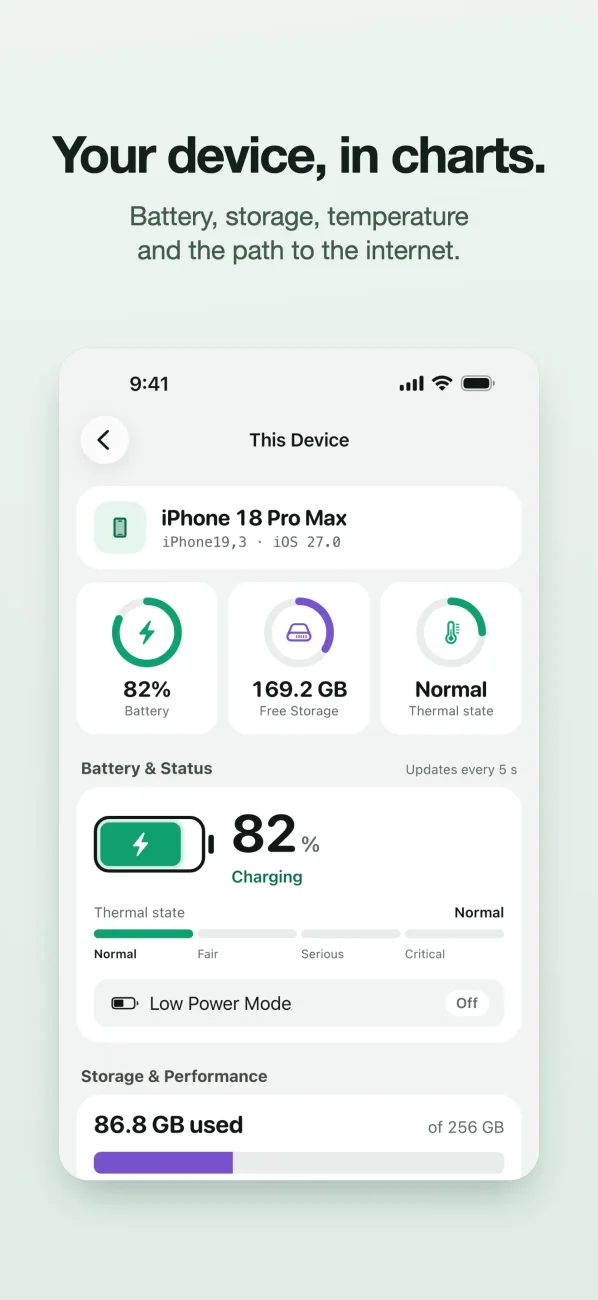
• This Device: model, battery, storage and how this device connects
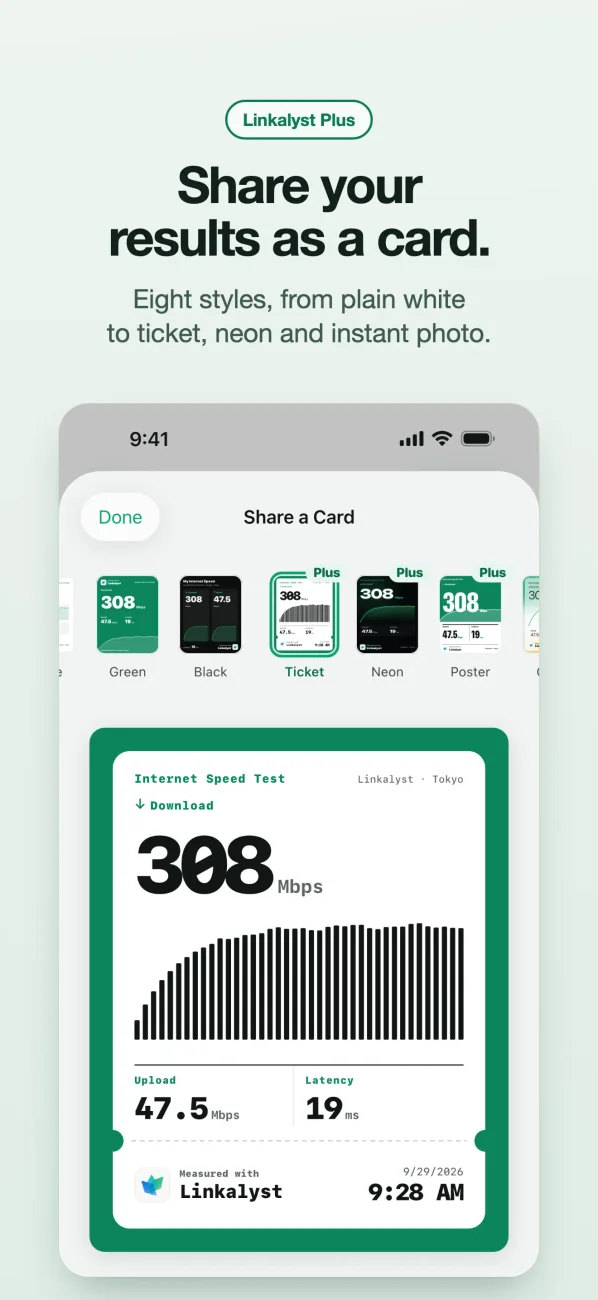
• Share a Card: share a speed test, Popular Services or latency result as an image; five more styles with Plus
MEASURE THE CONNECTION
• Chart Ping (ICMP) probes live; up to six targets in one run and UDP probes with Plus
• Typical latency (P50), slower requests (P95, P99), variation, timeout rate and longest timeout streak
• Tap the chart to inspect a request and add notes as you test; timeouts are marked, never plotted as latency
• Check a TCP port once or up to 50 times in a row
SEE WHERE EVERY MILLISECOND GOES
• Website Check sends five HEAD or GET requests in a row and can follow redirects hop by hop
• Times DNS, TCP, TLS and time to first byte
• Shows the HTTP protocol, TLS version, cipher suite and certificate chain, with expiry dates and SHA-256 fingerprints
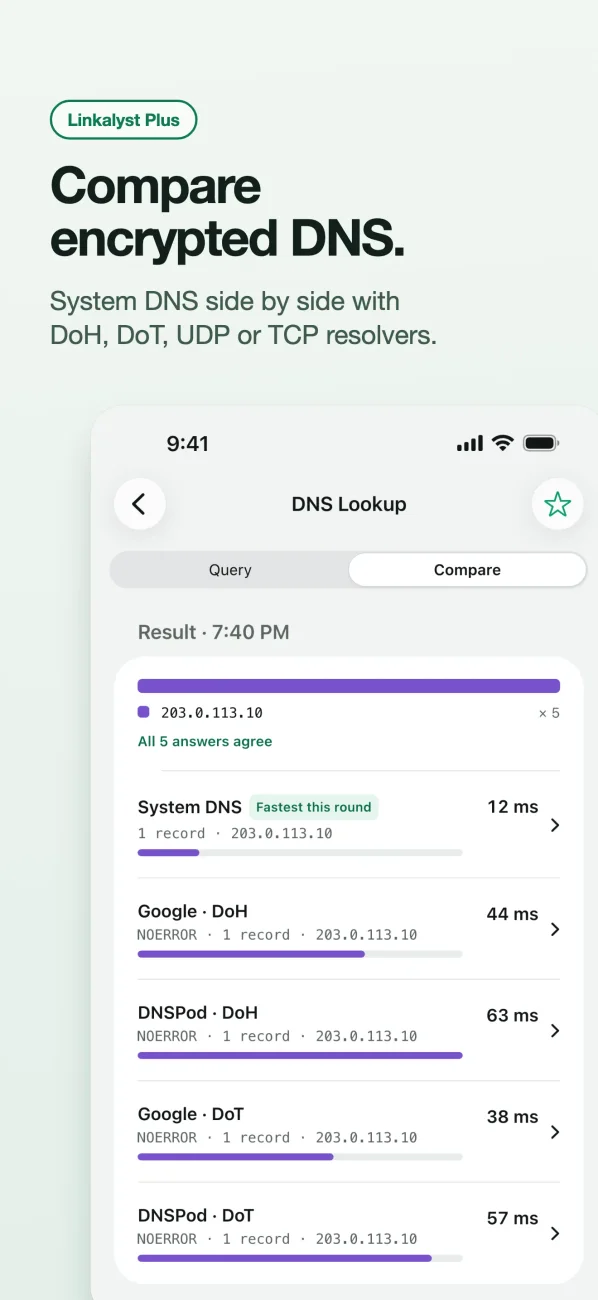
COMPARE DNS RESULTS
• Query system DNS or choose UDP, TCP, DNS over HTTPS (DoH) or DNS over TLS (DoT)
• Compare system DNS with up to four resolvers, each on its own protocol: fastest this round, record differences, response codes and failures (Plus)
• Presets for Cloudflare, Google and DNSPod, or a custom endpoint
• A, AAAA, CNAME, MX, TXT, NS, SOA and PTR records, with TTLs
• DoH and DoT apply to queries in Linkalyst; they don't change your device's DNS settings
SCAN PORTS AND ORGANIZE DEVICES
• Batch Scan in Port Check takes IPv4 lists or CIDR and known IPv6 addresses, with port presets or your own ranges: up to 256 addresses and 4,096 address/port pairs per run (Plus)
• Discover scans your network and lists devices that answer, with names, services and open ports; on iOS 27 also hardware addresses and makers (Plus)
• Keep targets, notes and related reports in My Devices, optionally grouped by network
ROUTES, SPEED AND ADDRESSES
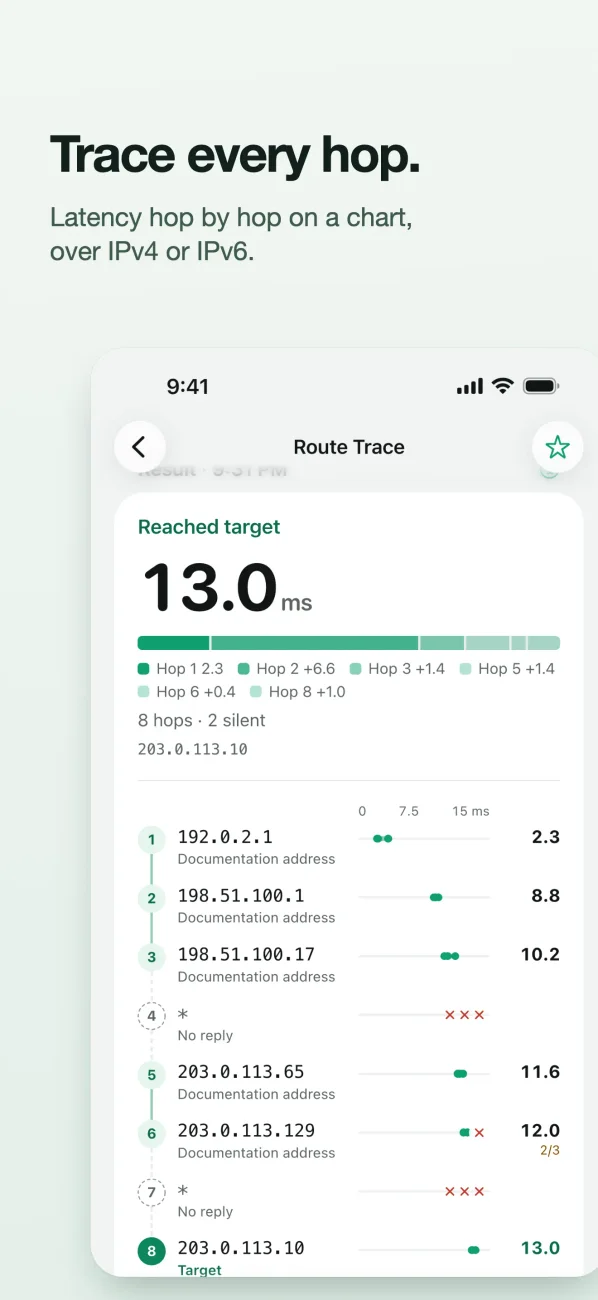
• Route Trace for IPv4 and IPv6: up to 30 hops, 1 to 3 probes per hop, optional hop hostname lookup
• See this device's addresses and gateway; turn on IP Lookup in Settings for your public IP, region, network organization and ASN (via FreeIPAPI)
• Download Test for a URL you choose, up to 64 MiB or 10 seconds
• Throughput Test for upload or download to a free test peer you run on your own computer
• Offline IPv4/IPv6 Subnet Calculator
KEEP THE RESULTS
• Search, star and tag reports; share them as JSON, or request-level data as CSV (one export free, then Plus)
• Compare two runs with latency curves overlaid; repeated port checks, website checks, download and throughput tests and route traces are paired by target (Plus)
• Optional iCloud Drive report sync, off by default (Plus)
BUILT FOR IPHONE AND IPAD
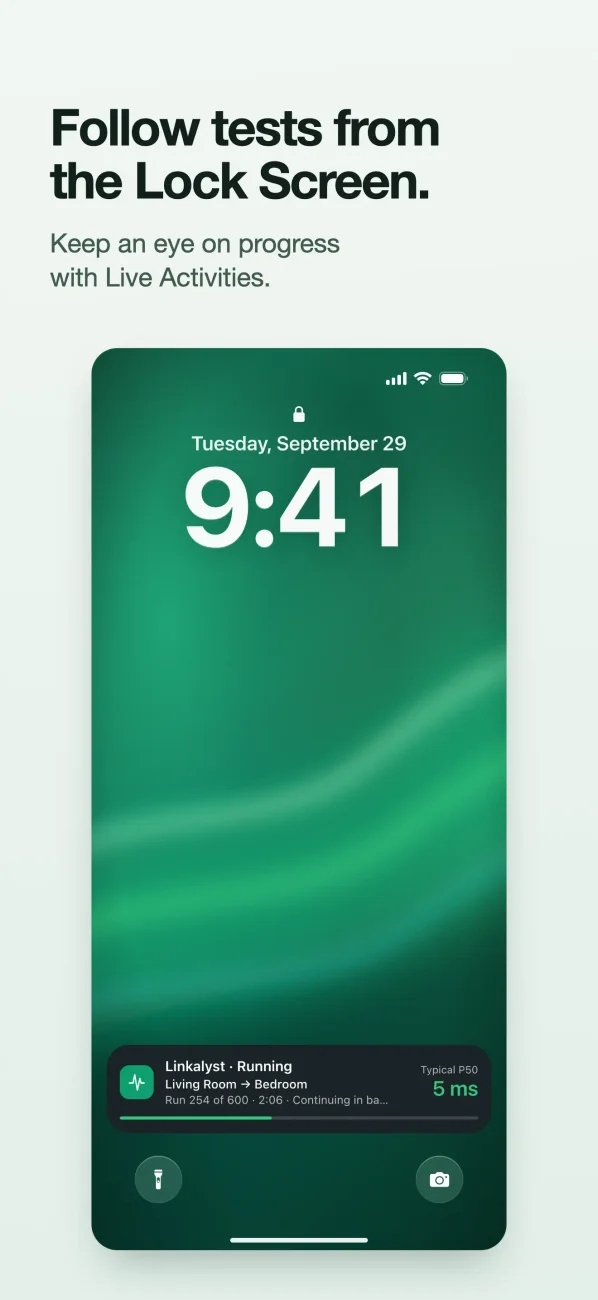
• Follow a running test on the Lock Screen and, on supported iPhones, in the Dynamic Island, where you can also stop it
• On iPad, open the tools or a single report in its own window
Use network tests only on systems you own or have permission to test. UDP latency and Throughput Test require a compatible test peer; instructions are linked in the app.
Linkalyst is free to download, and its everyday tools are free. Items marked (Plus) need Linkalyst Plus, a one-time purchase that also removes all ads and supports Family Sharing.
Privacy Policy: https://linkalyst.entromoonic.com/privacy-policy
Terms of Service: https://linkalyst.entromoonic.com/terms-of-service
What’s new
Version 2.3.3 · Nov 11, 2026
• The Privacy Policy has been updated.
• Improvements to the app experience.
App privacy
What Entromoonic Ltd declares on the App Store about how this app handles data.
-
Data used to track you
May be used to track you across apps and websites owned by other companies.
- Identifiers
-
Data linked to you
May be collected and linked to your identity.
- Location
- Identifiers
- Usage data
-
Data not linked to you
May be collected but is not linked to your identity.
- Purchases
- Diagnostics
- Other data
Privacy practices may vary, for example with the features you use or your age.
Information
- Seller
- Entromoonic, Ltd
- Category
- Utilities
- Version
- 2.3.3
- Updated
- Nov 11, 2026
- Released
- Sep 24, 2026
- Size
- 26.4 MB
- Requires
- iOS 17.0 or later
- Age rating
- 4+
- Price
- Free
- In-app purchases
- Yes
- Languages
- English, French, German, Italian, Japanese, Simplified Chinese
- Copyright
- © 2026 Entromoonic Ltd
You might also like
-
 Super Ping for iOSPing, Port Scan & Monitor
-
 商砼管家Utilities
-
 PolySound – Room AcousticsMeasure & fix room acoustics
-
 LanPulseUtilities
-
 QuickPing ProOne-Tap Reminders for Business
-
 PingyDingyOpen Source network tester
-
 WiFi Aid Lite: Network CheckInternet Down? Find the Cause
-
 天天连测Utilities
-
 TakasaMeasure height by walking
-
 DNS Button: Changer & SwitcherPrivate, encrypted DNS manager