
LLT Mobile
Live Translator for Pros+vMix
Diseñada para iPhone, iPad
Gratis · Compras en la aplicación
- Clasificación por edad4+
- CategoríaProductividad
- DesarrolladorMathias Schneider
- IdiomasInglés+ 6 más
- Tamaño1,2 MB
Enlaza a la página oficial de App Store
Download.org no aloja ningún archivo de LLT Mobile. El botón abre la página de la aplicación en App Store, donde la publica Mathias Schneider. Ficha comprobada por última vez el 13/11/2026.
Capturas de pantalla



Acerca de
El desarrollador no ha proporcionado este texto en tu idioma.
Real-time speech translation and dictation for iPhone and iPad — free companion to LLT
Desktop.
Speak → Transcribe → Translate → Speak back, with optional text-to-speech. New: a
dictation mode and using your iPhone as a wireless microphone for your Mac.
GDPR-compliant with your own Mac running LLT Backend — no cloud, no API keys, no data
leaves your network.
KEY FEATURES
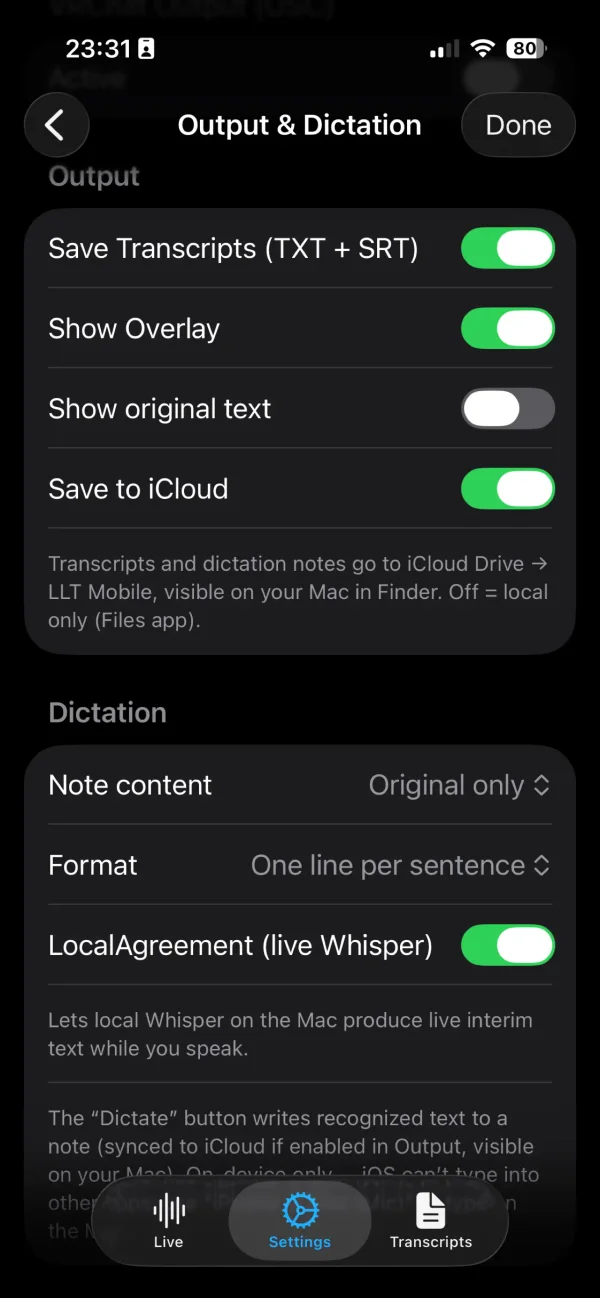
• NEW: Dictation mode — speak and save it as a note, or type it straight into apps on
your Mac
• NEW: iPhone as a wireless mic for LLT Desktop — start translation or dictation on your
Mac from your phone
• NEW: iCloud sync — transcripts and dictation notes appear automatically on your Mac
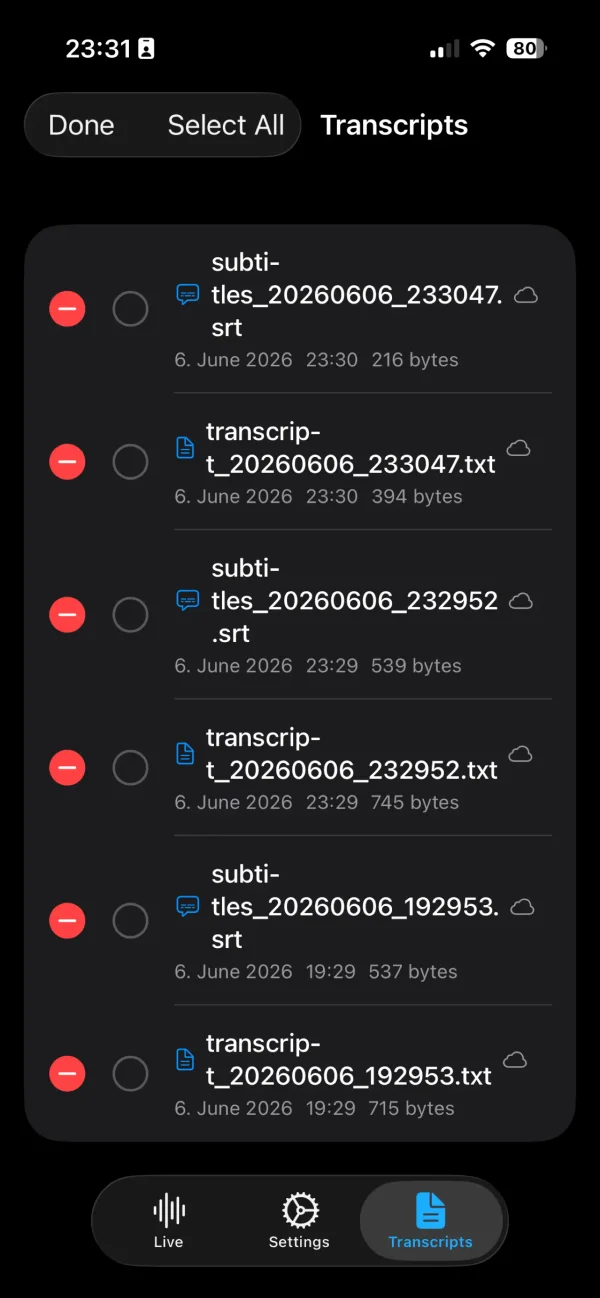
• NEW: Built-in viewer for your TXT + SRT files
• Live speech-to-text in 40+ languages
• Instant translation between any source and target language
• Text-to-speech playback of the translation
• Pick your engine: local or cloud
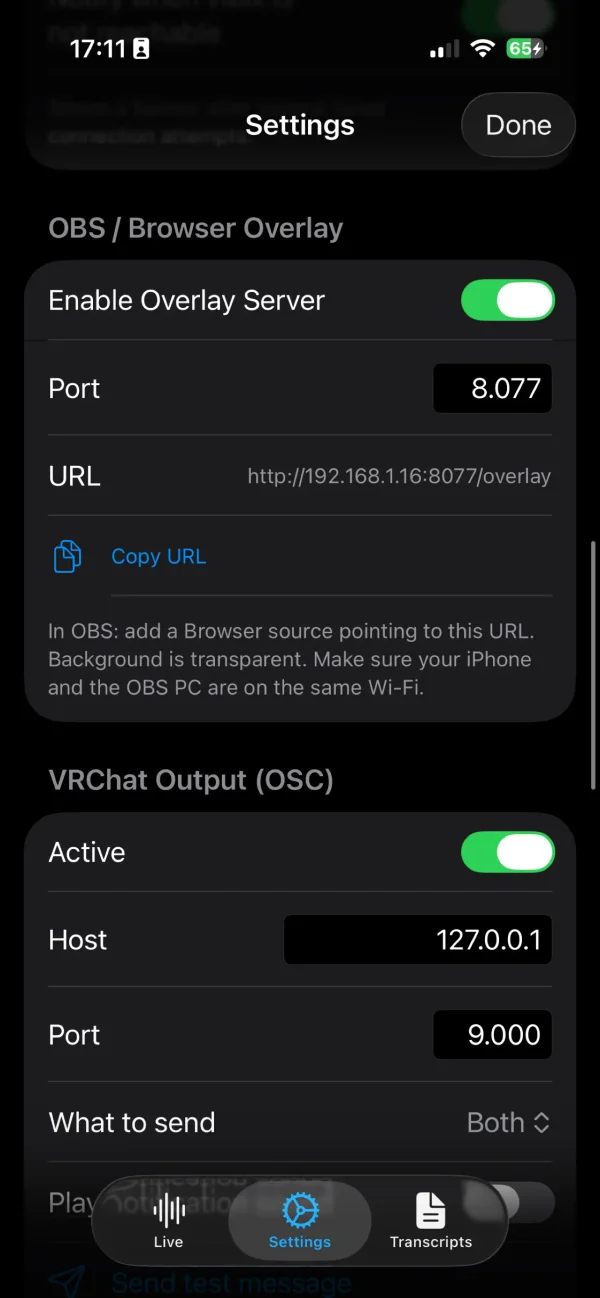
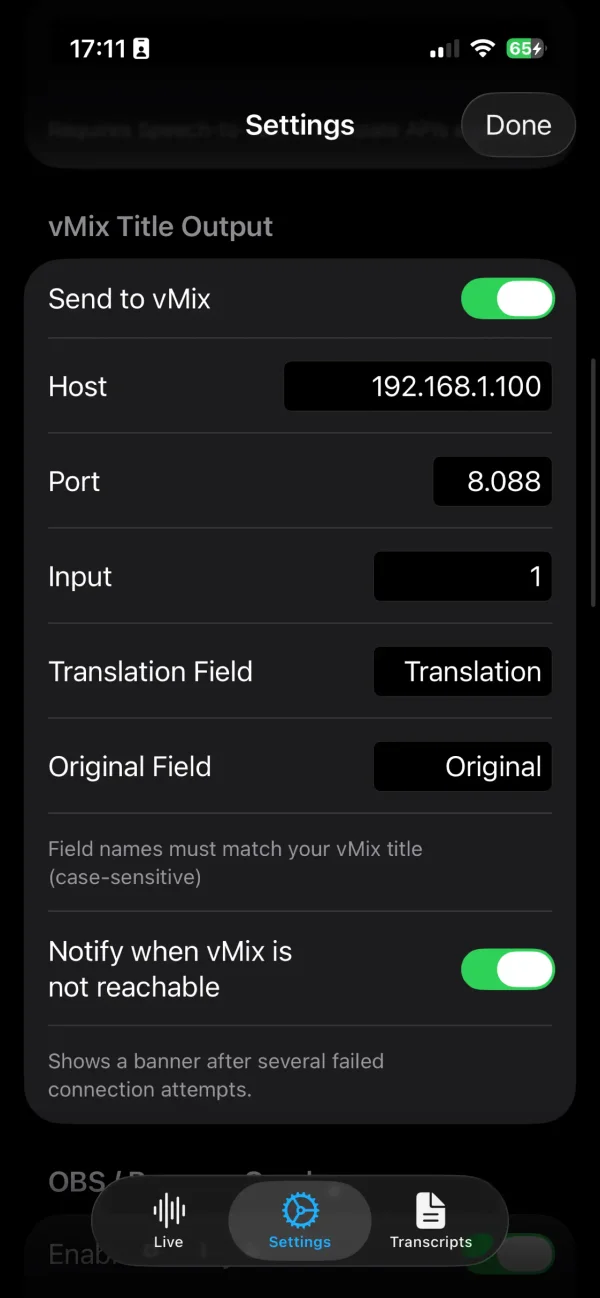
• vMix title integration over local Wi-Fi
• OBS Browser Source overlay for live subtitles on your PC
• VRChat output — subtitles straight to the in-game chatbox over OSC
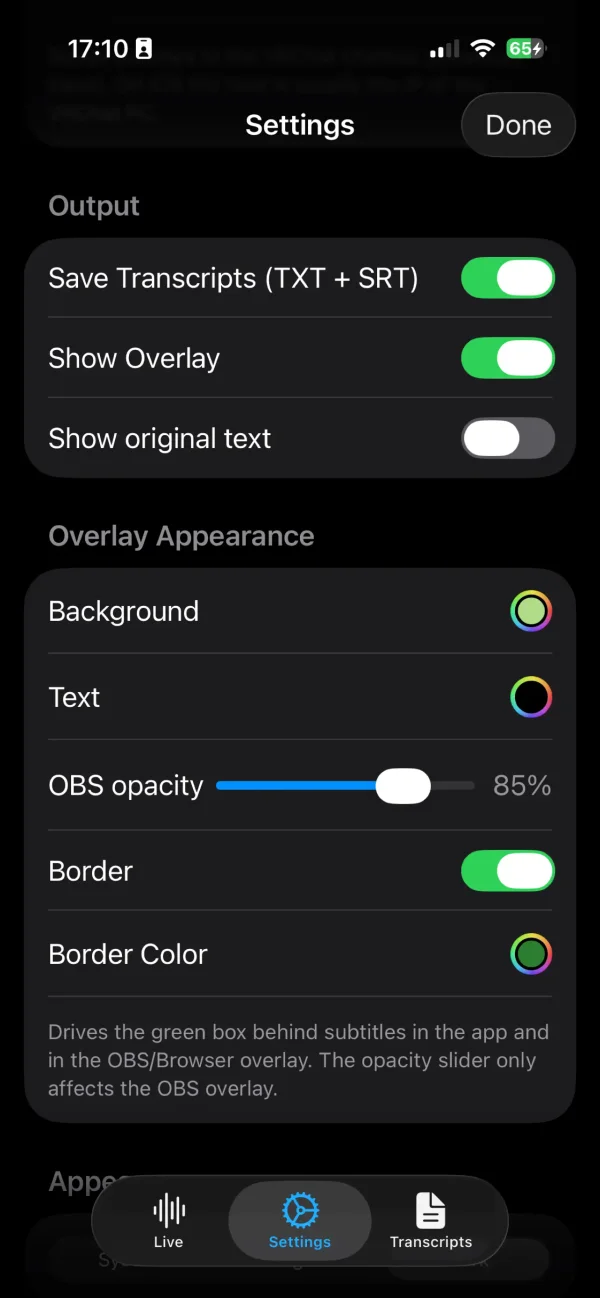
• Fully customisable overlay (colours, opacity, border) — applied live in the app and in
OBS
• Toggle the original text on or off
• Background audio — keeps working when minimized
• Automatic transcripts (TXT + SRT) for YouTube, Premiere, DaVinci
• Universal app — iPhone and iPad
DICTATION & WIRELESS MIC
Turn speech into text two ways. Use your iPhone as a wireless mic for LLT Desktop and
dictate straight into any app on your Mac — or start a translation on the Mac, all from
your phone. Or dictate on the iPhone and save the result as a note (original,
translation, or both). A reliable, cable-free alternative to Continuity.
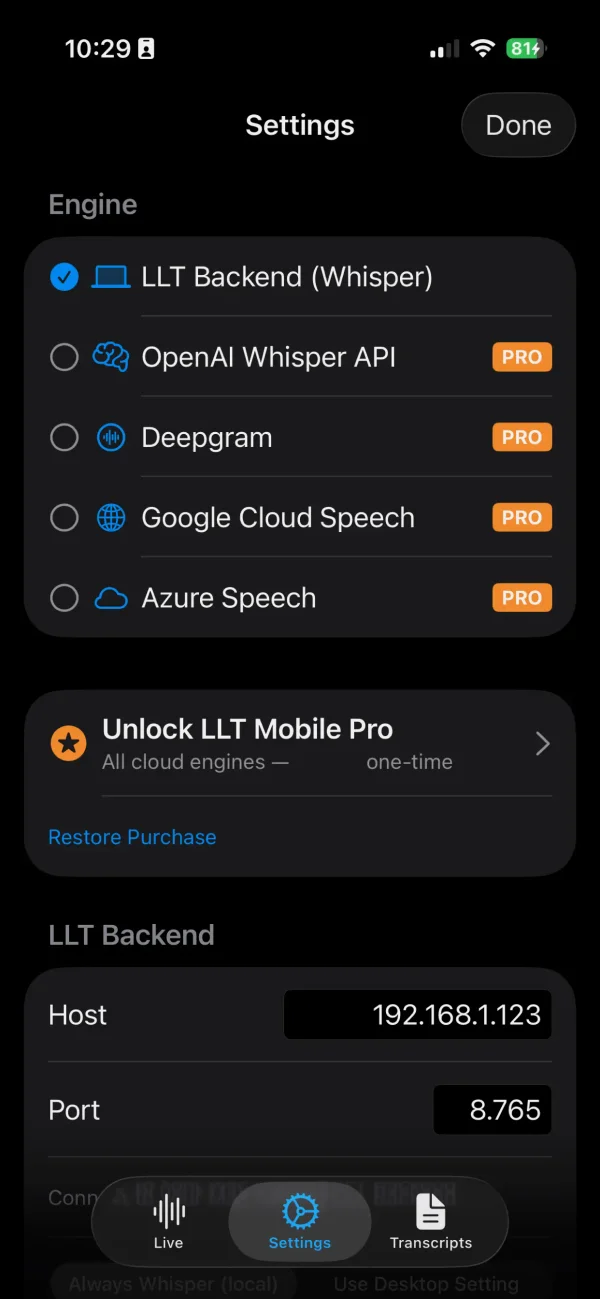
LOCAL MODE — GDPR-COMPLIANT
LLT Backend runs on your own Mac (Apple Silicon, or any machine with an NVIDIA GPU).
Audio goes from your iPhone over local Wi-Fi and is processed entirely on your hardware —
Whisper for transcription, Mistral for translation. Nothing leaves your network. Ideal
for schools, hospitals, law firms, government, and broadcasters with strict data
protection needs.
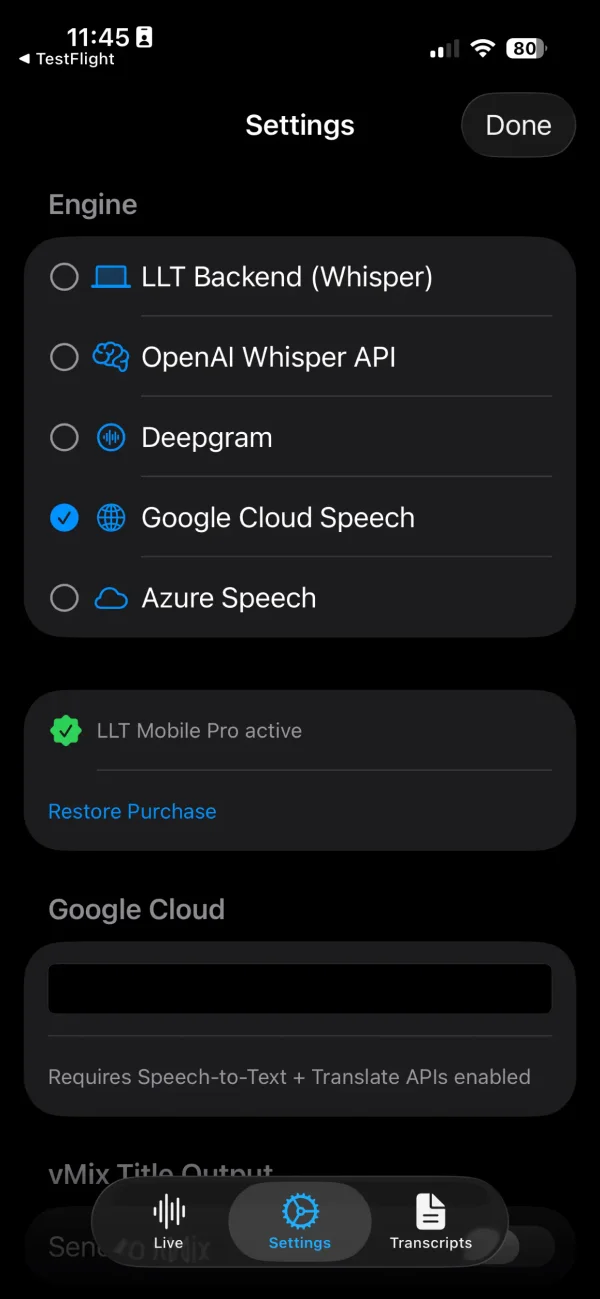
5 SPEECH ENGINES
• LLT Backend — your own Mac, local Whisper + Mistral, no cloud
• OpenAI Whisper — highest transcription quality
• Deepgram — fastest real-time streaming
• Google Cloud Speech — 125+ languages, built-in translation
• Azure Speech — enterprise-grade, built-in translation, low latency
VMIX INTEGRATION
Send translated captions directly to your vMix title inputs — real-time subtitles on
screen without touching your main production computer. Your iPhone becomes the
translation appliance.
TRANSCRIPTS & SUBTITLES
Every session is saved as timestamped TXT and SRT files on your device — and, with iCloud
on, in iCloud Drive so they appear on your Mac instantly. Read them in the built-in
viewer, or import into YouTube, Final Cut, Premiere, or DaVinci. Share via AirDrop, Mail,
or any iOS target.
PRIVACY
LLT Backend mode keeps everything on your local network. With a cloud engine, you use
your own API key and audio goes directly to that provider, never through Adelvo Software.
Optional iCloud sync stores files in your own iCloud only. No analytics, no tracking, no
telemetry.
LLT MOBILE PRO
LLT Backend is always free. Unlock all four cloud engines with a one-time purchase. No
subscription.
SYSTEM REQUIREMENTS
• iOS 17.0 or later — iPhone, iPad
• Wi-Fi; a Mac with LLT Backend (free) for local mode and the Mac mic/dictation features,
or your own cloud API key for cloud engines
Developed by Adelvo Software. Part of the LLT family alongside LLT Desktop for Mac and
ATB for broadcast.
Novedades
Versión 1.4.1 · 22/10/2026
Optimized for iPhone Duo: full-screen layout folded and unfolded. Live translation keeps running while you open or close the device.
Privacidad de la aplicación
Lo que Mathias Schneider declara en App Store sobre cómo esta aplicación gestiona los datos.
-
No se recopilan datos
El desarrollador no recopila ningún dato de esta aplicación.
Las prácticas de privacidad pueden variar, por ejemplo, según las funciones que uses o tu edad.
Información
- Vendedor
- Mathias Schneider
- Categoría
- Productividad
- Versión
- 1.4.1
- Actualizado
- 22/10/2026
- Publicado
- 27/4/2026
- Tamaño
- 1,2 MB
- Requiere
- iOS 17.0 o posterior
- Clasificación por edad
- 4+
- Precio
- Gratis
- Compras en la aplicación
- Sí
- Idiomas
- Inglés, Neerlandés, Francés, Alemán, Italiano, Portugués, Español
- Copyright
- © 2026 Adelvo Software Mathias Schneider
Quizá también te guste
-
 VoiceToMDProductividad
-
 Übersetz: Live TranslatorProductividad
-
 STE: Simple Text EditorProductividad
-
 SubExtractorProductividad
-
 Digital SambaProductividad
-
 PDF PrimeProductividad
-
 SRT EmailProductividad
-
 Redde: Every AI agent, one appProductividad
-
 Subtitle Viewer & TranslatorProductividad
-
 Caplo: Subtítulos en vivoTraductor de voz y videos IA