LLT Mobile
Live Translator for Pros+vMix
Được thiết kế cho iPhone, iPad
Miễn phí · Mua hàng trong ứng dụng
- Độ tuổi4+
- Danh mụcHiệu Suất
- Nhà phát triểnMathias Schneider
- Ngôn ngữTiếng Anh+ 6 ngôn ngữ khác
- Kích thước1,2 MB
Liên kết đến trang App Store chính thức
Download.org không lưu trữ tệp nào của LLT Mobile. Nút này mở trang ứng dụng trên App Store, nơi Mathias Schneider phát hành ứng dụng. Trang được kiểm tra lần cuối: 13/11/2026.
Ảnh chụp màn hình



Giới thiệu
Nhà phát triển chưa cung cấp nội dung này bằng ngôn ngữ của bạn.
Real-time speech translation and dictation for iPhone and iPad — free companion to LLT
Desktop.
Speak → Transcribe → Translate → Speak back, with optional text-to-speech. New: a
dictation mode and using your iPhone as a wireless microphone for your Mac.
GDPR-compliant with your own Mac running LLT Backend — no cloud, no API keys, no data
leaves your network.
KEY FEATURES
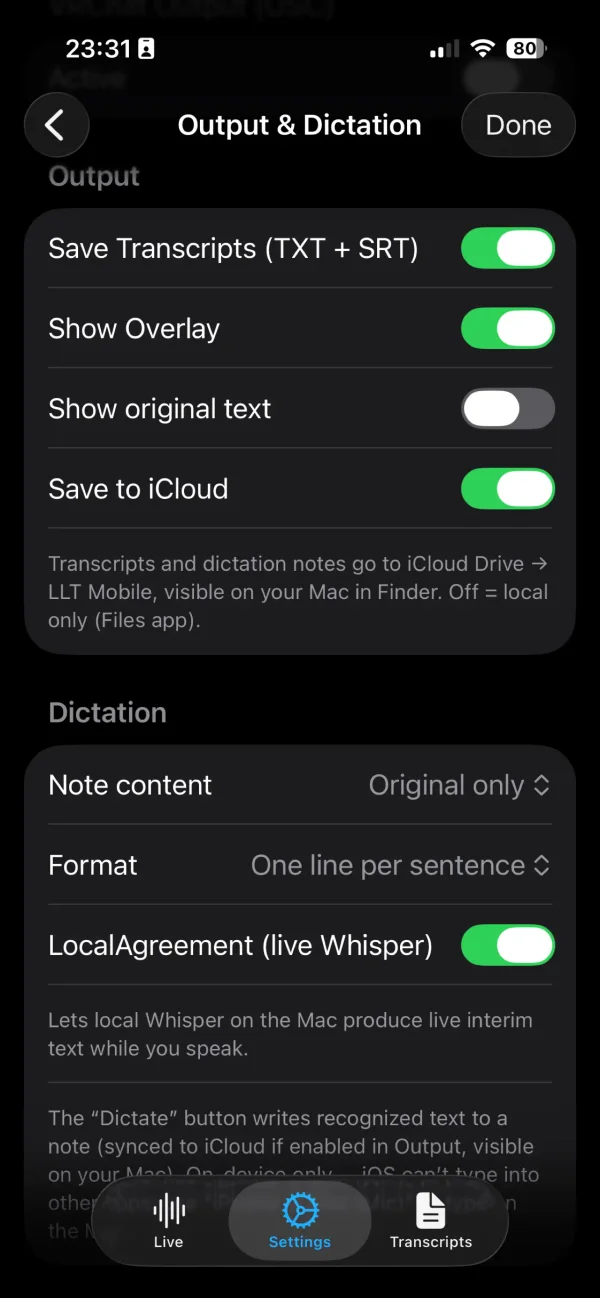
• NEW: Dictation mode — speak and save it as a note, or type it straight into apps on
your Mac
• NEW: iPhone as a wireless mic for LLT Desktop — start translation or dictation on your
Mac from your phone
• NEW: iCloud sync — transcripts and dictation notes appear automatically on your Mac
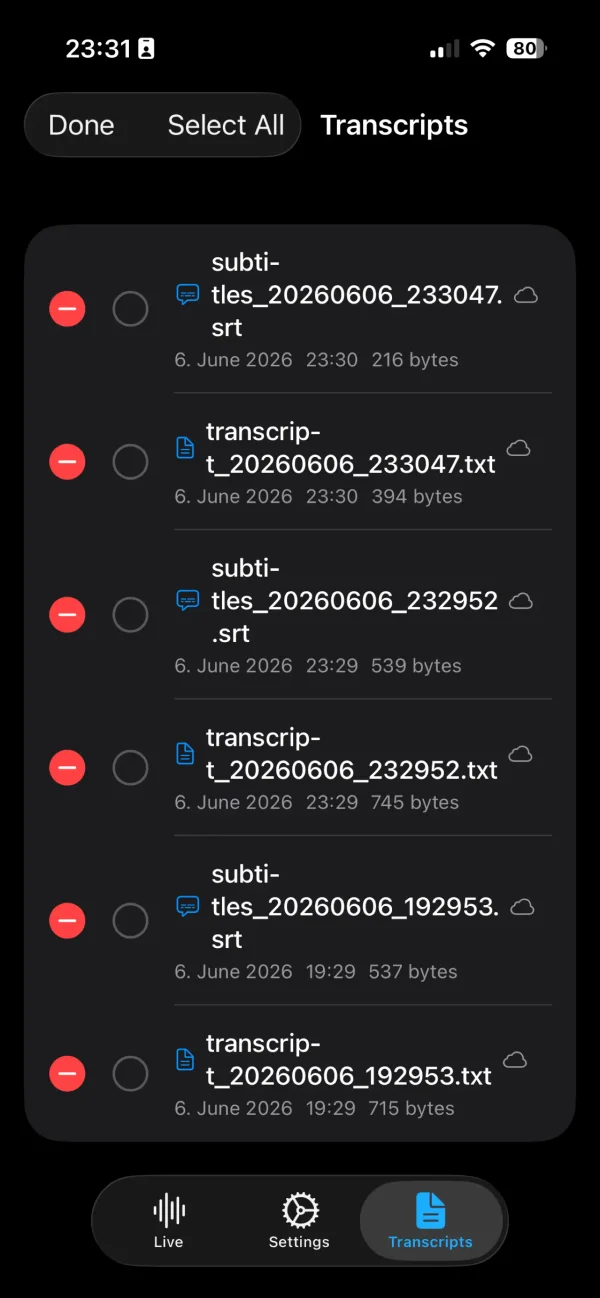
• NEW: Built-in viewer for your TXT + SRT files
• Live speech-to-text in 40+ languages
• Instant translation between any source and target language
• Text-to-speech playback of the translation
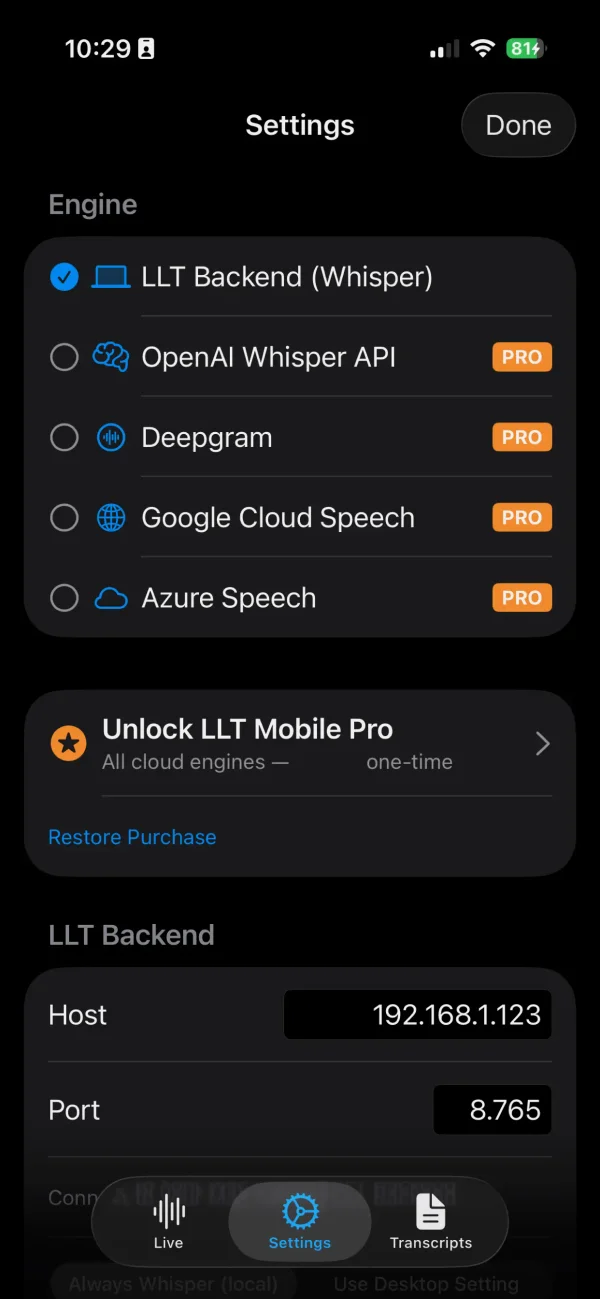
• Pick your engine: local or cloud
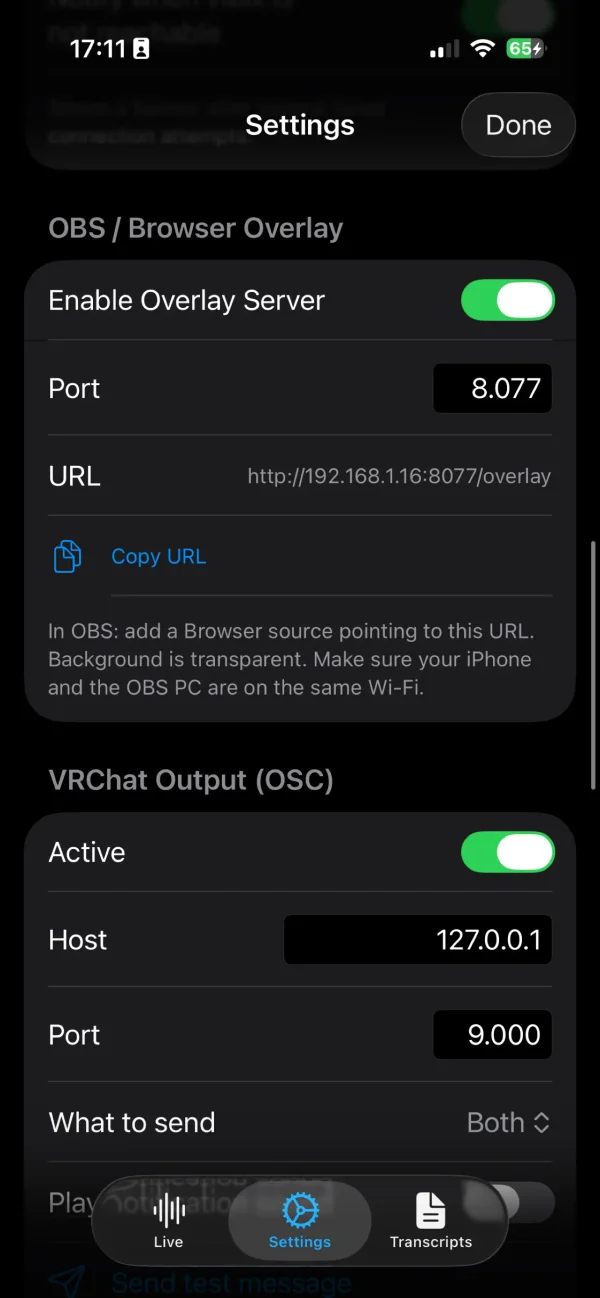
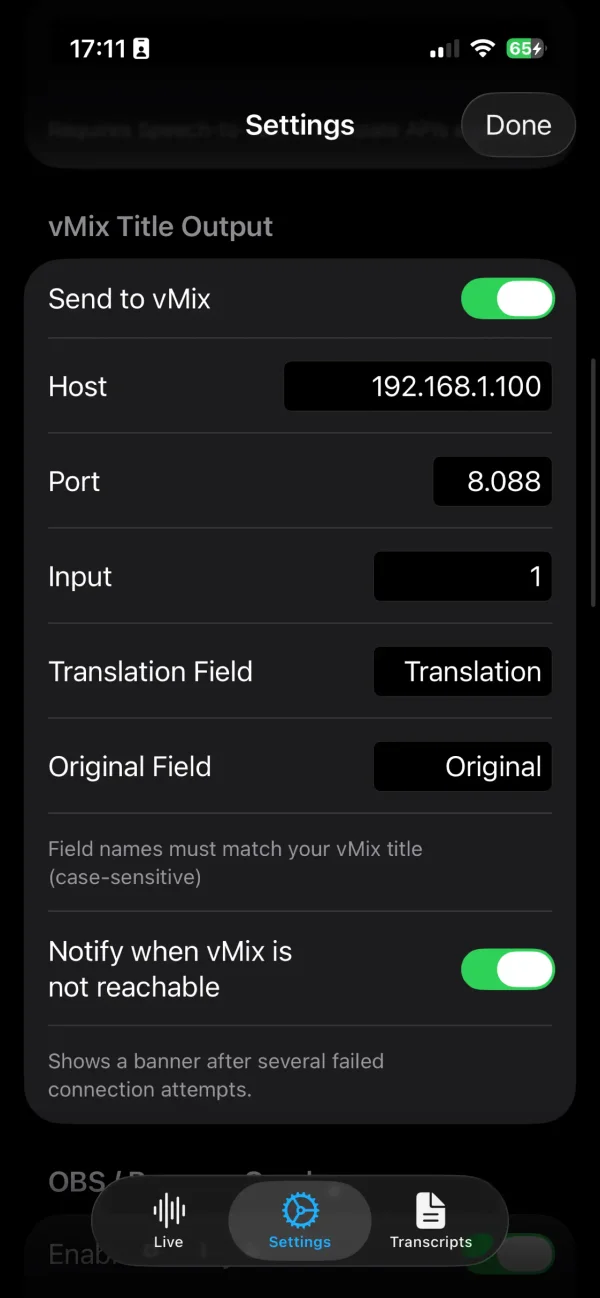
• vMix title integration over local Wi-Fi
• OBS Browser Source overlay for live subtitles on your PC
• VRChat output — subtitles straight to the in-game chatbox over OSC
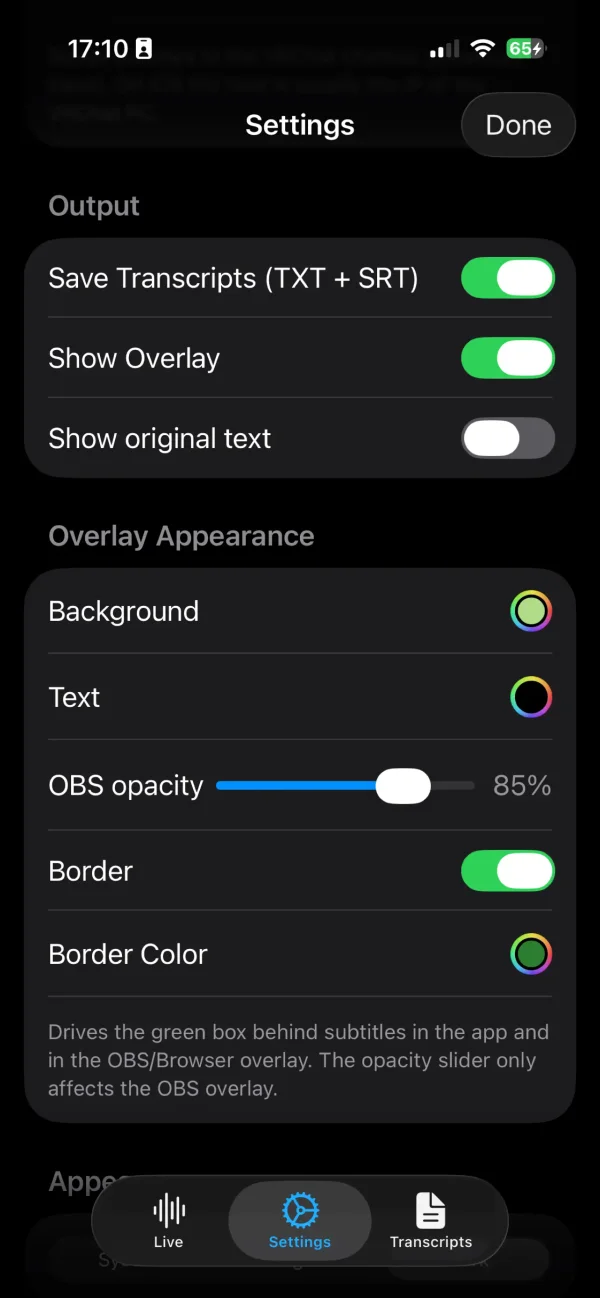
• Fully customisable overlay (colours, opacity, border) — applied live in the app and in
OBS
• Toggle the original text on or off
• Background audio — keeps working when minimized
• Automatic transcripts (TXT + SRT) for YouTube, Premiere, DaVinci
• Universal app — iPhone and iPad
DICTATION & WIRELESS MIC
Turn speech into text two ways. Use your iPhone as a wireless mic for LLT Desktop and
dictate straight into any app on your Mac — or start a translation on the Mac, all from
your phone. Or dictate on the iPhone and save the result as a note (original,
translation, or both). A reliable, cable-free alternative to Continuity.
LOCAL MODE — GDPR-COMPLIANT
LLT Backend runs on your own Mac (Apple Silicon, or any machine with an NVIDIA GPU).
Audio goes from your iPhone over local Wi-Fi and is processed entirely on your hardware —
Whisper for transcription, Mistral for translation. Nothing leaves your network. Ideal
for schools, hospitals, law firms, government, and broadcasters with strict data
protection needs.
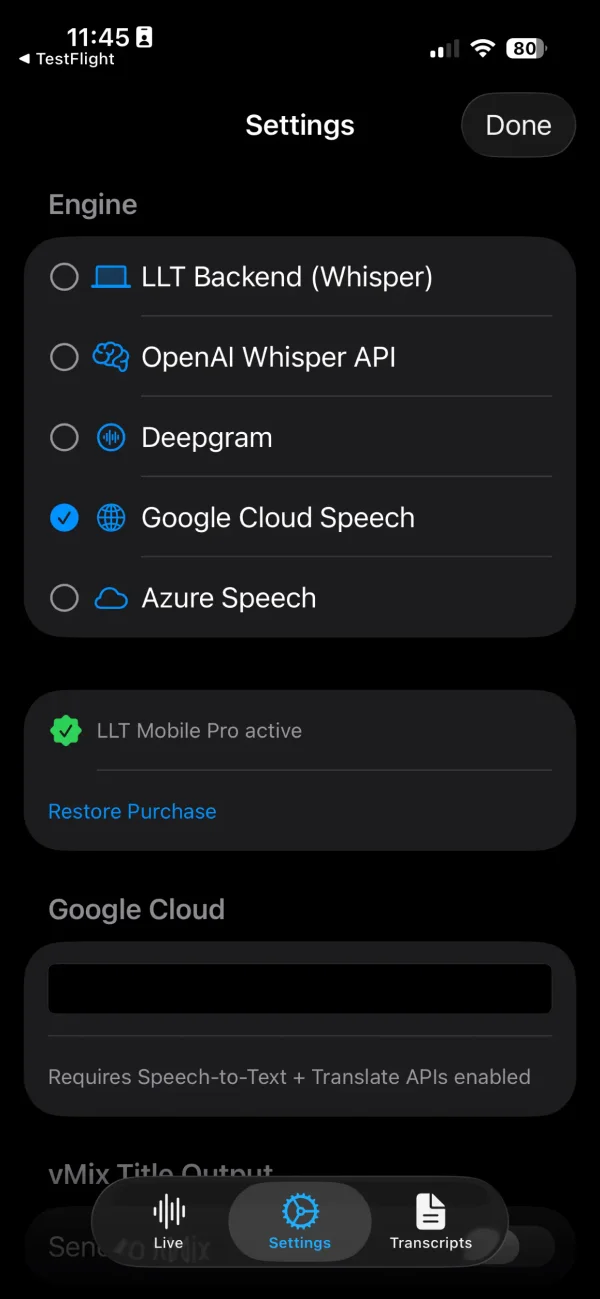
5 SPEECH ENGINES
• LLT Backend — your own Mac, local Whisper + Mistral, no cloud
• OpenAI Whisper — highest transcription quality
• Deepgram — fastest real-time streaming
• Google Cloud Speech — 125+ languages, built-in translation
• Azure Speech — enterprise-grade, built-in translation, low latency
VMIX INTEGRATION
Send translated captions directly to your vMix title inputs — real-time subtitles on
screen without touching your main production computer. Your iPhone becomes the
translation appliance.
TRANSCRIPTS & SUBTITLES
Every session is saved as timestamped TXT and SRT files on your device — and, with iCloud
on, in iCloud Drive so they appear on your Mac instantly. Read them in the built-in
viewer, or import into YouTube, Final Cut, Premiere, or DaVinci. Share via AirDrop, Mail,
or any iOS target.
PRIVACY
LLT Backend mode keeps everything on your local network. With a cloud engine, you use
your own API key and audio goes directly to that provider, never through Adelvo Software.
Optional iCloud sync stores files in your own iCloud only. No analytics, no tracking, no
telemetry.
LLT MOBILE PRO
LLT Backend is always free. Unlock all four cloud engines with a one-time purchase. No
subscription.
SYSTEM REQUIREMENTS
• iOS 17.0 or later — iPhone, iPad
• Wi-Fi; a Mac with LLT Backend (free) for local mode and the Mac mic/dictation features,
or your own cloud API key for cloud engines
Developed by Adelvo Software. Part of the LLT family alongside LLT Desktop for Mac and
ATB for broadcast.
Có gì mới
Phiên bản 1.4.1 · 22/10/2026
Optimized for iPhone Duo: full-screen layout folded and unfolded. Live translation keeps running while you open or close the device.
Quyền riêng tư của ứng dụng
Những gì Mathias Schneider khai báo trên App Store về cách ứng dụng này xử lý dữ liệu.
-
Dữ liệu không được thu thập
Nhà phát triển không thu thập bất kỳ dữ liệu nào từ ứng dụng này.
Phương thức đảm bảo quyền riêng tư có thể khác nhau, chẳng hạn như tuỳ theo các tính năng bạn sử dụng hoặc độ tuổi của bạn.
Thông tin
- Người bán
- Mathias Schneider
- Danh mục
- Hiệu Suất
- Phiên bản
- 1.4.1
- Cập nhật
- 22/10/2026
- Phát hành
- 27/04/2026
- Kích thước
- 1,2 MB
- Yêu cầu
- iOS 17.0 trở lên
- Độ tuổi
- 4+
- Giá
- Miễn phí
- Mua hàng trong ứng dụng
- Có
- Ngôn ngữ
- Tiếng Anh, Tiếng Hà Lan, Tiếng Pháp, Tiếng Đức, Tiếng Ý, Tiếng Bồ Đào Nha, Tiếng Tây Ban Nha
- Bản quyền
- © 2026 Adelvo Software Mathias Schneider