LockBoard - Lock Screen Notes
Notes on your wallpaper
Diseñada para iPhone
Compras en la aplicación
- Clasificación por edad4+
- CategoríaProductividad
- DesarrolladorTatsuya Hirano
- IdiomasJaponés+ 1 más
- Tamaño21,7 MB
Es posible que LockBoard - Lock Screen Notes no esté disponible en App Store en este momento
No se pudo acceder a la ficha de la tienda en nuestra última comprobación. El enlace sigue llevando a la página oficial de App Store.
Capturas de pantalla
Acerca de
El desarrollador no ha proporcionado este texto en tu idioma.
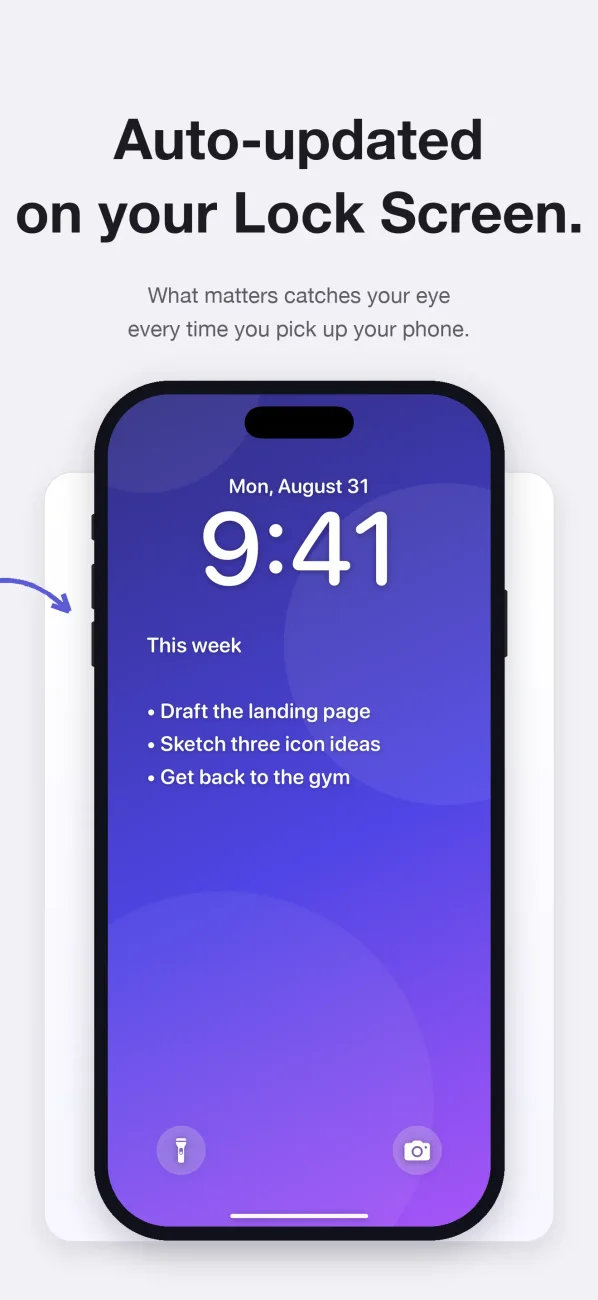
LockBoard keeps your notes on your Lock Screen wallpaper — always visible, zero effort.
The fundamental weakness of to-do apps: they only work if you open them. LockBoard turns your note itself into your wallpaper, so it catches your eye every time you pick up your phone. Like a sticky note on the fridge, it works without you even trying — on the screen you look at more than any other.
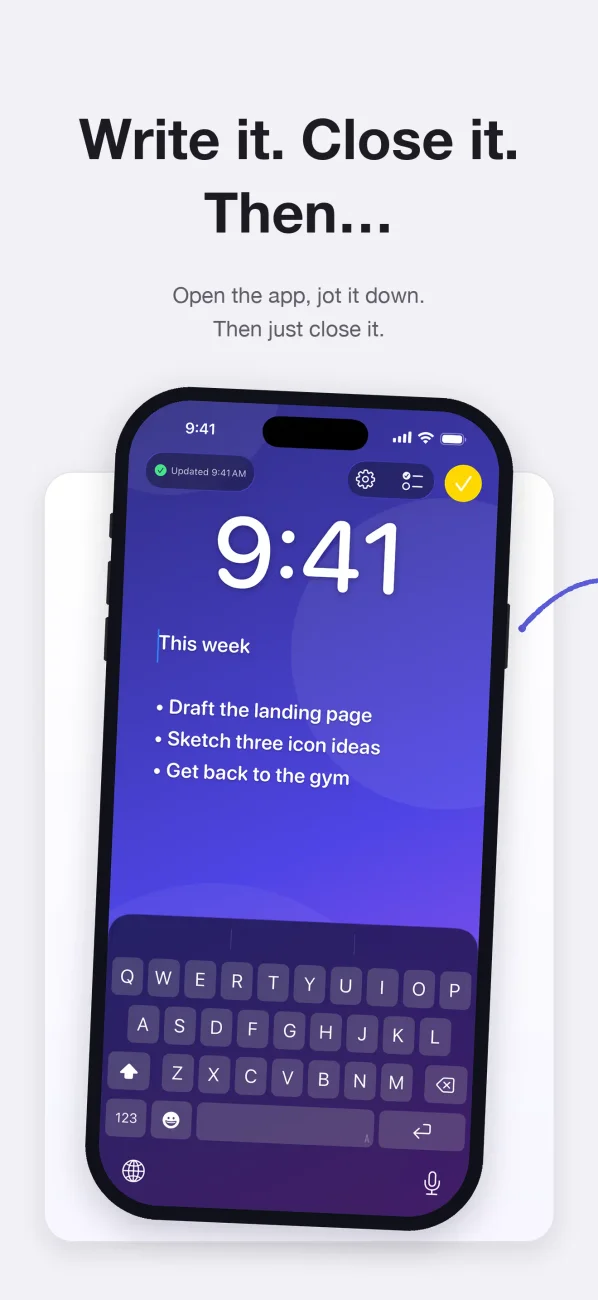
■ Just write and close
- Open → write → close. That's all
- The wallpaper image refreshes automatically the moment you close the app
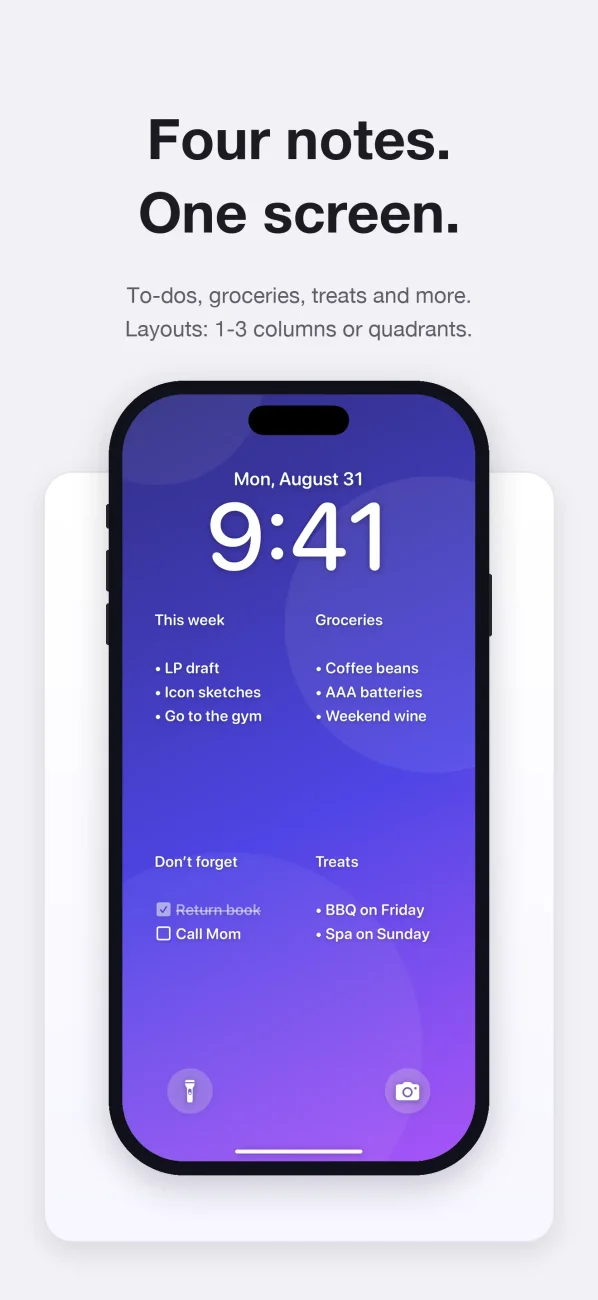
- One board only. No lists to manage, nothing to organize
■ What you see is what you get
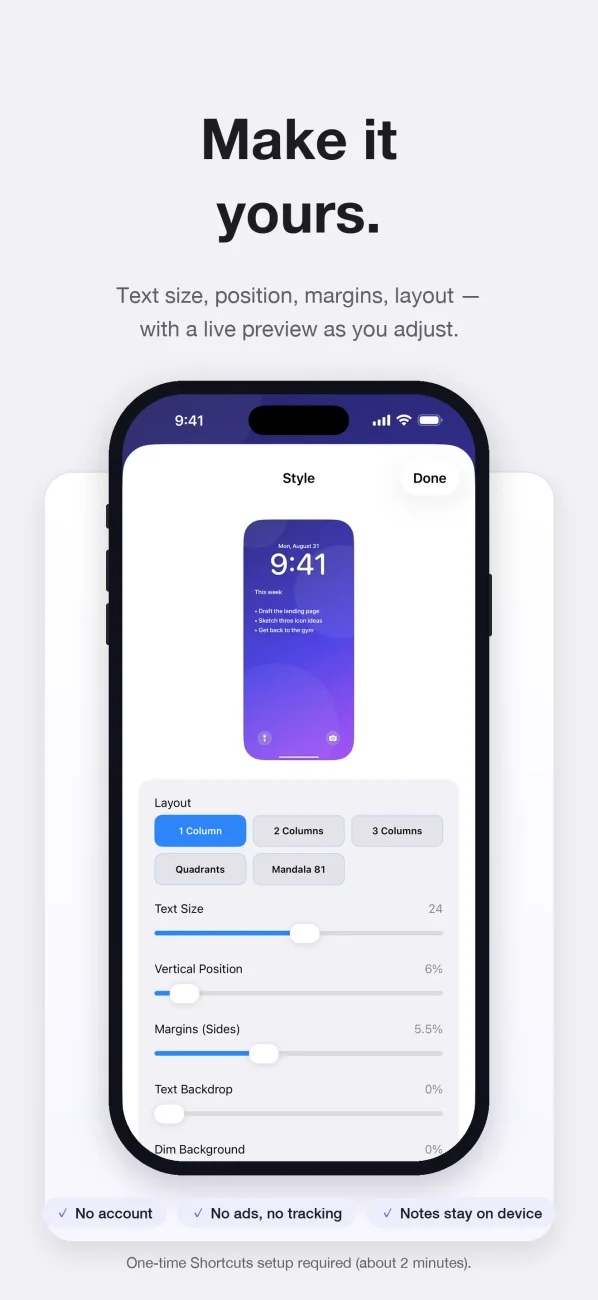
- The preview shows exactly what your Lock Screen will look like
- Backgrounds: 6 calm solid colors, 6 gradients, or a photo you love
- Adjust text size, vertical position, and a readability backdrop
- The layout stays clear of the Lock Screen clock and bottom buttons
■ How it works (one-time setup, about 2 minutes)
iOS doesn't let apps change your wallpaper directly. LockBoard pairs with Apple's official Shortcuts app to update it.
All you set up the first time: add the ready-made shortcut with one tap, assign it to a button on your Lock Screen, and write your first note from that button. The in-app wizard walks you through it screen by screen — about 2 minutes.
After that, you can jot things down straight from the Lock Screen button. To have edits you make inside the app applied automatically too, you can go on to set up the optional "when the app closes" automation.
■ Great for
- Keeping this week's goals in sight without relying on willpower
- Anyone who could never stick with a to-do app
- Shopping and packing lists you can check at a glance
- Words you live by, always in view
- Drilling facts for exams and certifications
■ 7-day free period and pricing
- Try every feature free for 7 days (168 hours) after your first successful shortcut action
- The free period does not start a subscription or charge you automatically
- After it ends, you can still view and copy your memo, share the wallpaper, and keep your current Lock Screen wallpaper in place. A purchase is required to write new content or update the wallpaper
- $2.99 monthly / $14.99 yearly / $39.99 lifetime
- Monthly and annual plans renew automatically after purchase until canceled. You can cancel anytime in App Store settings. The price shown on the purchase screen is the price that applies
■ Privacy
- Your notes and photos never leave your device
- No personally identifiable data is collected. In addition to anonymous usage statistics, RevenueCat processes purchase status, purchase history, and a random anonymous ID to provide purchases. This data is not linked to you or used for tracking
- Your free-period start time is synced through Apple's iCloud KVS within your own iCloud account so it carries across reinstalls and device changes
- No account required
Novedades
Versión 0.5.3 · 14/9/2026
• Decorate your board with photos and subject cutouts. Drag or paste them in as stickers, then move, resize, and rotate them to make the board your own.
• Choose from four new backgrounds: Blossom, Sage Garden, Milk Latte, and Moonlight. Preview them with your own notes and get a matching text color in one tap.
• Pick any solid background color from the color palette to make your board your own.
• Zoom and move background photos before applying them. Fit a photo to the screen width or zoom in on your favorite part.
Privacidad de la aplicación
Lo que Tatsuya Hirano declara en App Store sobre cómo esta aplicación gestiona los datos.
-
Datos no vinculados a ti
Pueden recopilarse, pero no se vinculan a tu identidad.
- Compras
- Identificadores
- Datos de uso
Las prácticas de privacidad pueden variar, por ejemplo, según las funciones que uses o tu edad.
Información
- Vendedor
- Tatsuya Hirano
- Categoría
- Productividad
- Versión
- 0.5.3
- Actualizado
- 14/9/2026
- Publicado
- 29/7/2026
- Tamaño
- 21,7 MB
- Requiere
- iOS 18.0 o posterior
- Clasificación por edad
- 4+
- Compras en la aplicación
- Sí
- Idiomas
- Japonés, Inglés
- Copyright
- © 2026 Tatsuya Hirano
Quizá también te guste
-
 ロックメモ - メモ・ToDo・買い物リストProductividad
-
 かんたんロック画面メモ - 付箋・買い物メモ・持ち物リストProductividad
-
 Lock Screen Notes: StickyNotas en pantalla bloqueada
-
 ロック画面メモ - LockScreenMemoProductividad
-
 MieMemo: Lock Screen NotesProductividad
-
 Stickon – Notas y EntradasNotas en la pantalla bloqueada
-
 Decoy: Hidden Lock Screen NoteProductividad
-
 超シンプルメモ - ロック画面ToDoProductividad
-
 Notas adhesivas: StickySortPantalla bloqueada y widgets
-
 Lock Screen Memo: Memo WidgetProductividad