LockBoard - Lock Screen Notes
Notes on your wallpaper
Được thiết kế cho iPhone
Miễn phí · Mua hàng trong ứng dụng
- Độ tuổi4+
- Danh mụcHiệu Suất
- Nhà phát triểnTatsuya Hirano
- Ngôn ngữTiếng Nhật+ 1 ngôn ngữ khác
- Kích thước21,7 MB
Liên kết đến trang App Store chính thức
Download.org không lưu trữ tệp nào của LockBoard - Lock Screen Notes. Nút này mở trang ứng dụng trên App Store, nơi Tatsuya Hirano phát hành ứng dụng. Trang được kiểm tra lần cuối: 12/11/2026.
Ảnh chụp màn hình
Giới thiệu
Nhà phát triển chưa cung cấp nội dung này bằng ngôn ngữ của bạn.
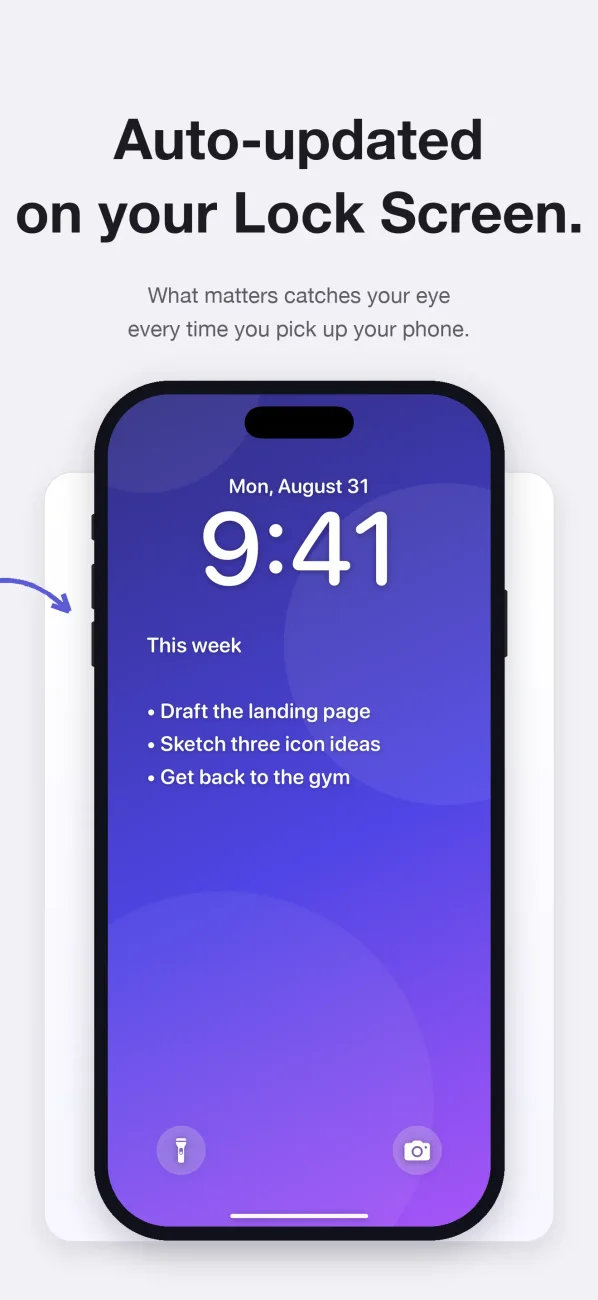
LockBoard keeps your notes on your Lock Screen wallpaper — always visible, zero effort.
The fundamental weakness of to-do apps: they only work if you open them. LockBoard turns your note itself into your wallpaper, so it catches your eye every time you pick up your phone. Like a sticky note on the fridge, it works without you even trying — on the screen you look at more than any other.
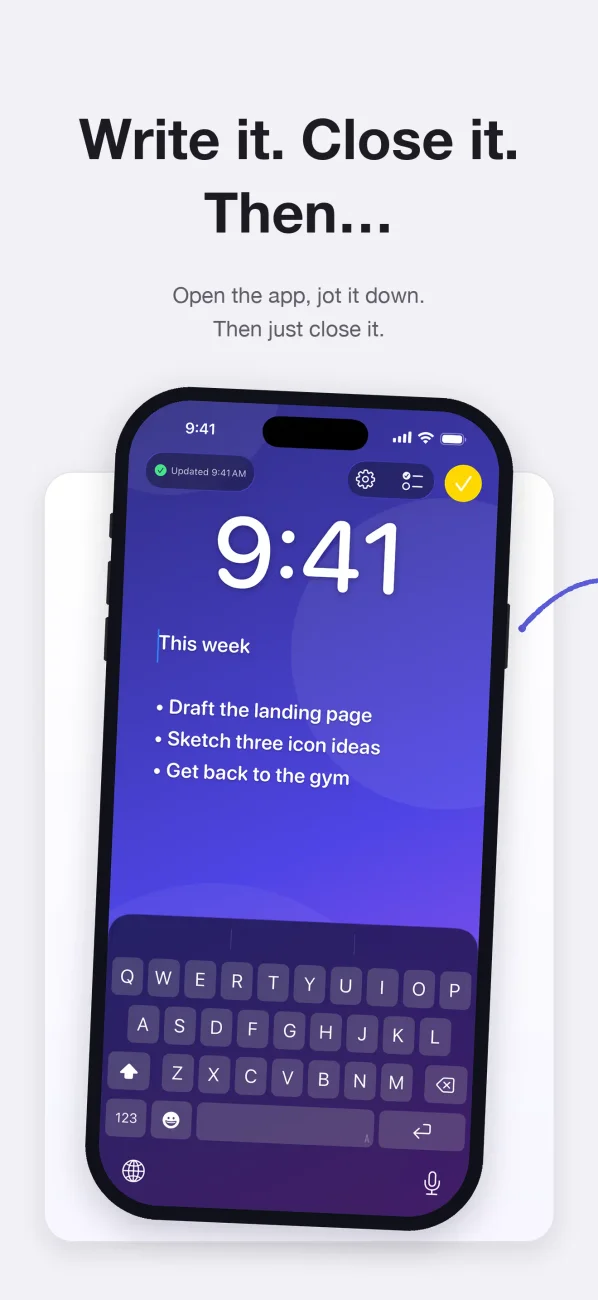
■ Just write and close
- Open → write → close. That's all
- The wallpaper image refreshes automatically the moment you close the app
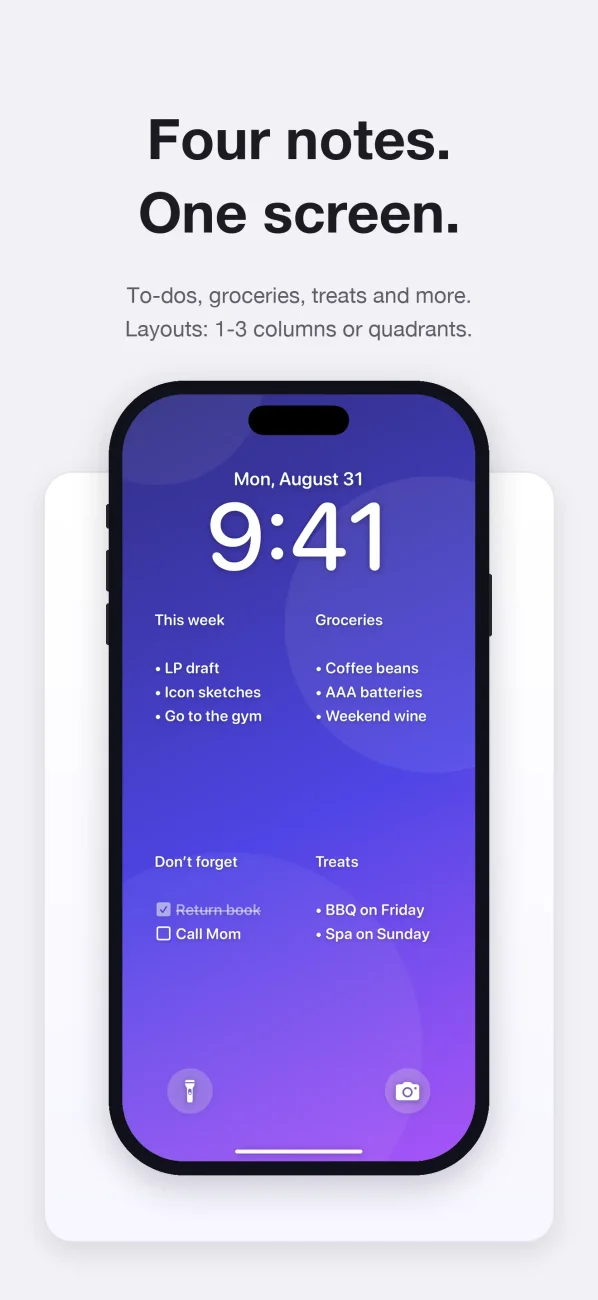
- One board only. No lists to manage, nothing to organize
■ What you see is what you get
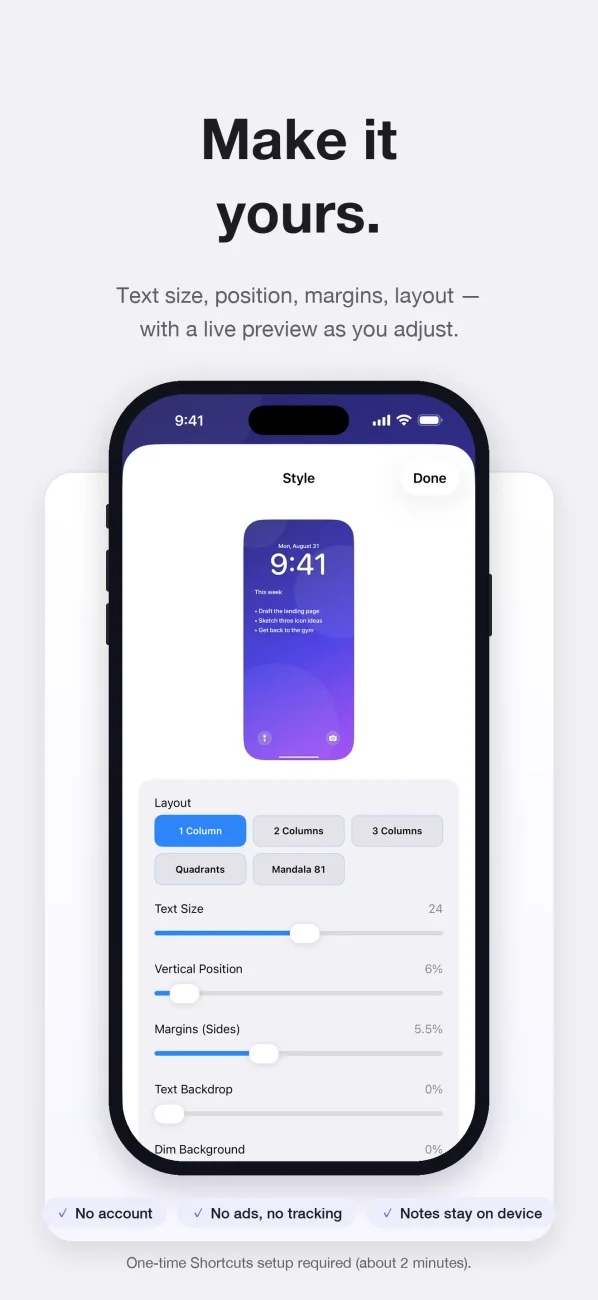
- The preview shows exactly what your Lock Screen will look like
- Backgrounds: 6 calm solid colors, 6 gradients, or a photo you love
- Adjust text size, vertical position, and a readability backdrop
- The layout stays clear of the Lock Screen clock and bottom buttons
■ How it works (one-time setup, about 2 minutes)
iOS doesn't let apps change your wallpaper directly. LockBoard pairs with Apple's official Shortcuts app to update it.
All you set up the first time: add the ready-made shortcut with one tap, assign it to a button on your Lock Screen, and write your first note from that button. The in-app wizard walks you through it screen by screen — about 2 minutes.
After that, you can jot things down straight from the Lock Screen button. To have edits you make inside the app applied automatically too, you can go on to set up the optional "when the app closes" automation.
■ Great for
- Keeping this week's goals in sight without relying on willpower
- Anyone who could never stick with a to-do app
- Shopping and packing lists you can check at a glance
- Words you live by, always in view
- Drilling facts for exams and certifications
■ 7-day free period and pricing
- Try every feature free for 7 days (168 hours) after your first successful shortcut action
- The free period does not start a subscription or charge you automatically
- After it ends, you can still view and copy your memo, share the wallpaper, and keep your current Lock Screen wallpaper in place. A purchase is required to write new content or update the wallpaper
- $2.99 monthly / $14.99 yearly / $39.99 lifetime
- Monthly and annual plans renew automatically after purchase until canceled. You can cancel anytime in App Store settings. The price shown on the purchase screen is the price that applies
■ Privacy
- Your notes and photos never leave your device
- No personally identifiable data is collected. In addition to anonymous usage statistics, RevenueCat processes purchase status, purchase history, and a random anonymous ID to provide purchases. This data is not linked to you or used for tracking
- Your free-period start time is synced through Apple's iCloud KVS within your own iCloud account so it carries across reinstalls and device changes
- No account required
Có gì mới
Phiên bản 0.5.3 · 14/09/2026
• Decorate your board with photos and subject cutouts. Drag or paste them in as stickers, then move, resize, and rotate them to make the board your own.
• Choose from four new backgrounds: Blossom, Sage Garden, Milk Latte, and Moonlight. Preview them with your own notes and get a matching text color in one tap.
• Pick any solid background color from the color palette to make your board your own.
• Zoom and move background photos before applying them. Fit a photo to the screen width or zoom in on your favorite part.
Quyền riêng tư của ứng dụng
Những gì Tatsuya Hirano khai báo trên App Store về cách ứng dụng này xử lý dữ liệu.
-
Dữ liệu không liên kết với bạn
Có thể được thu thập nhưng không liên kết với danh tính của bạn.
- Mục mua
- Mã định danh
- Dữ liệu sử dụng
Phương thức đảm bảo quyền riêng tư có thể khác nhau, chẳng hạn như tuỳ theo các tính năng bạn sử dụng hoặc độ tuổi của bạn.
Thông tin
- Người bán
- Tatsuya Hirano
- Danh mục
- Hiệu Suất
- Phiên bản
- 0.5.3
- Cập nhật
- 14/09/2026
- Phát hành
- 29/07/2026
- Kích thước
- 21,7 MB
- Yêu cầu
- iOS 18.0 trở lên
- Độ tuổi
- 4+
- Giá
- Miễn phí
- Mua hàng trong ứng dụng
- Có
- Ngôn ngữ
- Tiếng Nhật, Tiếng Anh
- Bản quyền
- © 2026 Tatsuya Hirano
Có thể bạn cũng thích
-
 ロックメモ - メモ・ToDo・買い物リストHiệu Suất
-
 かんたんロック画面メモ - 付箋・買い物メモ・持ち物リストHiệu Suất
-
 Lock Screen Notes: StickyHiệu Suất
-
 ロック画面メモ - LockScreenMemoHiệu Suất
-
 MieMemo: Lock Screen NotesHiệu Suất
-
 Stickon – Ghi chú và Nhật kýGhi chú trên Màn hình khóa
-
 Decoy: Hidden Lock Screen NoteHiệu Suất
-
 超シンプルメモ - ロック画面ToDoHiệu Suất
-
 Ghi chú dán: StickySortTrên Màn hình khóa và widget
-
 Ghi chú khóa | LockScreenMemoGhi chú riêng ở màn hình khóa