Lockday
Encrypted Task Manager
Diseñada para iPhone, iPad
Gratis · Compras en la aplicación
- Clasificación por edad12+
- CategoríaProductividad
- DesarrolladorSandra Franco
- IdiomasInglés
- Tamaño88,9 MB
Enlaza a la página oficial de App Store
Download.org no aloja ningún archivo de Lockday. El botón abre la página de la aplicación en App Store, donde la publica Sandra Franco. Ficha comprobada por última vez el 23/11/2026.
Capturas de pantalla


Acerca de
El desarrollador no ha proporcionado este texto en tu idioma.
With great privacy comes great productivity.
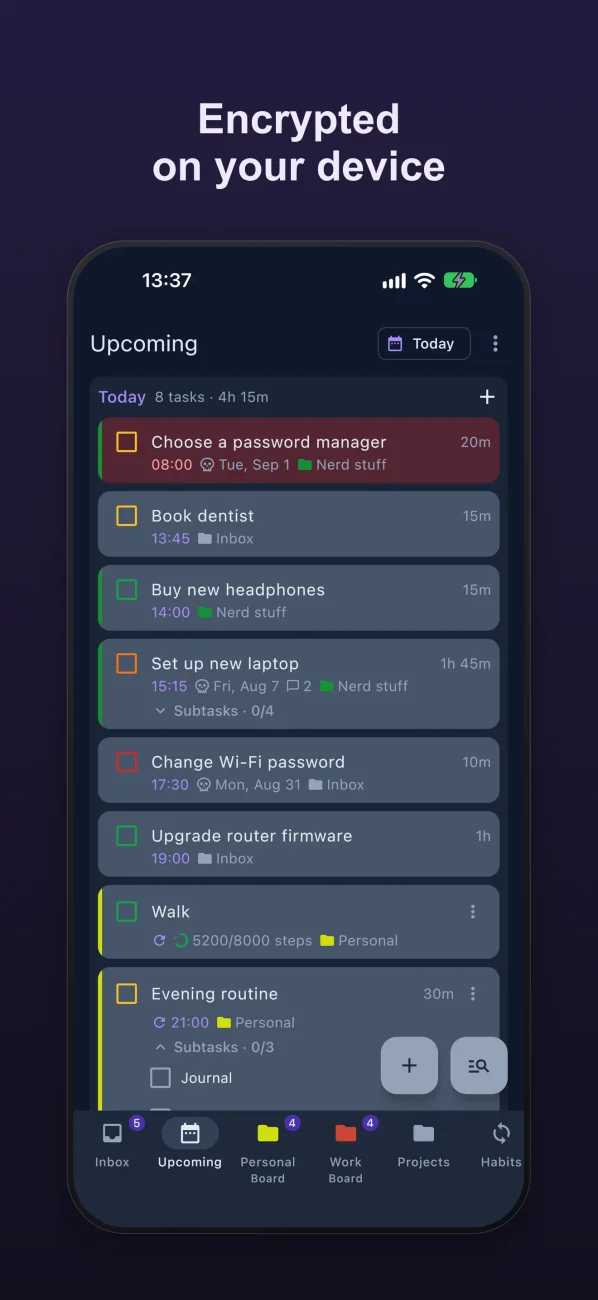
Lockday is a private planner for tasks, calendar and habits: post-quantum encrypted, works offline, with a decoy PIN and no tracking.
Features
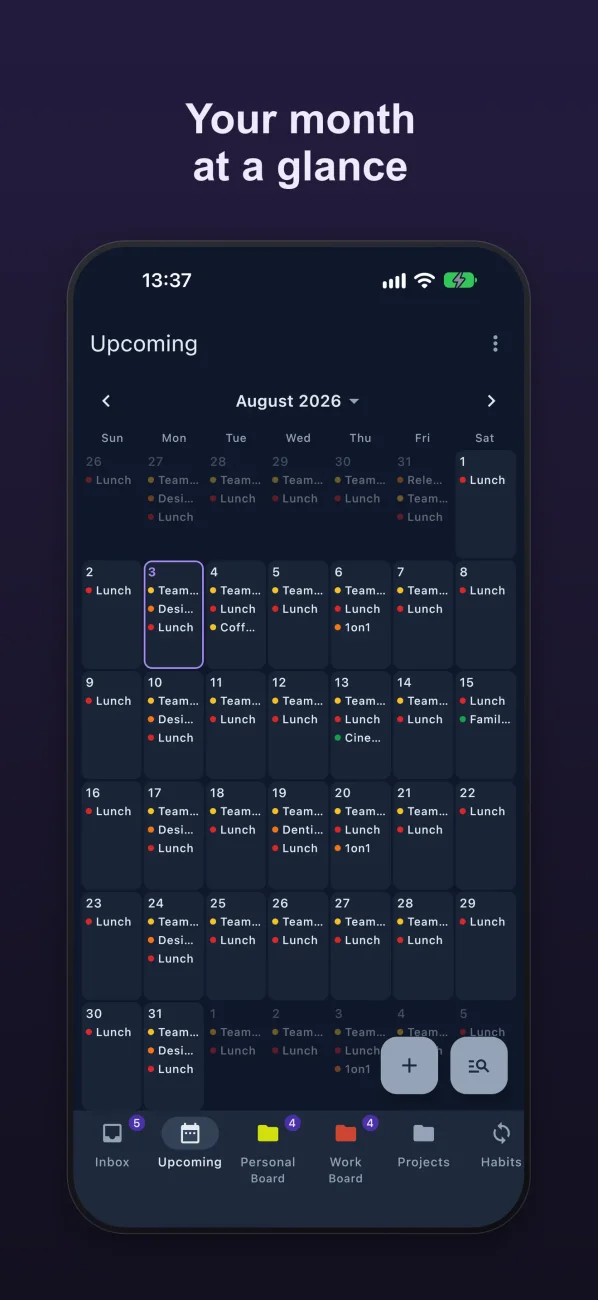
• Views and lenses. See your tasks as a list, a Kanban board, or a calendar, and plan your day hour by hour in the Planner. Lenses (beta) collect tasks from several projects into one saved view.
• Recurring tasks. Repeat daily, weekly, monthly, yearly, or on the second Tuesday of every month. Or aim for 3 times a week on any days you like.
• Tasks, events, and time blocks. Check off what you finish and place the rest on your calendar.
• Projects, sections, and labels.
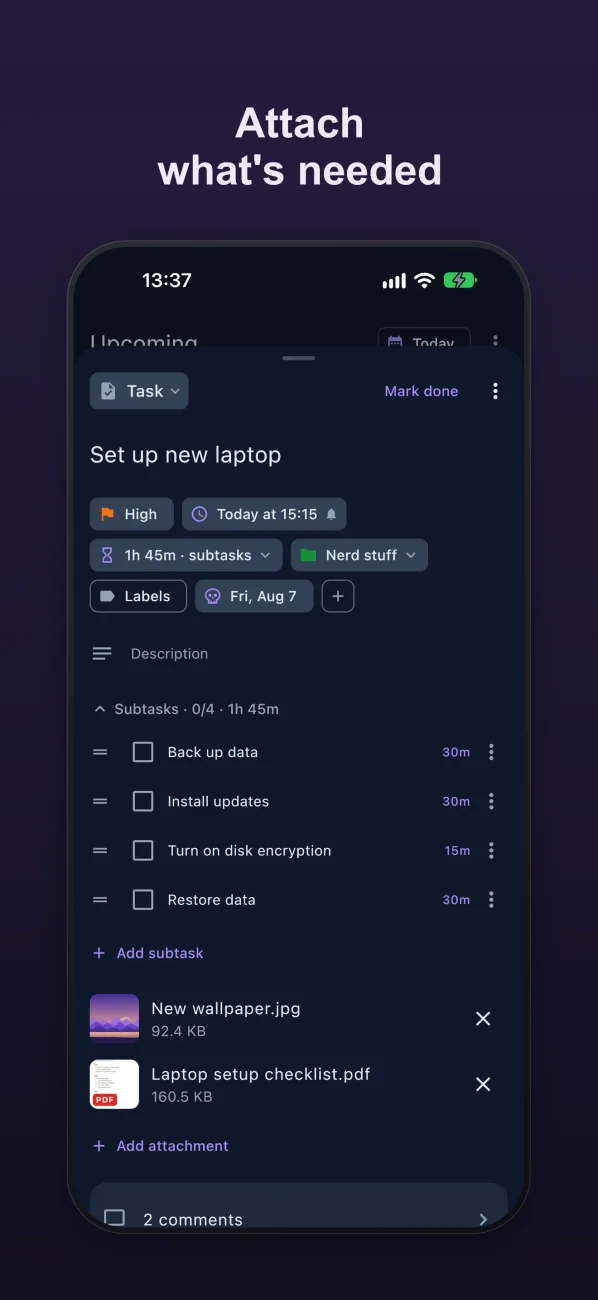
• Priorities, deadlines, durations, and subtasks.
• Templates. Save a list of tasks as a template and add it all again in one tap. Good for packing lists and routines you repeat.
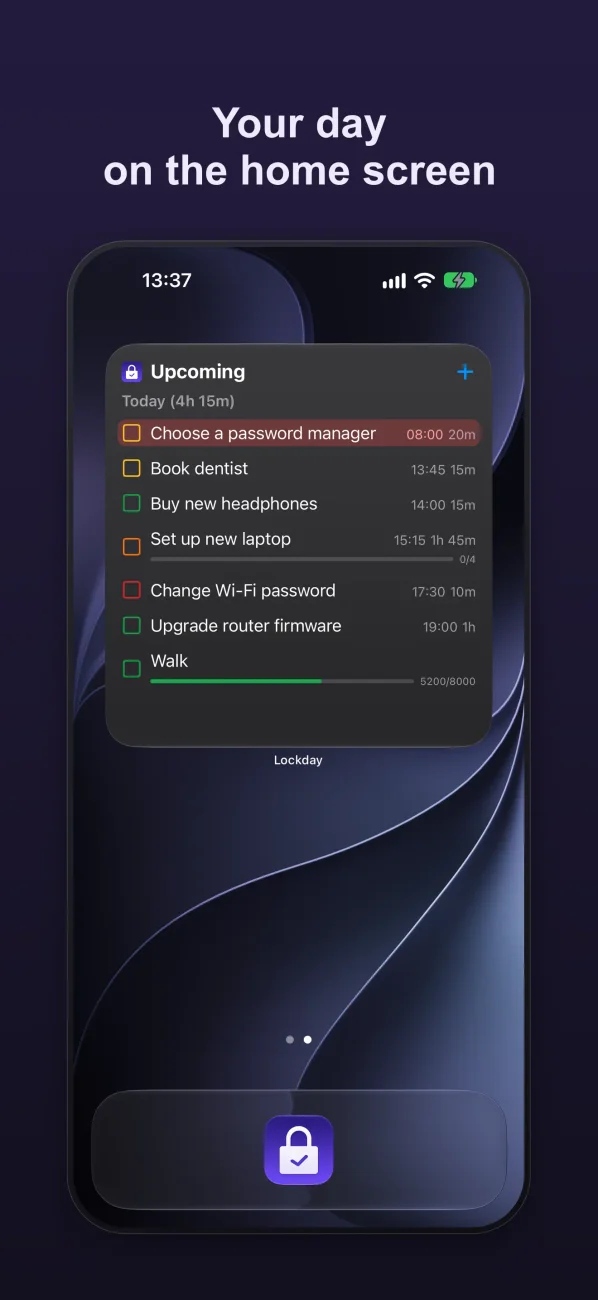
• Home screen widget. Check off today's tasks without opening the app.
• Search, plus bulk actions. Reschedule, move, prioritize, label, complete, and more on many tasks at once.
• Works offline. Work on a flight, in the subway, or with weak signal. Everything syncs when you're back online.
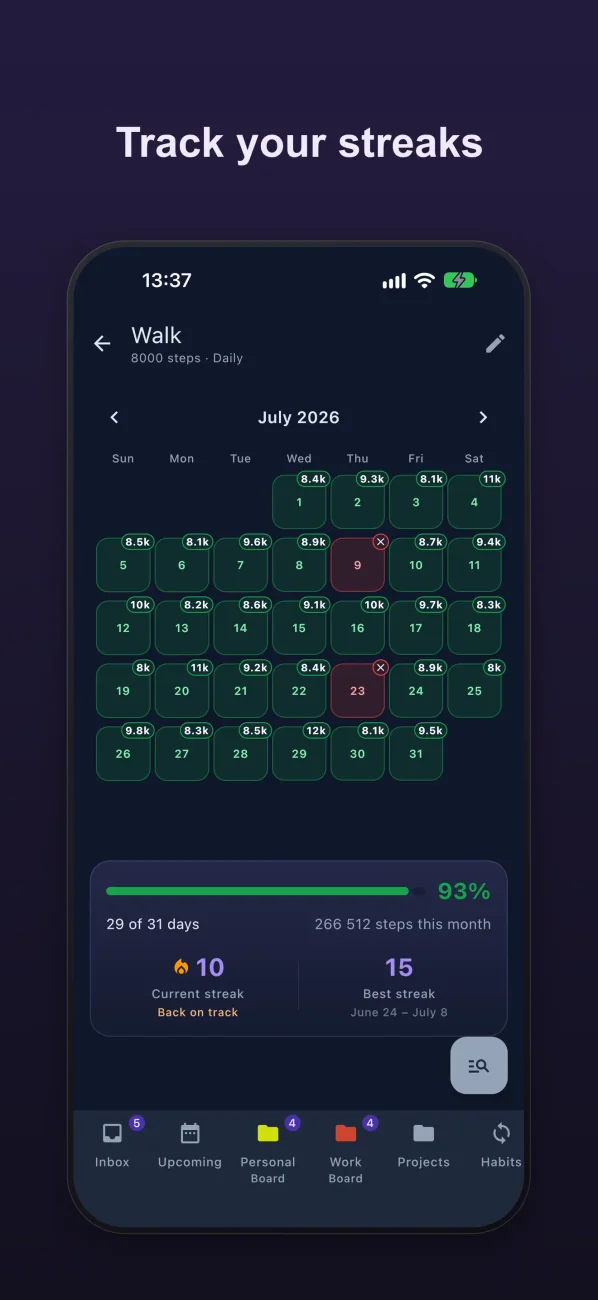
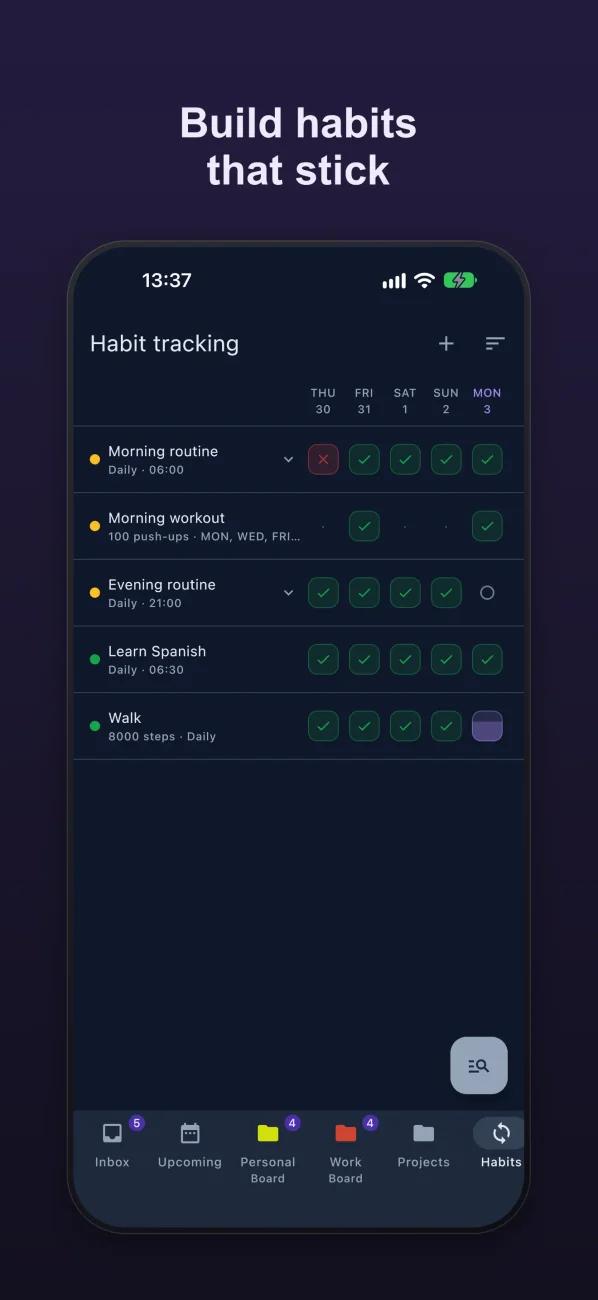
• Habit tracking with streaks, heatmaps, and history. (Pro)
• File attachments: 10 GB of encrypted storage, files up to 100 MB. (Pro)
Encryption
Your data is encrypted on your device with AES-256-GCM before it is sent anywhere. Keys are protected with a post-quantum hybrid of X25519 and ML-KEM-768 so your data stays private even against future quantum computers.
Our server stores your data but cannot read it. It sees only what it needs to sync and run your account: random IDs, timestamps, which item is in which project, your username, and your Pro status.
• Decoy PIN and panic PIN. A decoy PIN opens a normal-looking workspace, while your real tasks stay hidden and encrypted. A panic PIN also deletes your real data from the device. For when handing over your phone is not optional.
• Biometric or PIN lock with auto-lock when you step away.
• Shared projects. Collaborators get the key only to that project and see nothing else. (Pro to share, free to join)
• No account required. Use Lockday entirely offline on a single device.
• No email or phone number to sign up.
• Sign in with a passkey. You can create an account with no password at all.
• Two-factor authentication. Sign in with two of your password, a passkey or a code from an authenticator app.
On your phone, computer and browser
Lockday runs on all of them, and your data is encrypted before it leaves each device.
Free forever. Pro for more power.
Every privacy and security feature is free, including end-to-end encryption, the decoy and panic PINs, biometric lock, two-factor authentication, and sync. The free plan covers 5 projects and 10 labels with unlimited tasks and does not expire.
Lockday Pro lifts those limits and adds habit tracking, file attachments, and project sharing. It is available monthly, annually, or as a one-time lifetime purchase. Subscriptions renew automatically until cancelled. Manage or cancel any time in your store subscription settings.
Without the surveillance
• No ads.
• No trackers or analytics.
• No selling your data.
How the encryption works in full: lockday.net/security
Terms of use: lockday.net/terms
Privacy policy: lockday.net/privacy
Novedades
Versión 1.9.0 · 14/11/2026
New
• Descriptions and comments support Markdown formatting.
• Attachments support preview for Markdown files.
Changed
• Edit a task's title and description together, with one Save.
• A description holds up to 10,000 characters.
• Reschedule can mark overdue habits done, missed or rested.
• Shared projects ask you to confirm your name.
Fixed
• Comments work without an account.
• Resting a habit keeps its streak.
• A new habit keeps the days you mark on it before it first syncs.
Privacidad de la aplicación
Lo que Sandra Franco declara en App Store sobre cómo esta aplicación gestiona los datos.
-
Datos vinculados a ti
Pueden recopilarse y vincularse a tu identidad.
- Compras
- Contenido del usuario
- Identificadores
- Diagnóstico
Las prácticas de privacidad pueden variar, por ejemplo, según las funciones que uses o tu edad.
Información
- Vendedor
- Sandra Franco
- Categoría
- Productividad
- Versión
- 1.9.0
- Actualizado
- 14/11/2026
- Publicado
- 3/11/2026
- Tamaño
- 88,9 MB
- Requiere
- iOS 18.2 o posterior
- Clasificación por edad
- 12+
- Precio
- Gratis
- Compras en la aplicación
- Sí
- Idiomas
- Inglés
- Copyright
- © 2026 Jorge Franco
Quizá también te guste
-
 CoFocus - Focus Map & TimerProductividad
-
 Walden - Calendar/ToDo/NotesProductividad
-
 Lunatask: A Better To-Do ListProductividad
-
 AClock - Pomodoro and timerProductividad
-
 HabitStar: Bad Habit TrackerProductividad
-
 LockDay: Lista de tareasAgenda en pantalla bloqueada
-
 Pomocat: Temporizador PomodoroMantén enfocado con tu gatito
-
 Calflow: Planner & TrackerProductividad
-
 Proton AuthenticatorAutenticador 2FA seguro
-
 Proton CalendarMantén privada tu agenda