Lockday
Encrypted Task Manager
Được thiết kế cho iPhone, iPad
Miễn phí · Mua hàng trong ứng dụng
- Độ tuổi12+
- Danh mụcHiệu Suất
- Nhà phát triểnSandra Franco
- Ngôn ngữTiếng Anh
- Kích thước88,9 MB
Liên kết đến trang App Store chính thức
Download.org không lưu trữ tệp nào của Lockday. Nút này mở trang ứng dụng trên App Store, nơi Sandra Franco phát hành ứng dụng. Trang được kiểm tra lần cuối: 23/11/2026.
Ảnh chụp màn hình

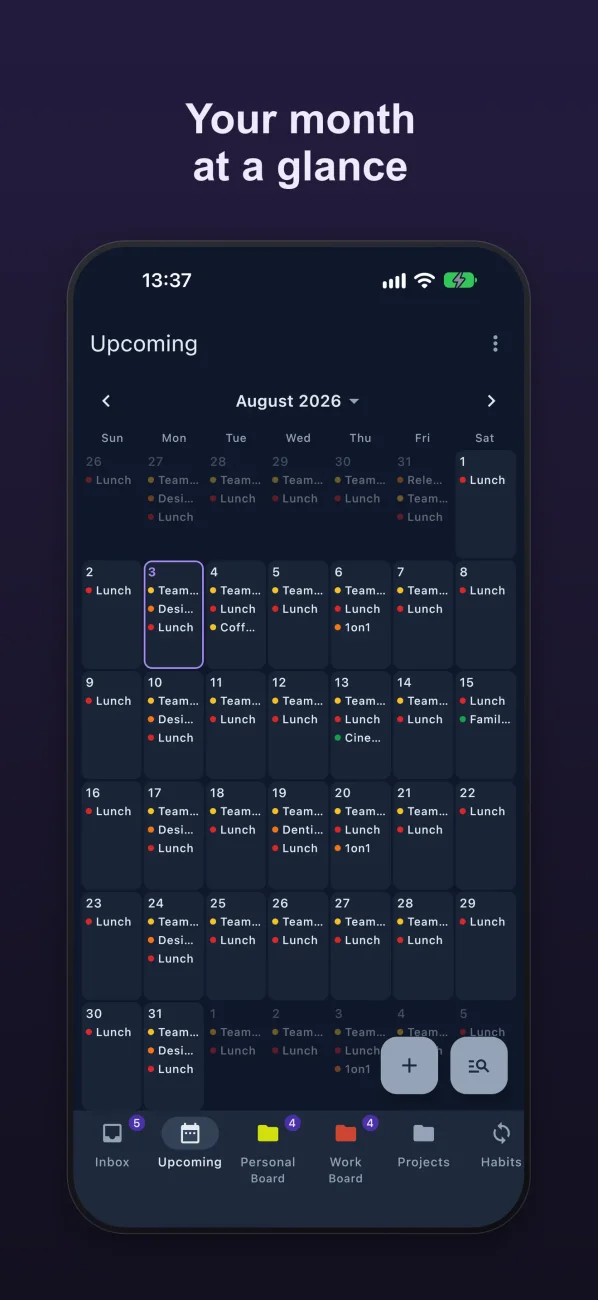

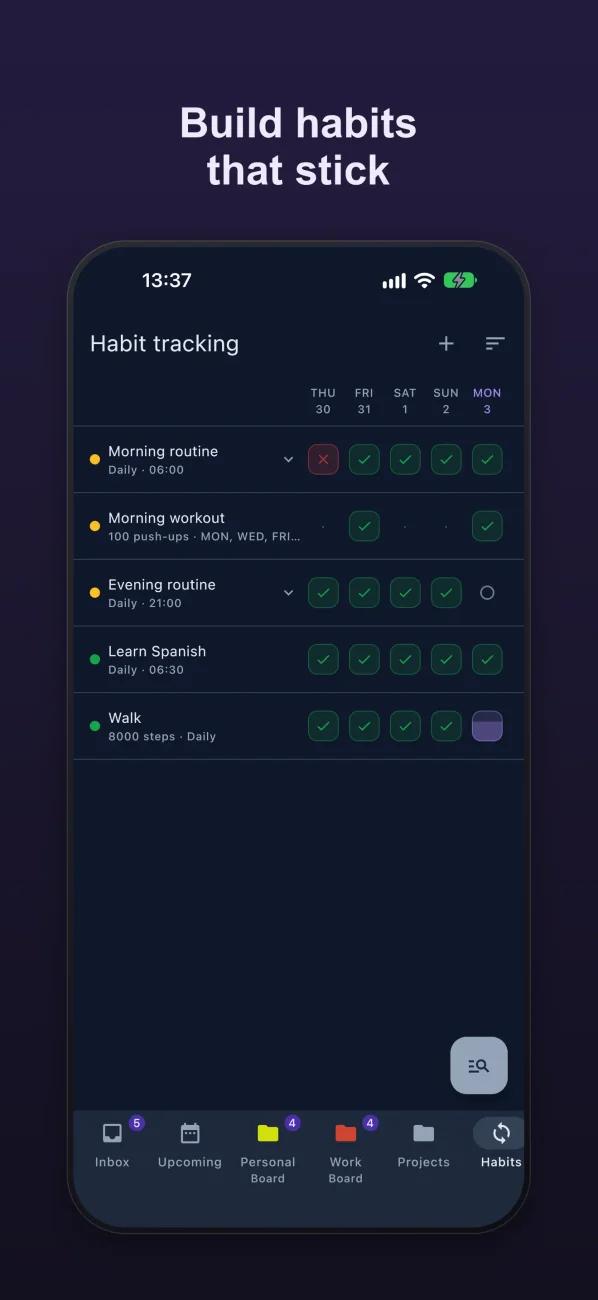
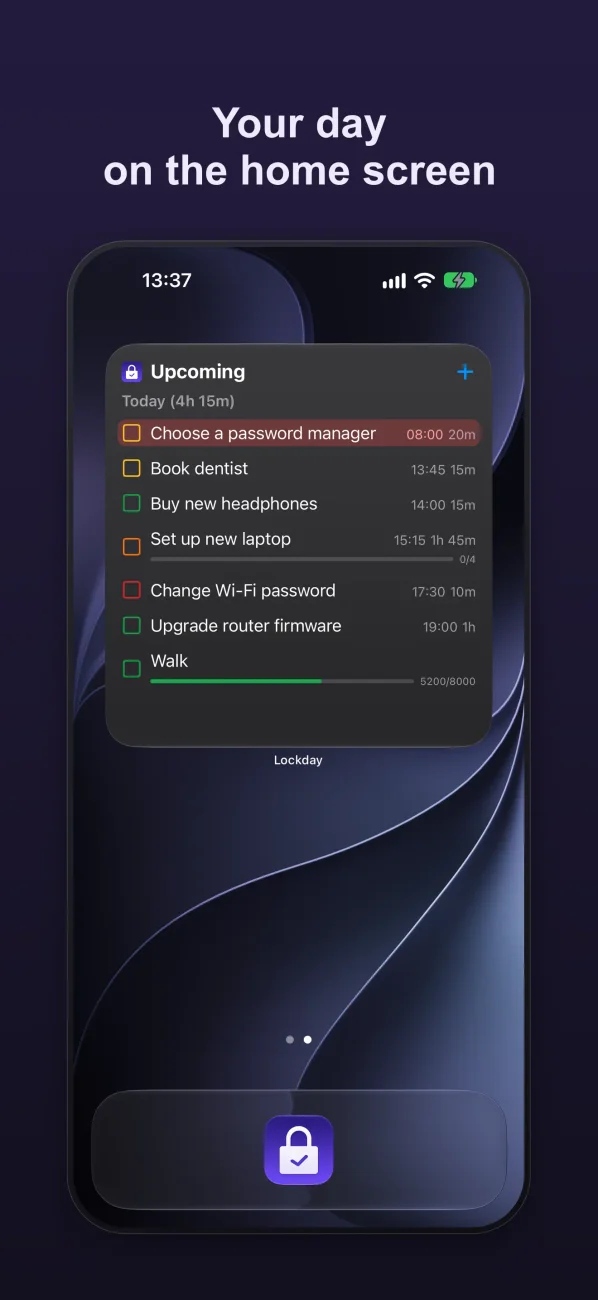
Giới thiệu
Nhà phát triển chưa cung cấp nội dung này bằng ngôn ngữ của bạn.
With great privacy comes great productivity.
Lockday is a private planner for tasks, calendar and habits: post-quantum encrypted, works offline, with a decoy PIN and no tracking.
Features
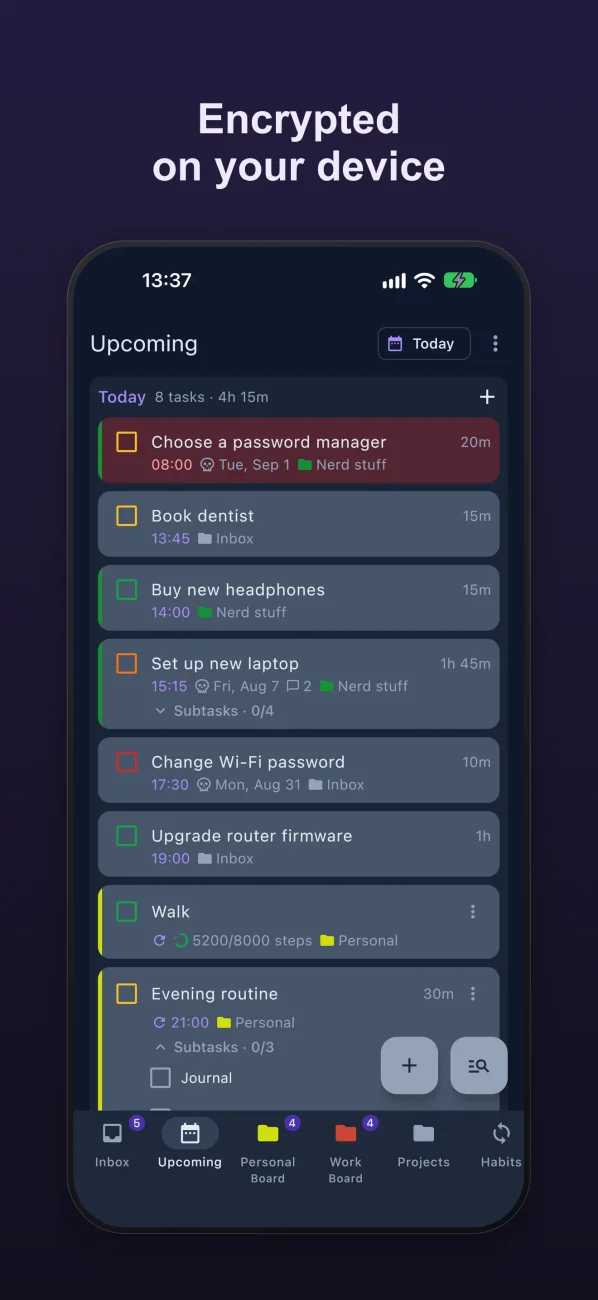
• Views and lenses. See your tasks as a list, a Kanban board, or a calendar, and plan your day hour by hour in the Planner. Lenses (beta) collect tasks from several projects into one saved view.
• Recurring tasks. Repeat daily, weekly, monthly, yearly, or on the second Tuesday of every month. Or aim for 3 times a week on any days you like.
• Tasks, events, and time blocks. Check off what you finish and place the rest on your calendar.
• Projects, sections, and labels.
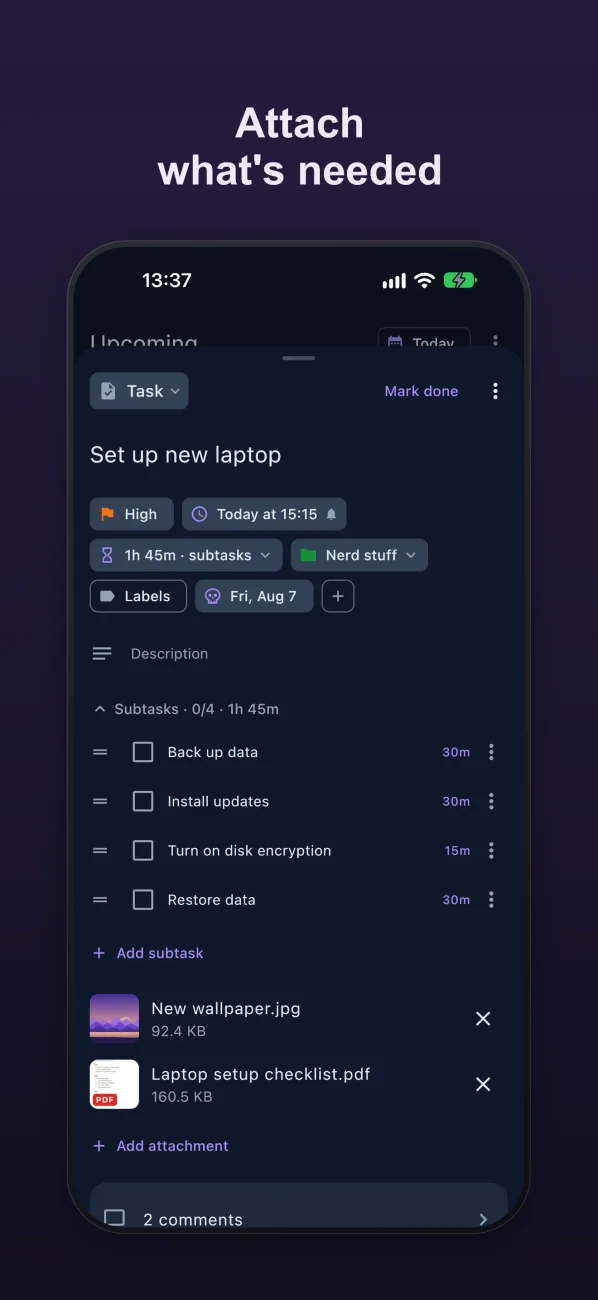
• Priorities, deadlines, durations, and subtasks.
• Templates. Save a list of tasks as a template and add it all again in one tap. Good for packing lists and routines you repeat.
• Home screen widget. Check off today's tasks without opening the app.
• Search, plus bulk actions. Reschedule, move, prioritize, label, complete, and more on many tasks at once.
• Works offline. Work on a flight, in the subway, or with weak signal. Everything syncs when you're back online.
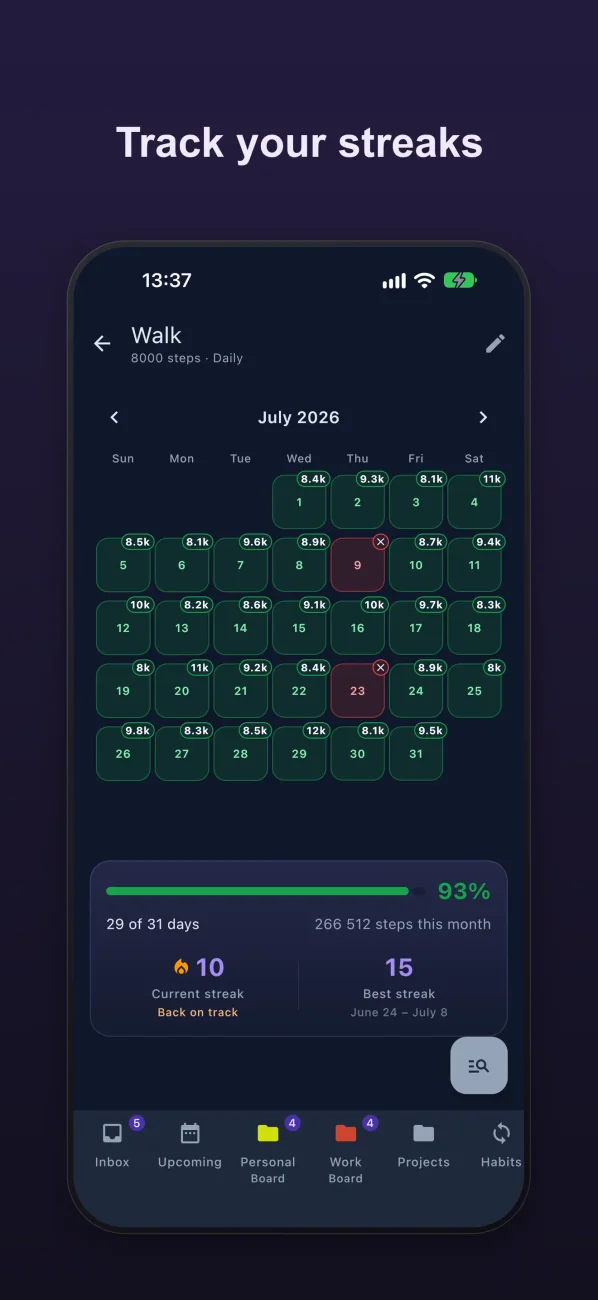
• Habit tracking with streaks, heatmaps, and history. (Pro)
• File attachments: 10 GB of encrypted storage, files up to 100 MB. (Pro)
Encryption
Your data is encrypted on your device with AES-256-GCM before it is sent anywhere. Keys are protected with a post-quantum hybrid of X25519 and ML-KEM-768 so your data stays private even against future quantum computers.
Our server stores your data but cannot read it. It sees only what it needs to sync and run your account: random IDs, timestamps, which item is in which project, your username, and your Pro status.
• Decoy PIN and panic PIN. A decoy PIN opens a normal-looking workspace, while your real tasks stay hidden and encrypted. A panic PIN also deletes your real data from the device. For when handing over your phone is not optional.
• Biometric or PIN lock with auto-lock when you step away.
• Shared projects. Collaborators get the key only to that project and see nothing else. (Pro to share, free to join)
• No account required. Use Lockday entirely offline on a single device.
• No email or phone number to sign up.
• Sign in with a passkey. You can create an account with no password at all.
• Two-factor authentication. Sign in with two of your password, a passkey or a code from an authenticator app.
On your phone, computer and browser
Lockday runs on all of them, and your data is encrypted before it leaves each device.
Free forever. Pro for more power.
Every privacy and security feature is free, including end-to-end encryption, the decoy and panic PINs, biometric lock, two-factor authentication, and sync. The free plan covers 5 projects and 10 labels with unlimited tasks and does not expire.
Lockday Pro lifts those limits and adds habit tracking, file attachments, and project sharing. It is available monthly, annually, or as a one-time lifetime purchase. Subscriptions renew automatically until cancelled. Manage or cancel any time in your store subscription settings.
Without the surveillance
• No ads.
• No trackers or analytics.
• No selling your data.
How the encryption works in full: lockday.net/security
Terms of use: lockday.net/terms
Privacy policy: lockday.net/privacy
Có gì mới
Phiên bản 1.9.0 · 14/11/2026
New
• Descriptions and comments support Markdown formatting.
• Attachments support preview for Markdown files.
Changed
• Edit a task's title and description together, with one Save.
• A description holds up to 10,000 characters.
• Reschedule can mark overdue habits done, missed or rested.
• Shared projects ask you to confirm your name.
Fixed
• Comments work without an account.
• Resting a habit keeps its streak.
• A new habit keeps the days you mark on it before it first syncs.
Quyền riêng tư của ứng dụng
Những gì Sandra Franco khai báo trên App Store về cách ứng dụng này xử lý dữ liệu.
-
Dữ liệu liên kết với bạn
Có thể được thu thập và liên kết với danh tính của bạn.
- Mục mua
- Nội dung của người dùng
- Mã định danh
- Chẩn đoán
Phương thức đảm bảo quyền riêng tư có thể khác nhau, chẳng hạn như tuỳ theo các tính năng bạn sử dụng hoặc độ tuổi của bạn.
Thông tin
- Người bán
- Sandra Franco
- Danh mục
- Hiệu Suất
- Phiên bản
- 1.9.0
- Cập nhật
- 14/11/2026
- Phát hành
- 03/11/2026
- Kích thước
- 88,9 MB
- Yêu cầu
- iOS 18.2 trở lên
- Độ tuổi
- 12+
- Giá
- Miễn phí
- Mua hàng trong ứng dụng
- Có
- Ngôn ngữ
- Tiếng Anh
- Bản quyền
- © 2026 Jorge Franco
Có thể bạn cũng thích
-
 CoFocus - Focus Map & TimerHiệu Suất
-
 Walden - Calendar/ToDo/NotesHiệu Suất
-
 Lunatask: A Better To-Do ListHiệu Suất
-
 AClock - Pomodoro and timerHiệu Suất
-
 HabitStar: Bad Habit TrackerHiệu Suất
-
 LockDay: Việc cần làm & LịchHình nền màn hình khoá, widget
-
 Pomocat: Bộ hẹn giờ dễ thươngPomodoro đơn giản mà mạnh mẽ
-
 Calflow: Planner & TrackerHiệu Suất
-
 Proton Authenticator & 2FAHiệu Suất
-
 Proton Calendar: Secure EventsHiệu Suất