LocoLink: Model Train Control
DCC railroad throttle & layout
Diseñada para iPhone, iPad, Mac, iPod touch
Gratis · Compras en la aplicación
- Clasificación por edad4+
- CategoríaEntretenimiento
- DesarrolladorTom Westerman
- IdiomasInglés+ 3 más
- Tamaño91,4 MB
Enlaza a la página oficial de App Store
Download.org no aloja ningún archivo de LocoLink: Model Train Control. El botón abre la página de la aplicación en App Store, donde la publica Tom Westerman. Ficha comprobada por última vez el 28/11/2026.
Capturas de pantalla

Acerca de
El desarrollador no ha proporcionado este texto en tu idioma.
LocoLink is the control app for your digital model railroad. Drive your locomotives, set turnouts and signals, draw your track plan and let trains run automatically, from the couch as easily as at the layout.
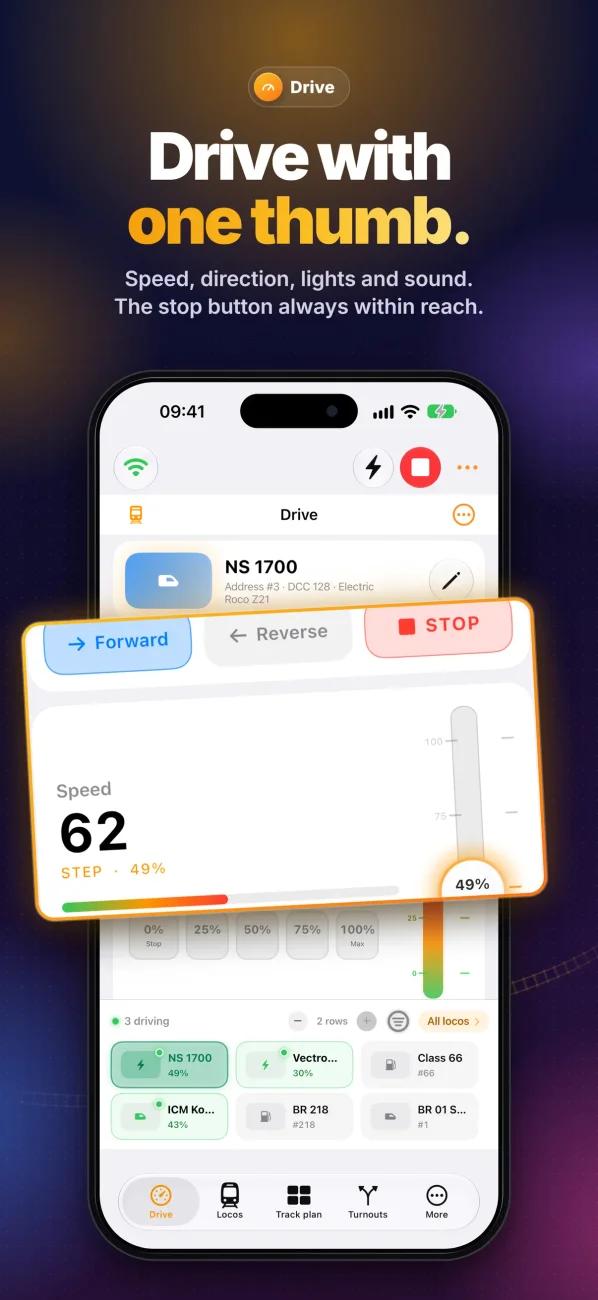
Drive
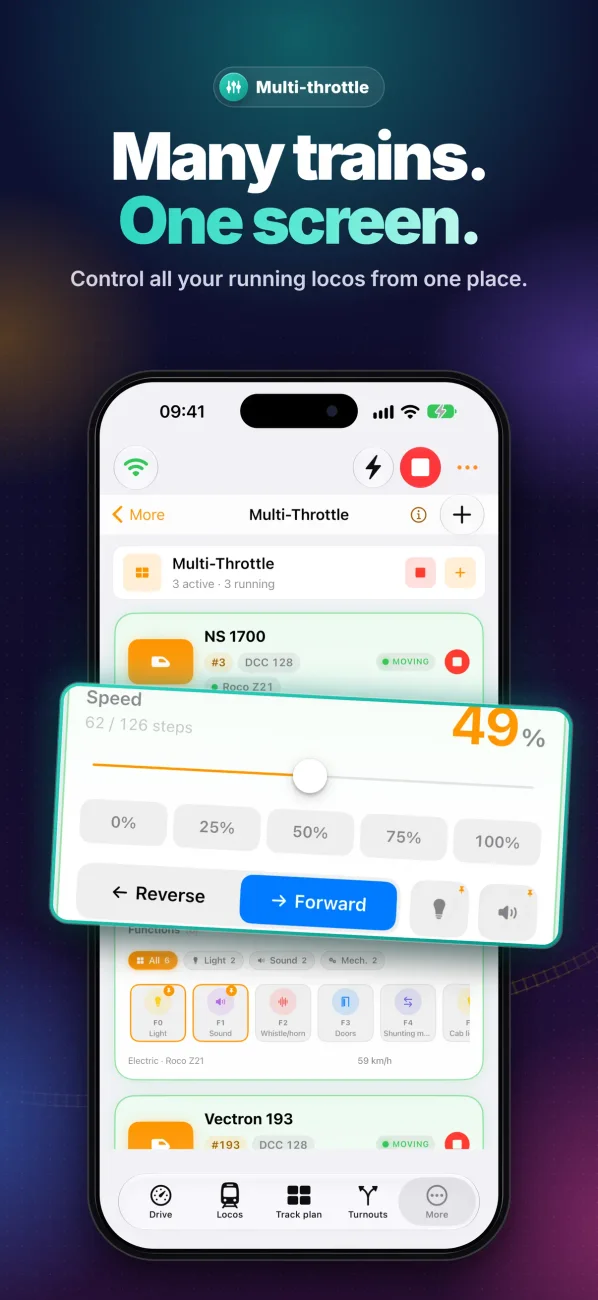
A calm DCC throttle with speed, direction and every function of your decoder, with your own names and icons. Swipe to the next loco, run several trains at once and stop everything with one emergency stop.
Works with your command station
LocoLink connects to the Roco and Fleischmann Z21 and z21, ESU ECoS, Märklin Central Station 2 and 3, DCC-EX, NCE, Lenz, Digitrax LocoNet, Uhlenbrock Intellibox, YaMoRC and JMRI over WiThrottle. A wizard finds your command station on the network and tests the connection step by step.
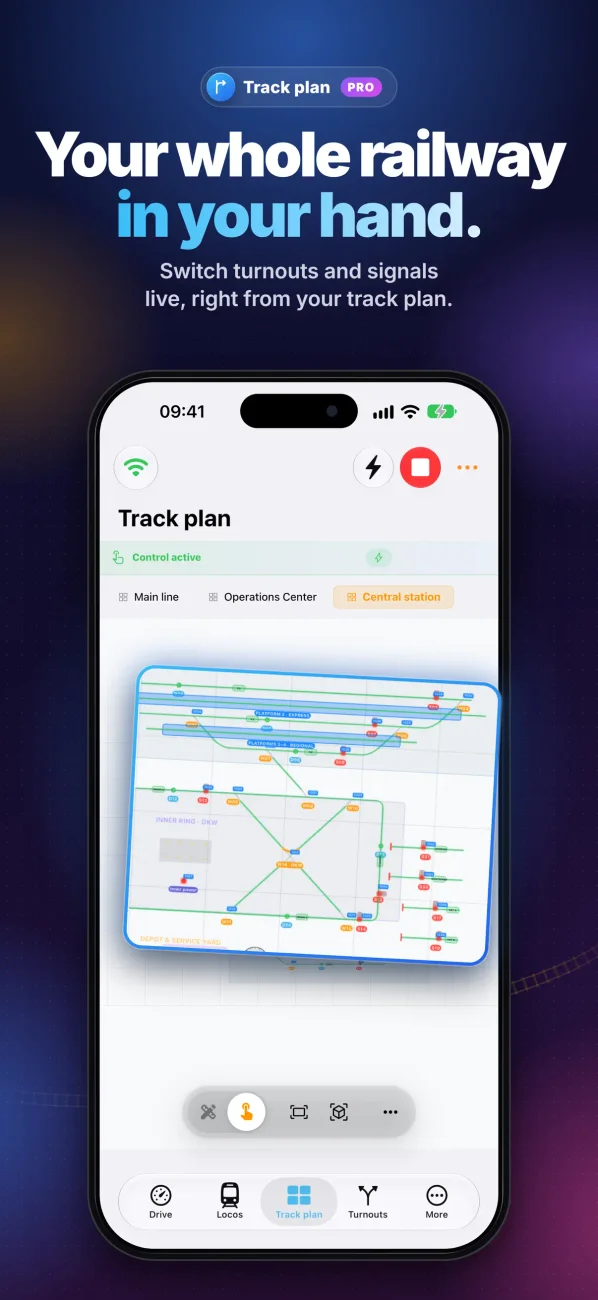
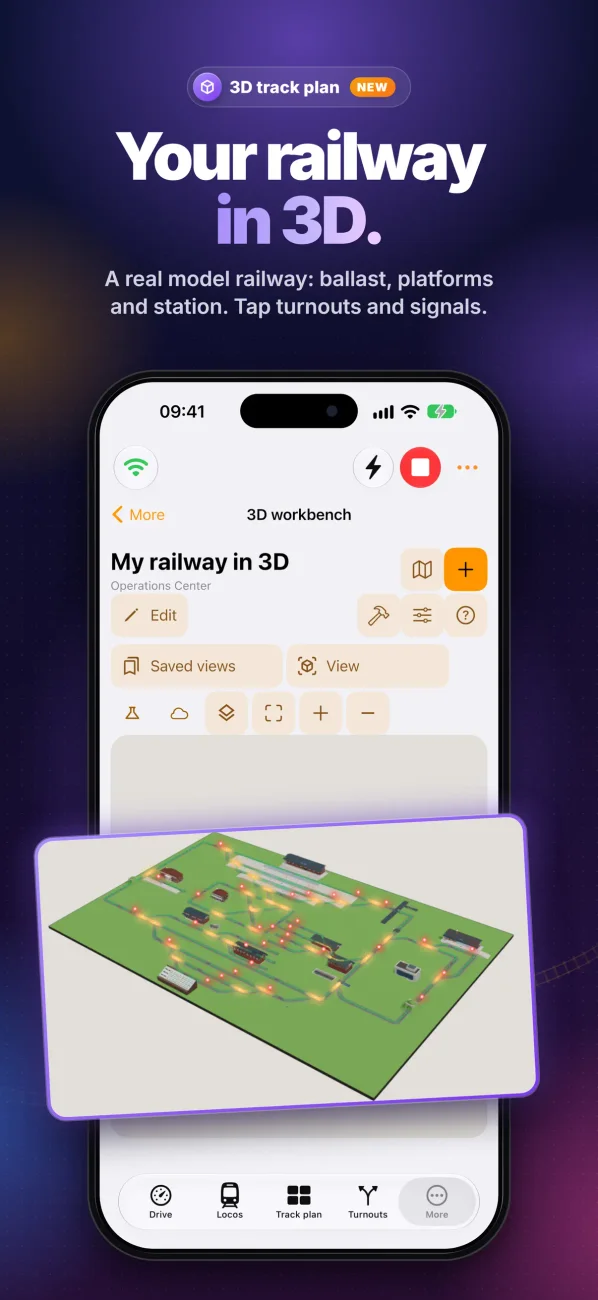
Track plan
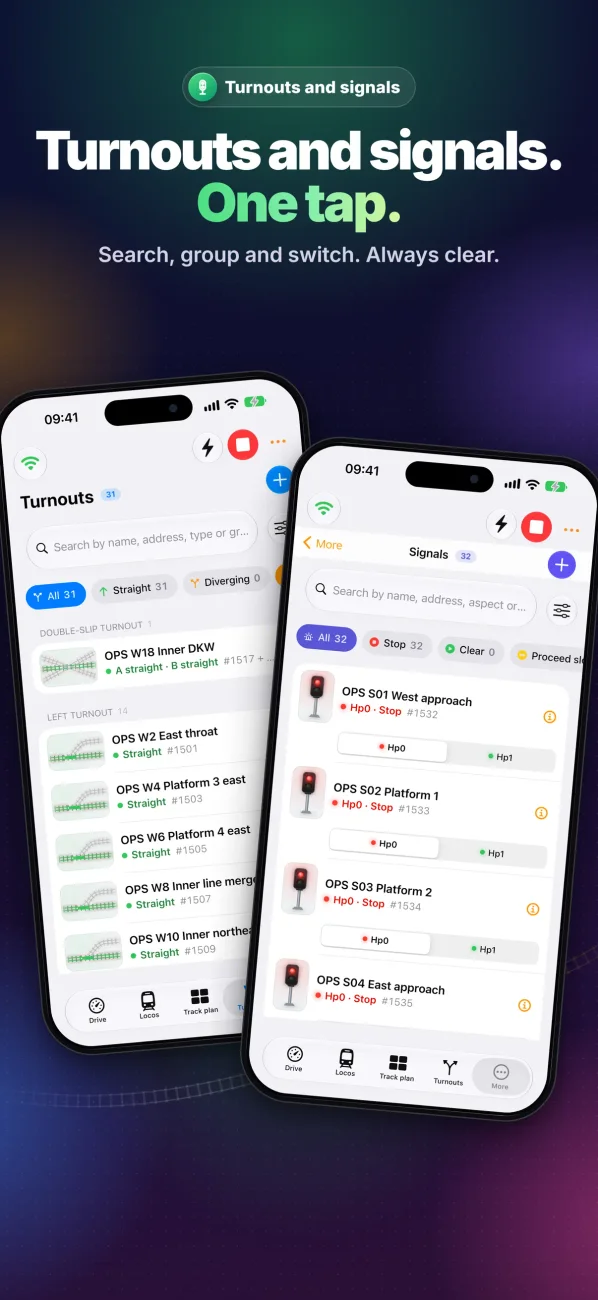
Draw your layout with turnouts, double slips, crossings, signals and detectors, and operate everything with a tap. Signals look like the real thing, and you can view your railroad in 3D.
Automatic running
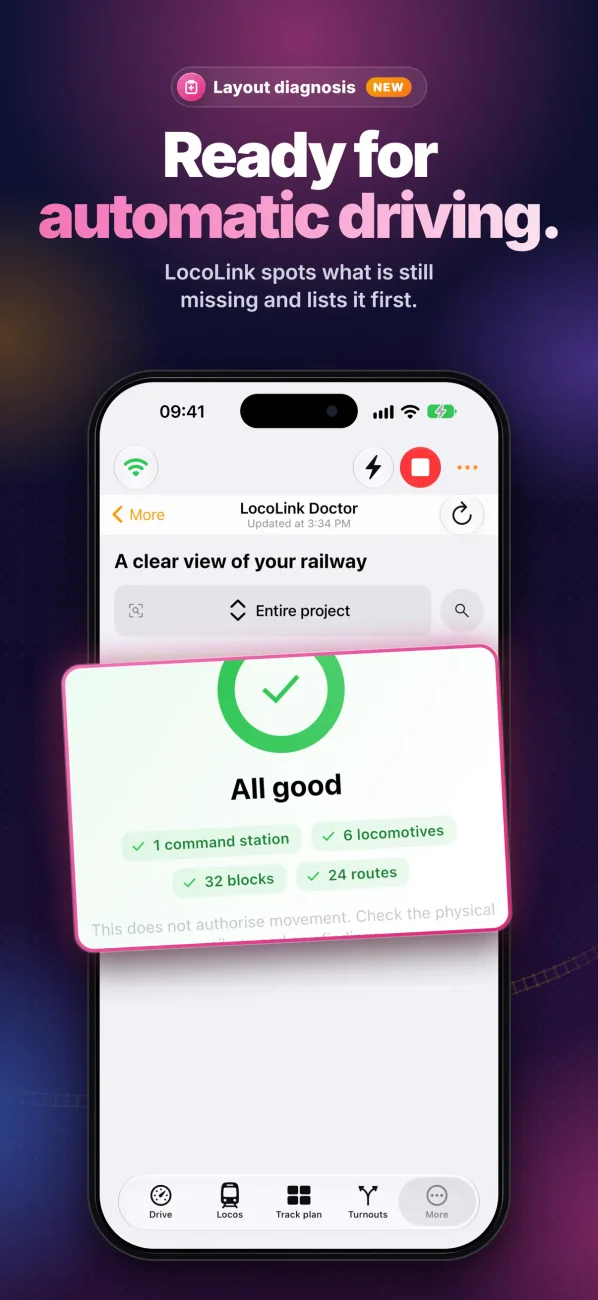
Blocks, routes, shuttle trains and a timetable with a model clock. Trains wait at an occupied block and stop where they should. A test run shows what your layout can do without moving a train.
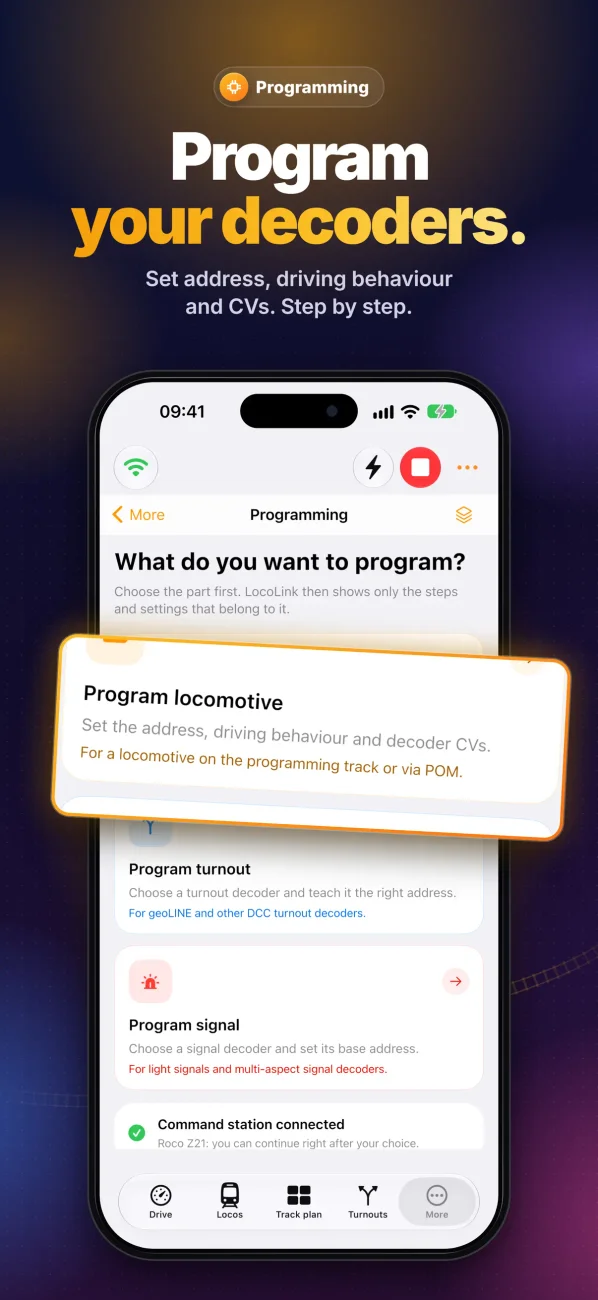
Decoder programming
Read and write CVs on the programming track or on the main, with a guided decoder workshop or as an expert, CV by CV.
Switching
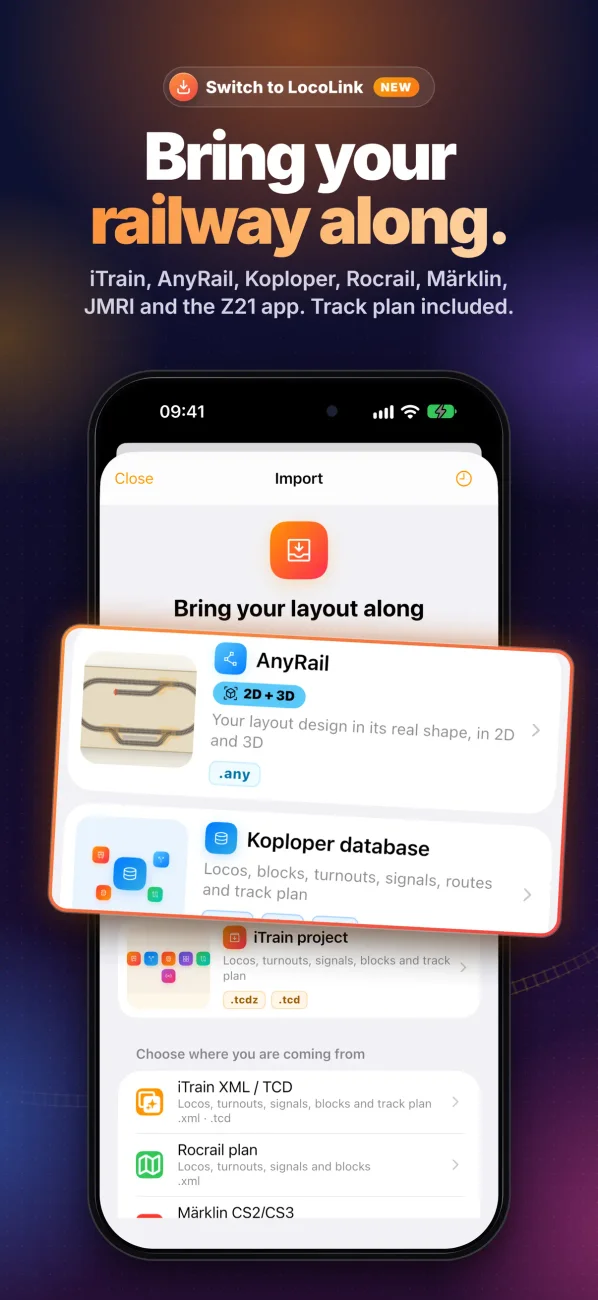
Bring your layout from iTrain, Rocrail, Koploper, AnyRail, Märklin CS2/CS3, JMRI or the Z21 app. Projects from TrainController 7 to 11 open directly: switchboards, locos, blocks and routes come along.
On all your devices
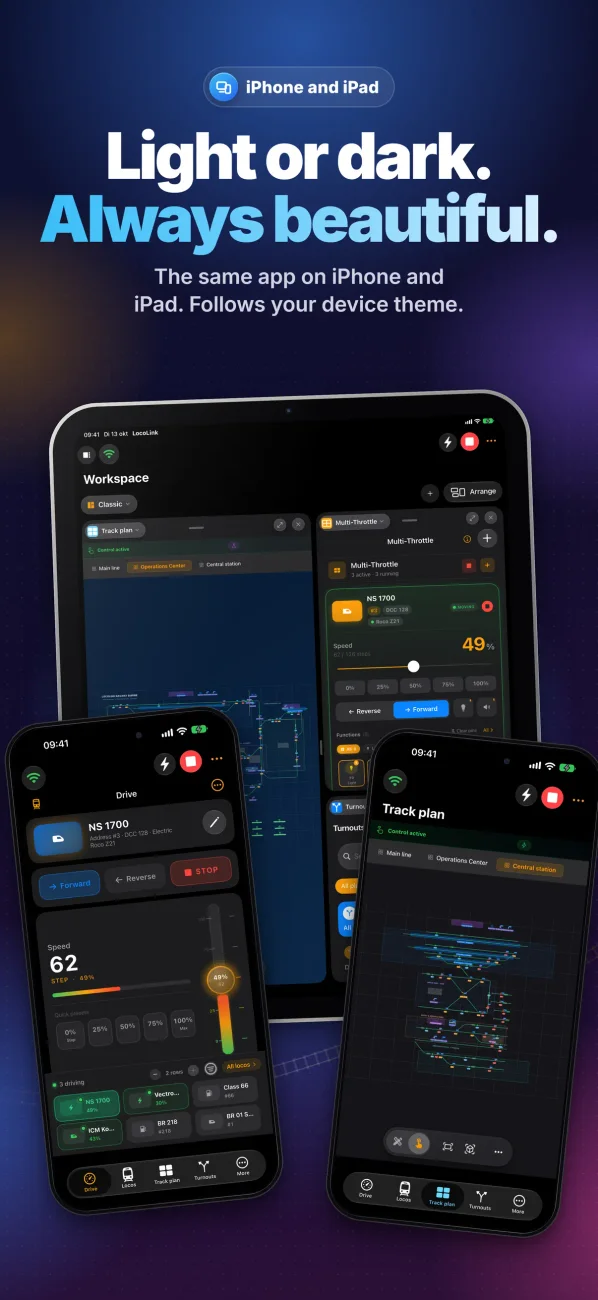
LocoLink runs on iPhone, iPad and Mac, and on computers with Windows and Linux. Transfer moves a project from one device to another.
Try and buy
Choose a subscription or a one-time purchase in the app. Some subscriptions include a free trial from Apple. The free version keeps working with 2 locos, 4 turnouts, 2 routes and 2 signals.
LocoLink is available in English, Dutch, German and French. Questions or ideas? Email info@locolink.io or visit locolink.io.
Terms
Terms of Use (EULA): https://www.apple.com/legal/internet-services/itunes/dev/stdeula/
Privacy Policy: https://locolink.io/privacy
Novedades
Versión 2.0.15 · 27/11/2026
This update brings the online manual, much smarter rules, trains that carry on by themselves after arriving, and a calmer design on every screen. Thank you for all your reports and ideas.
New:
• Online manual: the new manual on locolink.io, in your own language, with search and real screens from the app. The Help centre has a card to the manual, and every article has “Read more in the manual”.
• Main screen: Workspace is now called Main screen, everything on one screen, with the new arrangement “Track plan left”. On the iPad it is at the top of the sidebar, on the iPhone at the top of More.
• Follow-up runs: under Automatic, give a run one or more follow-up runs under Then. When the train arrives properly, the next run starts by itself, with the same train or a train that is already waiting. After an emergency stop, nothing starts by itself.
• Stop at a distance: one detector per block is enough. In a block, switch on “Stop at a distance after the detector”, with the stop point and braking distance in cm. LocoLink uses your loco’s measured speed and brakes evenly.
• Rules: in Automation a rule can now use If … then, Repeat, Wait until and Start rule, with groups of conditions such as Train in block and Time window. New steps set direction and speed in km/h, open or close a block side, and couple or uncouple wagons. A loco function can start a rule, and variables keep numbers and texts.
• Signals and locking: a signal can switch by itself on conditions you choose, and turnouts, signals and routes get “Only operate when …”. An automatic run sets the route between two blocks itself.
• Track plan: a lamp can now be a push button, and with Picture (under Decoration) you put your own picture on the plan.
• TrainController: projects now come over almost completely, also from TrainController 11.0 C2: runs, routes, switches, signals and most macros as rules.
• Download all my projects: in Settings › Data you save all your projects as LocoLink files, with an overview to read or print and your own photos. You share them as a zip.
• Tips as notifications: if you like, you get a tip now and then, at most one a week at the weekend and never while you drive. On or off in Settings › General › Notifications.
• Release route: a route that stayed “Active” can now be released from the route’s menu or from the notice on the track plan. No turnout moves.
Calmer and clearer:
• Sheets and pages appear complete in one go. When you close or switch, you no longer briefly see a different design.
• Empty screens show one calm card with a real piece of the app, and every screen has one colour of its own. The connection wizard shows command stations with name, brand and connection instead of drawings.
• Track plan: in Control mode just one calm line with the status.
Fixed:
• Automatic driving never switches a turnout under a train any more, and only departs once a turnout that moved is ready (the turnout’s Switching time).
• Routes (Pro) with SBB, NS and other countries’ signals are now set.
• TrainController import: signals switch the same outputs as in TrainController, and buffer stops no longer count as open track ends.
• iTrain import: occupied or duplicate detectors no longer make it fail, and signals you leave out leave no symbols behind.
• ECoS: a loco whose address is in the ECoS twice now simply drives. If it cannot, LocoLink tells you why.
• The Recovery wizard, the message when an arrival is missed, and Add block (now by name, A to Z) are clearer.
Privacidad de la aplicación
Lo que Tom Westerman declara en App Store sobre cómo esta aplicación gestiona los datos.
-
Datos vinculados a ti
Pueden recopilarse y vincularse a tu identidad.
- Compras
- Ubicación
- Información de contacto
- Contenido del usuario
- Identificadores
- Diagnóstico
Las prácticas de privacidad pueden variar, por ejemplo, según las funciones que uses o tu edad.
Información
- Vendedor
- Tom Westerman
- Categoría
- Entretenimiento
- Versión
- 2.0.15
- Actualizado
- 27/11/2026
- Publicado
- 29/3/2026
- Tamaño
- 91,4 MB
- Requiere
- iOS 15.0 o posterior
- Clasificación por edad
- 4+
- Precio
- Gratis
- Compras en la aplicación
- Sí
- Idiomas
- Inglés, Neerlandés, Francés, Alemán
- Copyright
- © @ 2026 WETO Media
Quizá también te guste
-
 iDrum Worldwide Drumming ComEntretenimiento
-
 Australian Model Railway MagEntretenimiento
-
 MarblelousEntretenimiento
-
 Spur Null Magazin AppEntretenimiento
-
 AiFiTogether VideoEntretenimiento
-
 Blocks MagazineEntretenimiento
-
 LocoSnap : Train IdentifierEntretenimiento
-
 MesswagenEntretenimiento
-
 KlickyTrackerSearch & Track Your Sets!
-
 Easy TV TrackerEntretenimiento