LocoLink
DCC Model Train Control
Designed for iPhone, iPad, Mac, iPod touch
Free · In-app purchases
- Age rating4+
- CategoryEntertainment
- DeveloperTom Westerman
- LanguagesEnglish+ 3 more
- Size89.1 MB
Links to the official App Store page
Download.org hosts no file of LocoLink. The button opens its official App Store page, published by Tom Westerman. Listing last checked on Nov 20, 2026.
Screenshots



About
LocoLink is the ultimate model railway control app for iPhone, iPad and Mac. Connect wirelessly to your digital command station and take full control of your layout.
DRIVE & CONTROL
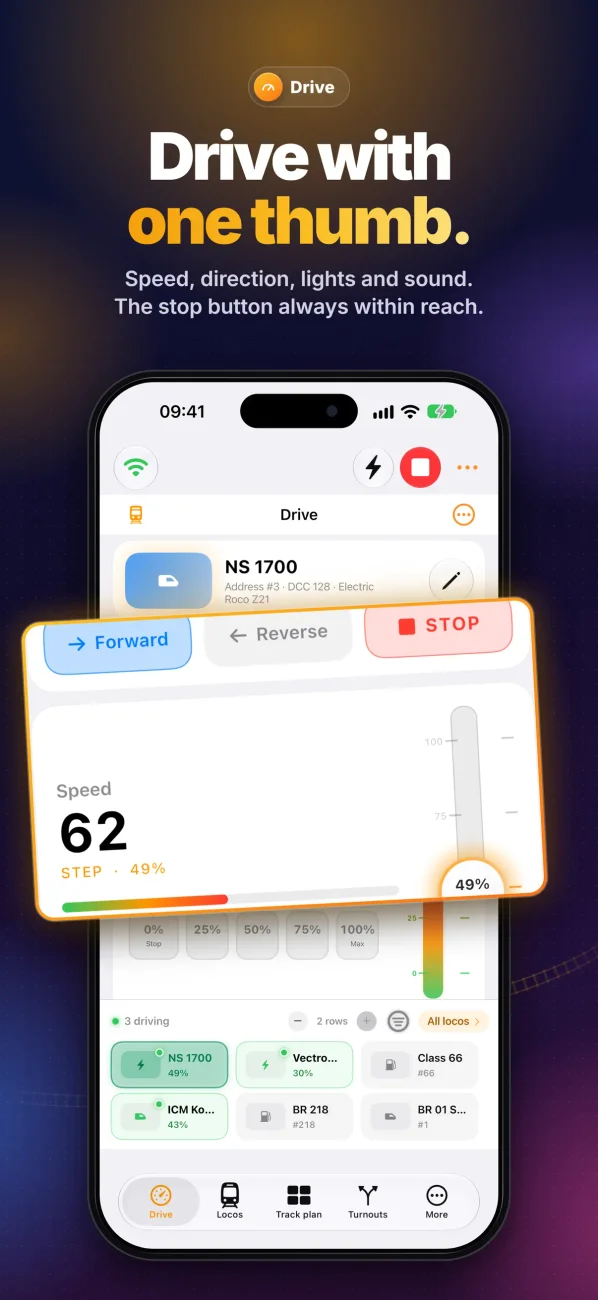
- Control locomotives with an intuitive speed lever (vertical or horizontal)
- Switch between Forward, Reverse and Emergency Stop instantly
- Toggle decoder functions F0-F28 (lights, sound, smoke, couplers and more)
- Use speed presets (25%, 50%, 75%, 100%) for quick speed changes
- Swipe between locomotives on iPhone, or use the sidebar on iPad/Mac
TURNOUTS & SIGNALS
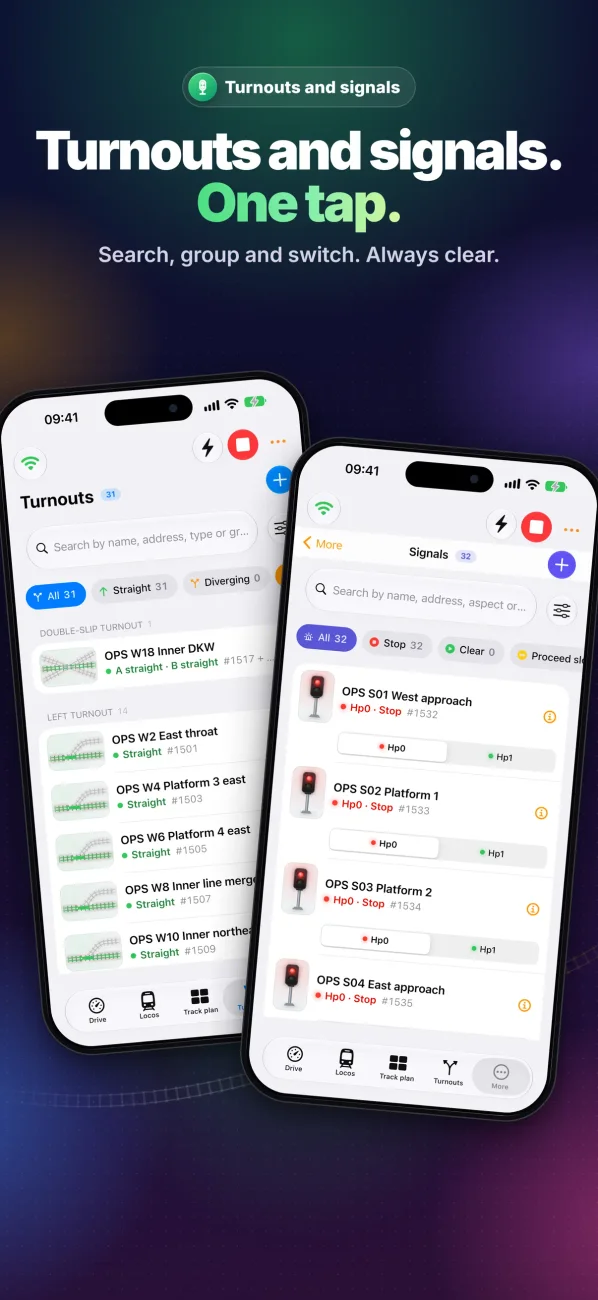
- Switch turnouts and signals with one tap
- Create routes that switch multiple turnouts and signals at once
- Support for DCC and Motorola (MM2) address modes
TRACK PLAN (SWITCHBOARD)
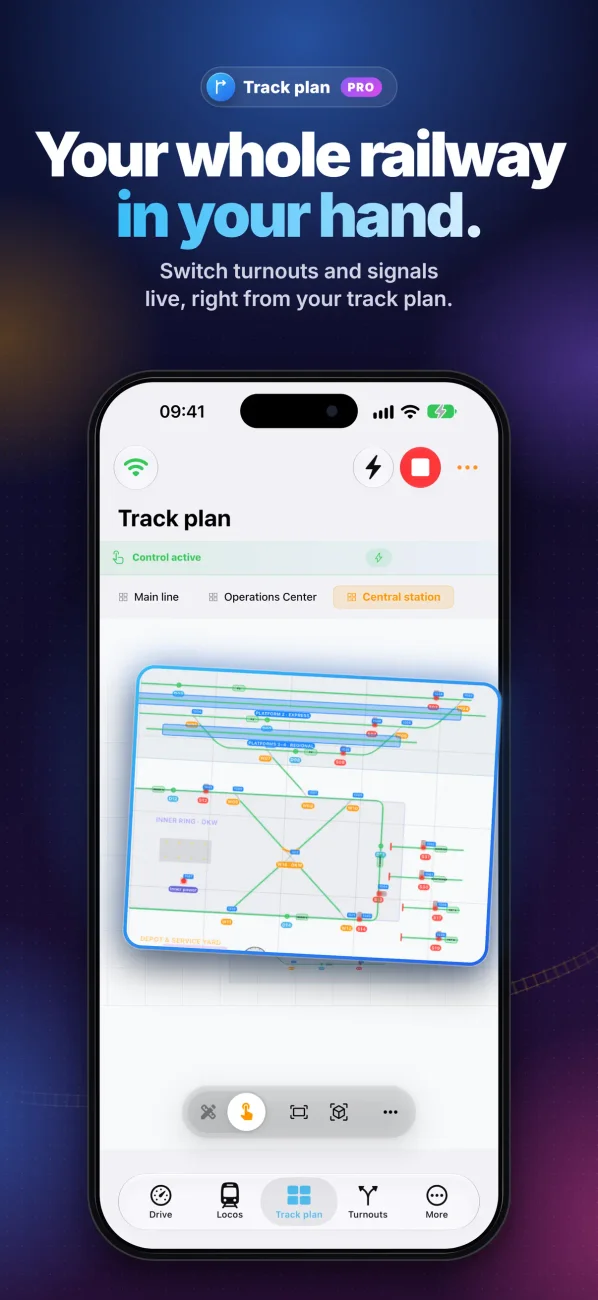
- Draw your layout with tracks, turnouts, signals and stations
- Operate everything visually from your track plan
- Multiple tabs for different layout sections
BLOCK SYSTEM & AUTOMATION
- Automatic train detection with S88 feedback modules
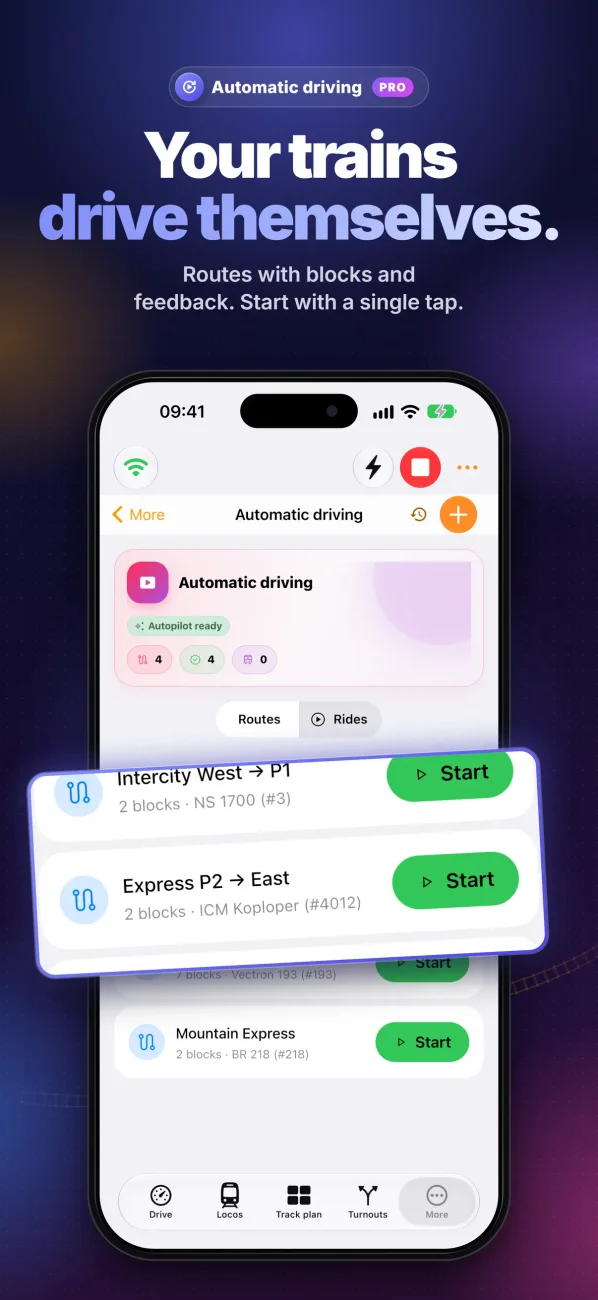
- Block routes with automatic stopping and departing
- Shuttle service between two points
- Timetables with model clock (1x to 60x speed)
- Drive schedules with customizable steps
CV PROGRAMMING
- Step-by-step programming wizard
- Expert mode for direct CV read/write
- Speed table editing (CV67-94)
GAME CONTROLLER
- Use PlayStation via Bluetooth
- Configurable button mapping
Requires a compatible digital command station and WiFi connection.
Terms of Use: https://www.apple.com/legal/internet-services/itunes/dev/stdeula/
Privacy Policy: https://locolink.io/privacy.html
What’s new
Version 2.0.12 · Nov 19, 2026
Fortunately, we were able to include many new features in this update, alongside all the other improvements we had already planned. Many ideas came from the model railway fair in Houten, the Netherlands, on Saturday 14 November. Thank you for all the feedback, the support, the kind words and the critical comments too: they make LocoLink better. The LocoLink team worked hard on it, with many late evenings, and it is with great pleasure and joy that we present this update, full of fixes, design improvements and new features.
We are building a modern, interactive manual alongside the videos and are discussing a forum.
New:
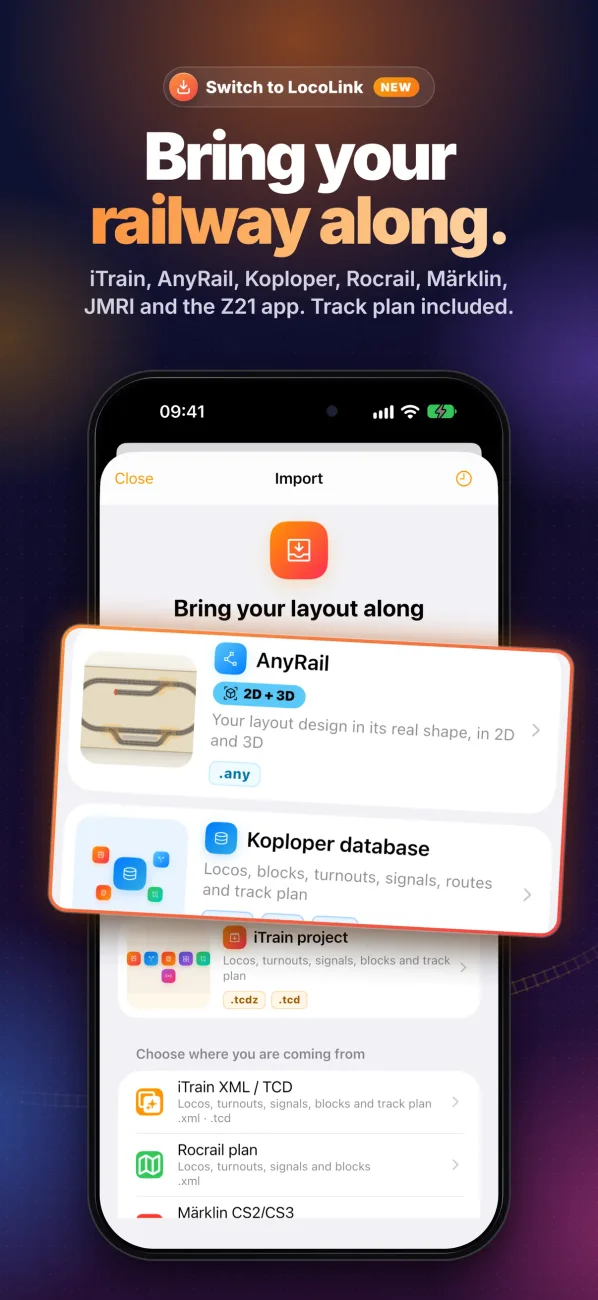
• TrainController: open your project from versions 7 to 11. Switchboards, locos, trains, turnouts, signals, sensors, blocks, routes, macros and the timetable come along. Check the addresses before the first run. The timetable now also knows chosen days and fixed dates.
• NCE: its own tile in the connection wizard. Choose Power Cab, SB3/SB5, Twin, Power Pro or PH5 and connect through a network bridge. After the test you see what your NCE can do.
• Search finds everything: screens, settings and actions, even with a typo.
• Signals look like the real thing, for the Netherlands, Germany, Belgium, Britain and more, also with DCC signal aspects.
• Put a train in a block without driving, or drag it there. When RailCom reports a loco from your list, LocoLink puts it in the right block by itself.
• Z21 detectors: the 10808 counts the way Roco numbers it, and one section is one detector, even over CAN, R-BUS and LocoNet at once.
• Wheel cleaner: a new recipe switches it on as soon as a train stands in its block, and off again.
• Turnouts: “Reverse turnout position” right in the track plan, also for several turnouts at once. Double-slip turnouts have all four positions.
• Import from iTrain, Koploper and AnyRail does much more: choose what comes across, trips are ready to start, signals switch as in iTrain, and an AnyRail plan with levels becomes one track plan per level.
• Shuttles and the timetable are right there under Automation, and a shuttle keeps driving until its end block reports it.
• Automatic driving: priority, “any free track” in a station, a check that the train fits, and run round.
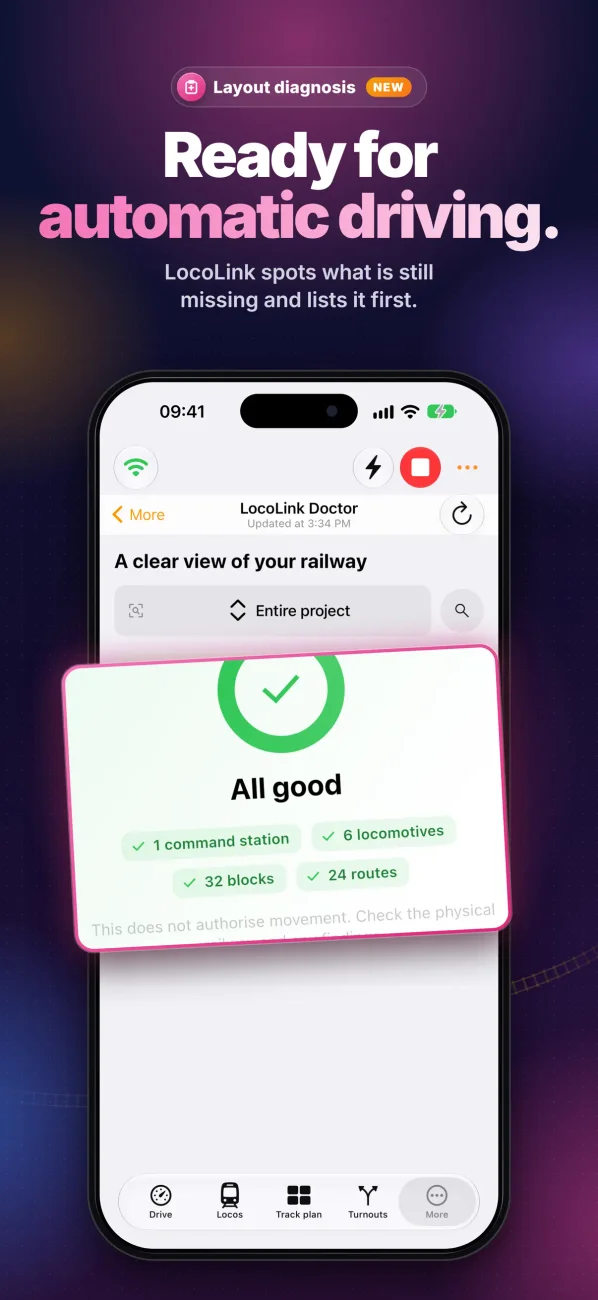
• Track plan: “What can this layout run?” and a trial run with the real automation, without any train moving.
• Command stations: the YaMoRC YD7001 and YD7010 connect over the network, and the ECoS confirms writes on the main track and helps when a read gets no RailCom answer.
• Extra devices: add extra devices to a lifetime licence, with prices in the currency of your licence.
Nicer, faster and calmer:
• Driving on iPhone and iPad: the loco, the windows and the throttle always stay in the same place, with a bigger lever. Swipe between the windows, and across the loco to the next loco.
• The connection to your command station is one calm line: the screen no longer jumps up and down while connecting.
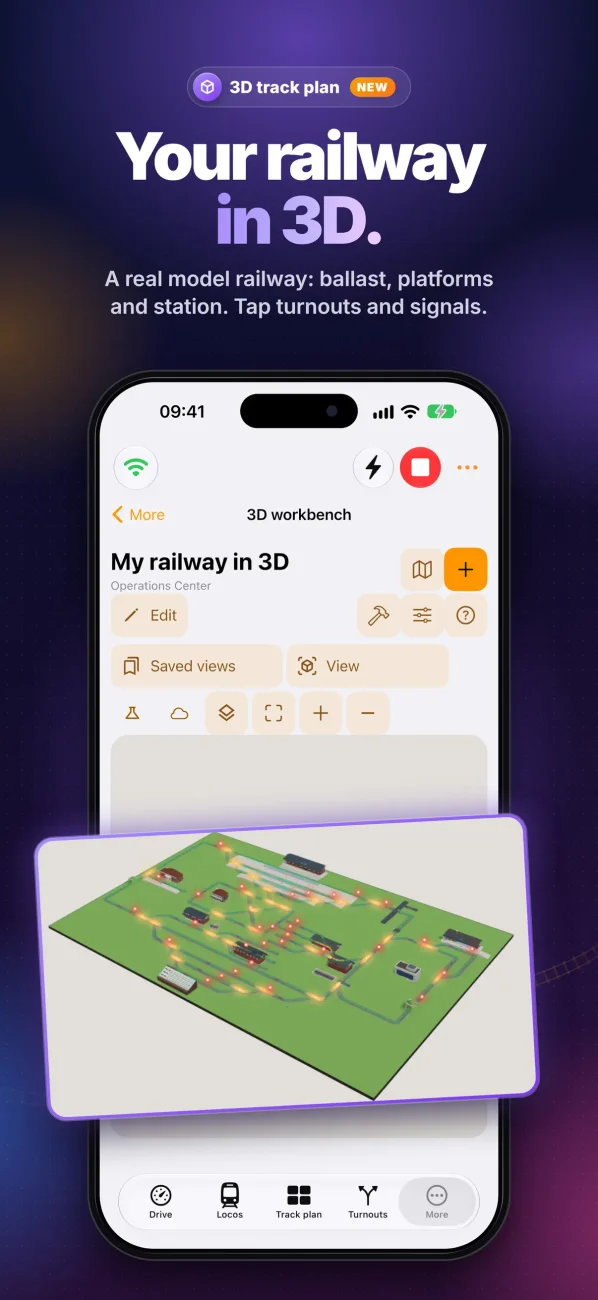
• New design: all menus, alerts and windows have the new LocoLink design, and so does the 3D workshop.
• 3D track plan: far more efficient, and you choose the picture quality yourself.
• Faster and smoother: menus no longer stutter, the track plan stays quick, and transitions are smoother, without blank or flashing pages.
Fixed:
• Switching projects first saves the project that is open, so nothing gets lost.
• A detector that stays occupied no longer holds an empty block.
• Kids mode: after a few wrong tries, “Forgot the PIN?” appears. Solve the sum and LocoLink switches the PIN off.
App privacy
What Tom Westerman declares on the App Store about how this app handles data.
-
Data linked to you
May be collected and linked to your identity.
- Purchases
- Location
- Contact info
- User content
- Identifiers
- Diagnostics
Privacy practices may vary, for example with the features you use or your age.
Information
- Seller
- Tom Westerman
- Category
- Entertainment
- Version
- 2.0.12
- Updated
- Nov 19, 2026
- Released
- Mar 29, 2026
- Size
- 89.1 MB
- Requires
- iOS 15.0 or later
- Age rating
- 4+
- Price
- Free
- In-app purchases
- Yes
- Languages
- English, Dutch, French, German
- Copyright
- © @ 2026 WETO Media
You might also like
-
 iDrum Worldwide Drumming ComiDrum Worldwide Drumming Com
-
 Australian Model Railway MagEntertainment
-
 MarblelousEntertainment
-
 Spur Null Magazin AppEntertainment
-
 AiFiTogether VideoEntertainment
-
 Blocks Magazine"For LEGO"
-
 LocoSnap : Train IdentifierAI Train Scanner & Spotter
-
 MesswagenEntertainment
-
 KlickyTrackerSearch & Track Your Sets!
-
 Easy TV TrackerTrack all the shows you watch