
Lookup Pass
Caller ID & scam call blocker
Diseñada para iPhone
Compras en la aplicación
- Clasificación por edad4+
- CategoríaUtilidades
- DesarrolladorFirst Light Holdings LLC
- IdiomasInglés
- Tamaño4,4 MB
Es posible que Lookup Pass no esté disponible en App Store en este momento
No se pudo acceder a la ficha de la tienda en nuestra última comprobación. El enlace sigue llevando a la página oficial de App Store.
Capturas de pantalla


Acerca de
El desarrollador no ha proporcionado este texto en tu idioma.
An unfamiliar number calls or texts. Lookup Pass helps you decide what to do next.
LOOK UP A NUMBER
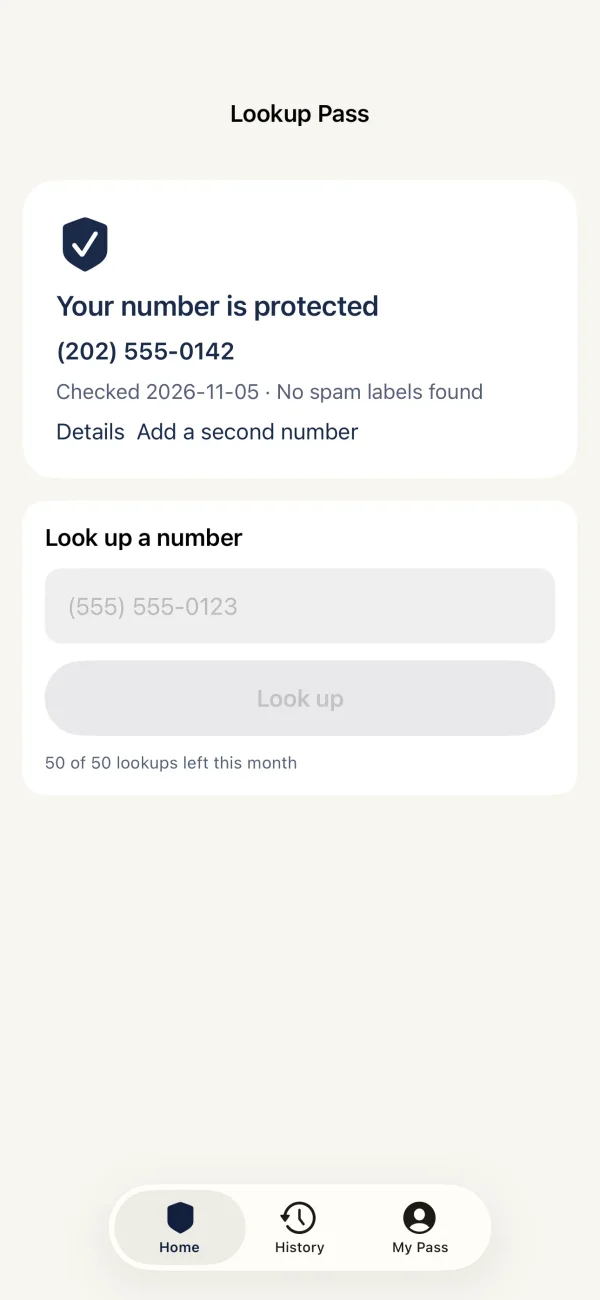
See the caller ID name on file when available, voice and messaging providers, line type, and reported spam or scam activity for US and Canadian numbers. A clean result means no warning was found in the checked records. It is not a guarantee that a caller is safe.
CALLER IDENTIFICATION AND WARNINGS
On supported iPhones, turn on Live Caller ID to see available caller identification and warnings as calls arrive. Results depend on the numbers covered by our data; some calls will have no identification or warning. Follow Setup & tutorials to enable the feature in iPhone Settings.
Call screening can also label numbers already on the downloaded screening list. You choose whether to block listed scam numbers. Unknown callers are not automatically classified as safe or blocked merely because they are unknown.
REPORT UNWANTED CALLS
Select Lookup Pass under Settings → Apps → Phone → SMS/Call Reporting. Where iOS offers a reporting action, review the number, choose Spam, Scam or Robocall, and submit. Reporting sends the selected number and category to Lookup Pass for community reputation; message text is not sent. Reporting is separate from your phone's blocking settings and from reporting to Apple or your carrier. Reporting actions vary by iOS version and communication type.
WATCH YOUR OWN NUMBER
Add your number and Lookup Pass rechecks it monthly for changes in the spam/scam records, caller ID and carrier information we check. Email alerts help you know when those checked records change. Lookup Pass Family covers up to 5 numbers.
SET UP AT YOUR OWN PACE
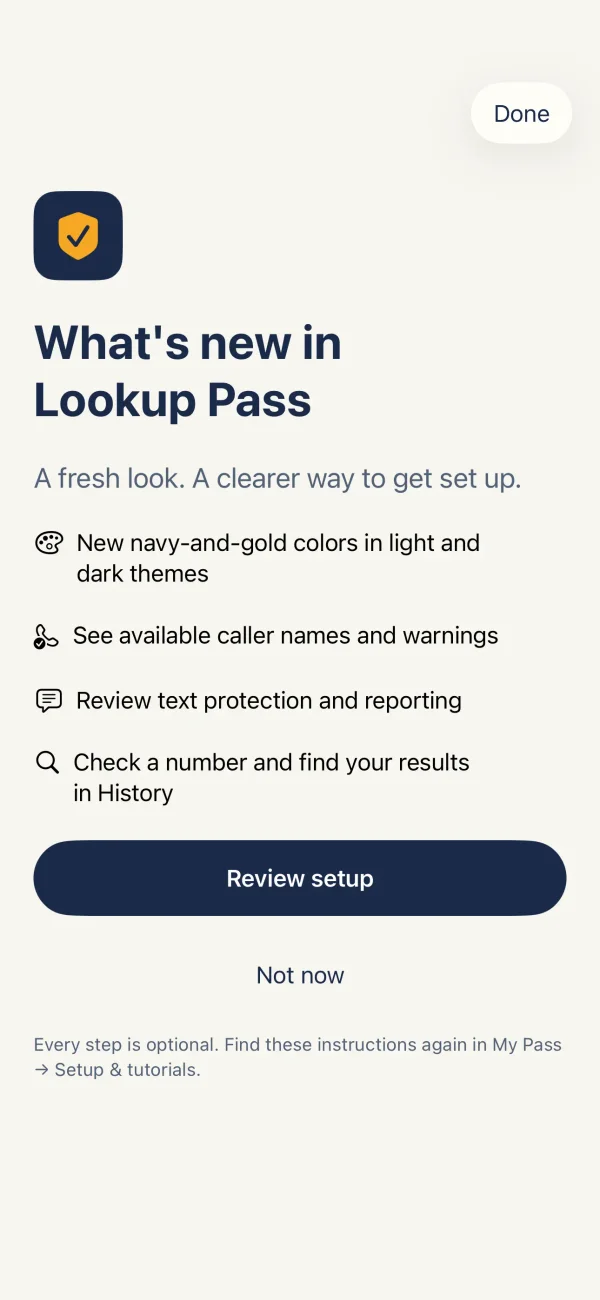
A first-run introduction and update guide help you find caller identification, text protection, reporting, protected numbers and lookups. Steps are optional. Return through My Pass → Setup & tutorials, or open the illustrated help and FAQs.
YOUR FAMILIAR LOOKUP PASS, WITH A NEW LOOK
Navy-and-gold styling, coordinated light and dark themes, and clearer cards bring the app and Lookup Pass website together. Home, History and My Pass remain easy to find.
PRIVACY
Call Directory matching takes place on your device. Live Caller ID uses Apple's privacy-preserving lookup infrastructure. Manual number lookups and reports use Lookup Pass services; reports do not include message text. Features that need iPhone Settings or permissions explain how to enable them. Reviewing a tutorial does not turn a setting on.
SUBSCRIPTIONS
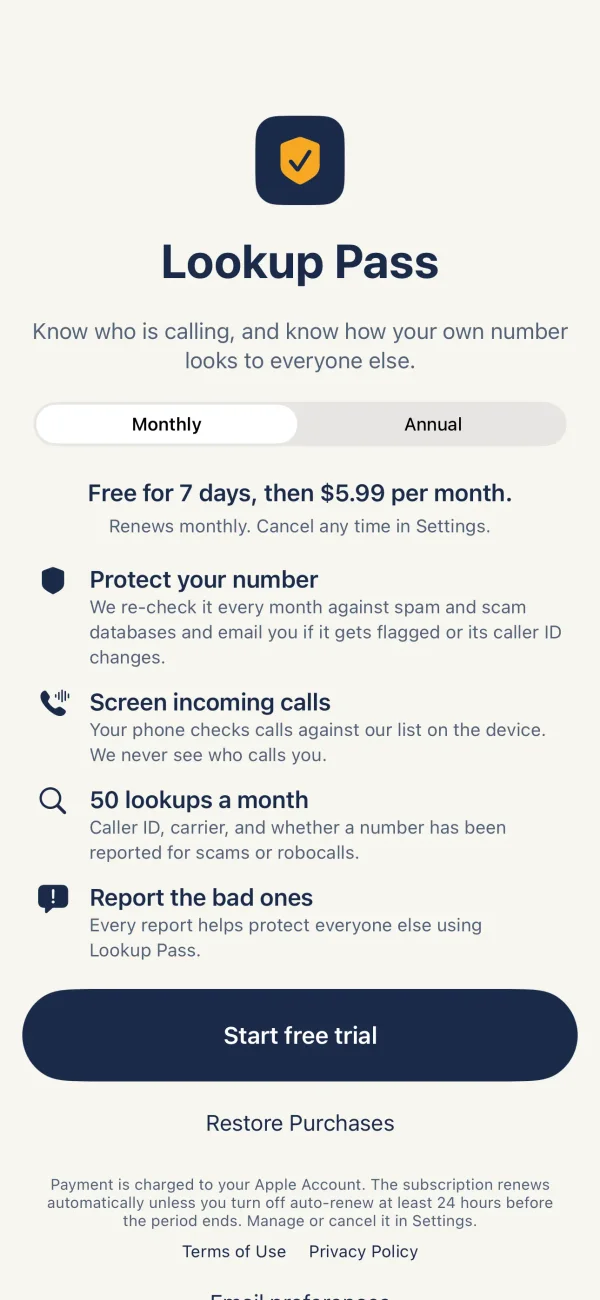
Lookup Pass subscriptions are billed through your Apple Account. Choose monthly or annual billing at the price shown in the app. Eligible new subscribers to the individual monthly plan receive one week free. Subscriptions renew automatically unless you turn off auto-renew at least 24 hours before the current period ends. Manage or cancel in Apple Account settings. Lookup packs are separate in-app purchases.
Account deletion is available under My Pass.
Terms of Use (EULA): https://www.apple.com/legal/internet-services/itunes/dev/stdeula/
Subscription terms: https://lookuppass.com/terms
Privacy Policy: https://lookuppass.com/privacy
Novedades
Versión 1.2.4 · 6/11/2026
A fresh look. A clearer way to get set up.
• Meet the new navy-and-gold Lookup Pass. Updated colors, calmer cards and coordinated light and dark themes bring a consistent look to every screen.
• Know more as calls arrive. Turn on Live Caller ID for available caller identification and spam warnings when a number matches our data.
• Make it yours with clearer setup guidance. Choose the features you want, follow the steps and return to the tutorials whenever you need a reminder.
• Report unwanted calls from Phone. Select Lookup Pass in SMS/Call Reporting settings, open a call’s Report action, then review the number and choose Spam, Scam or Robocall.
• Get help where you need it. New shortcuts connect setup and reporting to illustrated instructions and common questions.
• Keep Home focused. Setup prompts respect your progress, while the guides remain available in My Pass.
Privacidad de la aplicación
Lo que First Light Holdings LLC declara en App Store sobre cómo esta aplicación gestiona los datos.
-
Datos vinculados a ti
Pueden recopilarse y vincularse a tu identidad.
- Compras
- Información de contacto
- Contenido del usuario
- Historial de búsqueda
- Identificadores
-
Datos no vinculados a ti
Pueden recopilarse, pero no se vinculan a tu identidad.
- Datos de uso
Las prácticas de privacidad pueden variar, por ejemplo, según las funciones que uses o tu edad.
Información
- Vendedor
- First Light Holdings, LLC
- Categoría
- Utilidades
- Versión
- 1.2.4
- Actualizado
- 6/11/2026
- Publicado
- 17/9/2026
- Tamaño
- 4,4 MB
- Requiere
- iOS 18.0 o posterior
- Clasificación por edad
- 4+
- Compras en la aplicación
- Sí
- Idiomas
- Inglés
- Copyright
- © 2026 First Light Holdings, LLC
Quizá también te guste
-
 RobotDiagUtilidades
-
 True Name: Search NumberUtilidades
-
 MypoolbotUtilidades
-
 Lookify - Reverse Phone LookupUtilidades
-
 Ripple FiberUtilidades
-
 Phone Number Location FinderUtilidades
-
 Limpiador: Espacio liberadoBorrar Fotos y Vídeos con IA
-
 Podcast LM: Note to PDF PlusUtilidades
-
 My Consumer CellularUtilidades
-
 My SpectrumUtilidades