- 対象年齢4+
- カテゴリユーティリティ
- 開発元First Light Holdings LLC
- 言語英語
- サイズ4.4 MB
Lookup Passは現在App Storeで入手できない可能性があります
前回の確認時、ストアのページにアクセスできませんでした。リンク先は引き続きApp Storeの公式ページです。
スクリーンショット


概要
開発元はこのテキストをお使いの言語で提供していません。
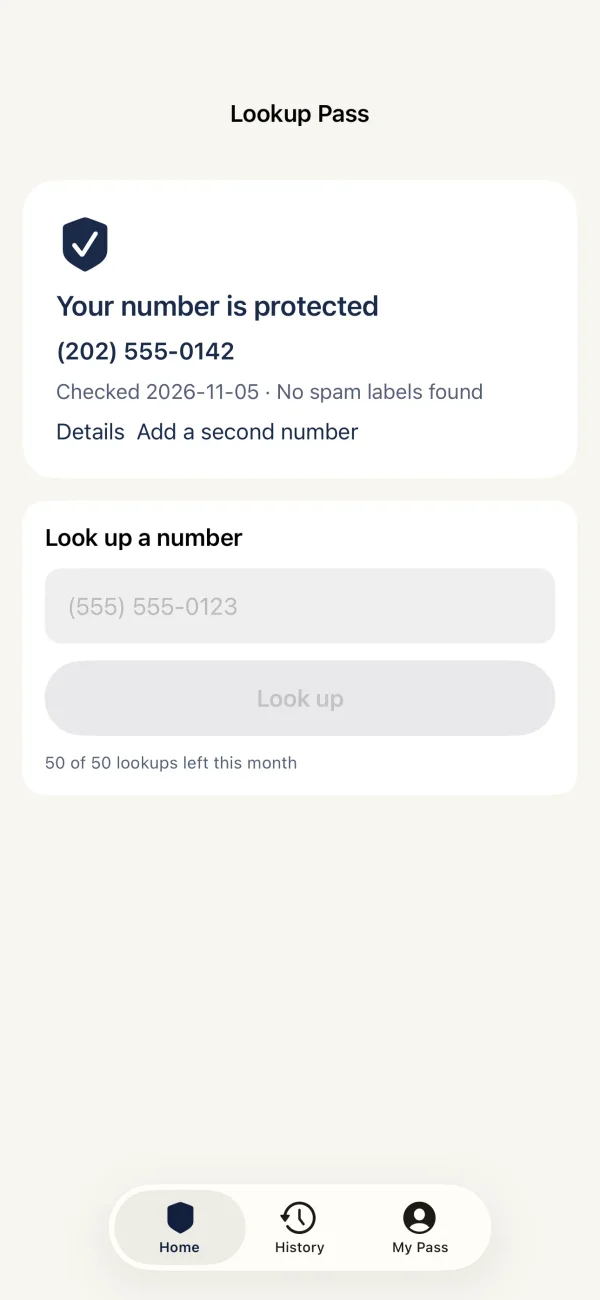
An unfamiliar number calls or texts. Lookup Pass helps you decide what to do next.
LOOK UP A NUMBER
See the caller ID name on file when available, voice and messaging providers, line type, and reported spam or scam activity for US and Canadian numbers. A clean result means no warning was found in the checked records. It is not a guarantee that a caller is safe.
CALLER IDENTIFICATION AND WARNINGS
On supported iPhones, turn on Live Caller ID to see available caller identification and warnings as calls arrive. Results depend on the numbers covered by our data; some calls will have no identification or warning. Follow Setup & tutorials to enable the feature in iPhone Settings.
Call screening can also label numbers already on the downloaded screening list. You choose whether to block listed scam numbers. Unknown callers are not automatically classified as safe or blocked merely because they are unknown.
REPORT UNWANTED CALLS
Select Lookup Pass under Settings → Apps → Phone → SMS/Call Reporting. Where iOS offers a reporting action, review the number, choose Spam, Scam or Robocall, and submit. Reporting sends the selected number and category to Lookup Pass for community reputation; message text is not sent. Reporting is separate from your phone's blocking settings and from reporting to Apple or your carrier. Reporting actions vary by iOS version and communication type.
WATCH YOUR OWN NUMBER
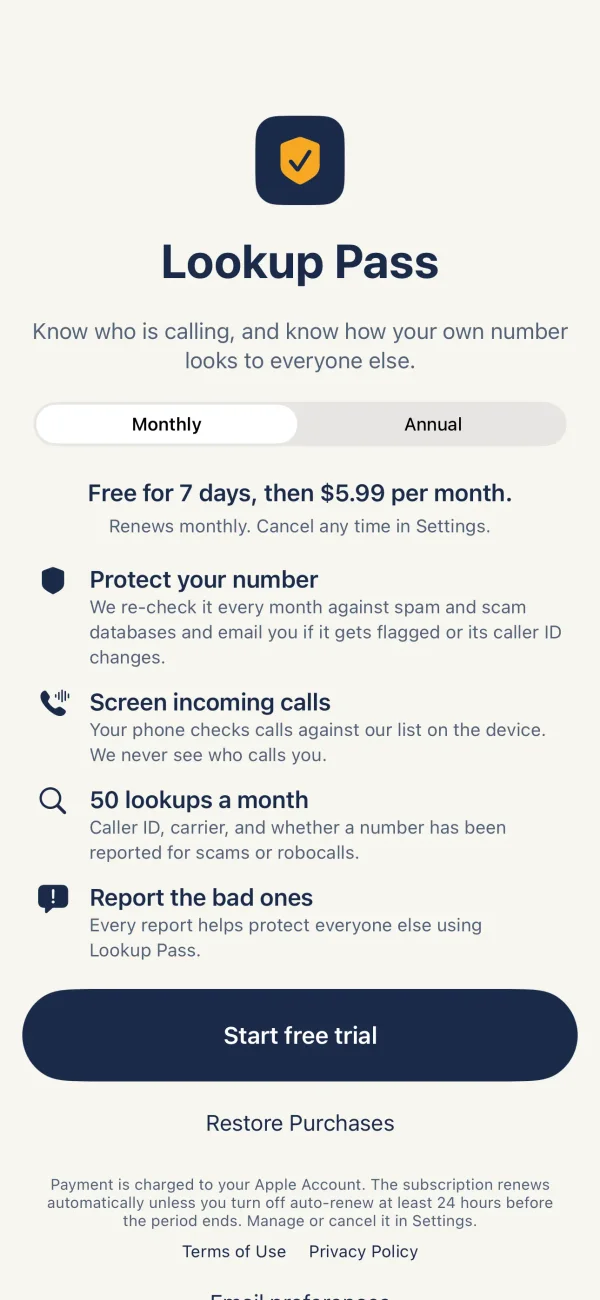
Add your number and Lookup Pass rechecks it monthly for changes in the spam/scam records, caller ID and carrier information we check. Email alerts help you know when those checked records change. Lookup Pass Family covers up to 5 numbers.
SET UP AT YOUR OWN PACE
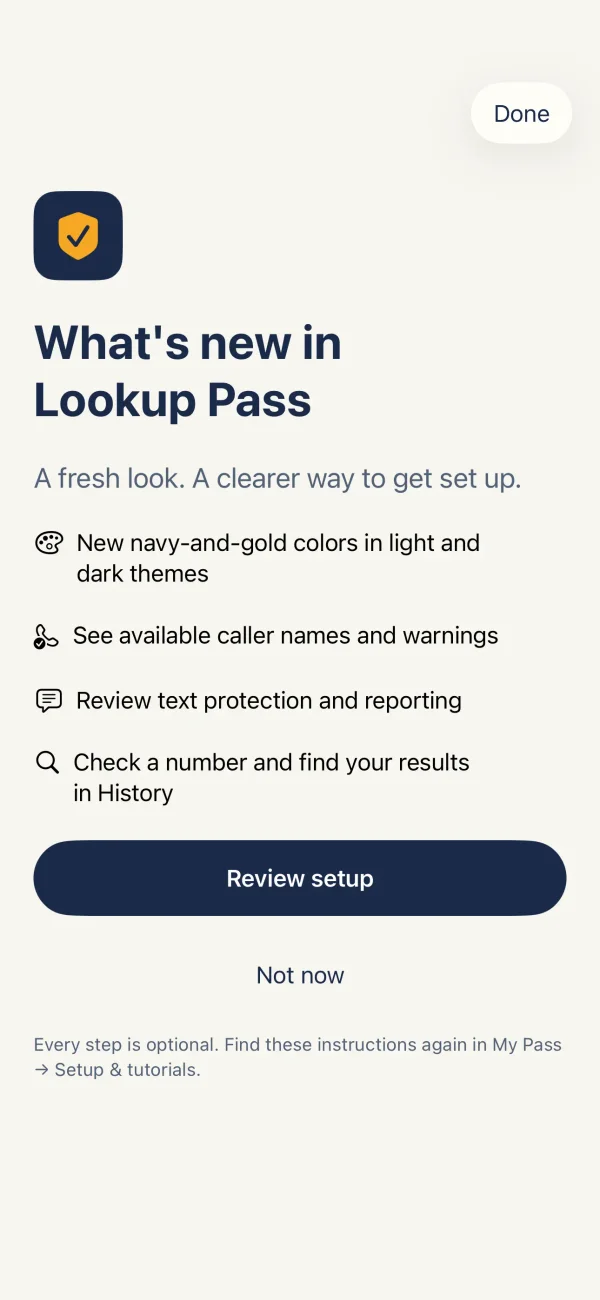
A first-run introduction and update guide help you find caller identification, text protection, reporting, protected numbers and lookups. Steps are optional. Return through My Pass → Setup & tutorials, or open the illustrated help and FAQs.
YOUR FAMILIAR LOOKUP PASS, WITH A NEW LOOK
Navy-and-gold styling, coordinated light and dark themes, and clearer cards bring the app and Lookup Pass website together. Home, History and My Pass remain easy to find.
PRIVACY
Call Directory matching takes place on your device. Live Caller ID uses Apple's privacy-preserving lookup infrastructure. Manual number lookups and reports use Lookup Pass services; reports do not include message text. Features that need iPhone Settings or permissions explain how to enable them. Reviewing a tutorial does not turn a setting on.
SUBSCRIPTIONS
Lookup Pass subscriptions are billed through your Apple Account. Choose monthly or annual billing at the price shown in the app. Eligible new subscribers to the individual monthly plan receive one week free. Subscriptions renew automatically unless you turn off auto-renew at least 24 hours before the current period ends. Manage or cancel in Apple Account settings. Lookup packs are separate in-app purchases.
Account deletion is available under My Pass.
Terms of Use (EULA): https://www.apple.com/legal/internet-services/itunes/dev/stdeula/
Subscription terms: https://lookuppass.com/terms
Privacy Policy: https://lookuppass.com/privacy
新機能
バージョン 1.2.4 · 2026/11/6
A fresh look. A clearer way to get set up.
• Meet the new navy-and-gold Lookup Pass. Updated colors, calmer cards and coordinated light and dark themes bring a consistent look to every screen.
• Know more as calls arrive. Turn on Live Caller ID for available caller identification and spam warnings when a number matches our data.
• Make it yours with clearer setup guidance. Choose the features you want, follow the steps and return to the tutorials whenever you need a reminder.
• Report unwanted calls from Phone. Select Lookup Pass in SMS/Call Reporting settings, open a call’s Report action, then review the number and choose Spam, Scam or Robocall.
• Get help where you need it. New shortcuts connect setup and reporting to illustrated instructions and common questions.
• Keep Home focused. Setup prompts respect your progress, while the guides remain available in My Pass.
アプリのプライバシー
このアプリのデータの取り扱いについて、First Light Holdings LLCがApp Storeで申告している内容です。
-
ユーザーに関連付けられたデータ
収集され、ユーザーの識別情報に関連付けられる場合があります。
- 購入
- 連絡先情報
- ユーザーコンテンツ
- 検索履歴
- ID
-
ユーザーに関連付けられないデータ
収集される場合がありますが、ユーザーの識別情報には関連付けられません。
- 使用状況データ
プライバシーの取り扱いは、ご利用の機能やお客様の年齢などに応じて異なる場合があります。
情報
- 販売元
- First Light Holdings, LLC
- カテゴリ
- ユーティリティ
- バージョン
- 1.2.4
- 更新日
- 2026/11/6
- リリース
- 2026/9/17
- サイズ
- 4.4 MB
- 必要条件
- iOS 18.0以降
- 対象年齢
- 4+
- アプリ内課金
- あり
- 言語
- 英語
- 著作権
- © 2026 First Light Holdings, LLC