
- Clasificación por edad4+
- CategoríaProductividad
- DesarrolladorRod Bauer
- IdiomasInglés
- Tamaño1,5 MB
Enlaza a la página oficial de App Store
Download.org no aloja ningún archivo de Make List. El botón abre la página de la aplicación en App Store, donde la publica Rod Bauer. Ficha comprobada por última vez el 13/11/2026.
Capturas de pantalla


Acerca de
El desarrollador no ha proporcionado este texto en tu idioma.
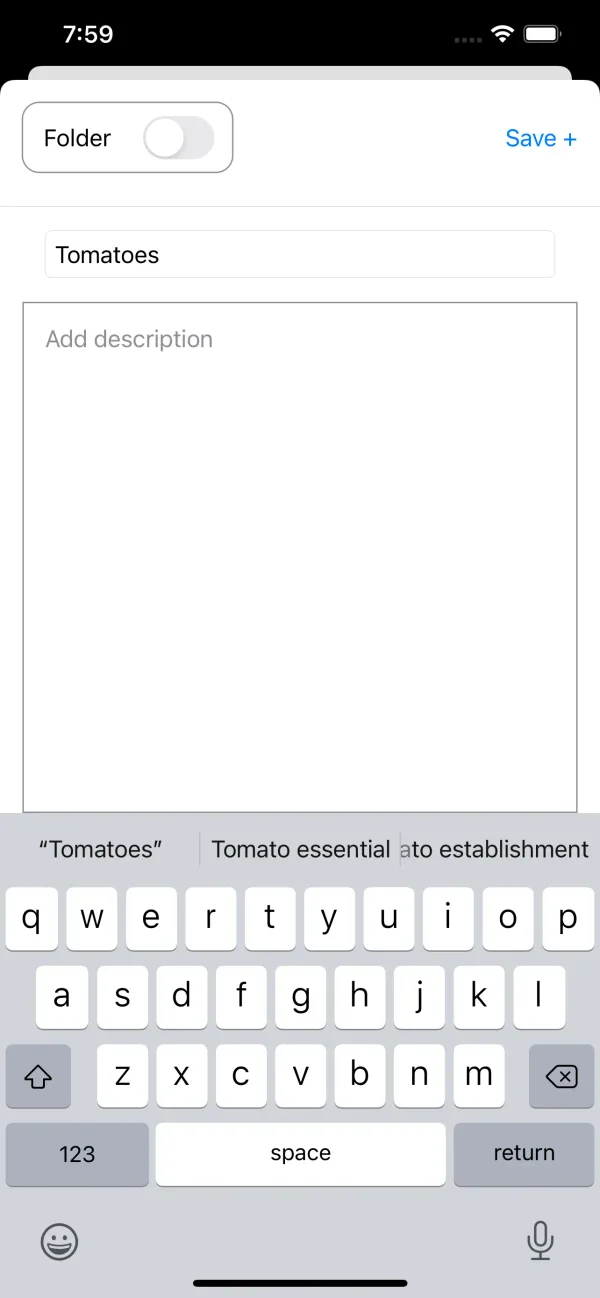
Make List App is a great tool ranging from organizing every day 'take to work' list, using the 'Uncheck All' to clear the list for another use, to food shopping or todo list, and finally using the 'Delete Selected' to delete checked items.
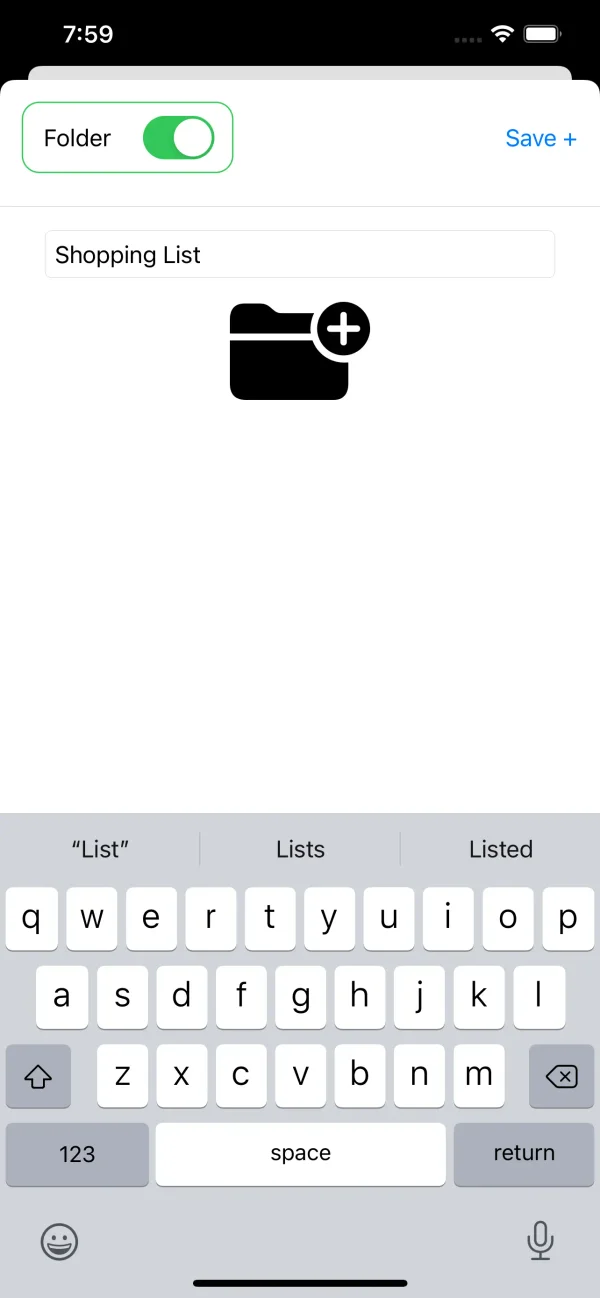
Since every item in every list in Make List App can be a folder, Make List let's you organize your lists without limiting the number of folders and subfolders you can use.
The 'Options' menu can be customize to hide/show some of the options in the Settings screen.
Other power features include:
• Simple offline backup via copy paste.
- Using the 'Copy Selected to Pasteboard' from the Options menu, you can copy all selected items of a list to the device's pasteboard. You can paste it anywhere from an email to any other text App on the device. The Paste List from pasteboard completes the cycle by letting you import from the device's pasteboard. This means you can either backup or share by any text app (such as Messages or Mail).
• Move items between folders
- Similar to 'Copy/Paste from pasteboard' but done internally without the device's pasteboard. Simple function to move items between folders.
• Green line indicator when all items are checked.
- Very handy on longer lists. You can make sure all items are selected without inspecting them all visually. When the last selectable items is selected, a green line will light up, indicating that all items are selected.
Novedades
Versión 5.0 · 1/10/2025
Updated to iOS 26 look
Privacidad de la aplicación
Lo que Rod Bauer declara en App Store sobre cómo esta aplicación gestiona los datos.
-
No se recopilan datos
El desarrollador no recopila ningún dato de esta aplicación.
Las prácticas de privacidad pueden variar, por ejemplo, según las funciones que uses o tu edad.
Información
- Vendedor
- Rod Bauer
- Categoría
- Productividad
- Versión
- 5.0
- Actualizado
- 1/10/2025
- Publicado
- 25/5/2016
- Tamaño
- 1,5 MB
- Requiere
- iOS 16.6 o posterior
- Clasificación por edad
- 4+
- Precio
- Gratis
- Idiomas
- Inglés
- Copyright
- © 2014 Rod Bauer
Quizá también te guste
-
 Ita – Listas Que te GustanProductividad
-
 Checklist - List MakerProductividad
-
 4QuadrantsProductividad
-
 Checklists AppProductividad
-
 Make a ListProductividad
-
 Tododo — To Do & ReminderProductividad
-
 Clean TodosProductividad
-
 The WrenchProductividad
-
 TapNote: Simple NotesProductividad
-
 Just List It!Productividad