- Clasificación por edad4+
- CategoríaDeportes
- DesarrolladorMikalai Holub
- IdiomasInglés
- Tamaño22,6 MB
Enlaza a la página oficial de App Store
Download.org no aloja ningún archivo de MarinePath. El botón abre la página de la aplicación en App Store, donde la publica Mikalai Holub. Ficha comprobada por última vez el 20/11/2026.
Capturas de pantalla

Acerca de
El desarrollador no ha proporcionado este texto en tu idioma.
MarinePath brings marine maps, GPS recording and water-sport session tracking to Apple Watch and iPhone. Explore the water, record your track, review your progress and share your adventures.
Built for wing foiling, parawing, downwinders, kitesurfing, windsurfing, sailing, kayaking, paddling and other water sports, MarinePath keeps your track and location at the center of the experience.
EXPLORE MARINE MAPS
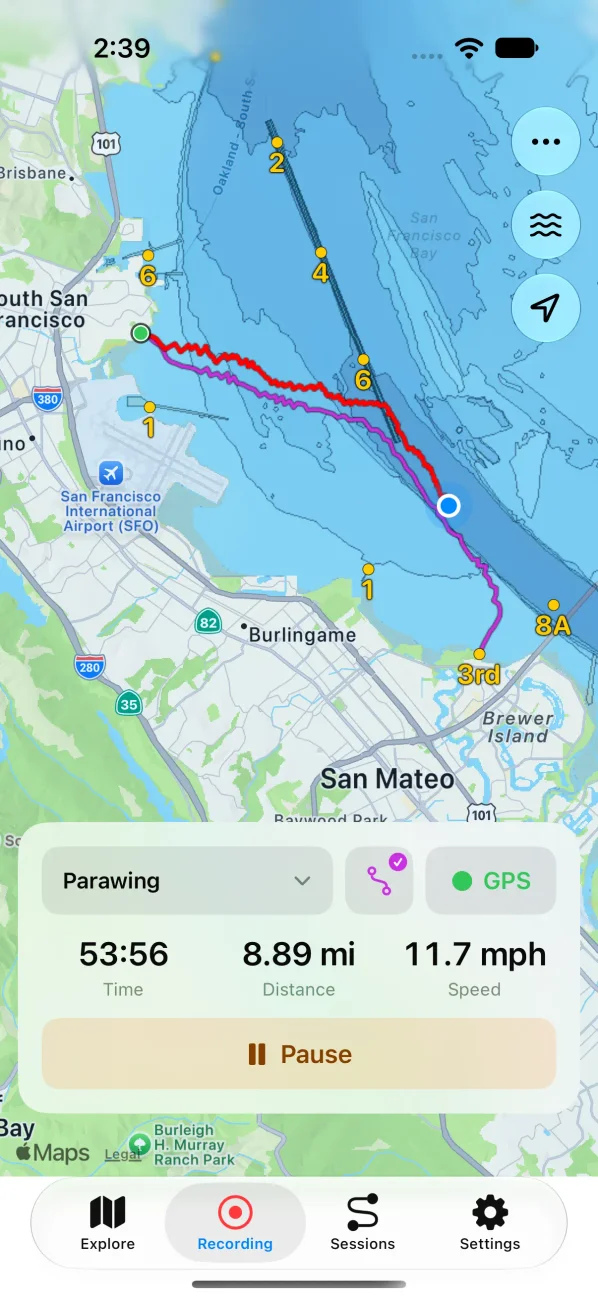
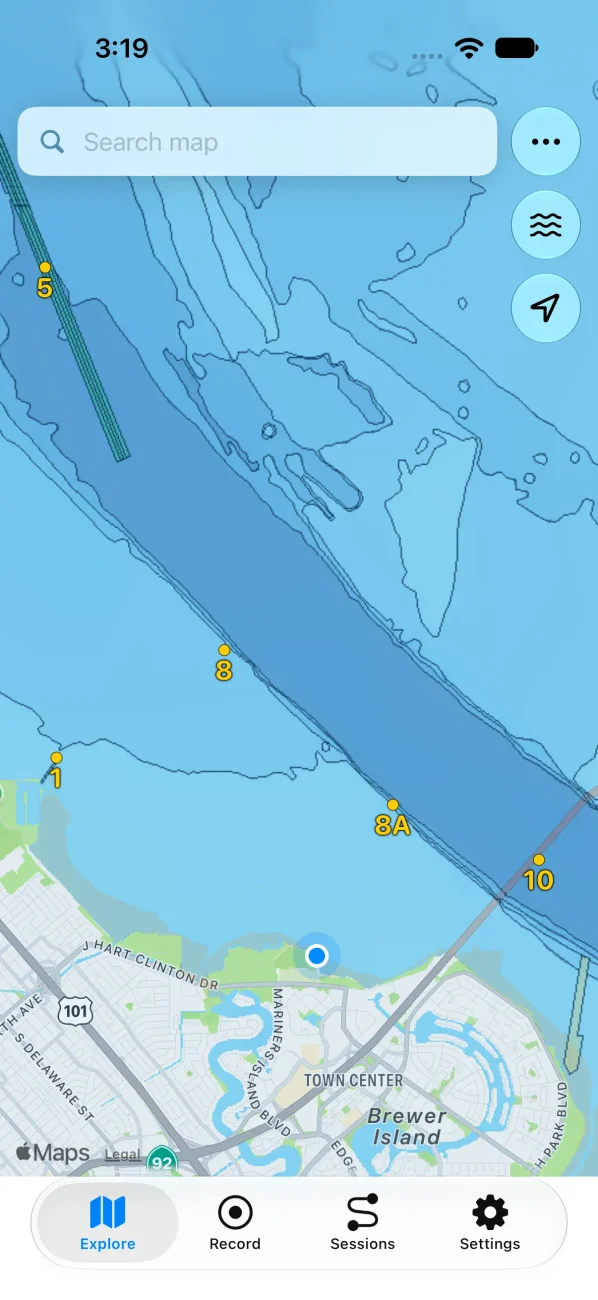
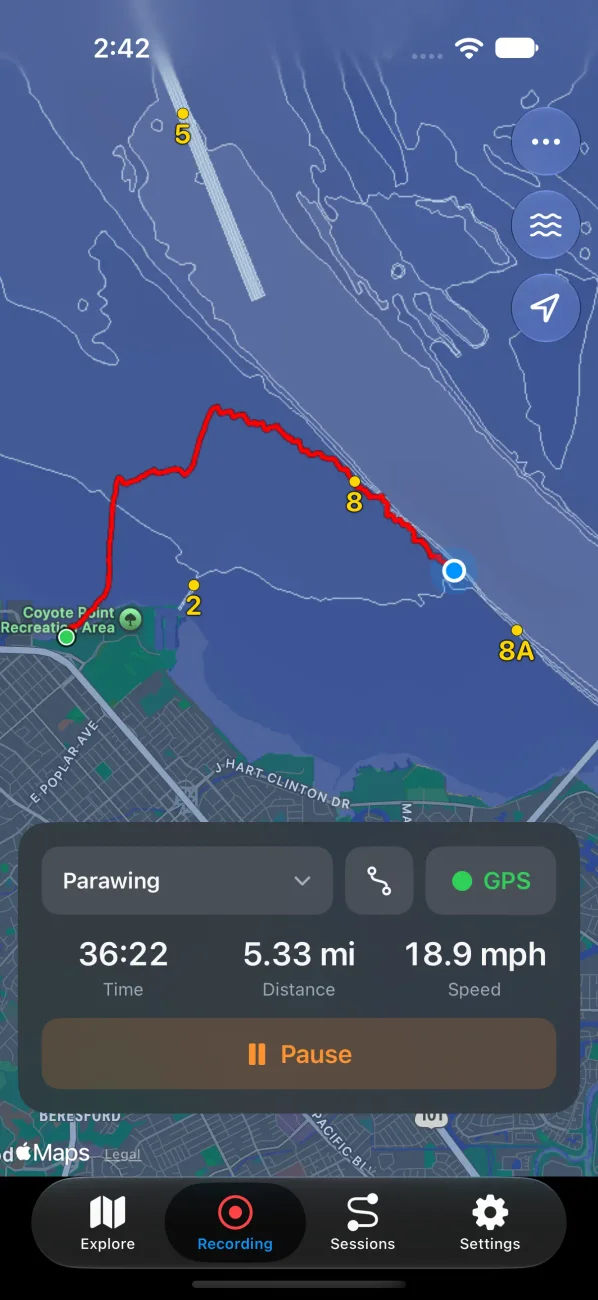
See your location on the map, explore nearby waters and find places on iPhone with map search. Switch between Standard and Satellite maps to explore coastlines, bays, rivers and launch spots. Keep marine maps close at hand on Apple Watch while you are on the water.
SAVE WAYPOINTS AND FIND YOUR WAY
Save waypoints for launch spots, exits and other places you want to find again. View channel markers where available and see distances to help understand where you are relative to familiar points on the water.
FOLLOW A SAVED ROUTE
Use a previous session or imported GPX track as a visual guide while recording a new outing on iPhone or Apple Watch. Open a saved session and choose Save as Route, then select it from Route before or during recording. Manage your Routes library on iPhone and sync it to your Watch. Your new recording stays separate from the route you are following. Route following does not include turn-by-turn directions or off-route alerts.
RECORD ON APPLE WATCH OR IPHONE
Record GPS sessions on Apple Watch and review them on iPhone after syncing. You can also record directly on iPhone, with your live track, elapsed time, distance and speed on the map. Choose your sport, pause and resume your session, and open the saved track and statistics when you finish. On Apple Watch, choose Map or Live Stats before or during a session. Live Stats shows current and average speed, elapsed time, distance and available heart rate. On supported Apple Watches, use the Action Button to switch between the map and Live Stats.
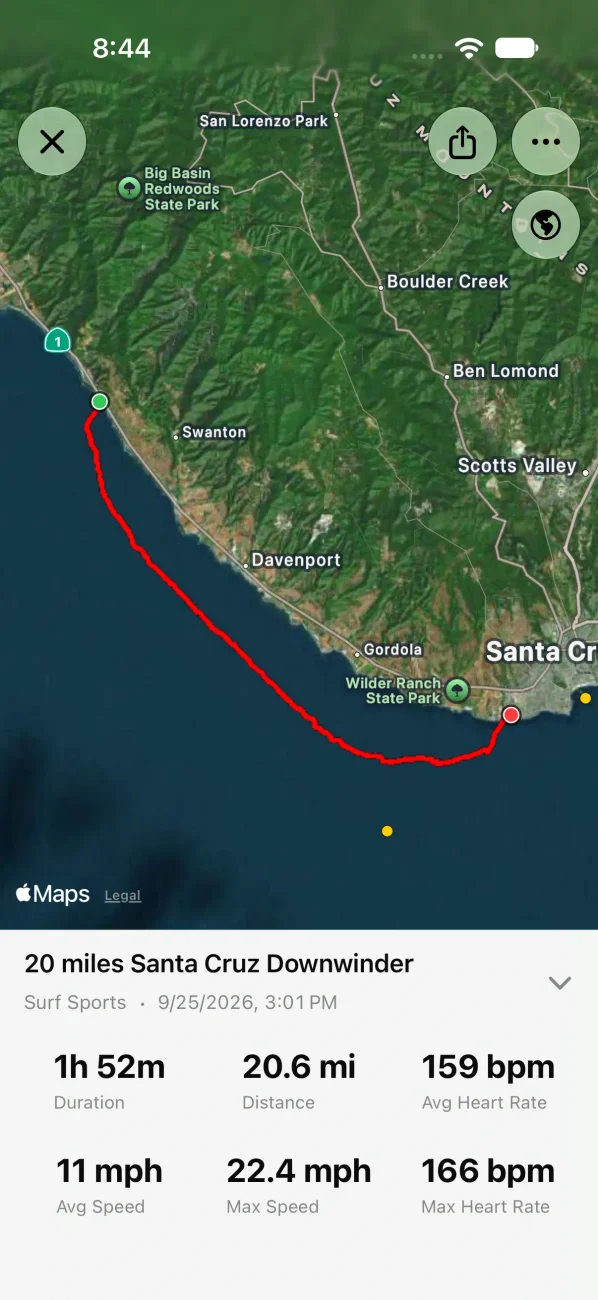
REVIEW YOUR TRACKS AND STATISTICS
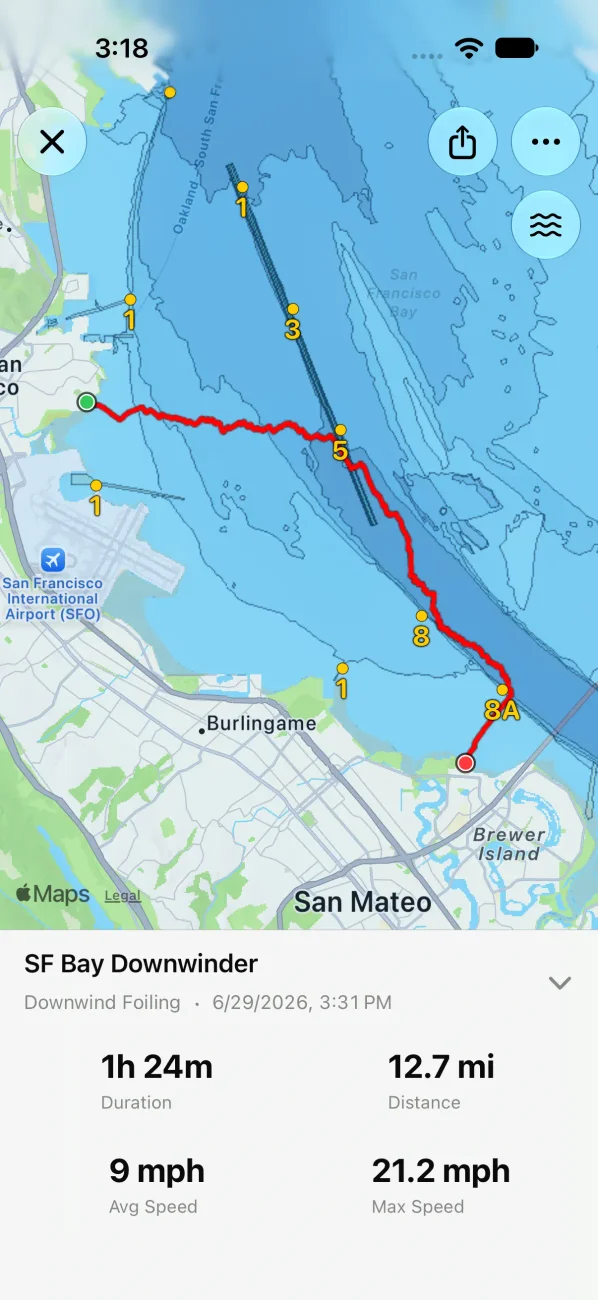
Explore saved tracks and see distance, duration, average speed and maximum speed. Use the optional speed-colored track to see how your speed changed along the track. Review average and maximum heart rate when recorded and Heart Rate Stats is enabled. Rename a session or update its sport to keep your session history organized.
IMPORT AND EXPORT GPX TRACKS
Import recorded GPX tracks with timestamps from Files on iPhone, or export your sessions as GPX to use with other compatible tools. Try the built-in Sample Track to explore the session map and statistics before recording your own outing.
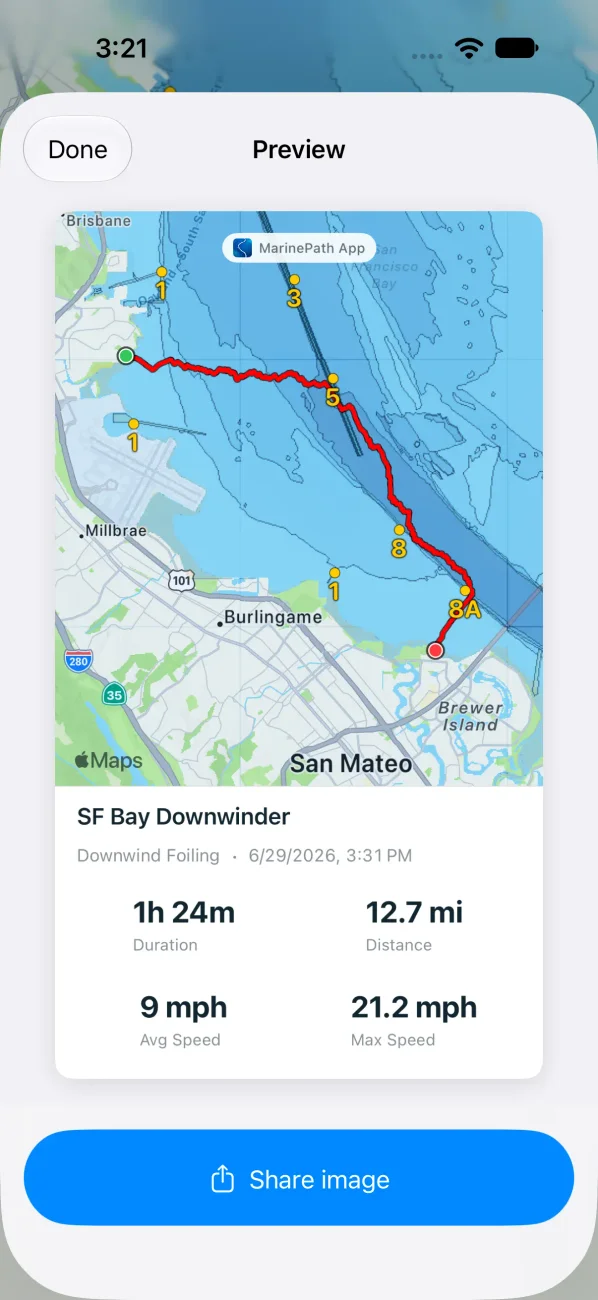
SHARE YOUR SESSION
Turn a saved session into a portrait image featuring its full track map, session name, sport, date and statistics. Shared images use your session map settings and can include recorded heart-rate statistics when enabled. Save an image to Photos or share it with friends, group chats and other apps through the iPhone share sheet.
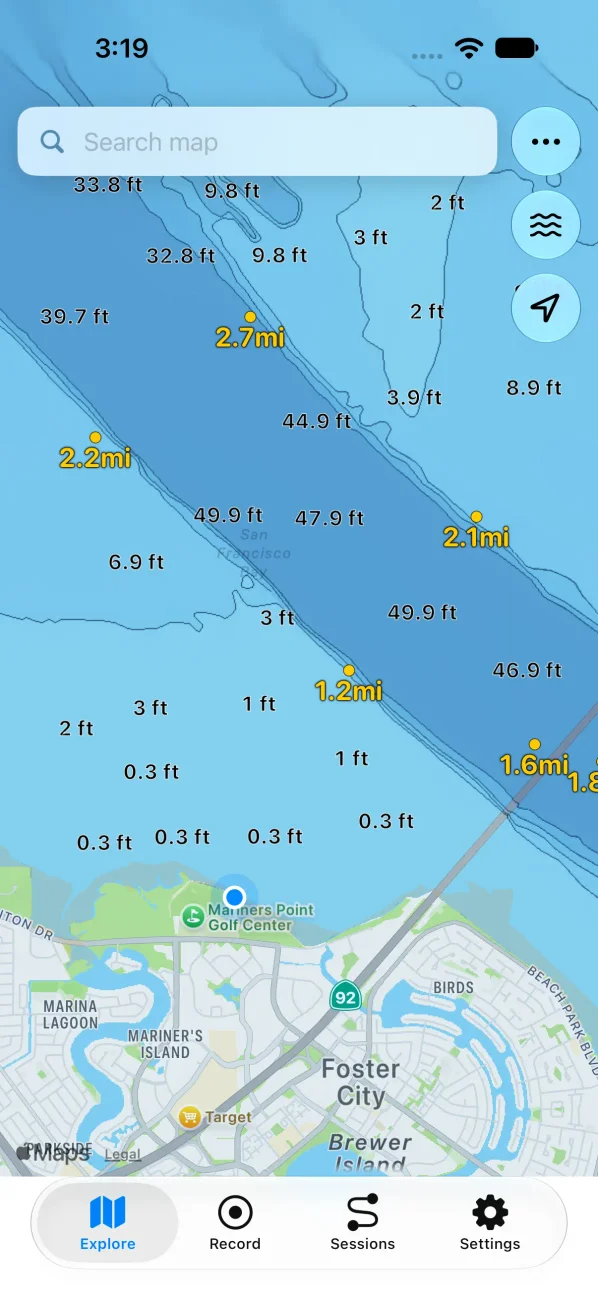
EXPLORE NOAA MARINE DETAILS
View NOAA chart details, navigation markers and optional depth soundings where NOAA provides coverage in U.S. waters. Depth labels show charted soundings, not live water depth. Outside NOAA coverage, the base map and GPS recording remain useful.
No account or sign-in is required. An internet connection is needed to download new map data; previously loaded content may be available from cache.
MarinePath supports situational awareness and recreational tracking. It is not a replacement for official nautical charts, approved navigation equipment, emergency services or safe judgment on the water. Map data includes OpenStreetMap contributors and NOAA; no provider endorsement is implied.
Novedades
Versión 1.9 · 18/11/2026
- Follow a saved or imported route on Apple Watch or iPhone while recording a new session.
- Save sessions as Routes, organize your route library and sync it to Apple Watch.
- A simpler iPhone recording screen with easier access to sport and route choices.
- Improved GPS tracking and live speed readings.
Privacidad de la aplicación
Lo que Mikalai Holub declara en App Store sobre cómo esta aplicación gestiona los datos.
-
Datos vinculados a ti
Pueden recopilarse y vincularse a tu identidad.
- Ubicación
- Diagnóstico
Las prácticas de privacidad pueden variar, por ejemplo, según las funciones que uses o tu edad.
Información
- Vendedor
- Mikalai Holub
- Categoría
- Deportes
- Versión
- 1.9
- Actualizado
- 18/11/2026
- Publicado
- 15/10/2026
- Tamaño
- 22,6 MB
- Requiere
- iOS 26.0 o posterior
- Clasificación por edad
- 4+
- Precio
- Gratis
- Idiomas
- Inglés
- Copyright
- © 2026 Mikalai Holub