- Độ tuổi4+
- Danh mụcThể Thao
- Nhà phát triểnMikalai Holub
- Ngôn ngữTiếng Anh
- Kích thước22,6 MB
Liên kết đến trang App Store chính thức
Download.org không lưu trữ tệp nào của MarinePath. Nút này mở trang ứng dụng trên App Store, nơi Mikalai Holub phát hành ứng dụng. Trang được kiểm tra lần cuối: 20/11/2026.
Ảnh chụp màn hình

Giới thiệu
Nhà phát triển chưa cung cấp nội dung này bằng ngôn ngữ của bạn.
MarinePath brings marine maps, GPS recording and water-sport session tracking to Apple Watch and iPhone. Explore the water, record your track, review your progress and share your adventures.
Built for wing foiling, parawing, downwinders, kitesurfing, windsurfing, sailing, kayaking, paddling and other water sports, MarinePath keeps your track and location at the center of the experience.
EXPLORE MARINE MAPS
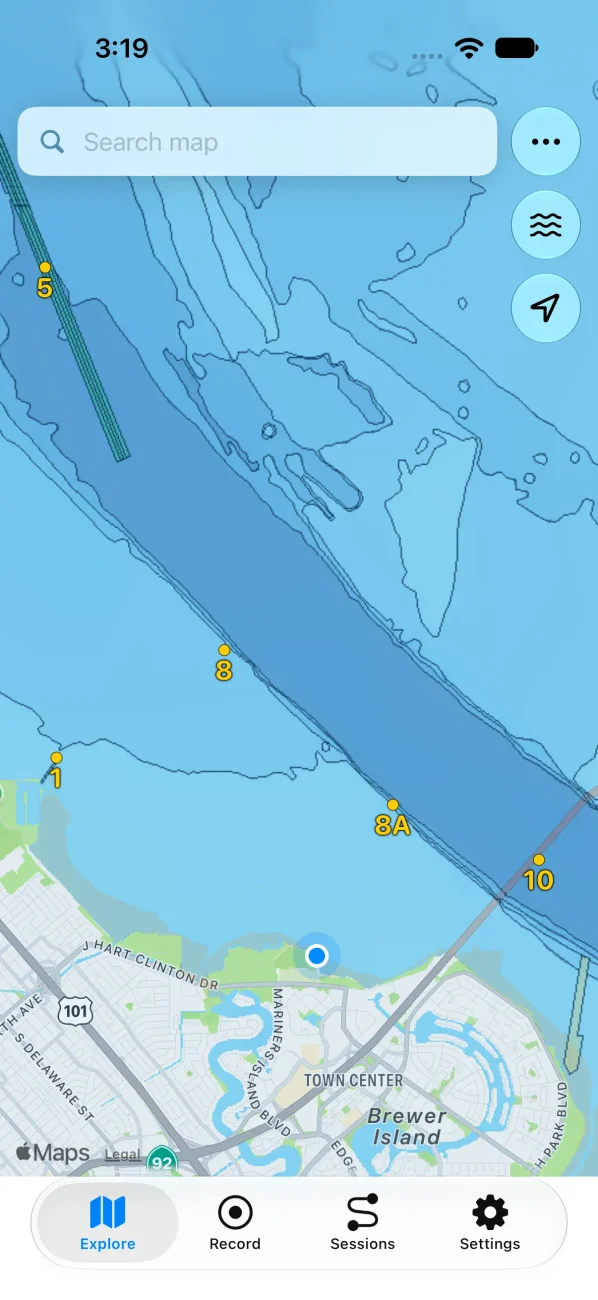
See your location on the map, explore nearby waters and find places on iPhone with map search. Switch between Standard and Satellite maps to explore coastlines, bays, rivers and launch spots. Keep marine maps close at hand on Apple Watch while you are on the water.
SAVE WAYPOINTS AND FIND YOUR WAY
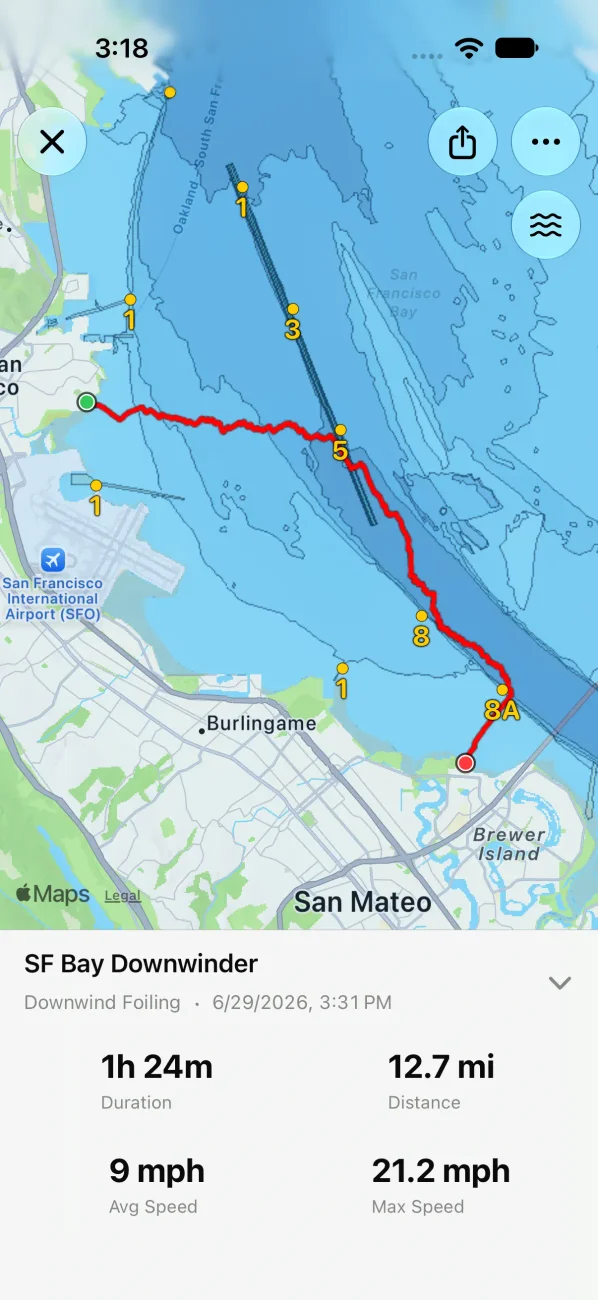
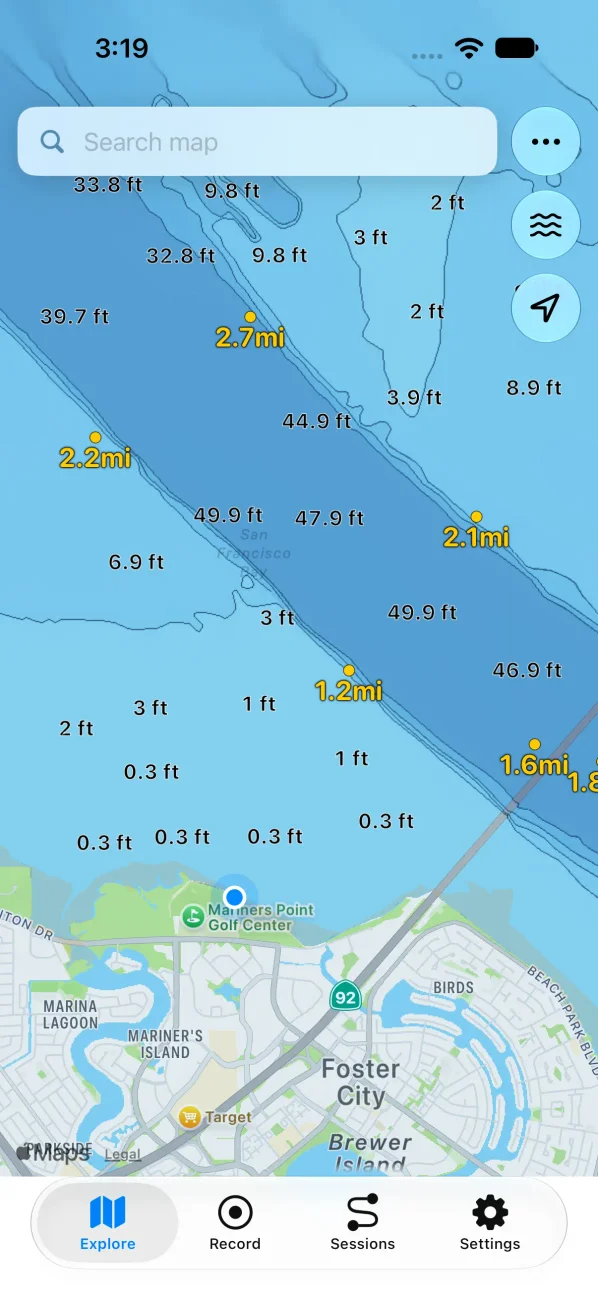
Save waypoints for launch spots, exits and other places you want to find again. View channel markers where available and see distances to help understand where you are relative to familiar points on the water.
FOLLOW A SAVED ROUTE
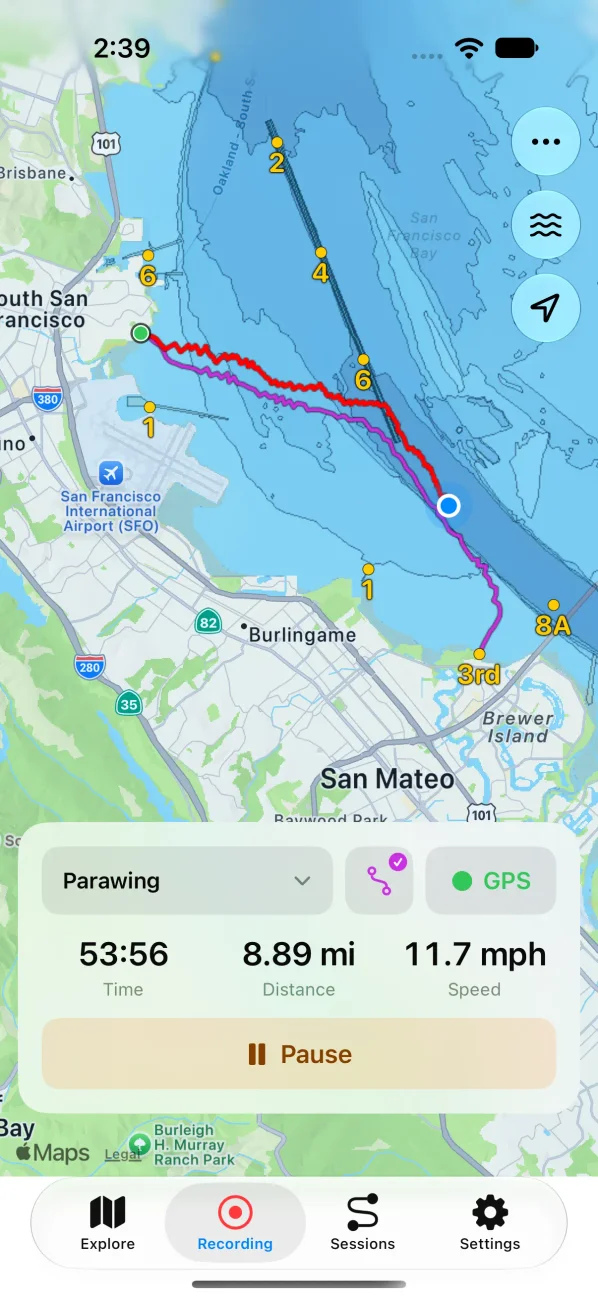
Use a previous session or imported GPX track as a visual guide while recording a new outing on iPhone or Apple Watch. Open a saved session and choose Save as Route, then select it from Route before or during recording. Manage your Routes library on iPhone and sync it to your Watch. Your new recording stays separate from the route you are following. Route following does not include turn-by-turn directions or off-route alerts.
RECORD ON APPLE WATCH OR IPHONE
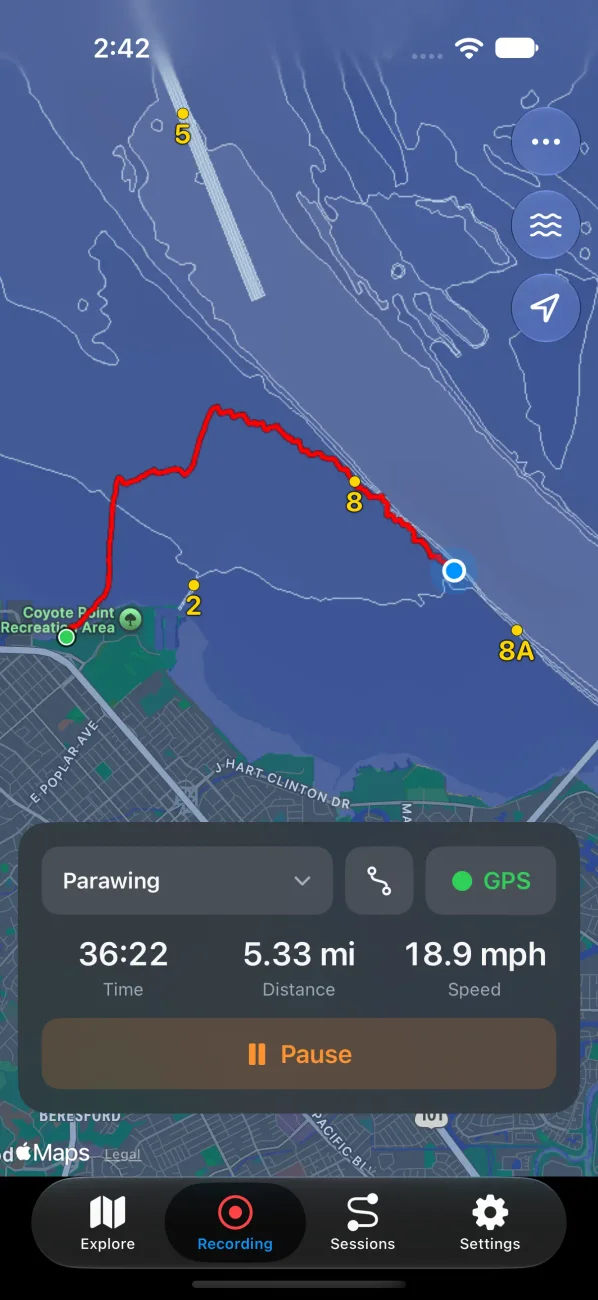
Record GPS sessions on Apple Watch and review them on iPhone after syncing. You can also record directly on iPhone, with your live track, elapsed time, distance and speed on the map. Choose your sport, pause and resume your session, and open the saved track and statistics when you finish. On Apple Watch, choose Map or Live Stats before or during a session. Live Stats shows current and average speed, elapsed time, distance and available heart rate. On supported Apple Watches, use the Action Button to switch between the map and Live Stats.
REVIEW YOUR TRACKS AND STATISTICS
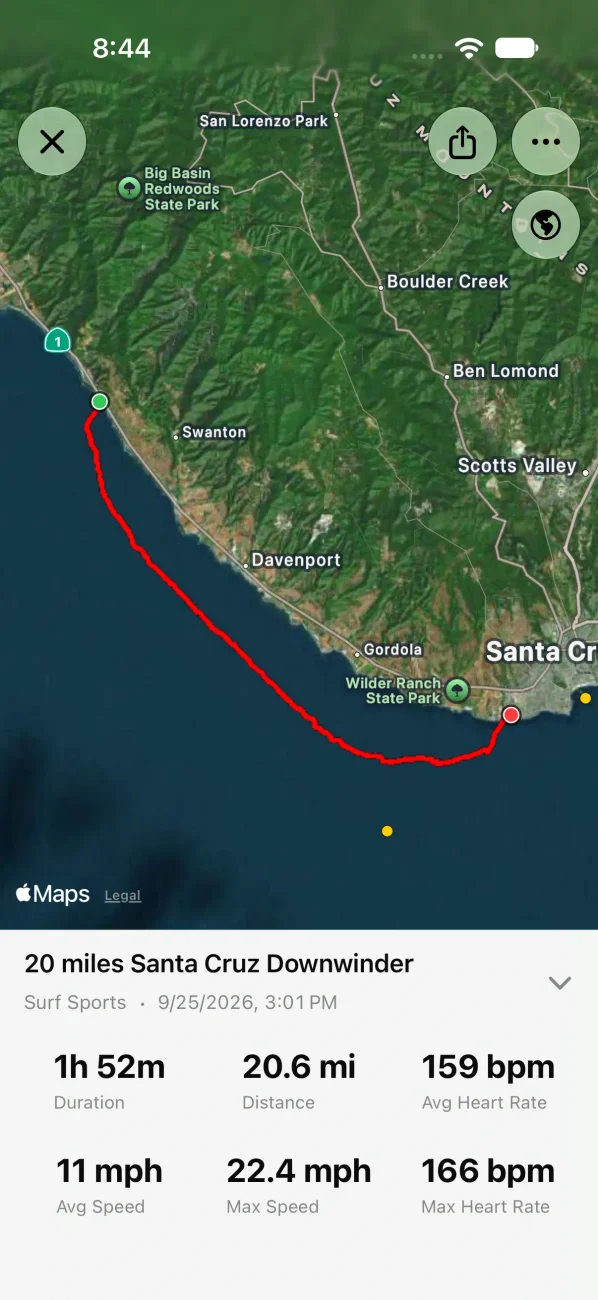
Explore saved tracks and see distance, duration, average speed and maximum speed. Use the optional speed-colored track to see how your speed changed along the track. Review average and maximum heart rate when recorded and Heart Rate Stats is enabled. Rename a session or update its sport to keep your session history organized.
IMPORT AND EXPORT GPX TRACKS
Import recorded GPX tracks with timestamps from Files on iPhone, or export your sessions as GPX to use with other compatible tools. Try the built-in Sample Track to explore the session map and statistics before recording your own outing.
SHARE YOUR SESSION
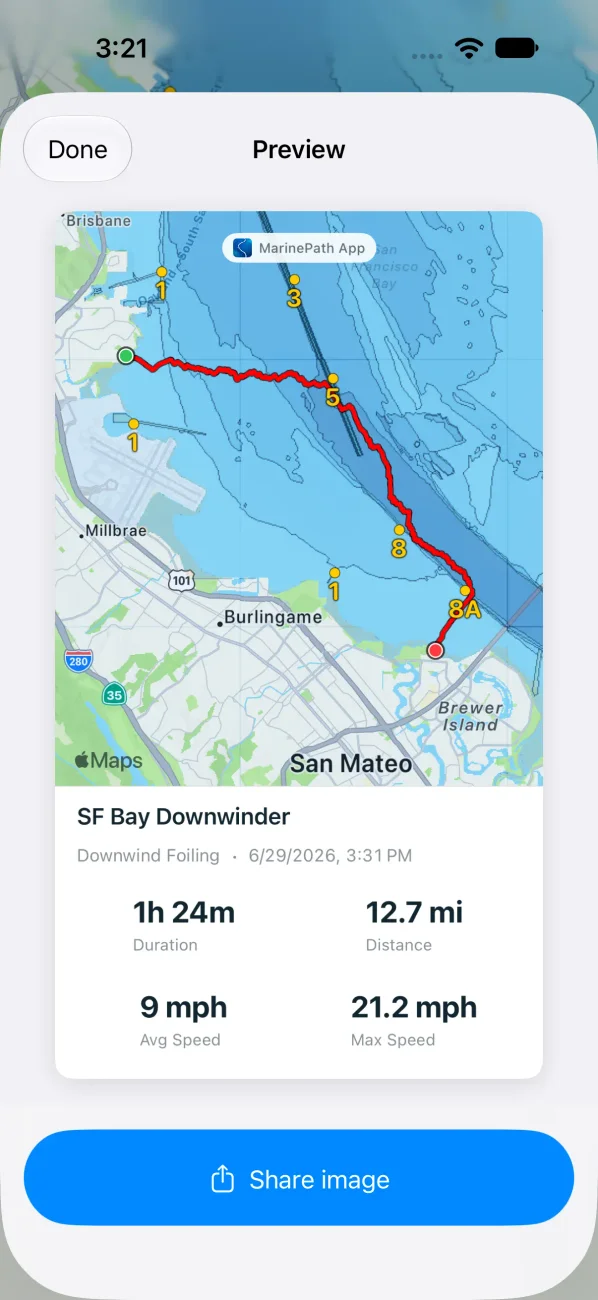
Turn a saved session into a portrait image featuring its full track map, session name, sport, date and statistics. Shared images use your session map settings and can include recorded heart-rate statistics when enabled. Save an image to Photos or share it with friends, group chats and other apps through the iPhone share sheet.
EXPLORE NOAA MARINE DETAILS
View NOAA chart details, navigation markers and optional depth soundings where NOAA provides coverage in U.S. waters. Depth labels show charted soundings, not live water depth. Outside NOAA coverage, the base map and GPS recording remain useful.
No account or sign-in is required. An internet connection is needed to download new map data; previously loaded content may be available from cache.
MarinePath supports situational awareness and recreational tracking. It is not a replacement for official nautical charts, approved navigation equipment, emergency services or safe judgment on the water. Map data includes OpenStreetMap contributors and NOAA; no provider endorsement is implied.
Có gì mới
Phiên bản 1.9 · 18/11/2026
- Follow a saved or imported route on Apple Watch or iPhone while recording a new session.
- Save sessions as Routes, organize your route library and sync it to Apple Watch.
- A simpler iPhone recording screen with easier access to sport and route choices.
- Improved GPS tracking and live speed readings.
Quyền riêng tư của ứng dụng
Những gì Mikalai Holub khai báo trên App Store về cách ứng dụng này xử lý dữ liệu.
-
Dữ liệu liên kết với bạn
Có thể được thu thập và liên kết với danh tính của bạn.
- Vị trí
- Chẩn đoán
Phương thức đảm bảo quyền riêng tư có thể khác nhau, chẳng hạn như tuỳ theo các tính năng bạn sử dụng hoặc độ tuổi của bạn.
Thông tin
- Người bán
- Mikalai Holub
- Danh mục
- Thể Thao
- Phiên bản
- 1.9
- Cập nhật
- 18/11/2026
- Phát hành
- 15/10/2026
- Kích thước
- 22,6 MB
- Yêu cầu
- iOS 26.0 trở lên
- Độ tuổi
- 4+
- Giá
- Miễn phí
- Ngôn ngữ
- Tiếng Anh
- Bản quyền
- © 2026 Mikalai Holub